⚡ Elevate your desk game with ultra-sharp clarity and seamless USB-C power & data flow!
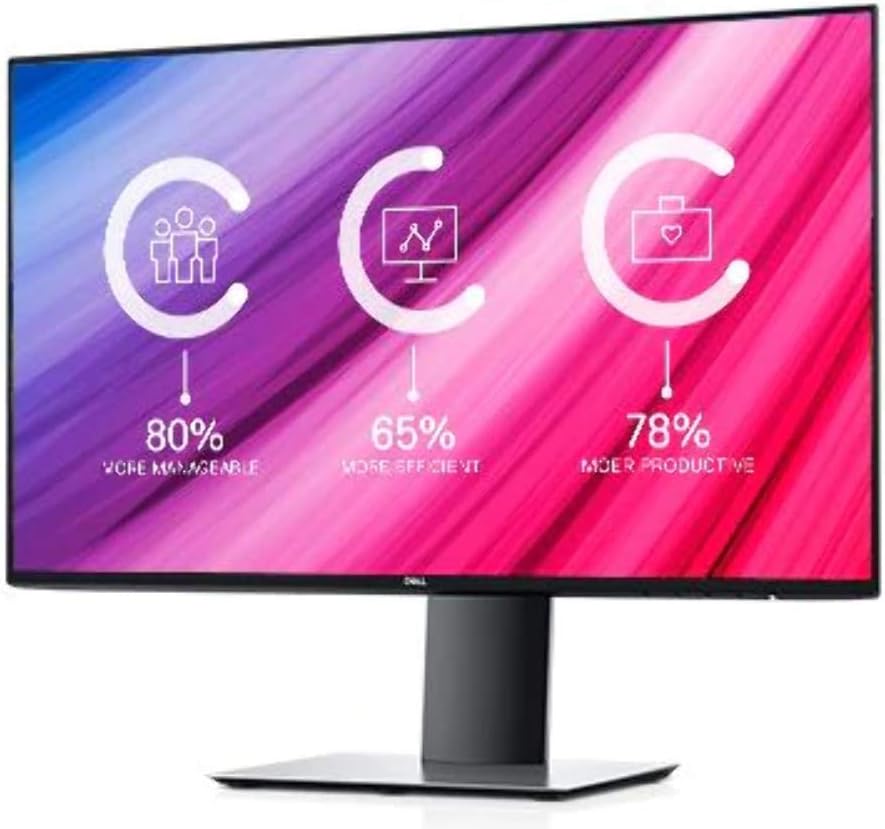
The Dell UltraSharp U2419HC is a 23.8-inch Full HD IPS monitor featuring ultra-thin InfinityEdge bezels, factory-calibrated 99% sRGB color accuracy, and a versatile USB-C hub delivering up to 65W power. Designed for professionals craving a sleek, color-precise, and clutter-free workspace, it supports multiple inputs, anti-glare coating, and security lock compatibility, making it a top-tier choice for productivity and style.
| ASIN | B07JJ1QB89 |
| Are Batteries Included | No |
| Best Sellers Rank | 212,309 in Computers & Accessories ( See Top 100 in Computers & Accessories ) 3,451 in Monitors |
| Brand | Dell |
| Colour | Black |
| Customer Reviews | 4.2 4.2 out of 5 stars (172) |
| Date First Available | 18 Oct. 2018 |
| Guaranteed software updates until | unknown |
| Item Weight | 4.4 kg |
| Item model number | DELL-U2419HC |
| Manufacturer | Dell |
| Number of HDMI Ports | 1 |
| Product Dimensions | 16.48 x 53.8 x 34.82 cm; 4.4 kg |
| Resolution | 1920 x 1080 Pixels |
| Screen Resolution | 1920x1080 |
| Series | Dell UltraSharp U2419HC 23.8" Full HD InfinityEdge USB-C IPS Monitor |
| Standing screen display size | 23.8 Inches |
| Wattage | 17 watts |
T**8
10/10; have bought a second one!
This is an excellent screen. The thin bezel gives a nice, clean look to the screen. I have purchased a second and mounted them both side-by-side on the wall over my desk. They sit together seamlessly and give a very large workspace. While I haven't used the stands, they have a nice weight and look stylish and well made. The screens have a number of different inputs, of which I use USB-C to connect to my Mac Mini. They have built-in daisy chaining capacity, but infortunately this doesn't work with Apple so I don't use it. There are two normal USB ports on the back (facing down) and two on the side; one of each of these is powered, allowing devices to be charged. The picture quality is excellent. The screens come with their calibration charts, however I checked mine before use and found it to be very accurate and true to colour. The brightness is even across the entire of the screen and Neither of mine have any dead pixels. The picture is very crisp and I find I can work at them for hours with no issue. I have turned down the brightness a fair bit since they chuck out a lot of light. My office isn't particularly dim or bright, however I would imagine that these screens could hold their own in a bright office environment. I leave them turned on the whole time, since they go into powersaving mode seconds after my Mac turns off and draw next to no power in this state. They wake promptly as the Mac does. I would hold no reservations in purchasing these screens again. It's a shame they don't have more than 1 USB-C port to allow for MacBook charging and future-proofing, but I don't see this as too much of an issue.
J**S
Amazing monitor with an integrated USB-C hub.
Dell monitors are usually great. This one is no exception. Let me list the pros: 1- Tiny bezels all around, looks very stylish and modern. 2- Color accurate. 3- Ultrashard for reading and productivity 4- Several ports: USB-C, HDMI, Display port, USB-A.. 5- Here the differential for me if you have a USB-C laptop. The USB-C hub that it has integrated. You can connect one only USB-C cable (as you can see on the pic attached), the laptop gets charged, the monitor gets the image, and shares de 4 USB-A with high speed in the monitor. That is amazing. I have 2 laptops, one from work and another one personal. With one cable, I charge both (Up to 65W), share the mouse, headset and network, all connected to the monitor via the USB-A there. It is super sleek. No dongles, power cords, plugging and unplugging. A USB-C hub alone costs £200. Cons: 1- It could be a QHD (2560x1440) monitor, it would be perfect for productivity. Dell has some QHD ones, but not with USB-C. They had now launched 4K with USB-C. But is too big and too expensive right now. Also, I don't need 4K. Disclaimer: I had not tested for games, but even when I do game, I don't care that much for high refresh rates, I'm a very casual gamer.
R**E
Excellent work station monitor
I bought this to replicate my work set up. My Dell laptop plugs in seamlessly, using the provided USB-C cable and limiting the cable detritus you often end up with on your desk. The monitor itself is excellent, with build quality a pleasant surprise, being less plasticky than I was expecting. A USB wireless mouse and keyboard (also Dell) plugged in with zero hassle as well. I am using the monitor for work, so Office, web etc and it fits that role perfectly and at a reasonable price
A**R
Great monitor...would be better with a UK power plug.
The monitor did not come with a UK plug for the power lead, but a 2 pin plug. I have used my old power lead but really shouldn't have to....The product description did not say this. It does not come with a HDMI lead also, but DP & USB C are included.
S**Y
Would recommend
Good screen, sturdy stand, excellent picture.
M**D
Monitor for MacBook Pro 2019
I have purchased 2xDELL U2419HC Monitors and am using up both thunderbolt 3 ports, The fact that they are always connected means that they are constantly being charged which is a positive. The lack of daisy-chaining on mac OS really made this an issue for me as I would like a thunder 3 port to be free and useable for my connectors such as my USB-c to sd card reader. But the use of the USB 3.0 ports on the sides saved the day as they allow for the use of all sorts of accessories which work in tandem with the mac.
M**G
An Eye Saver!
Very pleased with the Dell screen which I use as an expansion for a MacBook Pro (2017). It runs very effectively from the USB C ports on the MacBook and good into sleep mode when it doesn't sense a signal from the laptop. I like the fact that the screen also charges the macBook so there's no need for the original Apple mains lead. I strongly recommend this item.
R**N
Dead pixels: very poor quality control - avoid!
[Original review: 19 October 2019]: I bought two of these monitors, choosing CCL Computers as the seller. As soon as I set them up, one of them had an obvious dead pixel. Remember, these are from the Dell UltraSharp range, so have a "no dead pixel" guarantee. I raised a return to send it back to CCL computers... who said I'd have to send it back to Dell - trying to dodge their obligation to deal with the return themselves! Amazon soon sorted that out, and forced CCL to refund me. Feeling I had been unlucky, I ordered two more, this time choosing Kikatek as the seller. Within 10 hours use, one of them developed a dead pixel. This is incredible. I have used countless flat panel monitors over the years, and the only other one that had a dead pixel was a Dell P series monitor (at work). Now I buy a total of four for myself, and 50% have dead pixels. On this basis, I'd recommend you avoid this monitor entirely, and buy from any other manufacturer apart from Dell - they clearly have a disastrous lack of quality control/reliability. [UPDATE: 10 January 2020]: Another of these monitors has now also developed a dead pixel. So for me, that's now a 75% failure rate! In case you were still in any doubt, avoid this monitor! Buy anything else! Dell simply doesn't care about how badly it throws these together.
S**N
Ich verwende jetzt den Dell U2419HC seit ungefähr 3 Monaten. Daher denke ich, dass ich genügend Erfahrungen gesammelt habe. Vorgeschichte: Ich habe mir im November einen Toshiba Portege X20 gegönnt und recht schnell gemerkt, dass der kleine doch mehr kann, als ich Ihm zugetraut habe. Eigentlich sollte er mir nur auf Reisen das surfen und Videos anschauen etwas erleichtern. Aber, da er über einen neuartigen Thunderbolt 3 Anschluss verfügt, war recht schnell der Gedanke geboren, ihn auch stationär einzusetzen. Jetzt war nur noch die Schwierigkeit heraus zufinden, welche Größe (24, 27 oder 32 Zoll)? Welche Bildqualität (1080, 2440 oder 4k) ? Und sollte es ein "normaler" Monitor mit HDMI oder ganz und gar eine "USB C" Monitor sein? Auch hätte ich gerne einen Thunderbolt 3 Monitor gekauft, was die Krönung schlecht hin gewesen wäre. Aber, zu diesem Zeitpunkt, war es schlicht und ergreifend einfach zu teuer. Also, vieil die Entscheidung auf einen USB C Monitor. Wichtig war mir: - dass er ein gutes Bild hat - genügend USB Anschlüße für Sticks, Mausdongles, etc. hat - das mein Laptop geladen wird - HDMI und ein DisplayPort Anschluß hat Kurzum, mit diesen Kriterien gab es nicht viele. Ich habe fast alle ausprobiert und bei den meisten habe ich Kopfschmerzen bekommen. Ich bin mir noch immer nicht sicher, woran es genau lag. Aber ich vermute, dass es an der "zu scharfen" Auflösung lag. Der Dell ist für meine Bedürfnisse absolut perfekt!! Das Bild ist Top. Ja, es hat zwar ein wenig "Backlight Bleeding", aber in 95 % der Fälle merke ich es gar nicht. Leider musste ich trotzdem ihn gegen einen anderen -gleichen Typs- tauschen lassen. Da der erste grauenhafte Schwarzübergänge hatte. Das Austauschgerät hingegen ist absolut okay. Und die 1080P sind absolut in Ordnung. Alles ist scharf und Ruckelfrei. Wie man auf den Bild sieht, habe ich mein Toshiba immer in der Halterung. Der Strom, das Bild und die Daten werden nur über das USB C Kabel übertragen. Einfach geil! Kann man nicht anders sagen. Zusätzlich habe ich an den Dell noch einen Maus- und Tastaturdongle (per USB) angeschlossen. Somit habe ich noch eine externe MAus und Tastatur. Den Sound bekomme ich via Bluetooth aus meiner ANKER Soundbox. Im Prinzip habe ich zuhause einen vollwertigen PC und auf Reisen einen handlichen kleinen 12 Zoll Laptop. 1 Stern muss ich leider abziehen, da auch mein Monitor, wie beschrieben "BAcklight Bleeding" hat und es anscheinend auch keine richtige Qualitätskontrolle bei Dell gibt. Da der erste Dell, echt miserable Schwarzübergänge hatte und ich somit ein Austauschgerät brauchte. Ich hoffe, ich konnte den ein oder anderen bei der Entscheidung etwas weiterhelfen. Grüße
A**S
Este dell es un monitor de alta definición y de rápida respuesta en la transmisión de imágenes. Conector usb-c además de hdmi Colores reales, imprescindible para la edición de fotos. Calidad / precio un 10
J**N
It connects to MacBook with type, which provides power and video communication. Picture is shapers then my previous Dell S series. Amazon's pice is competitive. Recommend!
A**T
eğer bilgisayarınızda USB-C çıkışı varsa ayrı ayrı güç, elektrik kablosuyla uğraşmadan çok rahat kullanabilirsiniz. eğer dahili hoparlörü de olsaydı 6 yıldız vermek isterdim
A**O
Ottimo monitor, senza troppo light bleeding (a cui non si sfuggenei pannelli IPS: bisogna solo sperare non sia troppo evidente nello specifico pannello che vi arriva). Molto buona la qualità costruttiva, fantastico il piedistallo e il braccio di sostegno così come il sistema di aggancio e sgancio. Potete smontare il monitor in 2 minuti cronometrati da quanto è breve e intuititiva la procedura. Il mio pannello è arrivato però con un pixel bruciato in un angolo: ero tentato a chiedere il reso ma per vari problemi non l'ho fatto. Non è comunque un gran problema visto la posizione secondaria. Un altro "problema" che avrei preferito non notare invece è un leggero alone scuro attorno a tutti e 4 i bordi. Come molte recensioni hanno dimostrato, evitate di impostare il tempo di risposta a 5 ms: vi renderete conto dell'effetto ghosting che si presenta scrollando una qualsiasi pagina internet con immagini. La soluzione migliore è lasciare il default a 8ms. Comodissima la USB C (Attenzione, se avete un XPS 13 9350 questa porta non sarà purtroppo compatibile, vi invito a leggere i forum internazionali Dell). Molto comode anche l'USB A posteriore con power delivery; non manca davvero niente lato porte. Leggendo i forum Dell internazionali non si notano (per ora) difetti di fabbrica sistematici (come nel caso del modello U2518D, afflitto da tearing orizzontale) Finalmente, comodissima la rotazione in tutti i sensi del pannello, facile e sicura. Se navigate molto sul web o scrivete molto testo questo monitor ruotato in verticale vi darà una soddisfazione enorme e vi assicuro che lo userete in quel modo l'80% delle volte: sarà molto dura tornare ad un monitor 16:9 orizzontale.
Trustpilot
1 month ago
1 week ago