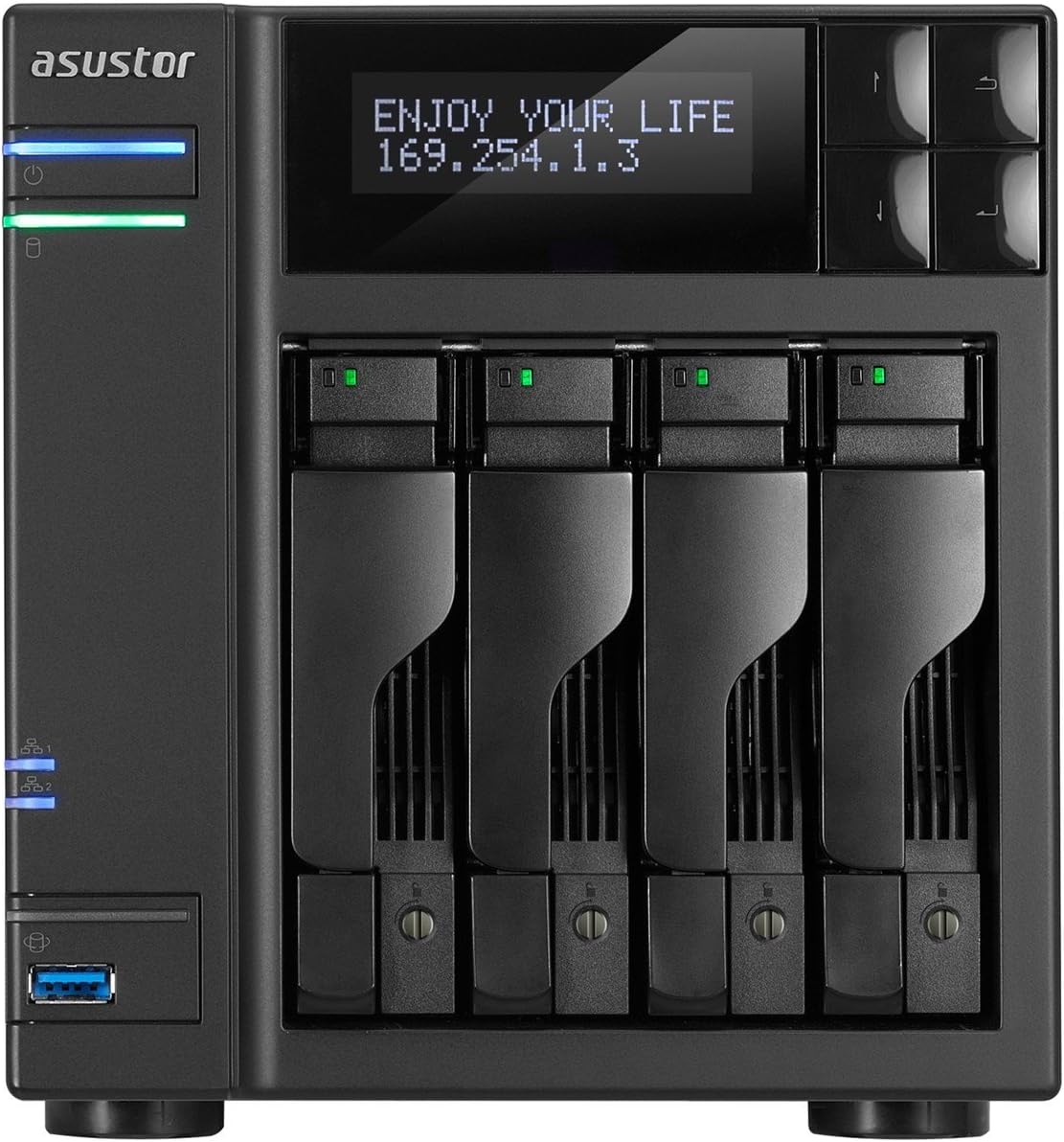
ASUSTOR - NAS Server - 0 GB - Black (AS5104T)
Product ID: 10959322
Details
- BrandASUS
- ColorBlack
- Compatible DevicesPC Mac
- Item Weight4 Pounds
- MaterialUnspecified
🌐Dual Gigabit Ports
💾24TB Storage
⚙️Intel Quad-Core
🚀 Elevate Your Storage Game!
The Asustor NAS Server (AS5104T) is a robust 4-bay network-attached storage solution powered by an Intel Celeron Quad-Core processor, offering an impressive 24TB of storage capacity. With dual Gigabit Ethernet ports and compatibility with both PC and Mac, it ensures seamless data access and management. Ideal for professionals seeking reliable and efficient data storage.
| ASIN | B00RBGYR5A |
| Brand | ASUS |
| Built-In Media | 2 x network cable, NAS server, Software |
| Color | Black |
| Compatible Devices | PC, Mac |
| Customer Reviews | 3.9 3.9 out of 5 stars (13) |
| Enclosure Material | Unspecified |
| Global Trade Identification Number | 00887372000643 |
| Item Type Name | ASUSTOR AS5104T - NAS Server - 0 GB - Black |
| Item Weight | 4 Pounds |
| Manufacturer | Ingram Micro CE |
| Mfr Part Number | AS5104T |
| Model Number | AS5104T |
| UPC | 887372000643 801947313211 |
E**S
Exactly what I was looking for
This unit is exactly what I was looking for... a very fast, fully featured, 4 drive NAS with a good CPU and expandable memory. I am an experienced engineer with a background that includes servers and workstations and I wasn't looking for the most popular product. After trying the top four NAS online demos I selected the Asustor as it had the combination of apps, interface, speed, "eye candy", expansion and customer service that I was after. If you haven't tried a NAS online demo then you owe it to yourself before you buy... search for "company name" online demo. The major players all offer one and you really get a sense for the NAS interface before committing to a purchase. This unit has a very easy to use interface but when something hasn't made complete sense their customer service has been quick to answer my questions via email. Although they haven't added them yet, if something I've asked for doesn't exist they have shared the requests with engineering (like the ability to disable the default Admin account and add allowed devices using MAC address). Even so, security options are plentiful... at the user, folder, file and remote access levels. I would prefer the additional security options mentioned above but they are off to a good start. You can limit remote access using IP addresses and Subnet ranges. You can limit remote access to only allow SSL. Both options together have worked very well. UPnP / DLNA playback and network sharing in general has been flawless and very fast within the local network. Remote access and playback has worked very well. Remote playback relies on your choice of additional media apps either developed by Asustor (like their Photogallery) or third party options like Plex or Gallery3. SSL WebDav is a reliable option for remote file access and secured using IP restrictions. They have a great selection of NAS apps from their app portal. I have installed multiple apps and weeded out my favorites, especially for media. Their selection of Android apps have covered the usual bases and have worked very well for me. Their photo app is able to automatically back up our phones' photos to the NAS. While I feel the photo app is a work in progress it does cover the basics of folder management and transfer options. You must be patient to learn the interface as it doesn't completely match the default Android gallery experience. The built-in Kodi media portal is fantastic. With this NAS connected to our home theater I don't even power on the Windows home theater PC anymore.... we either watch content from our Sony Blu-Ray Player using DLNA from the NAS or we watch content on the NAS directly using Kodi. This Asustor NAS is very well done, regularly updated, and they have been a very gracious company to work with... Exactly what I was looking for.
J**D
Updated Review - Support from ASUSTOR HORRIBLE!!
** This review was on 4/10/2019 ** After this device stabilized over the last two years with software updates, it had started to get sluggish after updates.. Then it stopped allowing me to get into the unit via it's ADM Web Interface. I could try to login in, but everytime it would put me back to the login screen. The only way to fix it was to reboot the NAS or Power Cycle it.. So I opened a technical support ticket with ASUSTOR.. It sat for over 2 months with no action from ASUSTOR so I opened another ticket.. It's now been sitting idle for over a day. At this point I would recommend: - RUN AWAY!! RUN RUN RUN AWAY FROM ASUSTOR.. There support is nonexistent and they have little no to means or want to get back to you.. They could care less. - BE ADVISED you could wait upwards of 3 to 4 months before support wants to get back to you.. Why? Incompetence at ASUSTOR is the only reason I can think of. *** Previous Review Below **** From 2016 **** Won't buy another.. Don't suggest you purchase one.. Pros: - Very fast when writing files via LAG Set-up.. 800Mb per sec - Fast responsiveness when using DLNA, when you can get the DLNA to work properly - Memory Upgradable - Quad Core Celeron.. Cons: - LAG When used displays 0.0.0.0 as the IP Address on the front of the Unit - Registration of the device via secure means (SSL / HTTPS) is NOT available on ASUSTOR Website - Registration of the Unit using it's built in registration tool is NOT Secure! You'll send your username and password in the clear. - Folders can't be removed that you aren't using. Throws up errors - Documentation is horrible and doesn't explain fully why you can't delete some folders and what other folders are for. - Many built applications don't tell you want the difference between versions are - NOT DLNA Certified and I had a multitude of issues.. - LAG with VLAN tagging only allows one VLAN to be used - I've opened at least 8 trouble tickets on the unit..
T**N
Worst Tech Support Ever Encountered
Actually, this may be the galaxy's greatest piece of hardware ever created! But if the user can't learn how to use it then it's a paperweight! I accept part of the blame because this is my first use of a network server since Windows Home Server. Simply stated Asustor's Tech support is the worst I've encountered in my 30+ years of experience. To be blunt I don't think their English is up to par. Example: I email them clearly explaining that I have a Dropbox account but cannot connect to it with my server . . . their reply explains "If you don't have a Dropbox account, you are able to create it at login page." And then it goes on with the usual stuff about checking your network. I gave it two stars because I do suspect it might be great hardware. It's like having a Tesla with a dead battery and no way to charge it. I'll keep trying until expiration of returning. Or maybe I'll start learning Thai - might be easier.
K**Y
Almost perfect NAS appliance with very low power consumption and easy user interface
The 5104T is a fully functional NAS with many add-ons available and a handy management interface to simplify many management and maintenance tasks. Asustor updates the OS and add-on software regularly and makes all their user guides, manuals, etc available on their website. The NAS itself is nearly silent, but if you put loud drives in the enclosure (does not come with any drives) then you may have more drive noise than some other products, as the enclosure does not do much to muffle the drives, particularly seek noise. There are some limitations in the iSCSI features, but unless you are building a huge ESX environment, you will probably never use iSCSI.
Trustpilot
1 week ago
5 days ago