Buy anything from 5,000+ international stores. One checkout price. No surprise fees. Join 2M+ shoppers on Desertcart.
Desertcart purchases this item on your behalf and handles shipping, customs, and support to Thailand.
🗺️ Navigate Boldly, Powered by Simplicity
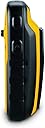
The Garmin eTrex 10 is a rugged, budget-friendly handheld GPS navigator featuring a worldwide basemap, high-sensitivity GPS with GLONASS support, and a 2.2-inch monochrome display. Waterproof to IPX7 standards and powered by two AA batteries delivering up to 20 hours of use, it’s designed for reliable navigation across diverse outdoor activities. With paperless geocaching, track and waypoint storage, and USB connectivity for easy data transfer, it’s the perfect companion for hikers, cyclists, and explorers who value durability and simplicity over flashy maps.


| ASIN | B00542NV32 |
| Additional Features | Paperless Geocaching, Track More Satellites |
| Are Batteries Included | No |
| Audio Output Mode | Digital |
| Battery Average Life | 20 Hours |
| Best Sellers Rank | #13,111 in Electronics ( See Top 100 in Electronics ) #8 in Handheld GPS Units |
| Brand | Garmin |
| Built-In Media | eTrex 10, Lanyard, USB cable, Manual |
| Compatible Devices | Touch devices, computers and generally any device that can use USB connectivity or global map |
| Compatible with Vehicle Type | Car, Truck, Motorcycle, etc. |
| Connectivity Protocol | wired |
| Connectivity Technology | USB |
| Control Method | Touch |
| Customer Reviews | 4.3 4.3 out of 5 stars (6,413) |
| Display Type | LCD |
| Global Trade Identification Number | 00753759975845 |
| Human-Interface Input | Buttons |
| Item Dimensions L x W x H | 2.13"L x 1.3"W x 4.06"H |
| Item Type Name | Garmin eTrex 10 Worldwide Handheld GPS Navigator |
| Item Weight | 141.7 Grams |
| Manufacturer | Garmin |
| Map Types | Australia |
| Memory Storage Capacity | 6 MB |
| Model Name | eTrex 10 |
| Model Year | 2011 |
| Mounting Type | Spine mounting |
| Operating System | Garmin |
| Resolution | 128 x 160 |
| Screen Size | 2.2 Inches |
| Sport Type | Running |
| Supported Satellite Navigation System | GPS |
| Touch Screen Type | Resistive |
| UPC | 753759975845 |
| Unit Count | 1.0 Count |
| Warranty Description | 1 year limited |
D**8
Still great after almost four years!
Desperate for an inexpensive GPS unit, I bought this late in 2014. At first, its logic took some getting used to, for the track record is always on, and you have to clear the active track to start a new one. Not a big deal, because of course you can save the track before deleting it. Also, the "back" button seems to be the simplest way to move through menus. This unit replaced a series of an older inexpensive Garmin model, which lived up to their reputation of failing every two years or so, though they were fine up to the failure point. Anyway, after almost four years of extensive use and the occasional drop, my eTrex 10 is still getting the job done really well. The display is old-style plain, not for everyone, but this translates into superb battery life. I can run it all day on a fresh pair of rechargeable AA's without any fear of data loss. The accuracy of handheld GPS units is hard to pin down--smoke and mirrors, but this one certainly does the job for road logs and hiking records. Sensitivity is excellent and it doesn't take long to find satellites. Downloading tracks is easy and dependable, something I can't say for my old Garmin Forerunner 305 wrist GPS. When connected to a USB port, the eTrex 10's track and waypoint data appear in a virtual drive folder, for easy copy or upload to GPS software. All I want from a GPS device is reliable information on where I am and where I've been, for I depend on mapping software to deliver actual graphics. Users who want better mapping support from the unit itself would find the eTrex graphics too limited. Also, I don't go after geocaches and can't evaluate the unit for that. But the eTrex 10 is just fine for locating myself in trackless woods, for providing a work record of where I've been, and for keeping track of my auto travel details. I did have one tense moment when, for failture of housekeeping, the track memory became so full that there didn't seem to be enough left to run the track deletion sequence. Can't remember how I got around that; maybe by starting with the smallest tracks. Didn't want to do a complete reset because there was some information I had not downloaded.
J**T
Reviewed by a cyclist for cyclists considering this device for their bicycle riding.
This device (the eTrex 10) is a gem. Thus the five star rating. I've been studying it and using it on bicycle rides for the past two months. I've read several of the Amazon reviews for this product, and few do a good job of informing the consumer. I think this is because the product caters to so many different endusers: boaters, kayakers, walkers, hikers, off-road cyclists, and on-road cyclists. My review is written from the perspective of an on-road cyclist. And I'm not going to write a review as much as merely answer a series of questions. 1. Can you charge this device using a USB cable? >>No. The device uses two AA batteries for power. They can be cheap alkaline, or the more expensive rechargeable NiMH or lithium. Alkaline work ok if the weather is warm or hot. If you go the rechargeable route, don't buy cheap ones that have less than 2000 capacity. I didn't know rechargeables came in different capacities. Duh! The rechargeable batteries you need to recharge in a separate recharging device. 2. What do you use the USB cable for that comes with the device? >>To connect your device to your PC or Mac so you can update software or move GPX files on or off the device. GPX files are what tracks and waypoints are stored in. I use a Web site called RidewithGPS to create my TCX files. Then I use other software to convert them to GPX files. Think GpsVisualizer dotcom. 3. Can you load maps into this device? >>Not really. There is an almost nonexistent base map that comes with the unit. It is supposedly possible to overwrite it with a different map. However, for you to add maps to this device you would need to be able to insert an SD card which is where you would store extra maps. Since you cannot install an SD card into this device, you cannot add maps. 4. Can you use this device on long bike rides so you don't get lost? Is it good for bicycle touring? >>Yes. This is why I purchased this device. 5. Can this device aid one in navigating a city walk? An outdoors hike? An off-road bicycle ride? An on-road bicycle ride? Yes to all four questions. I use the device for GPX files I create using a free online service called RidewithGPS dotcom. The GPX files are the end-product of designing a route. Some of the routes are through city streets. Some are through trails in the various outdoor parks near my home. Some are mountain bike trails. And some are 200k brevet rides on roads. I copy the GPX files into the GPX folder in my device and I'm ready to go. 6. Can an SD card be installed into this device? >>No. Not on THIS device. Pay a little more to get the eTrex 20x or the eTrex 30x and you will be able to install an SD card in those devices. 7. Is it easy to read this device in sunlight? At nighttime? >> Yes. Yes. I have found it easy in both daytime and nighttime. Of course, I have to wear glasses that correct my vision well. The viewing screen is somewhat small. 8. Is this device good for long distance bike rides like brevets? >>Yes. GPS navigational devices designed for cyclists typically have internal rechargeable batteries that will die after 10 to 12 hours of constant use. Since the eTrex 10 uses two AA batteries, when they die they are easily replaced while riding the bike. As long as you have extra AA batteries along during your rides you will never be without a functioning eTrex 10. 9. How long does it take to find satellites before it starts working? >>Depends. It always cranks up quickly (within a minute) for me. However, I have both kinds of satellites enabled in my system setup. Uses more power this way though. 10. Is the user manual instructive? >>It is OK. The problem with the manual is the uses the device can be put to are so broad: boating, walking, hiking, biking off-road, and biking on-road. There really should be a manual for each type of user – and there just isn't. Furthermore, do you want to use the device to mark geocaches? To merely be a navigation tool? Or to record where you have gone so you can retrace your steps? I'm really only interested in using the device as a navigation tool. 11. Does this device track pace and distance traveled? Can it double as a bike speedometer? >>Yes. Yes. You can configure the view screen to tell you how far you have traveled at any point in time. And you can configure it to tell you how fast you are going in mph or kph. 12. How relevant are street signs when using this device? >>Street signs are not really relevant because maps are not really relevant. With this device and your GPX file you will have a track (breadcrumb trail) and waypoints (usually along the trail). I create my GPX file so the names of the waypoints are street names. When the device is functioning a cursor shows up in the view screen indicating where I'm actually planted on the earth. As it moves along the track and I approach a waypoint I know it'll be time to make a turn. I can make the turn without even knowing the name of the street. And when riding in the middle of the night I rarely look for street signs to verify a turn. Of course, it is nice to see a street sign that matches the waypoint title. Waypoint titles show up in my view screen as I ride. 13. Does the view screen easily scratch? >>Yes. This is a problem. Invest in a $10 screen saver. 14. Does this device provide turn-by-turn instruction when being used? >>No. You only get turn-by-turn instructions when a GPS device uses an installed map to "calculate" your route. This device doesn't even have a map. But the eTrex 20x and eTrex 30x models do have maps. However, those units don't use the maps to calculate routes. The maps are just background images to the tracks and waypoints that appear on the respective view screens. All three units allow you to create proximity warnings around your waypoints. And when you get within a certain proximity of a waypoint you can be warned. This function works kind of like turn-by-turn instructions. Unfortunately, I have found them not to be too helpful. They tend to clutter up my view screen. 15. Can you insert a pre-loaded route? >>Yes. See answer to Q12. 16. What kind of battery life can one expect? >>With two rechargeable NiMH AA batteries with capacity of 2600 each you'll probably get more than 20 hours. This has been my experience while having both types of satellites accessed and leaving the backlight on constantly. 17. Does this device have touchscreen features? >>No. If it did you wouldn't get 20 hours of battery life. See answer to Q16. 18. What memory does this unit have? >>Only internal. This device does not let you install SD cards. The eTrex 20x and eTrex 30x does allow for SD cards. Those units cost more. 19. What kind of batteries does this device use? >>AA batteries. See answer to Q1. 20. When the batteries die do you lose your current track and any waypoints? >>Nope. This is because information is saved as you go along, and the route is not “calculated” during your ride. The track is static information, as are the waypoints. When you turn the device back on after changing the batteries the cursor in your view screen shows your current location just like when the power went out. 21. What file formats does this device read? >>Only GPX files, which are XML text files with a .gpx extension. Won't read TCX or FIT file formats. To create GPX files I download my routes from Ridewithpgs and then use one of a few free online converting Web sites to convert the TCX file to a GPX format file. 22. Does this device have an audio component? >>Nope. If it did, then you wouldn't get 20 hours of battery life. However, pay a little more and get the eTrex 20x or eTrex 30x and you will have some audio capability. For example, the proximity alarm in the eTrex 10 will not produce any bells or beeps, but the other two units do. 23. Does this device have a mapping function? >>It will record where you have gone if you want it to. Save the file when you are done, and you can upload it to RWGPS, Garmin Connect, Strava, or MapMyRide.
D**D
No tiene lujos ni aplicaciones extraordinarias, pero es perfecto para hacer rutas senderistas con la seguridad de no perderte. Es ligero , de pequeño tamaño. no pierde la señal del satélite ,. La pantalla se ve perfectamente con sol y sombra y su manejo no es muy complicado. Por ponerle un pero, para mi gusto le falta un bloqueador de pantalla, pero aún así, muy buena adquisición,
S**X
Ricevitore GPS molto preciso. Riceve anche i satelliti Glonass russi; registra velocemente la posizione. Appena acceso contiene all'interno una mappa precariata di tutto il mondo, ma per niente dettagliata: sono presenti solo confini di stato e le principali città, ma senza cartografia e altro, solo l'ubicazione. Ufficialmente Etrex 10 non supporta mappe cartografiche. Attraverso un processo appreso online, grazie a Linux Mint e l'applicativo MKGmapgui, sono riuscito ad installare, nei soli 8 Mb del dispositivo, una mappa cartografica quasi completa della mia regione, scaricata dal sito Open Street Map e BBbike.org. Per quello che serve va piu che bene: è solo uno sfizio scaricare la cartografia; per avere uno sfondo un po' dettagliato alle tracce Gpx salvate. La parte davvero fondamentale sono infatti le tracce Gpx dei percorsi (in montagna e non). Sono liberamente scaricabili da vari siti online tra cui cito Wikiloc, e funzionano benissimo guidandovi sul vostro percorso. Se le tracce scaricate sono prive di riferimenti o waypoint, oppure volete semplicemente modificarle nel loro percorso, è possibile utilizzare il software ufficiale Garmin BaseCamp per studiare il percorso e progettarlo come meglio volete. Utilizzo batterie classiche Eneloop ricaricabili Ni-Mh che hanno un'autonomia infinita, oppure le usa e getta al litio della Varta, con le quali si ha una durata davvero notevole, di più giorni. Assieme al Garmin ho preso anche la custodia originale, che comprende la molla per agganciare il ricevitore allo zaino. Ottimo acquisto, anche nel 2020: lo schermo in bianco e nero da un tocco di retrò, ma ha il plus di non scaricare quasi per nulla le batterie.
C**O
Produto de excelente qualidade, e com valor acessível.
T**M
ロガーとして使えば満足です。 入っている地図は使い物にはなりません。(大阪、名古屋、東京、などの都市と日本の輪郭が入っている程度) 別途地図を入れる方法もありますが、なにぶんメモリが少ないので実用性は低いと思います。 私の場合は単なるGPSロガーとして使用し、結果をPCに取り込んで処理しています。 単なるGPSロガーとしてなら申し分有りません。 固定に関しては、携帯電話についているような、細いヒモを通す穴が開いています。 他に固定する手段が無いのでオプションのパーツの購入をお勧めします。私は純正のカラビナがつくタイプのものを使っています。
M**N
Solid little gps, does exactly what it’s suppose to do. This is my 4th Garmin gps in the last 22 years and the best yet. Very fast to acquire the satellites even in the house under a tin roof. My other older gps and my 2 year old car gps won’t acquire the satellites unless I go outside. I did have to go outside the first time I turned it on but worked in the house every time after that. Garmin’s basic functions hasn’t changed much since 1995. There are a lot of switching pages depending on what you want to see but so did all the others I owned. This is a small screen gps and not a big screen tv so it’s impossible to put all the info on one page. The trick is to play with it and learn it’s as much as possible. My only major complaint is the instruction manual, it sucks big time. I give it 1 star for manual. I would say it’s impossible for a first time user to learns anything useful about the gps, Garmin sure has gone downhill when it comes to instruction manuals. Thanks to the Internet, there is a useful solution for this. YouTube contains all kind of useful instruction video for this model, enough to get you going out and use it with confidence. A major complaint I have seen in the reviews is “battery life”, most people find it is too short on two AA batteries. All my older models (3) took 4 AA and the battery life wasn’t that much longer than this unit. The big difference 2 batteries make is the size of the unit. Take my older model Garmin 12XL. Used 4 batteries and the unit was at 30% bigger but the screen is only about 5% bigger. I used to change my batteries every day before heading into the bush. I recommend you also order from Amazon a pack of ENELOOP batteries made by Panasonic. You get 4 rechargeable batteries that contains 2100 mah (stored power). 2 batteries runs the unit for a solid 24 hours,(first thing I tested), you bring the other two for spares. Never leave home without spare batteries regardless the type you use. No downloadable maps is another complaint I read often, if you want topo maps on your gps, do not order this unit, go for the etrex 20. I did see some videos on YouTube that shows how to download some maps on the unit but I found the quality of the maps were not worth it. I always carry a good quality map and a compass with me, gps or not. Much easier to plot a course with a map and compass then load the coordinates on the gps. I used to hunt in deep bush far from civilizations in northern Canada with gps, map and compass and I can say I have never got lost and have always made it out of the bush. Hope the review helps you.
Trustpilot
1 month ago
2 weeks ago