Some deliveries may take a little longer than usual due to regional shipping conditions.

DOWNLOAD THE APP


Customer Services
Copyright © 2025 Desertcart Holdings Limited
DOWNLOAD THE APP
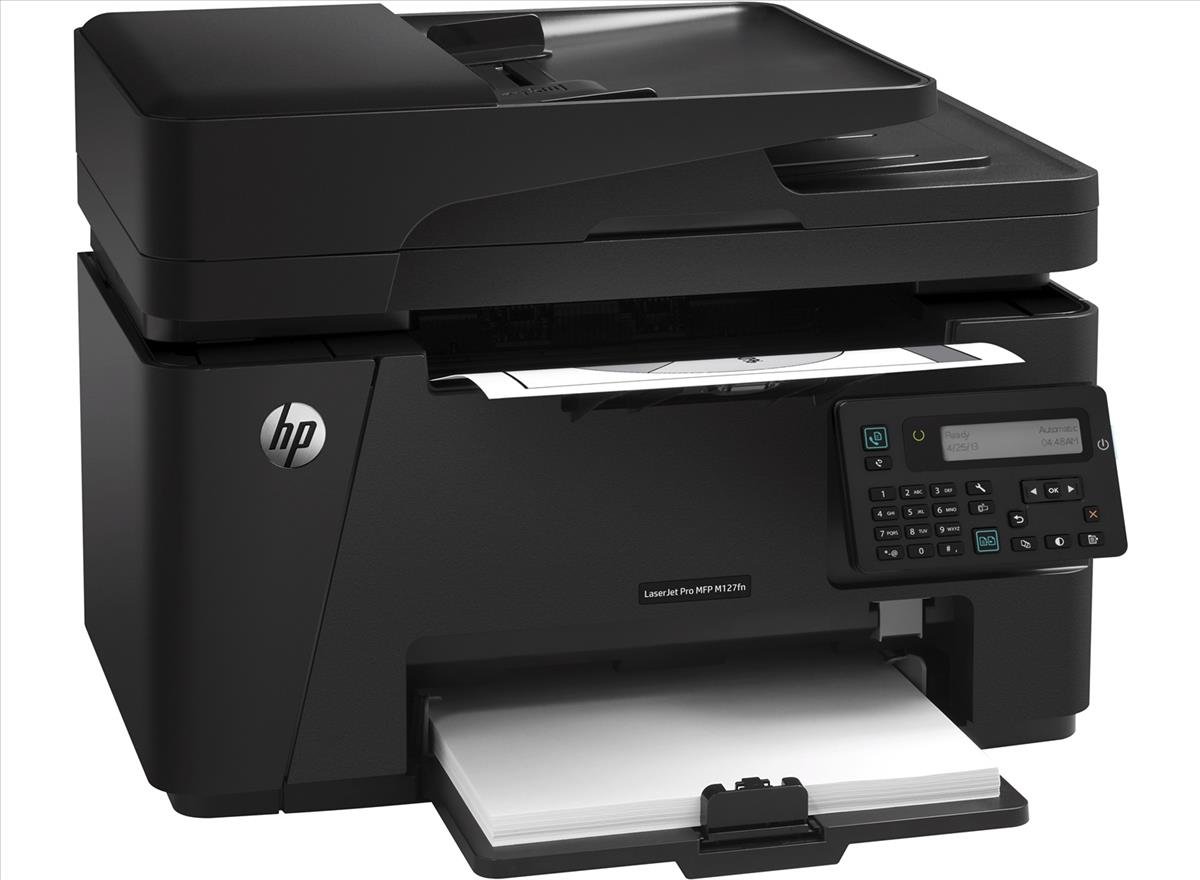
🚀 Elevate Your Office Game with HP LaserJet Pro!
The HP LaserJet Pro M127fn is a versatile all-in-one monochrome printer designed for efficiency and connectivity. With features like a 35-page automatic document feeder, fast printing speeds, and mobile printing capabilities, it’s perfect for busy professionals looking to enhance productivity in the workplace.
R**B
Best printer for the money.
I don't think there is a better laser printer at this price. I don't look at the price and features of the printer. Before buying any printer, I look at the cost of printing. This printer has all the features I was looking for, including double sided scanning and printing. I can also print to it from my Samsung phone. The first page out is very fast (less than 15 seconds). You can let Windows automatically set the printer up, or you can change the settings manually. This is the second of three M127fn printers I have purchased for family members and myself. We are all happy with the features and performance.
R**O
na
excellent
P**7
Is the fad dead yet? Do you really need a wireless color printer?
It took me years (yes, I'm a bit slow) of using Inkjet color printers to realize that for our family 99.9% of our printing needs didn't require color. Photographs used to be the exception to this but with computer storage (hard drives or cloud) becoming cheaper and cheaper (including RAID backups, media servers, thumb drives, and electronic photo frames) the need to actually create a hard copy of photographs is no longer necessary for us. In fact we are now in the process of digitizing all of our old photographs and building electronic photo albums (I just wish there was a common/popular image format that allowed for the use of tags/properties like music files do. Perhaps I just haven't discovered it yet.). Once this is done the old hard copies will be relegated to several shoe boxes in the attic.And then there is also the expense of color ink and photo paper as well as the challenges of getting all the cartridges aligned properly, paper in proper alignment, etc. It typically took 2-3 costly test runs before being able to create a high-quality hard copy of a photograph in the rare occasions that we needed one.I came to a similar realization with wireless printers. As long as the printer can be located within 6 feet or so of a wireless LAN router it can be attached to the LAN using an Ethernet cable. Very fast, secure, and stable. Any device (including computers, smart phones, game consoles, smart TVs, NAS, etc.) that can attach to our LAN/hot-spot can now also attach to the wired printer. And we no longer have the problem where our wireless devices think the printer provides Internet access if our DSL WAN/Internet link goes down (and need to be reset once the DSL link is active again).After some research, this Monochrome LaserJet printer seemed to be the best solution for my family's needs. It is an "all-in-one" printer that also supports fax, scan, and copy. Installation and connectivity setup to all our wireless devices was a breeze. Print quality and speed is excellent. Printing is almost soundless (no click, click, click like the Inkjet color printers do to prepare for printing). The cost and availability of toner cartridges (either HP or 3rd party) is pleasing. Our printing costs are now a small fraction of what they used to be...So why 4 stars instead of 5? It's mostly due to HP's penchant for trying to install (need to opt out) what I believe to be unnecessary, intrusive, potentially insecure, and personal information capturing software such as "user experience", very expensive "shop for supplies", toner cartridge validation, cloud printing/faxing web services, and so on. I've also not <yet> found a way to instruct to printer's fax capability to answer incoming calls after "x" number of rings. Sorry HP, but my printer and landline phone answering machine are in different rooms and can't physically connect like HP advises. Might be able to solve this challenge with a bit more research and experimentation.
S**E
this printer is great. I was leery because of the price
Coming from a Samsung printer that was nothing but trouble, this printer is great. I was leery because of the price, but this printer works great. First page out time is important to me (I'm not very patient), and it's way faster than I'm used to. Tested one page from sleep mode and it was out in about 7 seconds. Small footprint. Print quality is good. HP software was easy to install and we were up and running in no time. If you're like us, and you don't need color or wireless, I highly recommend this printer.
S**E
Unreadable LCD screen, you will need a flashlight to read it. Get a different printer.
Prints and scans as advertised, but I have to keep a flashlight next to it to read the LCD screen. Not illuminating the screen makes it unreadable without a flashlight. Get a different model with a readable screen; the HP of old would have never shipped this thing with its sub-standard user interface.
B**2
So far so good. Printer - works well and fast
So far so good.Printer - works well and fast. Much better than the ink jet crap we had.Glass Scanner - very nice, scans in color and you can adjust the contrast of the scan prior to saving.Tray scanner - very nice as well. Makes scanning many documents easy.ConsCan't scan directly from the machine, have to access through the computer. Just an extra step, nothing big.Sometimes the tray scanner disconnects and I have to walk away from the machine for sometime. Not sure if there is a disconnect at my computer or the scanner/printer itself.
U**C
It works well for a small business owner like me. You can buy the cartridge cheap too
Very durable, I have used this printer for 3 years without any problem. It works well for a small business owner like me. You can buy the cartridge cheap too. Well worth it for the price I paid 3 years ago which was 129 dollars. Best investment I have made on a printer!!!
S**E
Unacceptable customer service
I would give this product more stars but I haven't been able to actually us it. I got this printer because it said it was compatible with my computer, it was in my price range and had decent reviews. However, it turns out it is not compatible with my computer and to make it compatible I would have to pay more than I did for the printer itself. I haven't decided what to do with the printer I have, but I will NEVER again buy any HP product because of this. This is unacceptable.
Trustpilot
3 days ago
3 weeks ago