📼 Turn nostalgia into digital gold—capture, edit, and share your story!
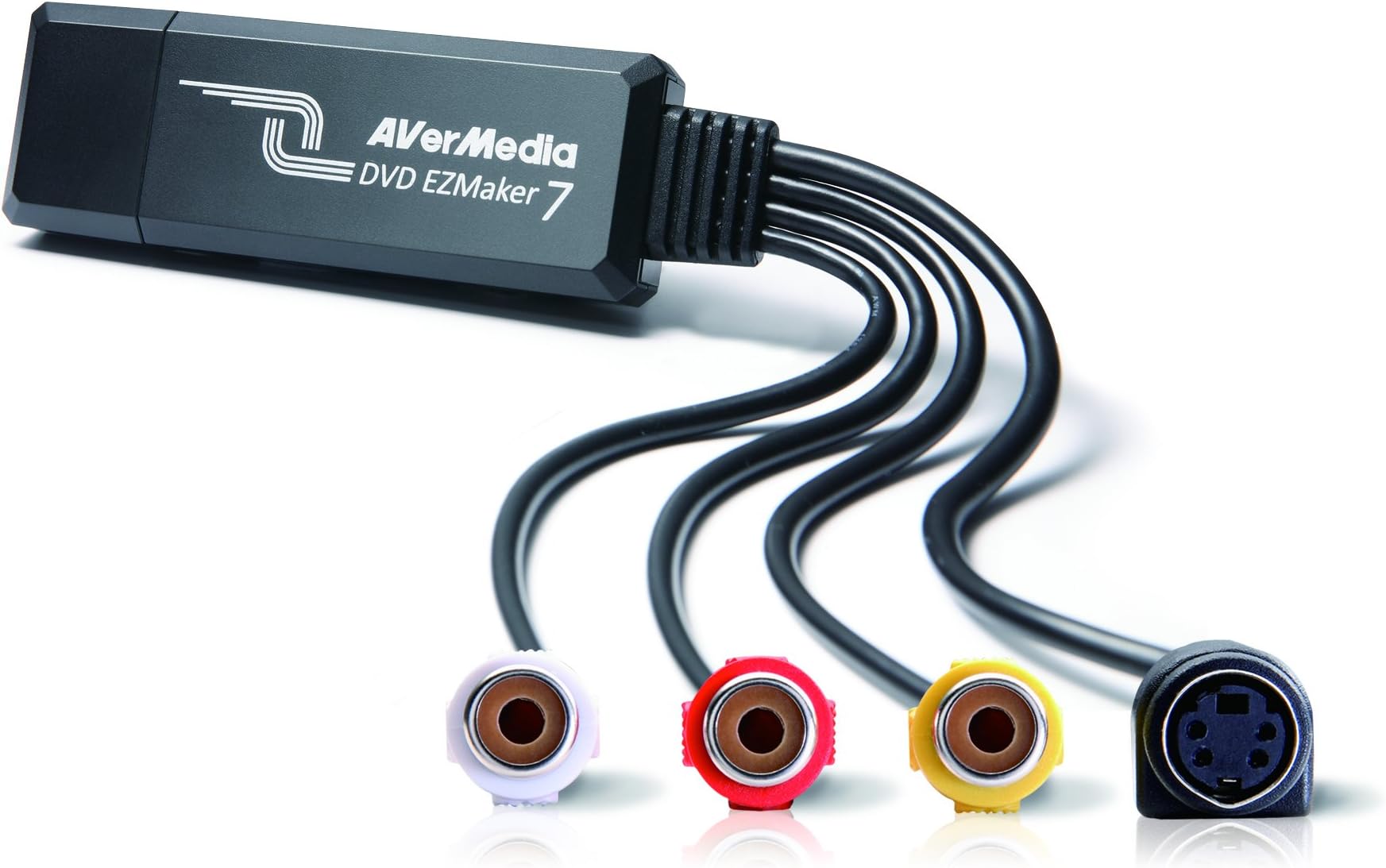
The AVerMedia EZMaker 7 is a compact USB 2.0 video capture card designed to convert analog video sources like VHS and V8 tapes into digital formats. Compatible with Windows 7-11 and Mac OS 10.11/10.12, it includes bundled CyberLink software for easy video editing and DVD authoring. Its plug-and-play interface and portable size make it ideal for professionals and enthusiasts looking to preserve and enhance their vintage media collections.


| ASIN | B00603S1OS |
| Best Sellers Rank | #201 in Internal TV Tuner & Video Capture Cards |
| Brand | AVerMedia |
| Color | Black |
| Computer Memory Type | DRAM |
| Customer Reviews | 3.7 3.7 out of 5 stars (707) |
| Date First Available | October 28, 2011 |
| Hardware Platform | PC and Mac |
| Is Discontinued By Manufacturer | No |
| Item Dimensions LxWxH | 3.2 x 1.1 x 3.2 inches |
| Item Weight | 1.7 ounces |
| Item model number | C039 |
| Manufacturer | AVERMEDIA |
| National Stock Number | 0 |
| Operating System | Windows 10 |
| Product Dimensions | 3.2 x 1.1 x 3.2 inches |
| Series | C039 |
| Voltage | 1.5 Volts |
J**O
Great Product - might need extra cord
This worked great. Keep in mind that you might need an extra cable to actually attach to a VCR. I believe other reviews had more technical explanation of it, but my husband had several on hand so it wasn't an issue to me. However, if we didn't have that cable that would be annoying as another thing I would have to buy. Other than that, this worked great. I installed the software on a windows 8 OS and it was fine. The software also comes with video editing! So fun!! I put 4 hours of home dance videos onto a DVD. Then I gave them out as gifts to my friends where were in the dances. We had so much fun watching them and they really appreciated the thought. Great product, easy to use. Shipping was accurate. Oh and if it wasn't obvious I went from a VCR to computer. It sounds like you can also hook this up to a camcorder, but I haven't tried that.
R**D
Works well on the Mac, but with some rough edges
It really does work as advertised on a Mac, and the video quality of the finished transfer was no worse than the original VHS tape. It also has software specifically for making transfers to a Mac. This isn't as necessary as it is on Windows, because you could do this with just the transfer hardware and various apps that are already widely used in the Mac video world. However the included "Aver Studio" app makes it easy enough that a non-gearhead could do it. You walk through a couple of basic choices on what format you want the transfer to be and then when you start the transfer, it gives you a video and audio monitor so you can see where you are, plus some tools for trimming the head and tail of the clip right in the app before you finally save it. The reason for 4 stars rather than 5 is that the software, while it looks quite elegant on the screen, has a sort of not-ready-for-prime-time feel with odd command logic and very limited documentation. I suspect it would take anyone 2 or 3 tries before you get everything right. There were also 2 specific problems: a) The Mac software in the box won't install with any Mac OS after 10.8 or 10.9 which means it's at least 3 or 4 years out of date. After some hunting on their website, I found a download that works with El Capitan (10.11) and Sierra (10.12) but I was pretty much on my own in working through this. b) When I was transferring clips from a VHS tape, I experienced a bug where after about 15 minutes or so the sound I was monitoring started getting distorted with noise bursts that got worse and worse to the point that after about 25 minutes the sound was unintelligible. Much to my surprise, the bug did NOT affect the quality of the sound in the finished transfer (which was fine) so it was only an inconvenience in monitoring the transfer rather than a fatal flaw. Still, it was pretty alarming. (One caveat: I didn't test this with any other tapes or tape players, so it might possibly have been an oddball bug with the tape I was transferring.) Overall, looking at the many options for doing this kind of transfer, I think this was the best choice for someone using a Mac.
B**N
Rarely works, weak picture quality, but the hardware can be forced to work correctly if you're good with computers.
If the tool works, it can work. But I had to fight it for a full day. I tested it on four Windows computers (two Windows 7 and two Windows 8.1). Out of four computers, it only worked on one. One displayed the video garbled up. Two wouldn't display any video at all. The CD didn't have drivers for Windows 8.1, I had to download them off the internet. The instructions didn't match the steps for installation, I had to be a bit clever during the process. No instruction was given for the provided software. Once I was able to poke around and find the correct tool, it did start encoding the VCR tape video/audio. I had a long video tape, a couple of hours long, and it kept splitting it into 4 GB chunks (I presume so those chunks could each be written to DVD.) Further, the video quality wasn't good. Old fashioned TV did something called interlacing, where they faked 60 frames a second. Frame 1 would display only even pixel lines, frame 2 would display odd pixel lines, frame 3 back to even pixel lines, frame 4 back to odd pixel lines, etc. The software tool would combine even lines from frame 1 and odd lines into frame 2 to make a new frame, and leave the picture at 30 frames per second. That meant lots of jagged lines and "combing" effects, and movement isn't as fluid anymore. Even when there was little movement, the edges of shapes were still jaggedy. And the output format was restricted to an old fashioned MPEG format, not great for modern devices. I suppose if you wanted to only burn a 20 minute segment from VCR to DVD only and you didn't care about picture quality, this tool works. But if you want to convert a huge VCR collection and keep the VCR quality, the package fails miserably. I eventually did get what I wanted. A free tool called virtualdub allowed me to "filter chain" with the exact de-interlacing process I wanted (so it generated good 60 frames per second NOT interlaced). I was able to take that output, and feed it into another free tool called Handbrake, which converted the raw format into proper h264 for video and mp3 for audio. The end result was a compact file, a clean picture, and the output format is very interoperable with so many other tools (such as DVD Flick and imgBurn to burn my DVDs). In short, if you know your way around computers, this hardware gives you the options you need. But you need to find the right software tools and manage them yourself. And you have to get lucky hoping the driver will work with your computer. If I had to do this all over again, I'd do more research and spend money on a nice higher quality device with better success rates and better software. Normally I'd give 1 star, but I did manage to salvage this thing, so I bumped it up to 2 stars. Edit: Picked it back up again a few months later. It stopped working entirely. The thing appears broken.
S**D
Waste of time & money. Firstly it came late secondly it was faulty & software download from website mentioned not working as well.
S**N
bu ürünü daha öncede kullandım memnundum fakat bozulmuştu yeniden aldım
M**N
La compré con la duda de poder o no utilizarla en streamings, ya que investigué y existen dos versiones de la misma tarjeta, y una solo captura para grabación, afortunadamente la que se vende aquí es la que también sirve para transmisiones en vivo, OBS la aceptó sin problemas. Otro asunto importante es que NO ES NECESARIO usar el S-Video, punto a favor. El precio es un tanto elevado para algo de calidad SD, pero el material se siente durable, la calidad es la máxima que se le puede sacar a la definción estándar, además incluye un cable extensor para que la tarjeta no quede colgada en las laptop. Su empaque también me pareció muy cómodo y bonito.
F**S
Good quality
R**I
placa funciona de acordo com o esperado, software q acopanha é bom para o uso de captura e conversão para mp4
Trustpilot
3 weeks ago
1 month ago