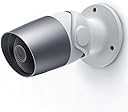
🔒 Elevate your home security with smart clarity and seamless control!
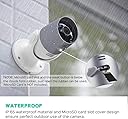
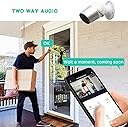
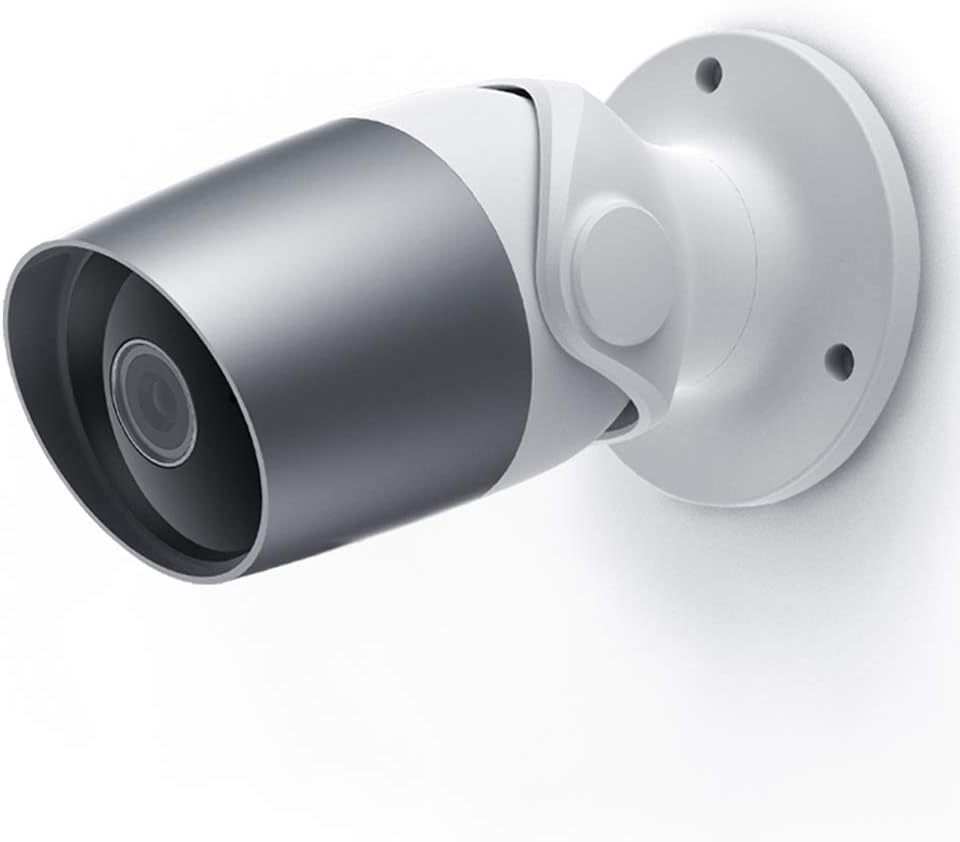
This Outdoor Security Camera delivers crisp 1080p HD video with a wide 110° lens and night vision up to 32ft, ensuring round-the-clock monitoring. Featuring two-way audio, real-time intelligent alerts, and Alexa voice control, it offers hands-free convenience and proactive security. Built tough with an IP65 waterproof rating, it withstands all weather conditions for reliable indoor/outdoor use.


| ASIN | B07PYTJFR5 |
| Alert Type | Audio and Motion |
| Antenna Location | Outdoor Security |
| Are Batteries Required | No |
| Brand | PANAMALAR |
| Built-In Media | Power Adapter, Security Camera |
| Color | Silver |
| Compatible Devices | Smartphone |
| Connectivity Protocol | Ethernet, Wi-Fi |
| Connectivity Technology | Wireless |
| Control Method | Voice |
| Controller Type | Amazon Alexa, Vera |
| Customer Reviews | 4.1 out of 5 stars 440 Reviews |
| Effective Video Resolution | 1080 Pixels |
| Form Factor | Bullet |
| Frame Rate | 25 fps |
| Indoor Outdoor Usage | Indoor, Outdoor |
| Indoor/Outdoor Usage | Indoor, Outdoor |
| Item Dimensions | 2.76 x 2.76 x 5.24 inches |
| Light Source | LED |
| Manufacturer | Panamalar |
| Manufacturer Warranty Description | 12 months warranty |
| Model Number | Bullet 2S |
| Mount Type | Wall Mount |
| Night Vision | Night Color |
| Night Vision Range | 32 Feet |
| Number of Channels | 2 |
| Number of Items | 1 |
| Other Special Features of the Product | Motion Sensor, Night Vision |
| Power Source | Ac/dc |
| Recommended Uses For Product | Outdoor Security |
| Room Type | Bathroom, Bedroom, Classroom, Hallway, Kitchen, Living Room, Office, Study Room |
| Special Feature | Motion Sensor, Night Vision |
| UPC | 192278167209 |
| Unit Count | 1.0 Count |
| Video Capture Format | MPEG-4 |
| Video Capture Resolution | 1080p |
| Viewing Angle | 110 Degrees |
| Voltage | 5 Volts |
| Water Resistance Level | Waterproof |
| Waterproof Rating | IP65 |
| Wattage | 12 watts |
| Wireless Technology | Wi-Fi |
R**3
Great camera at a Great Price
I generally don't write many reviews, and if I do it is sometime after purchase to give the product a chance to really prove itself. The Panamalar Smart 1080p WiFi IP Camera has proven to be a very good, reliable camera with very easy installation and reliable imagery and performance. I bought mine around August of 2019 and its now December. It has been totally stable and always comes up with a great picture, day or night. The motion detection is quite sensitive, to the point that I turned it off during parts of the day when there is more traffic on the road we live on (don't want it going off all the time). Of course you can select when or if it alarms. SmartLIfe is the app we use to view the imagery, which works well. Installation was a snap, took all of about 15 minutes to get it up and running. The hardware, including the IP65 case has stood up well, even in the snow that is already blanketing the area. Overall this is a great little outside webcam and I recommend it strongly.
Y**A
Awesome camera.. make sure you get a GOOD QUALITY SD card!
I just installed it and I loved it. I was concerned about plugging it in outside as I don't want someone to be able to cut or remove the cord. My house is covered in siding that I don't know how to drill through, so I put the camera over my front door, ran the power cord inside the metal lip that goes around my storm door and through the crack where the door hinges are into the house. I secured it with duck brand tape the same color as the Siding and plugged it in inside. I also used heavy duty command strips to hang the camera. I live in an extremely windy area in the southwest desert and the command strips are awesome so far. It took about 2 seconds to set up with my router and I'm using a 128G samsung evosxd card and this is the important part... You HAVE TO HAVE at least a 128g sd card and it has to have a higher read and write speed or your video is going to be crap. This particular SD card is the one I use for my professional photography because it's water and extreme temperature proof. I really like the smartthings app and I'm combining this with a Canary indoor system, a 9mm and the best German shepherd dog ever. I'm including a video of my neighbor's kid stealing my packages from my porch. I HIGHLY recommend this camera and I'll be buying a second one for my backyard very soon.
J**I
It's basic but works well for the money. Great camera, software needs work.
I received the camera yesterday and looked over the unit and box contents. The camera comes with a six-foot cord and plugs into a transformer, again with a six-foot cord. So, if 12 feet is all you need for wiring, you're set. Otherwise, buy a dedicated extension cord with the plug-in terminals. The instructions are in a small booklet, printed in grey and so small almost impossible to read. I blew them up to full letter size on a copy machine. That really helped. Once able to read the instructions, it was easy to put the system online, and done before installing it in place. Make sure to follow the instructions, it's not as intuitive as you'd think. You actually use the camera to program itself by pointing it at a QR code box. Once mounted, the camera has a variety of swivel positions, no zoom. However, it can be pretty much aimed at where your focal point is. It has three sensitivity settings. It's about 40 feet to the street from my front porch and the camera sensed cars passing by at most sensitive. The medium setting still caused the camera to record. I now have it at minimum sensitivity. We'll see how that works. If you don't have an Alexa Show unit, the only way to review video is through the Smart Life app on your phone. It took me a little while to figure out how to replay videos and select the time wanted. Although I have Alexa and Smart Life on my laptop, the app does not allow playback on the laptop. Although the unit allows for a 128 gig card, I used a 32 gig. I believe that will record more than a week's data before overwriting. I have no idea as to what format the videos are being recorded in. If you want to actually save a recording to your phone, the app has an icon to push. I haven't tried it yet. Some pros and cons Pros: Relatively easy installation Extremely clear video Great night vision video Shares Smart Life with numerous smart house devices. Cons: Instructions skimpy, sketchy and very small print. Does not allow video playback on laptop. Only three sensitivity settings. Limited Alexa compatibility without Echo Show. Unless you pay for cloud storage, all recordings are in the camera. If the camera is stolen, the recordings go with it. (However, the "bad guys" have no idea of where the images are going and if they're being stored remotely.) Would I buy again, heck yeah. I plan to purchase another and install it for the rear yard. Just wish it had laptop playback After four days... The camera works great but the Smart LIfe software is almost unusable. It takes multiple attempts to replay any detected motion since the software keeps bouncing the timeline back to the first recorded scene when trying to move forward. When finally able to find and play the wanted file, there is no way to give it a name. Even though the Smart Life software can be loaded onto a laptop, the camera part of the software can only be accessed by smartphone. Because, in my case, any event that would require saving would be rare, I can put up with the minimal software but if you want to be able to access incident files easily, this is not the camera and software for you. After 30 days... I added two Echo Shows, the 10 inch and 5 inch, to my system. You can display the camera's live feed by asking Alexa. The feed shows up after a delay of three to six seconds. You cannot talk through the camera's microphone using theE Echo devices but the listen is automatically on. I loaded BlueStacks onto my computer (It's an android emulator) and can now call up the SmartLink program on my laptop. The emulator allows me to view both live and recorded video and it is slightly easier to find a recorded session (although it takes multiple times to have the timeline stop at the session in question. However, when recordings and still frames of the recorded session are taken, they store somewhere in the computer but I can't find the path. I'm staying with the four-star rating, basically because the camera is superior. If the software was improved, this unit would move from four stars to five plus a bonus star.
H**K
Amazing value and ease of use: Buying more!
I was a bit skeptical about buying this camera because the price was somewhat low for an outdoor solution, well... I'm glad I bought it because it's amazing. The video quality in SD is good, but in HD is great (both supported), you can see a lot of detail even at night. The night vision is great and switches on automatically, SD recording and motion detection work very well. The Installation and activation on the app was easy as pie and took only a minute or so. I have other Cameras that use the same app and having it all in one place is great. I am going to replace my backyard and side of the house cameras with this one when it comes back in stock because this camera is far better quality and easier to use than my much more expensive than my other outdoor cameras. If you are considering a camera for outdoor (or garage) solution: I recommend this one all day long!
M**.
Decent Camera, Good Night Vision, Horrible App
The cameras themselves have proven to be fairly robust, give decent quality video and still images, and have very good resolution in the dark. I just purchased my 3rd one after having a pair for about 2 years. You can opt for the cameras to have motion alert or not and can adjust the sensitivity as well. This works very well as you can eliminate most of the false alarms by playing with these settings. These are the issues I have with the cameras that might make me look somewhere else first (but I committed now with the setup I have around my house): - At least one of the cameras has a blurred out spot when it switches to night vision (this appeared after 1 year of owning it). This makes the camera virtually worthless for video and still images at night (see my picture with the bug). - If there is any sort of back-lighting (a porch light, a motion light, a street light, etc.) the camera will not take a picture in night-vision mode if it detects movement. Instead, it switches to daytime mode to take the still image and all you see is the back-light and the rest is darkness. This makes still shots of movement at night worthless. - The camera has a very limited (in my opinion) range of motion in the mounting base. If you mount the camera to a vertical surface (such as a wall), you can't aim the camera straight out and up at a very steep angle. The fit of the camera in the base is also quite loose, so the camera will occasionally move down a little at a time and have to be re-aimed. - The length of the power cord is insufficient (in my opinion) to get you through on outside wall, into your interior wall, and then give you any sort of option to go very far from straight down the wall. You have to plan your camera location based on the access to a power outlet. - The final thing would be the SmartLife app for your phone that lets you set up the cameras on your network and then connect them to other systems like Alexa, etc.. This app suffers from horrible latency issues. You could never use the speaker and microphone on your camera to talk with someone at your front door because by the time the app detects movement and alerts you, you open the app, you connect to the camera at your front door, at least 30 seconds has gone by (this is with broadband internet at 250+Mbps). The person at the door has already left by then. If you do catch them, the delay in the app from when you press the speaker button to talk and when the other person hears you and then they talk and you hear them makes it impossible to carry on any sort of discernible communication. In addition, for some reason you cannot have the microphone on and the speaker on at the same time (not sure if this is an app issue or software in the camera). This is very frustrating as you really have no chance at a two-way dialogue when you can't talk and listen at the same time. - As some people have already noted, if you have a motion alert and want to look at your recorded video around that time, you have to start at 12:00am and work your way up to the event time. There is no link in the app that allows you to see the motion event picture and then click an option for "see video" that would immediately take you to video around the time of the motion event. It seems like a simple app change, but without it, it takes several minutes to find your event in the video archive on your SD card (I don't use the cloud storage option). - I constantly have to unplug my cameras from power and "restart" them in order to get them to reconnect to my wireless network. Each camera has at least 79% signal strength, and yet they still go offline repeatedly. I have read this complaint from others. The app does not give you the ability to restart your cameras remotely, you have to physically be at your home, unplug the power cord, and restart them. - For well over a year, I have been prompted when opening the app to try a beta version. When I looked into this, there were several things that seemed a bit sketchy and if they have been working for over a year on a new version of the app but haven't released anything yet, I'm not so sure I want in on that!
H**R
Do yourself a favor & invest in a ring system
The old adage “you get what you pay for” is certainly true with these cameras. If you’re looking for a VERY basic camera that will show you who is at your door and not much else, then this will be fine. But if you want any kind of advanced functionality, app use or video capture, then do yourself a favor & invest in a ring system. It’s highly likely you’ll end up going that route anyway and then you won’t be out $500 and a lot of valuable time trying to mess around with these things to get them to work. First off, the picture is just ok. It shows a live feed, but will only capture blurry screenshots, no video or sound. You have to use the Smart Life app, which is fine. But it says it works with google home...it doesn’t. When you link the Smart Life app inside the Google Home app, it will link. But if you try to view the camera, it just says it’s not a supported product. And you’ll just waste a bunch of time trying to google & read suggestions & try to unlink & relink to no avail. Believe me...it won’t work. Take my advice. Save yourself. Get a ring and you won’t have to use 3 different apps to accomplish your goal of turning your home into a smart, secure home.
A**A
Quality for less than their competitors, night or day, literally a lifesaver.... Enough said.
This camera literally saved my family. We live in an apartment where there's an abusive neighbor who believes he's entitled to tell the apartments what to do in a dictator type manner. We're it not for this camera we wouldn't have caught the culprit abusing our other neighbors both night and day. Now we can use this as proof next time he decides to treat neighbors like they are less than dirt in his eyes. He has a history of beating his wife and children so there's no telling what he would do to us. Thank you for making such a quality product for so little to keep my family safe! Update: the neighbor in question was caught on camera beating up my brother in law without provocation. This camera helped put him away and I was able to give the footage to the cops without issues full with date and time stamps. Without this camera we would still be in danger. My advice, get this camera and save a life.
M**K
Great Camera
This Security camera is amazing. It is easy to install and setup. Video quality in SD is good, but great in HD in my opinion. Night vision is great and switches on automatically. Activation the camera on the smart life app was easy and took only a couple of minute. On the app it is easy to use and pretty self-explanatory. Audio on the camera works well, quality is ok not great but it gets the job done. Camera is unable to talk and listen in at the same time, you have to switch the function in the app between Speaker and Mic for talking and listening on the app. Overall It's worth the price for the quality you get
Trustpilot
1 week ago
2 weeks ago