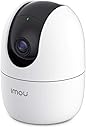
๐ Keep an Eye on What Matters Most!
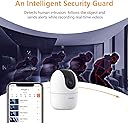
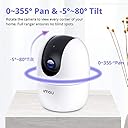
The Imou WiFi Security Camera is a state-of-the-art indoor surveillance solution featuring 360ยฐ coverage, 1080P FHD video quality, AI motion detection, and smart night vision. With two-way audio and compatibility with Alexa, it ensures seamless communication and monitoring of your loved ones, all while prioritizing your privacy with multiple storage options.


| ASIN | B07RVFB3PB |
| Alert Type | Motion Only |
| Antenna Location | Baby Monitoring |
| Batteries are Required | No |
| Best Sellers Rank | 61,135 in Electronics & Photo ( See Top 100 in Electronics & Photo ) 660 in Dome Cameras |
| Brand | Imou |
| Colour | Ranger 2 1080p/2mp |
| Compatible Devices | Smartphone |
| Connectivity Protocol | Wi-Fi |
| Connectivity technology | Wireless |
| Control Method | App |
| Controller Type | Amazon Alexa & Google Assistant & APP |
| Customer Reviews | 4.3 out of 5 stars 1,291 Reviews |
| Effective Video Resolution | 1080 Pixels |
| Field Of View | 360 Degrees |
| Form Factor | Dome |
| Global Trade Identification Number | 06939554995736 |
| Included Components | 1 x Camera, 1 x Quick Start Guide, 1 x Power Adapter, 1 x Power Cable, 1 x Screw Package, 1 x Mounting Plate, 1 x Installation Position Map |
| Indoor Outdoor Usage | Indoor |
| Indoor/Outdoor usage | Indoor |
| Item Dimensions | 10.6 x 7.7 x 7.7 centimetres |
| Item Type Name | Security Camera |
| Item Weight | 0.37 Kilograms |
| Light Source | Infrared |
| Manufacturer | Imou |
| Manufacturer Warranty Description | Imou is a global smart security brand boasting 24-month warranty and local lifetime technical support. |
| Model Name | IPC-A22EP |
| Model Number | IPC-A22EP-D |
| Model name | IPC-A22EP |
| Mount Type | Wall Mount |
| Network Connectivity Technology | Wireless |
| Night Vision | Night Color |
| Night Vision Range | 33 Feet |
| Number of Channels | 2 |
| Number of Items | 1 |
| Other Special Features of the Product | Night Vision |
| Photo Sensor Technology | CMOS |
| Power source | Corded Electric |
| Recommended uses for product | Baby Monitoring |
| Room Type | Office |
| Special feature | Night Vision |
| Unit Count | 1.0 count |
| Video Capture Format | MPEG-4 |
| Video Capture Resolution | 1080p |
| Viewing Angle | 360 Degrees |
| Voltage | 5 Volts |
| Waterproof Rating | IP65 |
| Wattage | 3 watts |
| Wireless Technology Type | Wi-Fi |
| Zoom Type | Digital Zoom |
R**R
A Brilliant Indoor Security Camera Giving Excellent Value for Money
Iโm really impressed with my IMOU indoor WI-FI security camera. It was simple to set up and link to my WI-FI. The associated app makes using the camera easy. Itโs motion detection and alerts all work well. You have the option of paying for cloud storage so that you can record and save video or photo images. I donโt need to keep images, so I havenโt needed to subscribe to their service. I have put a memory card in my camera, giving me the option of saving any images, should I ever need to. The camera has a night vision function. The quality of images using this function are exceptional. All in all, I would happily recommend this camera to anyone. It is exceptional value for money and I would give it 5 *****
A**Y
A good quality camera at a reasonable price
It doesnโt seem possible to buy Netvue cameras anymore from Amazon, so I bought this instead, although it means using another app. It connected up easily and works well and with a 4M resolution it provides very good picture quality. It detects humans and follows their movement. I will buy more for both inside and outside.
R**S
Great all round camera thats easy to use with an app with plenty of features
Its taken a while to choose a camera vendor that i can use around my home without having multiple different apps. I'd seen some great reviews of IMOU on Youtube and though I'd give the Ranger 2 a go for use in my garage. The pan and tilt of the Ranger 2 would enable it to see the garage door as well as the internal and rear door so seemed like a good option. There were cheaper pan and tilt cameras but the quality of IMOU cameras is worth the little more they cost. The setup was easy and I had the Ranger2 working out of the box in literally 5 minutes. There is a small USB power supply and a long power cable. It only supports 2.4Ghz WiFi and I have a dedicated Wifi network for IoT devices so there were no issues in finding and configuring the WiFi connection. I also have a 128GB onboard sd-card for recording and it setup to continuous recording and this works well in the app. It breaks up the recording into 5 minute files and gives you a scroll bar to shuffle through the day to find the right time as well as a direct link for any alerts. I also use Smart Life and SmartThings devices for lights, switches etc including using IFTTT integration when I need to. IMOU seem to have dropped IFTTT support which is a pain as I would like to do things like turn on lights when the camera detects movement etc. I have seen several vendors drop support in recent months, including Tuya, but they changed their mind and brought it back so I hope that IMOU see the light too and bring back support. One star less due to this. Overall Ive been impressed so far and will get another for my home office so will see how multiple cameras work in the app.
M**N
Safety code is on the bottom of the device
Very decent bit of kit, NV works well, I would recommend buying an SD card as it doesn't come with one however you are able to record on your phone so not really nesacery, pretty straight forward to set up, says it has trouble going through walls with the WiFi in the manual but mine works well and my routers downstairs. Haven't had any problems at all had it running for about one week pictures clear sound is clear so overall very impressed for 20 pound
S**.
Good camera and at night through window too.
I like this camera donโt seam record 24/7 option but on view history record has acually picked up most things to minute can find. Also has message area. I like this camera as works through window outside hardly reflects in day and strong sun still picks up great images. My victure cam donโt and angle less wide field. This also can turn off night function so works through window at night and picks up good footage canโt even turn off night function victure cams. I find this cam lot better quality ezviz cam also got to and at night. Iโd recommend it Iโd consider another. It quite easy use interface app. I also have a wandworth and this superior all features and other cams. It can give lots false detections but I donโt mind as can check back lots footage nearly any minute day can usually find. I do have 4 out 5 sensitive though.
M**X
High Expectations, But Underwhelming ... Caveat Emptor
I am a long time, avid user of IP cameras and have significant experience of using a variety of IP cameras manufactured / marketed by e.g. Dericam, Reolink, Tenvis, Foscam, EyeSpy247 etc in both static and PTZ model formats. I use Blue Iris to manage and maintain my home security setup comprising of 10+ IP cameras. I bought the Imou Ranger 2 as a replacement / upgrade for an existing yet ageing IP camera. There's plenty of choices and competition in the IP camera market, with many products of varying quality, functionality, budget etc. Key criteria in my decision making were for my IP camera to be functionally rich, affordable, easy to set-up and of a good build quality that would seamlessly integrate with my existing IP camera home set up. Unfortunately, the Imou Ranger 2 did not meet these criteria. Not by a long way. Why? Setting up the Imou Ranger 2 โout of the boxโ was quite challenging - even for someone like me who has setup many IP cameras before. There are too many steps. The Imou Ranger 2 is not โplug and playโ. In some cases, a misstep during the initialisation phase will require you to do a full reset and youโll have to start again. The absence of a userโs manual in either the box or online makes this an even more precarious task since thereโs no way of walking yourself through the initialisation phases beforehand. There are also too many online registrations required during the initialisation phase; there are at least two to get the Imou Ranger 2 operational on your smartphone and then another one if you wish to use the "toolbox" software, which you will do if you're like me and don't just wish to use the โout of the boxโ default settings. The Imou Ranger 2 "toolbox" software (available online from the Imou website) is very poor and didnโt work in my case. It wouldnโt even detect the Imou Ranger 2 on my network although it had an assigned IP address. You cannot access the Imou Ranger 2 via a PC / MAC web interface, which the vast majority of other IP camera manufacturers allow you to do. This is an essential user requirement if you want to get "under the bonnet" of the Imou Ranger 2 which I did and do frequently with other brands of IP cameras. As previously mentioned, there are no user instructions / manuals for the Imou Ranger 2 โ either in printed form or on any website. In other words, if the Imou Ranger 2 doesnโt do something you were expecting it to do, or something doesnโt work or you donโt know how to use, say, a particular function, then youโre on your own having only trial and error and lots of Googling to support you. The Imou Ranger 2 does come with a quick start guide, but in my case, it wasnโt much use as a guide and certainly didnโt speed up the initialisation phase. The lack of a user guide and manual probably wonโt bother you if your initialisation happens faultlessly. But if you encounter problems (which in my experience you will) there's no-where to go for help. The Imou Ranger 2 was unable to maintain a stable connection through Blue Iris, despite the fact that it was connected to my wired Cat5e network using an ethernet cable. There were frequent signal "drop outs", despite the fact that my other IP cameras continued (as always) to operate as normal with no loss of signal at the same time. I knew there was no issue with my network, but this conclusively proved it was the Imou Ranger 2 which was at fault. The Imou Ranger 2 doesn't work well with common NVR software e.g. Blue Iris. This for me was the single biggest cause of concern. If you do manage to get the Imou Ranger 2 connected to Blue Iris (no easy feat, and only achieved with lots of Googling, but through no fault of Blue Iris) then you lose the majority of the Imou Ranger 2โs functionality such a two-way audio and PTZ control. Why buy a PTZ camera and then not be able to use the majority of the functionality that comes with it? Be wary. The product description on Amazon says the Imou Ranger 2 is compatible with NVR software. It is not in my experience and an email to Imou customer services went unanswered. This issue for me was the reason why I returned my Imou Ranger 2 for a full refund. The Imou Ranger 2 also has a โsuper-userโ password (called a Safety Code) which is on a label on the underside of the Imou Ranger 2. This cannot be changed, co-exists with and overrides any other unique password you may choose. This to me is a serious data privacy and personal safety concern, as theoretically anyone who has the safety code could access your Imou Ranger 2 without your knowledge. In summary, if you're a home security professional, a hobbyist or an IP camera enthusiast, then avoid the Imou Ranger 2. It will surely disappoint you. If you want an IP camera that you can only use on your smart phone, and youโre happy with the limitations Iโve set out above, then maybe you won't be as disappointed as I was.
A**K
Good value product
Pros - Good quality image - Supports both Cloud and micro SD Storage - Free continues recording when inserted micro SD card. - Cloud storage is cheap in comparison to other brands - Really well made mobile app - Has in-built siren - Motion and abnormal sound detection is good - Detects motion through the window, also at night, but you can't see much in the dark - Very good value in comparison to other products within the same price range Cons - two way audio sound quality not great. - You can't control in-built siren. Therefore there is no way to trigger all indoor cameras to produce lots of noise to deter thief. Some other competitors allow to trigger the siren manually by pressing a button in a live preview.
A**R
Best fully featured indoor security cam for ยฃ50
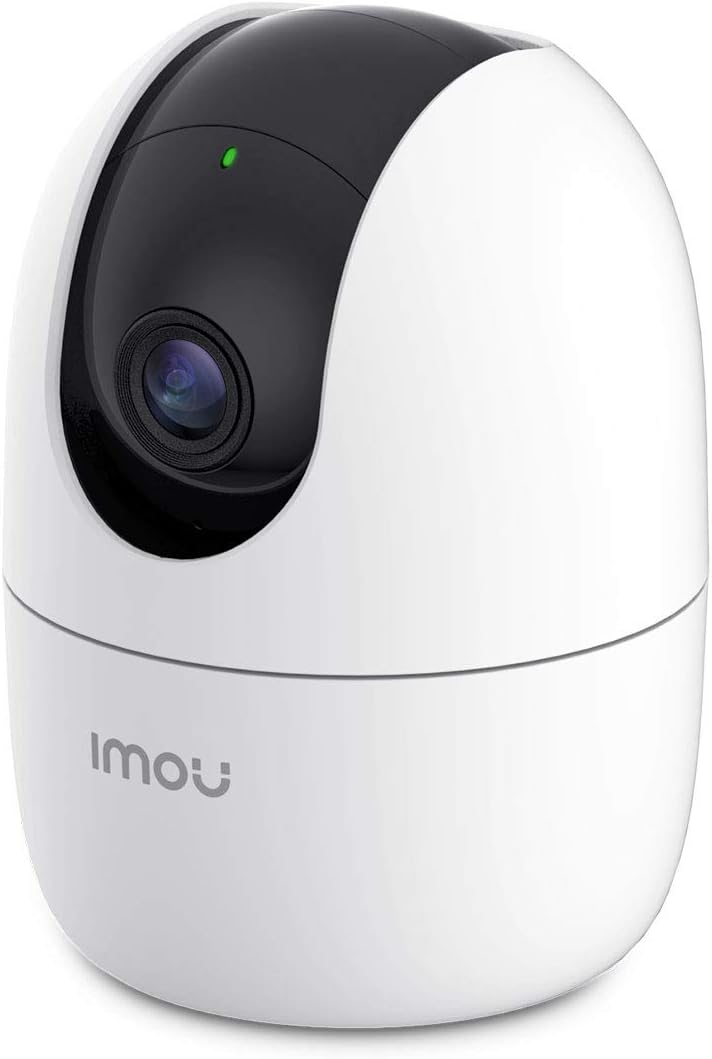
After much searching a reading reviews on varies indoor security cameras i decided to go for the Ranger 2 as it had one big advantage over other similar prices cams and that was that you can actually disable the IR night vision led's thus enabling you to use it at night time through a glass window without the IR light reflecting on the window and making the cam useless. While there will still be some reflection from the window ( see picture ) it's not that bad and saves the hassle of buying an outdoor camera. Software is easy and simple to use and i have mounted a 64GB card inside and just have it constantly recording on a loop.There is also a windows version of the software available on there website if you want to view it from your pc as well. Its super easy to share the cam feeds with you relatives too just a simple email address/password and download the app then verify and then they can see the stream of your cam but you can also make it so they can't adjust certain settings of the camera and only view the live feed and local recorded video feedback. Really pleased so far with this it the best one yet.
D**S
It works well and as advertised... except it picks my puppy up as human
Very clear
D**R
Small and clear
Works well clear picture either in SD or HD alerts to the mobile
J**N
Great picture quality, when it doesn't drop out
Worked great for the first week, then constant wifi drop outs. Running on 2.4ghz wifi connection. Cannot be the internet connection as bandwidth is not a problem.
Trustpilot
1 month ago
5 days ago