๐ Elevate your storage game โ speed, scale, and security in one sleek powerhouse!
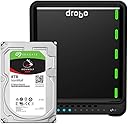
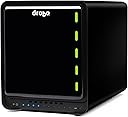
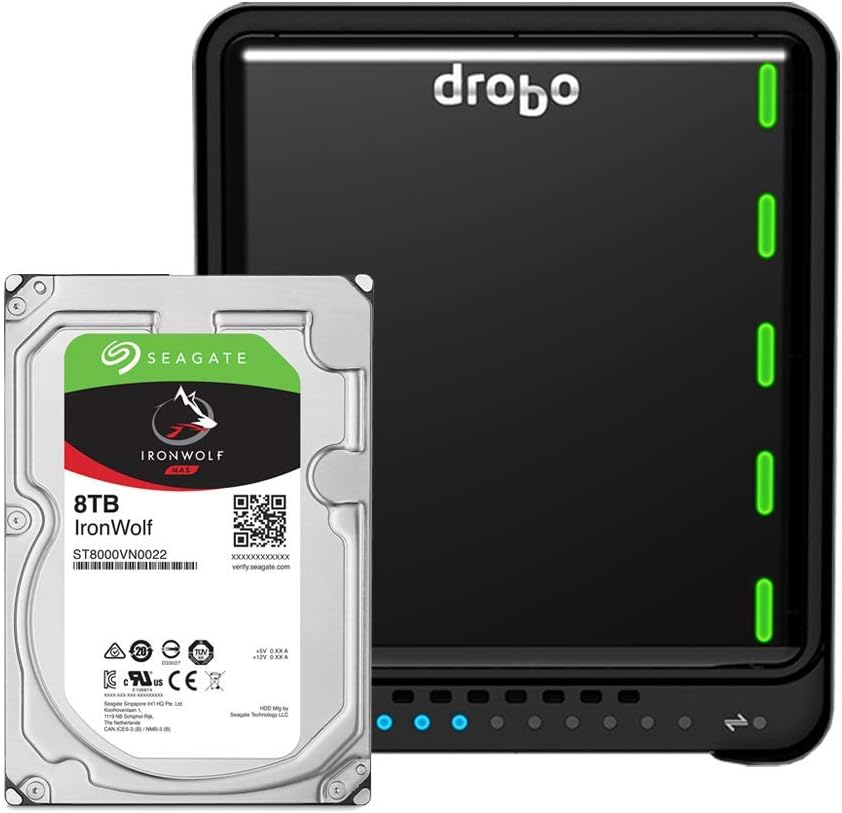
The Drobo 5D3 40TB is a professional-grade 5-bay direct attached storage array featuring dual Thunderbolt 3 and USB 3.0 Type-C ports. It supports up to 40TB raw capacity with 5x 3.5" SATA HDDs, expandable on-the-fly with hot-swappable drives. Its award-winning BeyondRAID technology offers automated data protection and battery-backed cache to prevent data loss during power interruptions. Ideal for media professionals and managers handling large 4K/5K workflows, it includes an mSATA Accelerator Bay for SSD caching and dimmable LEDs to reduce workspace light pollution.


| ASIN | B07TL95S5G |
| Additional Features | Portable |
| Brand | Drobo |
| Built-In Media | mSATA card slot |
| Compatible Devices | Desktop |
| Connectivity Technology | Thunderbolt 3 |
| Customer Reviews | 3.7 out of 5 stars 142 Reviews |
| Digital Storage Capacity | 4000 GB |
| Form Factor | mSATA |
| Global Trade Identification Number | 00816604021248 |
| Hard Disk Description | Raid |
| Hard Disk Form Factor | 3.5 Inches |
| Hard Disk Interface | USB 1.1 |
| Hard-Drive Size | 4E+1 TB |
| Hardware Connectivity | Thunderbolt, USB 3.0 |
| Hardware Platform | Mac, PC |
| Installation Type | External Hard Drive |
| Item Weight | 8.5 Pounds |
| Manufacturer | Drobo |
| Media Speed | 500 MB/s |
| Mfr Part Number | DRDR6A21-40TB |
| Model Name | DRDR6A21 |
| Model Number | DRDR6A21-40TB |
| Number of Items | 1 |
| Special Feature | Portable |
| Specific Uses For Product | Multimedia, Business |
| UPC | 816604021248 |
| Unit Count | 1.0 Count |
| Warranty Description | 2yr RTF HW Warranty( No Advanced Replacement) and 90 Days of Business Hour Tech Support(drives are supported by original manufacturer) |
D**E
Third time is a charm!
----- UPDATE ----- November 29, 2018 Drobo sent me a third replacement unit. This unit (along with the new firmware) is working flawlessly. I've only seen the dreaded "Disk not ejected properly" error once in the past six months. Drobo also realized that something was going on with my Blu-ray/DVD drive that was connected to the Drobo via USB-C, so I've connected that drive directly to my iMac instead. ----- UPDATE ----- Feb 5, 2018 Drobo determined that my first 5D3 was defective and sent me a replacement. The process was fairly painless, and for a week or so I was very happy. The consistent "Disk not ejected properly" errors had disappeared. After about a week, these errors started to re-occur. I was in fairly consistent communication with Drobo support, and they asked me to send them more diagnostic files. The state of my Drobo then quickly deteriorated. When the unit is shut down or restarted, it starts power cycling (turning on for about half a second, turning off, then repeating). I have to unplug the unit for at least an hour before I can try to power it on again. Drobo asked me to put the unit in read-only mode and send them more diagnostic reports. After going into read-only mode, the unit would turn itself off after an hour or two... not long enough to get my data off of it. The volumes on the drive then completely disappeared so I was no longer able to access my data at all. I've now done a complete factory reset on the unit, and it still power cycles and won't load the new volume. Drobo is definitely having some very serious issues at the moment with this model, and I have very little confidence that they will fix it anytime soon. My last meaningful contact with their support staff was over a week ago. ----- I've had a DroboPro FS for six years, and although it is slow and Drobo's customer service was never great, it has been rock solid in terms of keeping my data safe. So for my new 2017 iMac, I decided to rely on the Drobo 5D3 for my data storage. I have three main issues with this machine: 1) It is loud. Even when it's in standby mode, the fan runs at an unusually high speed. It's loud enough that you can hear it down the hallway from my home office. 2) It's slow. I have four WD Red Pro 2TB 7200 RPM drives, a Samsung 850 EVO 250GB mSATA drive in the HotCache, and have dual disk redundancy on. The BlackMagic speed test is consistently around 270 MB/s write and 350 MB/s read. I am using an active Thunderbolt 3 cable. For reference, competitors RAID 5 & 6 devices can average between 800 MB/s to 1000 MB/s read/write. 3) I am really anxious about the integrity of my data. I consistently get "Disk Not Ejected Properly" errors on both my TimeMachine backup volume and my Data volume (both are on this Drobo) when my computer wakes up. Drobo has a knowledge base article explaining that this is an issue they are working on and to disable Power Nap. I still get these errors when Power Nap is disabled. Drobo support has told me that they are working with Apple on fixing this issue, but will not give me a timeline for the fix. When I do get these errors, the TimeMachine volume disappears and my iMac won't go to sleep anymore until I reboot it and then reboot the Drobo (in that order). Furthermore, Drobo's support is not very helpful, and it's nearly impossible to see what's going on in your case through their support portal. I am not confident in the integrity of my data or that Drobo will fix these issues.
I**N
In spite of all the bad reviews, I am very pleased with this.
Just recently purchased this Drobo 5D3 for my new 2017 iMac i7. I have to say, I was quite skeptical from all the reviews, but my personal experience has been nothing but positive. The packaging was very quality and well thought out. The process for setting it up was quite nice. It basically went like thisโฆInstalled 256GB EVO SSD drive on bottom. Inserted three 7200 RPM 128MB cache disks that are 3TB each. I then plugged the Drobo into a spare Thunderbolt 3 port on my iMac, using the enclosed Thunderbolt cable from Drobo and turned it on. Once that was done, I installed the Drobo Dashboard that I downloaded from Drobo-ensuring I had the latest. When I launched it, it detected the Drobo and automatically updated the firmware (nice). I think there were some other things I did in the dashboard, like create the volume and setup email messaging. All worked fine. I've not had any disconnects from my iMac or slow speeds as others have indicated-especially when using the enclosed Thunderbolt cable. I even bought an active cable and there were no differences in speed (300MB/s+ write and close to 400MB+ read using 5GB stress file in Blackmagic). I may purchase newer disks at some point ad fill the array for more spindles, but honestly, for my real-world work, the speed is fine. I run several Parallels VMs off it, Lightroom library, movies for iTunes, Plex, etc. No issues. Now here is the cool part-I've been using some form of RAID for decades and this has to be the easiest and most flexible way to upgrade an enclosure. I decided to add a few 2TB disks that were old and slower. Expectedly the read/write performance went down. SoโฆI removed one and the array was rebuilt on the fly. Then I removed the other one and again, the array was rebuilt back to the original 3 disks. NO LOSS of any data and was about a 7-10 minute operation. Honestly, this was so very cool and the flexibility is amazing. I then yanked one of the 3 remaining disks and no issues. Replaced it, no issues and the array was rebuilt to be fully redundant. I'm using single disk redundancy right now. As for the noise, I don't have dog ears so I'm not bothered by it in the least. I saw all the other issues people have posted about disconnects, speed, nice, data loss, service, etc. I honestly do not dispute the reports, as there are so many of those types of postings. All I can tell you that, as of having this Drobo in use for a few days, I've been nothing but super happy with it. YMMV, but my mileage so far is awesome!
J**.
Not good in first 24 hours (even worse as time goes on, check review for updates)
So far i have very low confidence in this product woke up this morning to 4 messages showing on my screen "disk not ejected properly" . Also a message saying that lightroom needed to check it's integrity do to a drive being disconnected. I have only had this thing for about 24 hours. So far there have been lots of little things like that. Trying to call customer service resulted in being hung up on by the support number before even reaching a person. This happened 3 times in a row before I gave up. Their online support community is currently not accessible. I bought this device and 5 6TB WD Red drives, as well as a 250 gb ssd. So this represents an investment substantially larger than the $600 for the device. If my experience and confidence in the product improves, I will update my review. Update: I have had this for a few day now. Despite Drobo's response about service and their lines being BS, I still want to update. The device is not very user friendly. This was the main reason I chose it over Synology. If I had known about the lack of tech support availability and that this thing wasn't rock simple then I might have chose differently. That said, the device appears to be working properly. It is noisy. Whether it was worth the expense can only be evaluated over time. This is a "worst case scenario" type product. If it saves your rear in that situation, then it is awesome. If not it sucks. Since long term is "yet to be seen" an short term is "noisy, poor customer service, and a little quirky (being nice here", then I have to say this is solidly a 3* product. So I am raising my review from 1 to 3 stars. Update:7-29-17 Support ticket entered at 12:02 pm. Lets see if they respond promptly Problem: after being up all night shooting timelapse photography I come home to edit photos. Turn on computer and get a message that Drobo wasn't shut down properly. Health of drobo and drives shows good in Drobo Dashboard. However it won't show up in finder. This drive has shut itself down many times in the couple of weeks I have had it. First time though that I haven't been able to locate it at all as a drive in finder. I bought this thing to "just work". Why I went with drobo. I thought I could use it like a regular drive. Now I am sitting here after an all night photo shoot, and I can't edit my work. Drobo has responded here twice as you can see, and that is cool. Doesn't change the fact that this has been more of a headache then is worth so far. I am updating my rating from a 3 to a 2. If they don't help me resolve the issue, it will downgraded to a 1. If they respond quickly, I will update appropriately. Overall my experience withe the device has been frustrating. As of this time I recommend you to not buy this. As said, I will update based on what happens from here. Update: 7-31-17 48 hours after submission to technical support. I have received a few "automated messages" from tech support. No real people. In the meantime I called apple and reached real people to walk me through any possibilities of it being my computer. After trying the drobo on several of my macs, I can confidently say this is a drobo problem. Even more confidently I can say that Apple cares about my business, Drobo does not. I am reducing my review back down to 1 star. I will update accordingly if this issue gets resolved.
J**Y
Going back to Synology for my NAS and Looking for a new direct attached storage
I have been a Drobo user since gen 2 (Firewire) and have a gen3 and a 5DN2. I saw the 5D3 on sale so I grabbed one thinking I could swap it for the gen3 and get a speed boost. First I have never really had a problem with any Drobo that would cause me to not use them anymore. Every once in a while I would run into something simple but reboot or drive swap fixed it, normal stuff. So I got the 5D3 and swapped the drive and it went fine. Everything was working. After a week I woke up and the drobo was flashing its wonderful colors and the icon was gone from the desktop and the Drobo dashboard app didn't see the 5D3. After restarts and disconnects it said one of the drives failed. So I put one in and off the drobo went. After a while it disconnected again and so on. I called Drobo and there we have it. Drobo must have brought back the crew they had running tech support when the company first started. The guy on the phone was nice and we tried everything. I sent them a diagnostic that the dashboard runs. A couple hrs later they sent me an email asking to do it again. Well after trying for a while to get the 5D3 to show up in the dashboard app I gave up and asked them to replace it of I was going t return it and get something else. Well I never heard back. After a couple days(over the weekend) on Monday I sent them a video of what was happening. I heard nothing so I called. I talked to a different tech guy and he went over my emails and said he would have to have someone contact me who can help. So another 24hrs went by and nothing. So today I signed into Amazon and did a replacement because I really think I just got a bad one. At least I hope so because the tech support doesn't seem to be up to par anymore. If this new one gives me trouble I'll be selling my Drobo's and switching to the WD raid drives. Update 12/23/17. So I returned the 5D3 to Amazon for a replacement. I have received and set up the new 5D3 and it seems to be working ok. As it turned out the issue seems to be with High Sierra and the dashboard app. Just as I started righting this a new update for the app was released and I have now installed it. I'll do another update once I see how this works out. I am raising my star rating to 4 for now. Update #2 8/8/2018. The drobo 5D3 is working fine and really no major issues. When I move the dash board ap from one screen to the other the drives disappear but not dragging the window back to the other screen fixes this. I ordered a 8TB Seagate Ironwolf drive at 7200rpm. For some reason it will not go into my 5D3, it just doesn't seat right. It does however seat just fine in my Drobo Gen 3 usb 3.0 and my Drobo 5N2. Just slide the drive in and it works except the 5D3. I ordered a 5TB Toshiba X300 to see if this works... UPDATE 10/8/18. After to many problems with the 5D3 and the 5N2 I am finished with #drobo. 5D3 keeps ejecting, even when trying to access files and the 5N2 is a total bust with this latest firmware update. I have a 2 disk WD raid that has never given me problems over 5 yrs and its even quieter than the Drobo stuff. I have a Synology 2 disc NAS for about 5 yrs and it just keep trucking along with no issues other than 1 hard drive fail and that that's pretty normal.
J**W
Read this before buying this for Time Machine
Drobo requires you to set up a backup volume to use for time machine so it doesn't fill up your entire Drobo. Sounds good, right? Well the part that is not clear is apparently once you set up that volume, you are stuck with that size...like forever. The only way to expand the time machine backup space is add disks, destroy the old volume, make a bigger back up volume and start over. This totally negates the easy expandability of Drobo. Considering easy expandability is what Drobo is all about, I refuse to believe it slipped their mind when they forgot to put that on all the documentation. Drobo, you need to stop using your support documents as marketing pieces. Give us ALL the relevant info and let us decide if you have right product instead of having people buy it and be disappointed. I swear it will go better for you. 80% of the bad reviews on Drobo are an issue of mismanaged expectations and it's not because people don't do their homework...it's because they do! I have had had no other serious issues with the Drobo so far. At one point it refused to reformat but a reboot of everything fixed that. The write speeds (275-300) are much slower than the read speeds (575) and without 5 drives they are a lot slower than that (Again, an issue of expectations). Also, like people have said, the space on the Drobo doesn't match the space listed on the computer. Drobo says that apple measures space different...yet somehow Drobo is the only external hard drive I've ever used that seems to have this particular discrepancy. On the flip side, it's super simple to set up and for something like archival purposes, the ability to expand as needed is pretty sweet. Also, the redundancy and brain dead simple ability to swap out bare drives if there is a problem and/or you need space is freaking amazing. So everything is about trade offs, I guess. I really do think Drobo's biggest issue is they don't tell people there product is NOT the right fit for certain use cases...or at least the limitations of the usefulness. The Time Machine thing is the best example because it seems like the perfect option for that, but it's not for the reasons I mentioned. You just have to get it home and set it up before you realize it.
J**O
Easy to use and upgrade storage
I like the versatility of the Drobo 5D3 5 drive storage with lighting speed with input and output of data. I use a Mac Pro with a 1 TB SSD drive and use the 5D3 to store all of my files. I am a photographer for a local art museum and keep a back-up Drobo with 8 drives as the storage back-up off site. The beauty of this system is tat you can hot swap larger capacity drives as needed.
R**O
My 3rd Drobo - Incredibly Disappointed
I have used Drobos for several years, this being my 3rd and I am incredibly disappointed. The switch from my old DroboS was simple enough โ make sure the S was healthy, then just move the hard drives over to the 5D3. I should mention that I installed Samsung 850 EVO - 500GB - mSATA Internal SSD http://amzn.to/2ylE1vL into the Drobo 5D3. I am also using a 27" iMac with Sierra 10.2.6. My workflow as a professional photographer involves shooting on location to an external hard drive then copying those images to my Drobo when I return to the studio. I often work on client projects on location or while traveling then rsync photo catalogs and edited images from my portable hard drives to my Drobos to keep everything up to date and backed up. This has been my workflow for years with a DroboS and DroboFS. I bought the 5D3 to keep my system up to date, improve speed and increase capacity, since I recently started doing video as well. At first, everything seemed to go smoothly, but after a few days troubles began. The Drobo 5D3 would mount, but browsing it in the Finder looked like there were no files. Rebooting the 5D3 solved this issue. Using the command line to rsync files on the 5D3 worked sometimes, then other times the command line would report that the volume was 'unreadable.' I was still able to access files via Mac Finder, so I could manually copy files โ a much slower and error prone process. Once files were copied to the 5D3, I had to manually copy them to the other Drobos for backup (again, slow and error prone). I used to get all of this done with a few commands in the Terminal, now I have to sit and wait for the copying to be complete and be very careful not to overwrite current versions or forget to back up all the files. Opening a support ticket the first time got a response recommending I repair the 5D3 with DiskWarrarior, a step that I had already taken. It has not improved my situation and my support ticket has since been ignored. The situation has worsened, where I was able to sometimes access the 5D3 using the command line, it has been 'unreadable' for over a week straight now and today I am struggling to get it to mount. My other two Drobos continue to function perfectly as before. Of course, I would rather be working for my clients than fighting with uncooperative equipment or writing bad reviews on Amazon. The lack of support has ne disappointed most.
D**R
Old Reliable
After 7 years of 24/7 usage, my first drobo 5d finally began overheating and losing connection with my iMac. Got this new version (5d3) and didn't lose a step. Pulled the drives from the old one and put them in the new one and, boom, back up and running with nothing else to do. It picked up right where the old one left off. All of my files and backups intact with no trying to figure out how to transfer between two devices or headaches. I can't rate the tech support because I've never needed them. Drobo = Easy. The old one lasted through 3 different computers and expect this one will be just as reliable. I'll have to wait for my next iMac to try out the thunderbolt 3 connection, right now, I'm using a thunderbolt 2 to 3 adapter with no issues. I'll update this if anything odd starts to happen, but I wouldn't count on it.
M**W
Super easy install.
Great DAS for my vast Video collection. Installation was so simple. Just slide in the drives and it does the rest.
M**O
Easy to setup and use and reliable
Made this purchase and also purchased six Seagate IronWolf 6TB NAS Internal Hard Drive HDD - 3.5 Inch SATA 6Gb/s 7200 RPM 256MB Cache for RAID. It was easy to setup and insert the drives and get the Drobo working. The App on the MacBook is basic and works well. Seems well made. Ading and removing drive is a breeze .
J**K
Apple Mac compatibility issues
After spending 2 weeks goingback and forth with drobo support which is on the slow side.. it took them sometimes 3-4 days to respond... Their conclusion is that thereโs a compatibility issue with the driver and the imac. Oddly enough the issue was known but not disclosed nowhere on their website... it actually says the opposite... i returned the product after a lot of wasted time troubleshooting.
C**S
Fast Speed! 4k Video Editing works great!
Works great! This is my third Drobo upgrade in over 10 years for my video production company. I was skeptical about the 5D3's ability to handle 4k video editing, but I have been so excited to be able to edit my large 4k projects directly from the Drobo. The speed performance on this model is excellent!
P**.
Occasional random drive ejections, "all red light" drive failure that was not
The drive itself seems fine. There is no way to connect it directly to my older Macbook Pro. Only Apple has the Thunderbolt 3 to Thunderbolt 2 converter. All my Drobos (I have 3 (5D3, 5D, S) on 2 computers(Macbook Pros)) randomly eject. I have been told that Drobo is aware of the problem and that they hope that the problem will be fixed in the next software update. By the way, Drobo is trying to limit the number of service inquiries by requiring you to first answer a pile of questions to get an contact information and yet again a long pile of questions before you can get a reply from support by E-mail only. That triggers more questions by E-mail...
Trustpilot
1 month ago
1 month ago