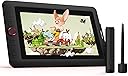
🎨 Elevate your art game with pro-level precision and style!
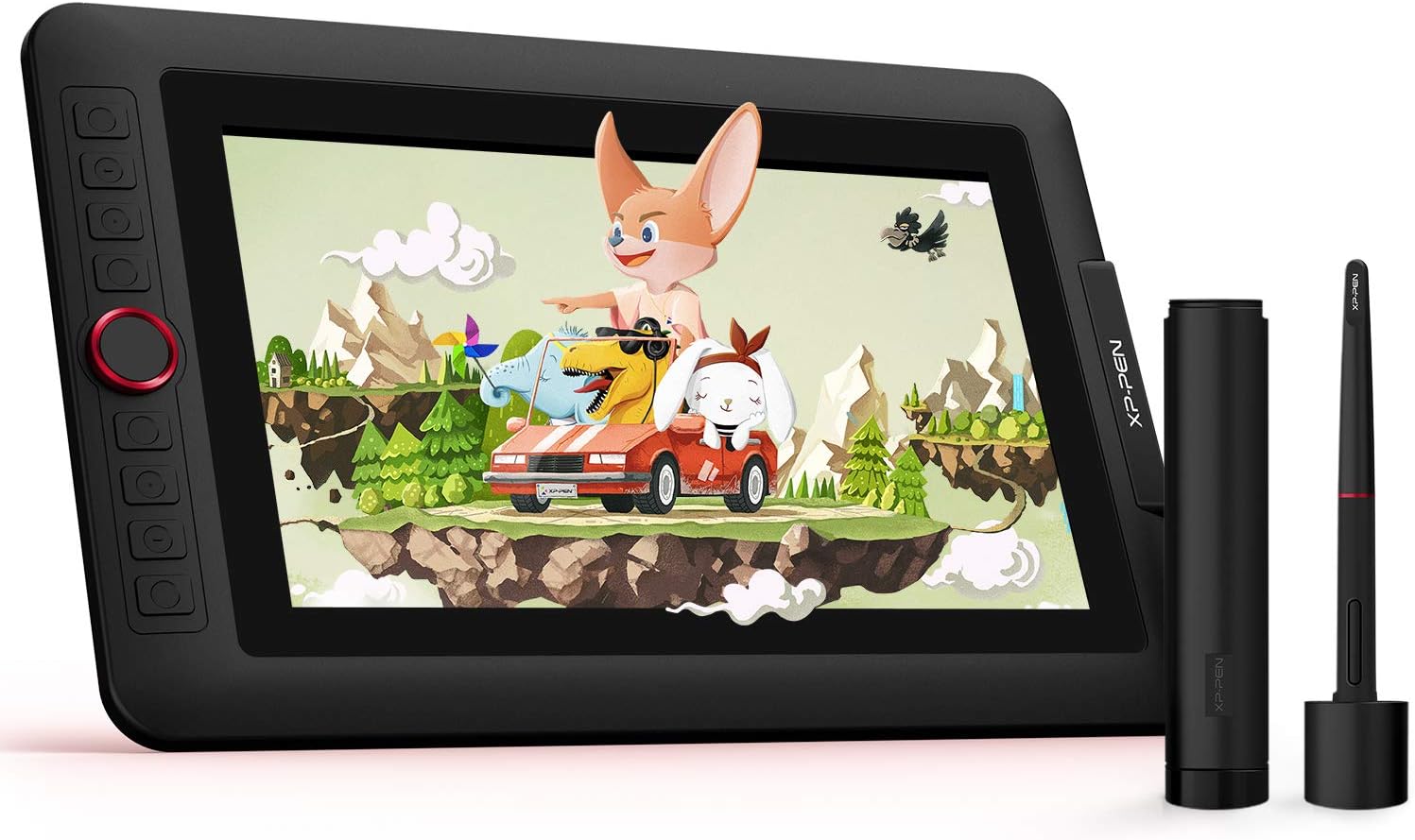
The XP-PEN Artist 12 Pro is a sleek, portable 11.6-inch HD graphic tablet featuring a fully laminated IPS screen with 72% NTSC color accuracy and minimal parallax. It offers an advanced battery-free stylus with 8192 pressure sensitivity levels and 60° tilt support, complemented by 8 customizable shortcut keys and a red dial for enhanced workflow. Compatible with Windows and Mac OS, it supports all major creative software, making it an ideal, budget-friendly choice for beginners and professionals seeking precision and portability.


| ASIN | B07VZF7ZC9 |
| Active Surface Area | 11.6 inches |
| Best Sellers Rank | 7,332 in Computers & Accessories ( See Top 100 in Computers & Accessories ) 20 in Graphic Tablets |
| Box Contents | 11.6 Inch Display, Portable Stand, Battery-free Stylus, 8 Replacement Pen Nibs, 3-in-1 USB Cable, Cleaning cloth, Black Drawing Glove, Quick Guide |
| Brand | XP-PEN |
| Brand Name | XP-PEN |
| Colour | Black |
| Compatible Devices | Desktop, Laptop |
| Connectivity technology | 3 in 1 cable |
| Country of Origin | China |
| Customer Reviews | 4.5 out of 5 stars 3,007 Reviews |
| Display Type | LCD |
| Item Dimensions L x W | 35.2L x 22.5W centimetres |
| Item Weight | 1500 Grams |
| Manufacturer | XP-PEN |
| Manufacturer Part Number | Artist 12 Pro |
| Model Name | Artist 12 Pro |
| Model Number | Artist 12 Pro |
| Model name | Artist 12 Pro |
| Native Resolution | 1920x1080 |
| Network Connectivity Technology | 3 in 1 cable |
| Operating System | Windows 10/8/7 (32/64bit), Mac OS X 10.10 and higher |
| Operating system | Windows 10/8/7 (32/64bit), Mac OS X 10.10 and higher |
| Pressure Sensitivity | 8192 Levels |
| Pressure sensitivity | 8192 Levels |
| Product Features | Keyboard shortcut |
| Product Warranty | 2 year manufacturer |
| Screen Size | 11.6 Inches |
| Special feature | Keyboard shortcut |
| Specific Uses For Product | Drawing, Teaching |
| Target Audience | Beginners, Artists, Graphic Designers, Students, Teenagers |
| UPC | 654913038799 |
J**E
Great product, affordable and high quality
Incredible product at half the price of wacom, yet does the exact same. I love mine so much, so much easier to design and draw. Comes with great accessories and the shortcut buttons onto he side are very handy. The screen is really clear and the protective film has proven very effective with no scratches. Easy to use and cant think of any faults so far.
S**R
Awesome service, awesome device
I had been looking for a graphics drawing tablet for awhile and my friend recommended XP since she has one. I saw one on Amazon for a really good price, but a company in my country said they don't import the Artist 12 since some had been damaged on the transit (not sure how true this is, as they were trying to sell me a more expensive alternative). I emailed both Amazon and XP about this, and they both got back to me quickly and were very reasurring that my product will be delivered safely. It came almost two weeks earlier than the expected delivery date! It was such a wonderful surprise, and it was delivered wrapped and packed and safe. I love my XP, it's compact, portable and really good quality. Thank you to both companies for the great product and service.
N**A
Great tablet!
This is my first graphics/drawing tablet with a screen, and it's everything I was expecting and hoped for. Set up was relatively simple once I had a hdmi-dvi convertor (I ran out of hdmi slots on my graphics card), though I had issues until I plugged the power usb into the wall instead of drawing power from the computer. One of the preset buttons on the tablet takes you straight to the set up program, which was great! Setting the other buttons to shortcuts was a little fiddly, but I think that was user error, and calibrating the pen from there was quick. I'll admit, I started to have slight drift in where my pen touched to where the screen thought it was, but recalibrating was fine and I think it's fixed now? The colours are amazing on it, and completely different to what both of my monitors show!
S**N
Excellent bit of kit for all.
This is the first drawing tablet I have used. I struggle with using illustrator on my laptop. Mastering control of the tools has been tiresome and it was suggested I might get on better with a drawing tablet. It was at the top of my budget for a new piece of untested equipment £249, before £30 discount offer (thankyou - very nice), so £219. After a bit if research, I worked out I definitely would be more accurate faster with a tablet that duplicated my program image rather than a blank tablet, which would certainly require more hand I co-oordination than I have patience for, especially on detailed work. Best decision made in my book. I have only tried out for a few hours but so far very impressed. I am sure higher budgeted models and brands must be amazing, but this seems to be all I need for my illustration work at this time. Very simple to set up. I have a old laptop with MS windows 7, and use old Adobe Illustrator CS program. I was concerned initially that a new gadget probably would not be compatible, but as this xp-pen said okay for 7,8,9,10 versions, I thought it would be worth trying. It worked instantly without downloading additional drivers, but I did download a newer version off their website when I could not locate the pen tablet setting box to configure my preset buttons. Once downloaded newer version all appeared as it should. Still learning control but all is very comfortable. The screen 11" size was another factor I am glad I went for. If I could afford to go bigger I would, but this for me is the minimum workable size. Eying off the 24" when upgrade time comes. Screen colour is good. The pen is very nice. I read about people saying had to be careful with and I would not want to drop it for fear of damage. Replacements are@ £25, so annoying but not the end of the world. It comes with a stand, which I find the texture of quite rough. I think it could be abrasive on the tablet back if you keep putting on and off in due course. I use a fold away adjustable one from amazon I actually bought for laptop, and sit laptop in the xp-pen one. I can then adjust my working angle to suit. I have ordered screen protectors as I think the screen contact with pen will eventually leave marks, just from repeated actions. Currently left the initial packaging protector on while I practice. This model must be connected to laptop to operate. Some makes and models are compatible with Android (not this one), so if being mobile is important, you would require a different tablet. As my illustrator only works on this laptop, being portable was not a consideration for me. The only peeve I have discovered in this short time is the 3 to 1 hmdi/usb leads. You need all to be engaged or functionality is effected - IE pen does not work black usb is disconnected, so it has used up all my portals - hence the 4 star rating. Not a big deal, but a little annoying for me as I can't use my mouse on laptop. Probably not a issue on a newer laptop. Mine is 8+ years old. Aside from that, for price point it appears to deliver everything I need it to for my digital artwork. Highly recommended.
C**#
Professional quality tablet for the serious artist
I got this as a replacement for the tablet my daughter previously used. It is so much more professional. She says she can work better with it, and she takes her art seriously so that means something. I can't say if it is easy to learn or it's just the hours she put in, but she uses it all the time now like it is just an extension of her arm. Note: if you need to update the drivers for it, uninstall the old ones first, then fully shut down the computer and restart before you install the new ones. Try this also if it appears to have stopped working for no reason. Used with Windows 10.
U**V
Not for novices
This tech doesnt feel contemporary, lots of wires and definitely not for noobs.
S**S
Easy to use and hold
Purchased the Xp-pen 12 pro to use with fusion360, blender, zbrush. As I want to design my own items Its knocks socks of other non screen graphics tablets that I tried. I am not fully used to using a graphics tablet so its a big learning curve, but as it mirrors my laptop screen I no longer have to look up or fumble around trying to find my pointer icon. This tablet comes with a pen and 8 extra nibs. A stand and 2 finger glove plus leads with 2 USB and hdmi to allow connection to the pc/laptop, which can power it if you computer has enough power. But thats ok as it also comes with a extra power lead and a variety of power plugs. Depending on your socket connection. You will have to download a bit of software for the drivers but this easy to do. Overall a great buy.. Nice price too
S**S
Art
My son loves it. Doing art A level
由**良
【トラブル解決方法】macの最新OSでペンが認識しなくなる
ドライバーを二日間でもう10回以上入れ直してます。成功しても1時間くらい触ったら、急にポインターが変な動きを始め、そして動かなくなります。 現時点の最新版のmacOS、現時点の最新版のドライバー、この組み合わせでうまくいかず、肩を落としています。今までに他のペンタブ液タブといったドライバーは入れたことがありません。パソコンも今年買ったものです。 早急な改善を要望します。 *****追記 ☆3から☆5に変更***** お電話で問い合わせをしたところ、 気の良さそうな日本人の男性の方が 非常に丁寧にご対応してくれました。 様子見にはなりますがありがとうございました。 教えて頂いたトラブルシューティング(Mac OS Catalina 10.15.5【最新】)を以下に記載します。 ◼️ドライバー マニュアルとは異なりますが、システム環境設定→セキュリティとプライバシーにおける設定について、以下のようにするといいそうです。OSのバージョンの違いに対応できるとのこと。 アクセシビリティ ・PenTabletDriverUX(resoursesフォルダ) ・PenTabletSetting(PenTabletフォルダ) ・UninstallPenTablet 入力監視 ・PenTabletDriverUX ・PenTabletSetting 【不具合内容】数十分でペンが認識しなくなる(映像はついている) 考えられる原因は以下の通りとのこと。 【原因候補】電力不足 古いMacBookだと規格上電力不足が起きがちで、私のは春に買った新しいMacBookProですが、ご担当の方曰く、「僕の新しいMacBookProでも電力不足に陥った」とのこと。私の動作不良の場合は、画面出力に電力がすべてとられて、通信用の電力が無くなっちゃったのかもしれない、とのこと。 ◎解決方法 赤色USB(◯赤色:電力供給用)(×黒色:通信用)で家庭用電源から電源供給する。長さが足りなければ付属の延長コードを使ってくださいね、とのこと。なお、付属の延長コードがあるがそれはあくまでもコレ(遠くから電源供給をする用)のため、通信用の延長コードではないので注意です、とのこと。 【原因候補】変換アダプタが原因 電源、HDMI、USBが一つで一気に変換できるアダプタをつかっているのですが、そちら技術的に発展途上につき、うまく変換できない場合があるとのこと。 ◎抜き差しすると直ることが多い、とのこと。 ★注意点 ⑴初期不良対応期間について Amazonからの購入で1ヶ月が初期不良対応期間だそうです。ただし、その期間中に初期不良の相談を電話でしていたら、1ヶ月過ぎていても初期不良対応ができますよ、とのこと。 (2)電話口おそらく人足りていない 繋がるまでにかなりの数コールしました。他のデバイスのレビューにも同じ人物像(良い人)のご担当者の方が電話対応していたのを拝見してます。前の人に丁寧に対応するため電話取れなかったのか…と、納得がいったものです。 【総合評価】 以上により、評価を星5にしたくなりました。 しばらく様子見のため、もし不具合が発生したらまた追記します。 とりあえず…対応が神。 昨日まで買ったことを後悔してましたが、 神対応を受けて、後悔が微塵もなくなりました。 買って良かったです。 追記(20/06/22):トラブルの原因は変換アダプタだったようです。アップルの純正の変換アダプタを使うことでトラブルが解決しました!純正品使用で一週間ほど経ちましたがサクサク動いてます。購入される方は純正の変換アダプタの同時購入をお勧めします。私のようにXP-penのドライバーの不具合と早合点しないように…。
T**K
Tolles Produkt - aber besser mit Panzerglasschutzfolie nutzten
Ich war auf der Suche auf einem Tablett für meine talentierte Tochter. Da sie bisher ein Tablett von X-Pen ohne Bildschirm genutzt hatte und damit recht zufrieden war versuchte ich es erneut mit einem Produkt des gleichen Herstellers. Installation und Anschluß waren relativ problemlos. Die Nutzung / Softwareabstimmung mit KRITA war ebenfalls leicht. Eine leichte Zeitverzögerung zwischen der Strichführung und der Darstellung der Linie ist am Anfang etwas ungewohnt, aber man gewöhnt sich rasch daran und nimmt sie irgendwann nicht mehr wahr. Nach einigen Monaten wurde die Bildschirmoberfläche durch die Nutzung mit dem Stift etwas rauh. Dies merkte man zwar nicht unbedingt beim Betrachten des Bildschirms aber die lokal unterschiedliche Reibung des Stiftes auf dem Bildschirm war deutlich zu spüren und störte beim Malen. Es war nun schwer eine passende Panzerglasfolie zu finden. Eine "normale" Schutzfolie habe ich erst gar nicht versucht da ich davon ausging, dass sich bei eienr weichen Oberfläceh nach kürzester Zeit das gleiche Problem einstellt. Nach einiger Recherche nach einem 16:9 Bildschirm fand ich die Folie für das Produkt Chuwi UBook (11,6") und habe es mal "auf gut Glück" bestellt. Die Folie passt recht gut auf den Bildschirm des X-Pen. Tabletts. Der aktive Bereich der zum Malen genutz wird wird vollständig abgedeckt. Lediglich ca. 5 mm umlaufend am Rand der Scheibe werden nicht abgedeckt. Das ist jedoch unerheblich, da dieser Bereich außerhalb des Bildschirms liegt und nicht zum Malen genutzt wird. Auch das kleine Loch das eigentlich für die Kamera vorgesehen ist liegt außerhalb des aktiven Bildschirms und stört nicht besonders. Für die Panzerglasfolie habe ich eine separate Rezession erstellt.
M**A
Excelente
Buena calidad
N**9
One of the best things I've ever spent money on.
I love this so much and I feel it was worth every cent. It's like this wonderful digital sketchbook/canvas I can prop up on my knees in bed or on the couch instead of being hunched over my laptop. At last I can change position without stopping drawing. Picture quality is great, no lag and I love the shape and feel of the stylus. Although maybe the right click and mode buttons are too convenient, I keep accidentally pressing them. That might be a thing that passes with time though. All and all I'm just in love with my artist 12 pro. I'm sure the more expensive graphic monitors have their perks, but for someone that doesn't have a lot of money but has always wanted something like this, it's such a great buy.
W**O
Rapport Qualité Prix | Évaluation Produit 🖌
Bonjour je me présente je m'appelle Wolfy je suis dessinateur / Illustrateur amateur [ Non professionnel ] Je vais vous décrire mon avis sur cette tablette :) € | Le prix : 270€ au moment de l'achat ce qui nous place dans le milieu de gamme ( des tablettes graphiques avec écran ) de chez XP-Pen. Pour ce prix vous avez la tablette XP-Pen 12 Pro / Le stylet à 8192 niveaux de pression / 8 Mines de rechanges / Un support pour la tablette / Un gant ( pour mieux glisser sur la tablette / Les câbles permettant la connexion de la tablette à votre Ordinateur et pour finir une rallonge USB <3 Pour le rapport contenu/prix nous sommes très bien fourni :3 💻 | Installation : *Attention la tablette n'est pas autonome est nécessite un ordinateur pour fonctionner muni d'un port HDMI et de ports USB Pour l'installation rien de plus simple il vous suffit de connecter à l'aide de vos câbles la tablette à votre ordinateur et sur une prise secteur puis de vous rendre sur le site d'XP-Pen et de télécharger le driver pour votre tablette. Un simple double clicks et vous voilà avec votre magnifique tablette 100% fonctionnelle. *Je possède un Windows 10 dans sa dernière version Dans ce pilote [ Driver ] Vous avez la possibilité de faire un calibrage du stylet ( Très important pour avoir de meilleures performance ! ) Par la suite mettez vos raccourcis comme bon vous semble :) 💾 | La tablette : Vous avez un écran FULL HD [ 1920 x 1080 ] Dalle IPS [ Meilleure couleurs ] de 11.6 pouces Pour ma part je n'ai rien à redire sur les couleurs ; elles ne seront pas parfaites mais pour un débutant voir amateur aucun problème à se faire. La tablette possède 8 boutons de raccourcis entièrement personnalisable + une molette de défilement pour Zoomer et De zoomer ? (Je ne sais pas l'écrire). Cette molette est vraiment plaisante à utiliser car nous sentons les petits clicks pour des zooms précis ^^ Le stylet après le calibrage est parfait je vois presque aucun décalage [ Vraiment quelques mm ] L'inclinaison à 60° permet de dessiner dans une position habituelle de dessin. Il n'a pas besoin d'être rechargé, il fonctionne directement avec la tablette. Il possède deux boutons aussi personnalisables. :) Pour le support : Il est en plastique mais parait assez résistant plus léger que celui que nous pouvons acheter séparément [ en Métal ] donc plus transportable. Point négatif il ne possède qu'un niveau d'inclinaison :/ Pour en conclure sur cette tablette : Comme c'est ma première Tablette Graphique et que je ne suis pas professionnel je n'ai pas trouvé beaucoup de défauts à cette tablette et je trouve que pour son prix est vraiment parfaite. Malgré la courte longueur des câbles xD. Pour les gens voulant se lancer dans le Digital Painting / L'illustration / le dessin foncez. Si vous avez des problèmes lors de l'installation : Contactez moi sur [email protected] Ps : Désolé pour les fautes d'orthographes Je referai une réécriture de ce commentaire dans 3 mois
Trustpilot
5 days ago
4 days ago