Desertcart purchases this item on your behalf and handles shipping, customs, and support to Thailand.
🔐 Unlock the future of secure, passwordless access with a single tap!
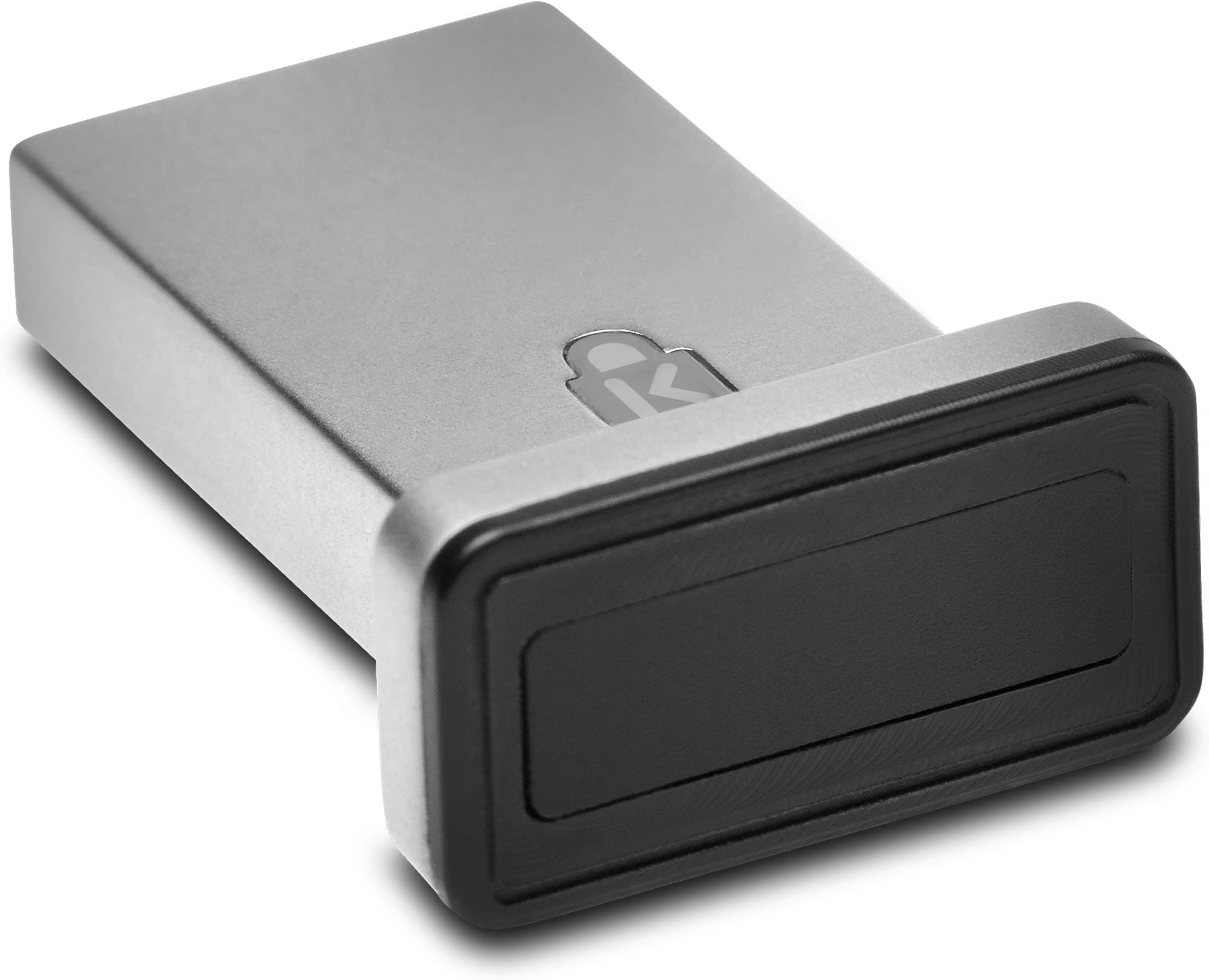
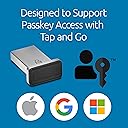
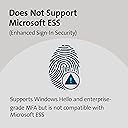
The Kensington VeriMark™ Gen2 USB-A Fingerprint Key Reader delivers advanced biometric security with industry-leading accuracy and 360° fingerprint recognition. Designed exclusively for Windows Hello and Windows Hello for Business, it supports passwordless login via CTAP2 Passkey protocols and integrates seamlessly with popular password managers. Its encrypted on-sensor data storage ensures compliance with major privacy laws, making it an ideal choice for professionals and enterprises seeking streamlined, secure authentication.


| Best Sellers Rank | #18 in Security & Surveillance Biometrics |
| Customer Reviews | 3.7 out of 5 stars 461 Reviews |
S**N
Small and reliable
I use this on my desktop pc and it works great. Occasionally, after a Windows update it stops working, but that is rectified by uninstalling the driver and restarting my pc. I would place the blame on windows for that, not the fingerprint scanner. It's pretty small, but doesn't sit flush with the pc body, for me at least. This is not a complaint just an fyi. It's easy to set up, pretty much just plug and play, and easy to use afterword. Outside of the occasional issue caused by the windows update, I have had no problems with this. I've been using it for about a year now. I definitely recommend this little fingerprint scanner.
S**Y
Works less than 50% of the time, especially after my Windows laptop has been idle for several hours
I keep my Dell business-class laptop running Windows 11 connected to a monitor, so it's never been convenient to use Windows Hello facial recognition to sign in. I was entering my PIN each time and hoped this fingerprint reader would be faster and easier. It works reliably when I "test" it, by locking it and immediately unlocking it, but that's not the real-life situation. If I lock Windows and return after a few hours, the fingerprint reader works less than 50% of the time and I end up having to enter my PIN. I have tried disabling it an retraining it on 3 fingers, but that didn't help at all. I will most likely return it and try another product.
C**R
Works great! Perfect mobile solution for laptops.
PLEASE NOTE! This works a little differently than most fingerprint readers. I've found that the key is a light touch or tap. It doesn't work very well when you hard press your finger against it. As long as you do that, it works great! Perfect solution for my work laptop. I can just leave it plugged it, wherever I take it. It's made of a pretty durable metal, so it doesn't concern me that it, or the USB port could get damaged if it were to get bumped or caught on something The installation is a bit roundabout. You have to manually download and install the drivers, but it's not too difficult. Overall, a good buy that I'd recommend!
A**R
It works
The fingerprint reader works to unlock my windoze computer. It sticks out further than I anticipated, not like a low profile thumb drive. I just use it to log into windows. I use Sticky Password for web page log in's , and it logs me in to them just fine. I think it is a bit expensive, but it looked better than the cheaper ones I looked at. Windows did not recognize it immediately, but after pulling it out and sticking it back in a couple of times it did. Setting it up was very easy. I do really appreciate not having to type my password a dozen times everyday, so it is a winner for me.
R**A
no Linux support yet, not even for Chrome, doesn't seem to work with Windows 10 too well
First, I'm sure this is a fine product, it just doesn't work for my use cases. I'm going to keep it around for further experimentation. When I plugged it into my Linux system, I saw the USB initialization messages from the kernel, but none of the software I have (Xubuntu 18.04), such as fprint_demo, will work with it. I was hoping to see it work with Chrome, the FIDO2 part, but no such luck; it's not recognized. If I knew what to try to get it to work, I would try lots of things...but Google results are sparse with how-to for this product. Granted, the Windows 10 laptop I tried this with 1.) doesn't belong to me, it belongs to my workplace (so may have some administrative issues there, GPOs and all), and 2.) already has an integrated fingerprint reader, so YMMV. It's a Lenovo T540p for anyone who's interested. I plugged it in, went through the procedure as documented on their site, the white LED lit up, Windows seemed to accept the fingerprint. "Moment of truth," I locked, then put my finger on the sensor, and Windows told me that I must enter my PIN. So it looked like I was recognized, maybe, but the Windows security subsystem still wasn't quite sure. Then on this laptop, I tried to use the Windows version of Chrome. Same sort of thing as on Linux, Google asks you to make sure your key is not connected, click NEXT, then insert your key. It doesn't seem to be recognized at that time either. Not sure what's up, the LED did not even light. Pressed the enrolled finger against the reader, still nothing, although since the LED was not on, that was not so surprising. So, this may work OK on YOUR Windows 10, but no such luck for me. Caveat emptor.
I**D
Convenient fingerprint reader, but sticks out and doesn't always read the finger
My work enabled Windows Hello for MFA, enabling a faster experience than push notifications through facial recognition or fingerprint. My work PC laptop doesn't have a fingerprint reader, unlike many of my coworkers with mac computers, so I purchased this to give it a try. It generally works, but doesn't always recognize my finger when I use it (likely because the reader area is quite small). Make sure to register your fingerprint in a number of different orientations to get better results. Also, the reader sicks out away from my computer, unlike some other micro USB dongles; the K padlock logo in the picture is an indicator light, so take note that's visible when inserted. This may impact the orientation you put your laptop in your bag.
P**S
Works on Win11 24H2!
I had the older, all-black version of this same product, and it stopped working for Windows Hello when the Windows 11 24H2 update came out earlier this year. I spoke to support, and they didn't have a driver fix, and no ETA on a fix. I was shocked to plug this newer silver one in and discover that IT WORKS! So if you're looking for a fingerprint reader that works after Win 11 24H2 update broke compat with a ton of fingerprint readers (for security reasons), get this one. Works great.
S**N
"Works"
Works about half the time I use it. Need to register the same finger multiple times if you want to get any realistic use out of it
M**O
10 de 10. Vale cada peso pagado por él.
En Windows 10 y 11 se instala solo, no necesitas descargar drivers, es súper rápido y se configura de volada. Le doy 10 de 10.
M**L
Solid Build, Works Great – Just Tap It Gently
The Kensington VeriMark IT Fingerprint Key is a high-quality security key with a premium metal build—feels durable and well-made right out of the box. Setup was smooth with Windows Hello, and the driver installed automatically via Windows Update, no manual steps needed. It works flawlessly with my password manager and is compatible across multiple PCs, making it a reliable choice for both personal and work setups. Only downside? You need to touch it lightly—pressing too hard and it won’t register your fingerprint. Once you get the feel for it, it reads fast and accurately. Bottom line: Sturdy, easy to set up, and does its job well. Just be gentle with the touch.
G**S
Praticidade e segurança
Excelente! Produto prático de usar no Windows Hello e possui importantes certificações de segurança.
M**G
Works nicely for windows logon, if only it can be used with other password managers for websites
D**S
Working as expected
Working as expected, but it's little big and sticking out extra
Trustpilot
1 month ago
1 month ago