Buy anything from 5,000+ international stores. One checkout price. No surprise fees. Join 2M+ shoppers on Desertcart.
Desertcart purchases this item on your behalf and handles shipping, customs, and support to Thailand.
๐จ Elevate your art gameโbig screen, vivid colors, zero limits!
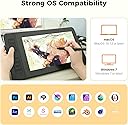
The GAOMON PD1161 is a professional-grade 11.6-inch drawing tablet featuring a Full HD IPS display with anti-glare matte film, 8192-level pressure-sensitive battery-free stylus with tilt support, and 8 customizable shortcut keys. Designed for Mac and Windows users, it offers 100% sRGB color accuracy and broad software compatibility, making it an ideal tool for artists, designers, and digital creators seeking a vibrant, responsive, and affordable pen display tablet.


| ASIN | B07YFG742J |
| Active Surface Area | 11.6inch |
| Additional Features | 60ยฐ Tilt Support, Anti-glare protective film, Programmable Press Key |
| Best Sellers Rank | #37 in Computer Graphics Tablets |
| Brand | GAOMON |
| Built-In Media | 3 in 2 USB Cable, AC Adapter, Digital Pen, Glove, Pen Holder (8 nibs inside) |
| Color | Black |
| Compatible Devices | Desktop, Laptop, Mac |
| Connectivity Technology | HDMI , USB |
| Customer Reviews | 4.3 out of 5 stars 6,779 Reviews |
| Display Type | LCD |
| Item Dimensions L x W | 14.2"L x 7.9"W |
| Item Weight | 1.9 Pounds |
| Manufacturer | GAOMON TECHNOLOGY CORPORATION |
| Mfr Part Number | A2.PD1161-0-EN0000-1-US-T |
| Model Name | GAOMON PD1161 |
| Model Number | GAOMON PD1161 |
| Native Resolution | 1920x1080 |
| Operating System | Windows 7 or later, macOS 10.12 or later |
| Pressure Sensitivity | 8192 Levels |
| Screen Size | 11.6 Inches |
| Special Feature | 60ยฐ Tilt Support, Anti-glare protective film, Programmable Press Key |
| Specific Uses For Product | Animation, Designing, Drawing |
| Target Audience | Artist, Beginner, Student, Teacher |
| Warranty Description | 1 year warranty under non human made damage. We don't cover accident damage, or accident missing accessories. |
A**.
Amazing Tablet for the price!!
I have had this tablet for about a year now and I can confidently say this is an amazing tablet! It a wonderful start out if youโre looking for a larger screen but donโt want to drop $1-2k on the higher name brands. Iโll give a couple pros and cons about the tablet and hopefully itโll help those who are deciding if they want to get one! Pros! *Large screen! - Iโve have used the 12.9 iPad Pro for almost 6-7 years, but always wanted something larger. This screen suits my needs so well! I donโt like to use shortcuts so Iโm able to adjust my program to accommodate my tools and windows. *Sensitivity - I was worried with it being a lower cost tablet that there would be some sensitivity issuesโฆnope!! Itโs perfect! The pressure can be adjusted to your desire as well, but I pretty much left it how it came out of the box! The is no lag, but I will say it depends on your computer. I noticed I got a bit of a lag on my iMAC, but thatโs because itโs old and I had to unselect screen recording to have it optimized better. But I had no issues when I used it in my Windows gaming Laptop. Just keep in mind on your processor. That my only concern on that part. *Price- Is there more to be said?! Itโs at an amazing price for someone wanting to start out on a larger screen but not sure if they want to go and drop over $1K on the name brand tablets. I will say I have use a Wacom Cintiq Pro 27 during a convention to try it out, and while obviously there are some differences in quality and performance, the Gaomon PD2200 performs insanely well for its price. *Accessories - tablet is build with its own stand and already installed so no assembly required or having to purchase a stand separately! You get the display pen along with additional tips and a holder for your pen! As Iโve mentioned I have had the tablet for nearly a year and have yet to change the tip yet. But I will say I donโt use it very often as life is busy, but I will put a guess if you use the tablet everyday you may just need to change the tip out every 3-4 months depending how much pressure you use. Now to the Cons: I donโt have many but the couple I would put out would obviously be involved on how itโs priced. You get an amazing and large sized tablet for the fraction of the name brands, but itโll come with its downsides. First would be the buttons- the buttons to turn the tablet on/off are not synced properly so I have to maneuver around to have to turn off the tablet when Iโm done. It gets annoying especially when it takes more than a minute to figure out the right spot to press. The short cuts being on the top right our a bit annoying. I wish they were at the bottom but like I mentioned earlier the screen is large enough that you an adjust your tools to your liking that suits your needs or you can just use keyboard shortcuts. This is also something to keep in mind if youโre a left hand drawer. Itโll be more difficult to select the shortcut keys. Display Match - Trying to display match was a nightmare. It took a lot of time and effort to get it remotely similar. I would suggest going to your computer graphics settings and set it that way. Trying to adjust it from the tablet itself is difficult and when the buttons not being syncs properly, it makes it even more frustrating when trying to adjust the display settings. I have used this both on Windows and Mac, and Windows took a little more time but iMac has preset settings to match with it, and it made it a little easier but itโs not perfect. So just something to keep in mind when drawing. Your colors will be off so always reference from a screen youโre used to and the tablet for best results! Thatโs all I really have. Itโs still an amazing tablet if youโre starting out on wanting a larger screen! I love this tablet despite its quirks and really happy with my purchase!!
G**I
GAOMON Tablet | Great starter tablet!
Iโm honestly impressed with this Gaomon screen tablet! For the price, it delivers way more than expected. Itโs a screen tablet, so you can see exactly what you're drawing, which makes the whole experience much more intuitiveโespecially if you're transitioning from a non-screen tablet. Keep in mind, itโs not Bluetooth, so youโll need to use the included cables to connect it to your computer. But once everything is plugged in and set up, it runs beautifully. IMPORTANT: Make sure to install the correct drivers from Gaomonโs website that match your model. This step is crucialโonce the drivers are installed, the tablet works like a dream. I've used it with both Krita and Clip Studio Paint, and the responsiveness and pressure sensitivity are fantastic. Overall, this is an amazing value for artists on a budget or anyone wanting a solid, reliable drawing experience without spending a fortune.
A**A
Great Tablet, Weird Buttons.
I've been a Gaomon Customer for years, and I've bought a multitude of their tablets from their PD1560, to their PD1161 and I've been satisfied with all of them. I bought this tablet because it had the size of the 1560 [but bigger] and the nice laminated screen that the 1161 had. I've loved these tablets and wanted to try something a big larger. Was a little cautious about the touch buttons, but I'll get to that later. The Screen itself is good quality and a great size compared to the overall tablet. The PD1560 had some issues displaying certain colours like purple, but this one doesn't have that problem as far as I'm aware. However, there is some pretty noticeable ghosting in the tablet screen. If you don't know what that is, its when you're moving images around on the screen, some red afterimage markings pop up and sometimes that can be a little strange or disorientating. The PD1560 also had some noticeable screen stick which this tablet does not have because it is laminated. My hands glide across it smooth without needing the included glove. The screen being laminated however causes your pen nibs to degrade faster, but this is hardly an issue with how many they give you to start out or how cheap replacements are. The adjustable stands are nice and responsive, though I'm a little confused as to why there are two of them. Having the extra adjustable stand is great don't get me wrong, but it does make it hard to connect the wires to the actual tablet. Normally, Gaomon tablets plug into the side of the tablet screen, while this one plugs in the side of the box that connects to the stand behind the screen. If you're like me and don't really adjust your stand after you find that perfect sweet spot, then this shouldn't create any issues. My only main issue with this tablet are the buttons. The 5 touch buttons to the right side of the tablet that control the menu and brightness functions are fine since they have a safety lock so you don't accidentally hit the buttons while drawing. The 8 programmable touch buttons on the left however are where my only negative thoughts for this tablet come from. They are quite small and it is VERY easy to accidentally slide your finger onto a button that you didn't intend to use, especially if you have large thumbs. It can also be a little uncomfortable to have these buttons on the top of such a larger screen as well. Personally, the placement of the button's functions are strange too. Having the bottom button default to the eraser is weird when the eraser tool has usually been defaulted to one of the buttons on the pen with other Gaomon products. The buttons have predetermined icons on them that you sadly cannot change as well so button customization is a little hard for this tablet. If Gaomon continues to make tablets, I would be happy if they kept to physical toggle buttons, instead of the touch buttons. The only other tablet I think that has touch buttons is the PD1610, so I hope they continue making ones with the toggle buttons. This might be a personal experience, and might not have anything that has to do with the product or it's performance but I thought it was worth mentioning just in case. A lot of the time these touch buttons don't even work or randomly work when I'm not touching them. I've had my tablet just 'undo' several times without any input from me or my pen. Sometimes the buttons won't function at all when pressing them multiple times in a row. I have tried multiple drawing software. Another issue is my CTRL key keeps getting stuck even when I'm not pressing it or not even having a keyboard plugged in. This only happened when I started drawing with Gaomon products, but I cannot confirm if they were the root cause of this. Just something to keep in mind. I recommend buying a standalone keypad, keydial, or remote of some kind to handle shortcuts if your tablet/computer happens to behave like this. Overall, great experience and great feel. Just the design is a little... 'off'
J**M
Great for everyone and no limit if you take the time to learn AHK or a proper language like C#
Disclaimer: I bought this tablet as Used Good for $99. I expected the tablet to have issues, but was really surprised that the thing is practically new. I looked it over hard and there wasn't even tiny scratches, TBF it's like the last owner opened it, took it out of the packages, threw away the manual, put it back in the box and sold it. I do suggest buying a extension cable 12FT, HDMI extension cable 12FT, and USB 2.0+ extension cable 12FT if you're like me, in a bed that can be a chair/recliner/reclined bed with a 60" screen at my feet, a 43" screen left of my head, a high end chromebook and the tablet both to my right with cables running under my bed and hooked up on a extra wide vented stand. The pen lag is too small to notice, the only thing smoother is my high end gaming mouse with a very high polling rate, but I'm able to play OSU on it at the highest levels. I used a no screen Wacom for OSU in the past and quickly rose through the ranks to the top 200. After 20+ hours of OSU on this tablet, my rank went from 200s to 90s. The screen quality is great, but I suggest turning it off when not in use unless it's on a vented stand since it puts out some heat, about 50% to 60% of heat as my high end Chromebook generates. On a vented stand there is no problem leaving it on accidentally which I did, but it was cool when I woke up. Instead of duplicating a screen, I set it as a fourth monitor, and use Autohotkey to automatically move all my GFX software to the tablet meaning I don't have to calibrate it at all, it's 100% accurate. I suggest setting the hotkeys to ALT + F13-F20 (I use F13-24 on a razer keypad with a joystick and ctrl is for my steam controller) and AutoHotkey to make the keys multi-function. To learn AutoHotkey I suggest using Pulovers macro creator which generates code. That will teach you the basics of AutoHotkey coding which makes products infinity better since you're only held back by your imagination and skill level. For example: I have each key set-up to detect up to eight presses within X time + a hold to timeout/cancel and four levels of time delay for a total of 12 functions per key for a total of 96 functions per program with a sleek OSD and a dark GUI to edit functions/add new software and toggle/remember software positions and stuff like removed title bars and borders for more room. It pretty much makes my and Huion pad useless, even the knob since I set the bottom hotkey to function as a knob by locking the mouse in a circle that changes when the pen is tilted at x angle, though it required using C functions inside AHK to set 360 points. As for my Wacom, I set it up as a awesome gesture pad using StrokesPlusNets C# to write macros/functions. There's no need to stop using older hardware when it can be repurposed to do so much with a little code. Also, don't be afraid of C# in StrokesPlusNet, it has plenty of built in functions, most things can be done without knowing any code. Sames goes for AutoHotkey when using pulovers macro creator. The scripts can be saved as programs right from the software. Hope this review helps with your new tablet and ways to repurpose old hardware with or without knowing how to code/script. Last, last, lastly, thanks for buying me the tablet Jim. :) Merry Christmas -A
M**R
Great drawing tablet with a good price.
Brightness is great, very easy to use and easy to setup. Has great responsiveness and i have really enjoyed my time with it. I use it for blender and even some photoshop stuff. If you want a screen you can see while drawing this is the way to go. highly recommend
S**A
Not a perfect tablet
I'm a trained comic illustrator who is a struggling artist, so I'm always trying to find alternatives to wacom's extremely expensive 1000+ cintiqs. I feel a cintiq is a invaluable tool to have when you want to go pro, and since I made the switch four years ago from a bamboo tablet I have never looked back. After my yiynova of four years died and since it was an outdated model the repair costs were too great/the system itself too sketchy to warrant me paying to continue having it, I went out shopping with my savings for a new one. A fair warning I tend to be far more picky about my cintiqs since I've been a digital artist for almost a decade now, so my points below may not matter as much to beginner artists but can be a deal breaker for me. ~PROS~ -MATTE SURFACE-This was the point that almost made me keep this tablet. There is something so nice about drawing on a matte surface I can't describe unless you've worked with a lot of cintiqs-it feels like you're drawing on paper rather than screen. It also tones down the brightness which is -chef kiss- very good. -BEAUTIFUL INTERFACE-from a glance this tablet is really pretty. Despite it being on the cheaper scale of cintiqs it feels very high end. It is designed extremely well and I feel professional whenever I open it. -DECENT COLORS-not a perfect color to screen representation but its enough for it to be workable. -DRIVER QUICK TO SET UP-I didn't have to calibrate barely anything and was able to properly set it up without looking at the manual. ~CONS~ -THE BUTTONS-The buttons are the biggest issue with this tablet. Its a touch model so while it looks like the buttons on the sides can be clicked on its by touch. The problem is it is EXTREMELY finicky, and most of the time its a struggle to even turn on the tablet no matter how many times I press it (even holding it down like they said to works only 50% of the time). This makes using the shortcut keys nearly impossible as it doesn't register my presses right away. The most consistent thing you can do is unplug the chord. Its a huge design flaw and I'm very sad because otherwise the design is extremely appealing. -THE CHORDS-This is just a me problem probably but the chords are plugged in on the wrong side of where I put my laptop so it makes the working process very cumbersome. Since I work a lot with keyboard shortcuts I cannot move my laptop to the other side so this is also problematic to me. -THE RESOLUTION-it might be my laptop's screen being smaller but the resolution is blurrier on the screen than my laptop. Considering my previous tablet's resolution was crystal clear I feel this is a manufacturer problem. -THE PEN-A minor thing but the tablet pen itself feels very cheap to me-the little stand to put it in is very wobbly and I don't like the build of the pen in my hand. Its straight and narrow and I prefer pen tablets that have more of a grip/bigger in the middle smaller at the edges shape. Its hard to explain but you'd understand if I held up the two different models. This is small however and won't really matter to a beginner probably. Despite these cons I was actually considering keeping the tablet until yesterday two days after getting it it suddenly stopped working. I double checked all the plugs and it was turned on so I could see the screen but try as I might the pen frazzled out and no amount of calibrating could save it. After I turned it off for the night and came back the next morning it was perfectly fine, but that small hiccup on a brand new tablet was enough for me to not be able to trust it going forward. So I'm returning it and staying with my more tried and true XP pen company. I'm not sure if I can recommend it as a long-term, reliable cintiq alt but I feel like it had a lot of potential that was ruined by some design choices. Take with that as you will.
D**Y
Great product with excellent support.
Hello everybody, To give you a background of what I use this tablet for I am currently a graphic design student, amateur digital photography and an artist. This handy device has been a major boon for all my crafts. I use it rather consistently whether for school work, leisure practice drawings, or adjusting photographs. Overall the device works excellently for each of this tasks making many projects much easier to perform with it. Functionality, the 8 utility buttons on the side of the monitor are great to improving workflow (At least within photoshop not sure about other programs because photoshop is the main program I use). The display is responsive and the software gives you the ability to calibrate the pen. You can use the software to disable the buttons on both the display and the pen. Also you should note this tablet is not a standalone art tablet it needs to be hooked up to a computer and uses 1 hdmi port and on power cable. (It's basically a touch screen monitor with better functionality). The pen, I like the pen it comes with multiple tips and a holder for you to put the pen in either vertically or horizontally. My only complaint about it is a user error one which means it's my fault not the manufacturers. The buttons on the pen are a bit sensitive and I tend to accidentally press them however you can disable those buttons functions through there software if you have a similar issue making it a non issue. Finally, Gaomon support is excellent. Although they ship it with a user manual to explain how to set up the tablet their support also sent me a message to make sure that it was received with all of the parts and that I knew how to set it up correctly. I gave them some feedback on the pen suggesting that they increase the actuation or possibly move these buttons to middle. They received the feedback and passed it on to their team. Overall 10/10 for support they were polite, and quick with responding. They took feedback well and were very helpful in informing me about the uses of the device and software. Gaomon has my business in the future for when I decide to upgrade or expand in both my business and personal uses.
D**M
Gaomon Improved Their Product!
My daughter is a digital artist. A couple of years ago, she had requested a more expensive brand, and I felt she was a bit young to go to that extreme, so I had looked up comparable products, and settled on one of the Gaomon models. At the time, it was half the price of the one she wanted. Plus, it was one of those wait and see where your life goes before a huge investment is made. We had insurance on the original one, and there were some issues. We ended up having to replace that one, and we decided to give Gaomon another shot because she knew how to work with their product, liked their product, and the photos on here depicted that issues on a previous model were addressed. So, we ordered this model, and have ZERO regrets. She is intending on making digital art her life's work, and I can only write what she stated regarding this latest model: it cut the time in half of the digital art she creates. It is easier for her to see the bigger picture of what she is working on. She said the ease of use in comparison to her previous model is notable. She initially didn't think she'd like a bigger screen, but now sees the advantage and likes the clarity. The connections are separate on the back (the connections were one huge connector in the past where if one thing went wrong, the whole thing had to be replaced), the tilting of the monitor is much nicer. I tried to get as much information as possible to post here from an actual artist, but since this product arrived, I have hardly seen her. I know there are other parents out there who have teenagers who may be highly involved in creating digital art and animations who don't have the money to shell out for the more well known brand or just don't know how serious of an artist your child might become, so I just want to say - get this. Gaomon actually listened to consumers and made a better model which can assist you in achieving what you want or need without going crazy with putting yourself in debt. If you have fears, buy insurance. The serious artist here is says it is amazing. Thank you to Gaomon for addressing issues from the past and for pricing in such a way that people may be able to purchase your products. Furthermore, I'd like to add that she is already getting offers from art colleges who have seen her work, and this is the product she is using - that isn't bragging, but only to notify people that it can get you to where you want to go...and for parents who are trying to make the right decision. I hope this is somewhat helpful that a parent here can say that I feel very confident in this being a great product. However, I know that she's not had it for months, and who knows what may arise, but they have been in business for awhile, and, as I stated, they fixed some issues from the past.
M**E
รtimo
รtimo, foi resoluto.
E**A
Awesome Awesome
Lovely Tab. A must for the teachers.
R**S
its a very usefull device for a beginner.
A**N
Nice display
Best product
K**.
Soooo happy with the 22" pen display. Perfect extra monitor. Fantastic pen precision. No glare.
I'm the fussiest buyer of electronics, but this tablet really made my decade. It's simply amazing. I have a small Xpen pad also (not a display) and it's good, but now it feels like a blunt children's tool in comparison. ;) My new Gaemon 22" feels like a professional precision tool that enjoyed a lot of careful design and quality commitment. The matt surface is an absolute pleasure to work with, even in my supper sunny apartment. As an added bonus it serves as an additional monitor, so i keep it righ in front of my keyboard at an angle, below my main monitor. In fact, it's a perfect primary monitor too (Normal monitors are so yesterday for me now! Haha). It doesn't work with finger touch, so you always have to use a pen but I got used to it easily. It's worked perfectly the first time I pluigged it in on my Windows laptop, and later on my linix PC too. I installed the driver as an afterthought just to get the software for editing the settings and configuring the buttons. I use Krita and IncScape for art and it works beautifully with both. Still can't get over the precision! It's such a yummy feeling to have perfect control over the pen. It can draw the tiniest thin littel lines and the line starts exactly where you touched the pen, not a milimeter below shiny glass like most tablets. It almost feels like I'm drawing with a sharp pencil directly on paper. Love it! Suggestions to GAEMON for future versions: 1. The touch buttons are stubborn and sometimes just don't respond. Plus they are way far away. So I hardly use them. 2. One USB-C cable can replace the HDMI+USB-A combo to make the tablet a bit more plug and play (like a docking station setup, or like most laptops now only require one USB-C cable to connect to power and monitor + keyboard + mouse). 3. A clip or magnetic slot on the right hand side for holding the pen might be handy
Trustpilot
5 days ago
3 weeks ago