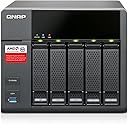


QNAP TS-563-8G 5-Bay AMD 64bit x86-based NAS, Quad Core 2.0GHz, 8GB RAM, 2 x 1GbE, 10G-ready
Product ID: 16353836
The TS-563 is equipped with an energy-efficient 64-bit AMD quad-core 2.0 GHz processor with 2GB/8GB DDR3L-1600 RAM (upgradable to 16GB), SATA 6Gb/s, and two Gigabit LAN ports (expandable to either 4 x Gbe ports or 2 x Gbe + 2 x 10GbE ports) for lightning-fast multi-tasking performance with SSD cache support. The TS-563 is a powerful NAS that delivers up to 819 MB/s sequential read throughput with one 10GbE configuration. The TS-563's hardware-accelerated encryption engine provides unmatched encryption performance in its class, up to 435 MB/s with AES-256 bit full NAS volume encryption, boosting system performance & security while ensuring the safety of sensitive business data stored in the TS-563. Review: QNAP NAS products - Great Products, Prices, Quality and Reliability - This is my 5th QNAP NAS running backup servers to critical application servers and data storage, so far flawless! TS-563 upgraded to 5x4TB Hitachi NAS drives at RAID lvl 6 upgraded to 16GB memory. I have been a user of QNAP NAS products since 2009 have been through OS earlier versions through now version QTS 4.2.0. Security patches along with OS improvement have been timely. Every company has residual issues with 3rd party vendor software and that doesn't sway me from the quality of QNAP products. I have read other peoples reviews and I believe most of those reviews entail an odor of user in-experience or a lack of understanding advanced NAS hardware and product capabilities.....Just saying. Products still running without any problems 24/7 are TS-219PII-US, TS-859Pro+(x2), TS-469L and recently acquired TS-563. FYI: I learned a long time ago don't skim on NAS Hard Drive prices, Only use the best NAS certified drives, cheap drives are only an unnecessary drain on your wallet. It is not a question if they will fail ......but when. Review: Excellent Data Backup and File Sharing NAS, FAST!, Added Security of hardware-based Volume Encryption - Updates @ end of review - This thing rocks! My main usage is for file and drive image backup, and is excelling at both. I also own the Synology DS412+ four bay from a couple years back Synology DiskStation 4-Bay (Diskless) Network Attached Storage DS412+ (Black) , but like this unit much better. Three main reasons - 5 bays vs. four means you can get 3X drive size in total storage space and still be proof against up to two drive failures using RAID 6, the hardware based volume encryption means much greater security against certain kinds of physical attacks, and the much more open QNAP approach to software. Synology does a bit too much hand holding for my taste, while QNAP allows a broader range of apps and configuration options. And the speed of the QNAP is quite a bit better (I know, the Synology is two years old and underpowered processor wise vs. the QNAP, but speed is speed and I appreciate it). Configuration: 5x6TB Hitachi DeskStar NAS drives HGST Deskstar NAS 3.5-Inch 6TB 7200RPM SATA III 128MB Cache Internal Hard Drive (0S03839) in RAID 6, for 16+ TB of double drive failure redundant storage when fully formated. Single hardwired gigabit connection from NAS to a TP-LINK gigabit switch TP-LINK TL-SG105 5-Port Gigabit Ethernet Desktop Switch, 10/100/1000 Mbps,IEEE 802.1p QoS, Up to 65% Power Saving . My laptop is also connected to this switch via cable to maximize speed of file transfer and backups, while other computers are coming in via WiFi (Router is TP-LINK AC3200 Tri-Band Wireless Gigabit Wi-Fi Router (Archer C3200) with the NAS hard wired to the Netgear Range Extender Netgear AC1200 Wi-Fi Range Extender Dual Band Gigabit (EX6150-100NAS) . Very easy to set up the NAS itself. Upped the RAM to 16GB using Crucial 16GB Kit (8GBx2) DDR3-1600 MT/s (PC3-12800) 204-Pin SODIMM Notebook Memory CT2KIT102464BF160B / CT2CP102464BF160B just to be sure any operations that required RAM on the NAS would not be bottle-necked. Upgrading memory this way is much cheaper than buying the NAS with the extra RAM already installed. You do have to remove the outer case to access the RAM slots of course, but no big deal. Then mounted the drives on the trays and booted it up. Long time to create the volume (overnight plus) but to be expected for RAID 6 volume of this size. Enabled encryption on the full volume, which is why I bought this model, as this is unit has *hardware encryption* that means full disk encryption protection without a huge hit on throughput. Ran a couple of firmware updates, assigned a static IP to the NAS, and added the IP address to my Favorites in File Explorer so that I have direct access to the shared folders on the NAS vs. going though a browser (again, much faster, as you're using Windows networking vs. HTTP for the file transfers). Then started backing up, trying out the NetBack Replicator app for Windows, and using my usual means like drag and drop in Windows, Acronis for drive images, and SyncBack Pro. In drag and drop file transfers I'm getting 30 MBps +, thats 240 Mbps, WITH Replicator ALSO writing to the NAS! That is some very good speed indeed for data flowing over twisted pair! Looking forward to doing a bit of benchmarking. In terms of backup software, it will take a little while to really compare NetBack (few options, simple) to SyncBack (lots of options, but I often use them), we'll just have to see. Pros: +Very capable NAS for file backup and security, including hardware encryption of the storage volumes. +Simple physical and digital setup. +Very wide range of server apps including QNAP and third party. +Quite in operation, runs cool. +Frequent firmware updates as QNAP continues to evolve the QTS operating system. +Four USB3 ports + dual Gigabit connections means lots of add-on and network options. +All the flexibility and expand-ability I'll need for quite some time! Cons: -Drive trays do not lock -Haven't been able to get email notifications working yet to my gmail account. Overall, highly recommended for local/whole house data backup and file sharing. ************10/4/2015 Update - Benchmarks, Backup Software************ Mapped the QNAP as a Network drive under Window 7 Enterprise. Connection to QNAP is a follows: ThinkPad OneLink Pro Dock gigabit Ethernet to TP-Link gigabit switch to QNAP. ----------------------------------------------------------------------- CrystalDiskMark 3.0.1 x64 (C) 2007-2010 hiyohiyo Crystal Dew World : [...] ----------------------------------------------------------------------- * MB/s = 1,000,000 byte/s [SATA/300 = 300,000,000 byte/s] Sequential Read : 39.193 MB/s Sequential Write : 39.596 MB/s Random Read 512KB : 38.339 MB/s Random Write 512KB : 37.005 MB/s Random Read 4KB (QD=1) : 3.976 MB/s [ 970.8 IOPS] Random Write 4KB (QD=1) : 3.220 MB/s [ 786.1 IOPS] Random Read 4KB (QD=32) : 33.376 MB/s [ 8148.5 IOPS] Random Write 4KB (QD=32) : 36.370 MB/s [ 8879.4 IOPS] Test : 1000 MB [Z: 20.0% (3325.9/16624.7 GB)] (x3) Date : 2015/10/04 1:25:33 OS : Windows 7 Enterprise Edition SP1 [6.1 Build 7601] (x64) Strong performance, as 39 MBps is 312 mbps, an appreciable portion of the total available bandwidth on gigabit ether. Regarding the NetBack software, found it unreliable and slow, so back to using combination of SyncBack Pro for file backups and Acronis for disk image backups. Working fine. ************5/18/2016 Update - New Benchmarks, Faster backups!************ Set up the QNAP in my home office after a move, with same hardware in the link from laptop to QNAP, i.e., ThinkPad Yoga 12>OneLink Pro Dock>TPLink Gigabit Switch>QNAP, but with a newer version of the laptop (faster processor, newer chipset). For some reason, am getting much faster writes! This is shown in the DiskMark results below, but also born out by the speed of my backups to the QNAP using SyncBack Pro. The write speeds are essentially saturating the gigabit ether. NICE! Not sure WHY this is the case, nor why writes would be faster than reads, but appreciate the results none the less. It seems most likely to me that QNAP updates to the QTS OS have improved things on the write side. Here are the new DiskMark results. ----------------------------------------------------------------------- CrystalDiskMark 3.0.1 x64 (C) 2007-2010 hiyohiyo Crystal Dew World : [...] ----------------------------------------------------------------------- * MB/s = 1,000,000 byte/s [SATA/300 = 300,000,000 byte/s] Sequential Read : 35.058 MB/s Sequential Write : 98.200 MB/s Random Read 512KB : 33.587 MB/s Random Write 512KB : 92.749 MB/s Random Read 4KB (QD=1) : 7.753 MB/s [ 1892.9 IOPS] Random Write 4KB (QD=1) : 7.307 MB/s [ 1783.9 IOPS] Random Read 4KB (QD=32) : 33.899 MB/s [ 8276.2 IOPS] Random Write 4KB (QD=32) : 40.936 MB/s [ 9994.2 IOPS] Test : 1000 MB [Q: 18.3% (3045.0/16624.7 GB)] (x3) Date : 2016/05/18 4:42:30 OS : Windows 7 Enterprise Edition SP1 [6.1 Build 7601] (x64)
| ASIN | B00ZPZZ8KM |
| Brand | QNAP |
| Color | Black, Polished Steel |
| Compatible Devices | Desktop, Server |
| Customer Reviews | 3.7 out of 5 stars 52 Reviews |
| Enclosure Material | Metal |
| Is Assembly Required | No |
| Item Weight | 12.8 Pounds |
| Manufacturer | Qnap |
| Material | Metal |
| Mfr Part Number | TS-563-8G-US |
| Model Number | TS-563-8G-US |
| Mounting Type | Rack Mount |
| Size | 8 GB |
| UPC | 885022008803 |
| Warranty Description | 2 years |
A**M
QNAP NAS products - Great Products, Prices, Quality and Reliability
This is my 5th QNAP NAS running backup servers to critical application servers and data storage, so far flawless! TS-563 upgraded to 5x4TB Hitachi NAS drives at RAID lvl 6 upgraded to 16GB memory. I have been a user of QNAP NAS products since 2009 have been through OS earlier versions through now version QTS 4.2.0. Security patches along with OS improvement have been timely. Every company has residual issues with 3rd party vendor software and that doesn't sway me from the quality of QNAP products. I have read other peoples reviews and I believe most of those reviews entail an odor of user in-experience or a lack of understanding advanced NAS hardware and product capabilities.....Just saying. Products still running without any problems 24/7 are TS-219PII-US, TS-859Pro+(x2), TS-469L and recently acquired TS-563. FYI: I learned a long time ago don't skim on NAS Hard Drive prices, Only use the best NAS certified drives, cheap drives are only an unnecessary drain on your wallet. It is not a question if they will fail ......but when.
R**R
Excellent Data Backup and File Sharing NAS, FAST!, Added Security of hardware-based Volume Encryption - Updates @ end of review
This thing rocks! My main usage is for file and drive image backup, and is excelling at both. I also own the Synology DS412+ four bay from a couple years back Synology DiskStation 4-Bay (Diskless) Network Attached Storage DS412+ (Black) , but like this unit much better. Three main reasons - 5 bays vs. four means you can get 3X drive size in total storage space and still be proof against up to two drive failures using RAID 6, the hardware based volume encryption means much greater security against certain kinds of physical attacks, and the much more open QNAP approach to software. Synology does a bit too much hand holding for my taste, while QNAP allows a broader range of apps and configuration options. And the speed of the QNAP is quite a bit better (I know, the Synology is two years old and underpowered processor wise vs. the QNAP, but speed is speed and I appreciate it). Configuration: 5x6TB Hitachi DeskStar NAS drives HGST Deskstar NAS 3.5-Inch 6TB 7200RPM SATA III 128MB Cache Internal Hard Drive (0S03839) in RAID 6, for 16+ TB of double drive failure redundant storage when fully formated. Single hardwired gigabit connection from NAS to a TP-LINK gigabit switch TP-LINK TL-SG105 5-Port Gigabit Ethernet Desktop Switch, 10/100/1000 Mbps,IEEE 802.1p QoS, Up to 65% Power Saving . My laptop is also connected to this switch via cable to maximize speed of file transfer and backups, while other computers are coming in via WiFi (Router is TP-LINK AC3200 Tri-Band Wireless Gigabit Wi-Fi Router (Archer C3200) with the NAS hard wired to the Netgear Range Extender Netgear AC1200 Wi-Fi Range Extender Dual Band Gigabit (EX6150-100NAS) . Very easy to set up the NAS itself. Upped the RAM to 16GB using Crucial 16GB Kit (8GBx2) DDR3-1600 MT/s (PC3-12800) 204-Pin SODIMM Notebook Memory CT2KIT102464BF160B / CT2CP102464BF160B just to be sure any operations that required RAM on the NAS would not be bottle-necked. Upgrading memory this way is much cheaper than buying the NAS with the extra RAM already installed. You do have to remove the outer case to access the RAM slots of course, but no big deal. Then mounted the drives on the trays and booted it up. Long time to create the volume (overnight plus) but to be expected for RAID 6 volume of this size. Enabled encryption on the full volume, which is why I bought this model, as this is unit has *hardware encryption* that means full disk encryption protection without a huge hit on throughput. Ran a couple of firmware updates, assigned a static IP to the NAS, and added the IP address to my Favorites in File Explorer so that I have direct access to the shared folders on the NAS vs. going though a browser (again, much faster, as you're using Windows networking vs. HTTP for the file transfers). Then started backing up, trying out the NetBack Replicator app for Windows, and using my usual means like drag and drop in Windows, Acronis for drive images, and SyncBack Pro. In drag and drop file transfers I'm getting 30 MBps +, thats 240 Mbps, WITH Replicator ALSO writing to the NAS! That is some very good speed indeed for data flowing over twisted pair! Looking forward to doing a bit of benchmarking. In terms of backup software, it will take a little while to really compare NetBack (few options, simple) to SyncBack (lots of options, but I often use them), we'll just have to see. Pros: +Very capable NAS for file backup and security, including hardware encryption of the storage volumes. +Simple physical and digital setup. +Very wide range of server apps including QNAP and third party. +Quite in operation, runs cool. +Frequent firmware updates as QNAP continues to evolve the QTS operating system. +Four USB3 ports + dual Gigabit connections means lots of add-on and network options. +All the flexibility and expand-ability I'll need for quite some time! Cons: -Drive trays do not lock -Haven't been able to get email notifications working yet to my gmail account. Overall, highly recommended for local/whole house data backup and file sharing. ************10/4/2015 Update - Benchmarks, Backup Software************ Mapped the QNAP as a Network drive under Window 7 Enterprise. Connection to QNAP is a follows: ThinkPad OneLink Pro Dock gigabit Ethernet to TP-Link gigabit switch to QNAP. ----------------------------------------------------------------------- CrystalDiskMark 3.0.1 x64 (C) 2007-2010 hiyohiyo Crystal Dew World : [...] ----------------------------------------------------------------------- * MB/s = 1,000,000 byte/s [SATA/300 = 300,000,000 byte/s] Sequential Read : 39.193 MB/s Sequential Write : 39.596 MB/s Random Read 512KB : 38.339 MB/s Random Write 512KB : 37.005 MB/s Random Read 4KB (QD=1) : 3.976 MB/s [ 970.8 IOPS] Random Write 4KB (QD=1) : 3.220 MB/s [ 786.1 IOPS] Random Read 4KB (QD=32) : 33.376 MB/s [ 8148.5 IOPS] Random Write 4KB (QD=32) : 36.370 MB/s [ 8879.4 IOPS] Test : 1000 MB [Z: 20.0% (3325.9/16624.7 GB)] (x3) Date : 2015/10/04 1:25:33 OS : Windows 7 Enterprise Edition SP1 [6.1 Build 7601] (x64) Strong performance, as 39 MBps is 312 mbps, an appreciable portion of the total available bandwidth on gigabit ether. Regarding the NetBack software, found it unreliable and slow, so back to using combination of SyncBack Pro for file backups and Acronis for disk image backups. Working fine. ************5/18/2016 Update - New Benchmarks, Faster backups!************ Set up the QNAP in my home office after a move, with same hardware in the link from laptop to QNAP, i.e., ThinkPad Yoga 12>OneLink Pro Dock>TPLink Gigabit Switch>QNAP, but with a newer version of the laptop (faster processor, newer chipset). For some reason, am getting much faster writes! This is shown in the DiskMark results below, but also born out by the speed of my backups to the QNAP using SyncBack Pro. The write speeds are essentially saturating the gigabit ether. NICE! Not sure WHY this is the case, nor why writes would be faster than reads, but appreciate the results none the less. It seems most likely to me that QNAP updates to the QTS OS have improved things on the write side. Here are the new DiskMark results. ----------------------------------------------------------------------- CrystalDiskMark 3.0.1 x64 (C) 2007-2010 hiyohiyo Crystal Dew World : [...] ----------------------------------------------------------------------- * MB/s = 1,000,000 byte/s [SATA/300 = 300,000,000 byte/s] Sequential Read : 35.058 MB/s Sequential Write : 98.200 MB/s Random Read 512KB : 33.587 MB/s Random Write 512KB : 92.749 MB/s Random Read 4KB (QD=1) : 7.753 MB/s [ 1892.9 IOPS] Random Write 4KB (QD=1) : 7.307 MB/s [ 1783.9 IOPS] Random Read 4KB (QD=32) : 33.899 MB/s [ 8276.2 IOPS] Random Write 4KB (QD=32) : 40.936 MB/s [ 9994.2 IOPS] Test : 1000 MB [Q: 18.3% (3045.0/16624.7 GB)] (x3) Date : 2016/05/18 4:42:30 OS : Windows 7 Enterprise Edition SP1 [6.1 Build 7601] (x64)
J**.
You can't trust QNAP.
Do yourself a favor and skip QNAP. I work in IT and realized that I was not following my own advice when keeping all of my precious data on a single 1TB HDD in my computer. I bought this NAS specifically because I wanted to safeguard my data. My eventual goal was to buy another QNAP and keep it at a different house, so I would have my data stored in two locations with redundancy because of RAID 10. Well, today, 10/19/2016, my NAS decided to die. No warning. It just started rebooting - over, and over, and over. I spoke with QNAP technical support who believes the device has a "defective DOM". The ONLY option is to send the device back to them - AT MY EXPENSE - and wait up to 2-3 weeks for them to repair or send me a new one back. That's 2-3 weeks where I will be without my data. Yes, I should have backups of the data elsewhere, but I don't have unlimited funds and I was slowly working toward that goal. QNAP wouldn't budge on this. I asked if they could put a hold on my card and send me a replacement first, or if there was a way to expedite shipping of a replacement back to me. The tech tried to make it sound like they were being generous because they pay the return shipping to send me a new one. What kind of logic is this? The unit is DEFECTIVE. Apparently, the only way to get express replacement, is to purchase their extra warranty... which is something like $300+ more, depending on how many years you want. Add to this awful experience the fact that QTS is a buggy abomination, firmware upgrades often fail, and notifications of NAS issues are hit or miss (sometimes they don't send)... I'll pass. I've had the NAS not make a peep about a bad drive, but suddenly when I log in say "HEY! BAD DRIVE". It's like... did you only notice that because I logged in? Ridiculous.
A**R
Started My NAS Library
Works Great, Started My Library With This One, Now Up To 500TB Of Storage, Great Sturdy NAS, You Can't Go Wrong With This One.
A**R
Worth the extra money (over lower prices SOHO devices).
I first purchased the TS-431 and was having problem with media, icons, etc causing the CPU to go to 100%. This is a powerhouse of a NAS. CPU during backups are 1-2% while the TS-431 used as the BACKUP server is 80-100% cpu usage. Drives run cooler too. I upgraded this to 16 gigs before I installed the drive. So far my experience has been wonderful. I'm using this to replace a web server that went south and the virtualization works flawlessly. While the documentation says you can only run one VM at a time, I run 2 at a time without any problems. (Windows 7 and Ubuntu) Core allocation isn't what I expected but it works perfectly. I expected dedicated core allocation. When you assign 2 cores to a VM, it still spreads it across all 4 cores. I have never seen the CPU at 100% without using all 4 cores and windows. Built in web server (php) is very responsive and you can install PHP applications not in the QNAP app store without any issues. I have yet to get MONO or QMONO running though, there is very little documentation on it. If you want to run ASP.NET apps with ease without installing windows, they may not be for you. File share (SMB) is very fast. If you use this unit to serve movie files, you will notice KOBI will not pause before playing movies. I am very happy with this NAS and wish I bought it instead of the TS-431. The extra cost is well worth it, especially if you want to use it's virtualization and web servers. While the TS-431 does support some of these features, it's processor is too weak for SMB, much less anything else.
J**N
unrequited love...
I really wanted to like this product. From the awesome build quality apparent when you first unbox it, to the easy-to-access memory modules that make upgrades a snap, to the promise of quickly spinning up containers and virtual machines using Container Station and Virtualization Station. What was not to love? Unfortunately, the honeymoon started to end about day two, when I discovered that Virtualization Station as powered by this CPU is no speed daemon. Usable, yes, but only for fairly basic tasks. (I didn't do extensive benchmarking or performance tuning, so YMMV. Take this as a purely anecdotal observation.) Also, while you can quickly spin up containers from the extensive catalog conveniently provided by QNAP, getting them configured and fully functional is another matter entirely. (For example, attempting to use an "eclipse-novnc" container, I never got past obscure novnc errors to successfully connect to my container in my browser.) Still more unfortunately though, on day five, the raid controller completely died with a message spontaneously reporting, "drives one and two unplugged: volume remounted read-only" (of course, I never touched the thing or did anything out of the ordinary, that I'm aware of, to trigger such an error) after which, upon rebooting, a multiday rebuild commenced. Obviously, such a thing should never happen, particularly when using brand new top-of-the-line WD Red NAS drives, let alone after five days of service. A SMART test on the drives in question reported back a clean bill-of-health. I immediately returned the QNAP to Amazon for a full refund, but I've kept the drives, until such time as I settle on a different NAS option.
H**V
Amazing hardware for the price. Software could have been better
I had been a long time user of Synology NAS and when I wanted a major upgrade in storage I decided to go the QNAP route due to good reviews the product was getting. My experience with QNAP was hit and miss initially. The first device that was delivered was obviously defective as it kept rebooting every few minutes. Amazon's customer support was very helpful in getting this returned and getting a new device The second device installation went without a hitch and he hardware specs and performance on this NAS is really good when compared to the Synology. File transfers take almost half the time and the performance in streaming videos from the device does not consume more than 8% of the CPU. The software of QNAP is something which I am disappointed with. The features when compared to the excellent product from Synology seems to be half baked. Of particular concern was a few The QNAP Qsync runs on the same port as the Web administration and needs to be forwarded for QSync to work over the internet. That means exposing your admin interface too to the internet. There is no way to change the port numbers that the services are listening to. In this regard Synology's approach of different ports for each service works better for security as only the minimum ports need to be forwarded. The apple time machine in QNAP has a default username which cannot be changed. This is a challenge when trying to backup multiple Mac devices Even though QNAP has a RADIUS and LDAP server in the box for some reason RADIUS does not talk to LDAP. So if I need to use the LDAP database for authentication clients that require RADIUS cannot authenticate against the LDAP and the user accounts has to be recreated in RADIUS again. Overall the quality of the QTS software is no where near Synology. If QNAP fixes these this could have been a phenomenal NAS I will be digging around the software and if issues keep popping out then I will have to rerturn this
T**G
Outstanding versatility
Outstanding product, would have gave it a five star rating if not for the Emby app. The app reports an update is available but I have been unable to update it from the website and the software that came with the unit will not update the Emby app.
C**N
Excelente producto para oficinas medianas.
Excelente equipo, trabaja de forma silenciosa y la instalación es muy intuitiva al igual que la administración de grupos y usuarios. Lo recomiendo ampliamente en conjunto con los discos RED para NAS. Tengo cerca de 50 empleados trabajando sobre el servidor sin complicación alguna.
Trustpilot
1 month ago
1 day ago