Buy anything from 5,000+ international stores. One checkout price. No surprise fees. Join 2M+ shoppers on Desertcart.
Desertcart purchases this item on your behalf and handles shipping, customs, and support to Thailand.
💼 Your Mac’s best travel companion for secure, stylish storage.
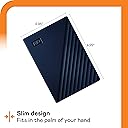
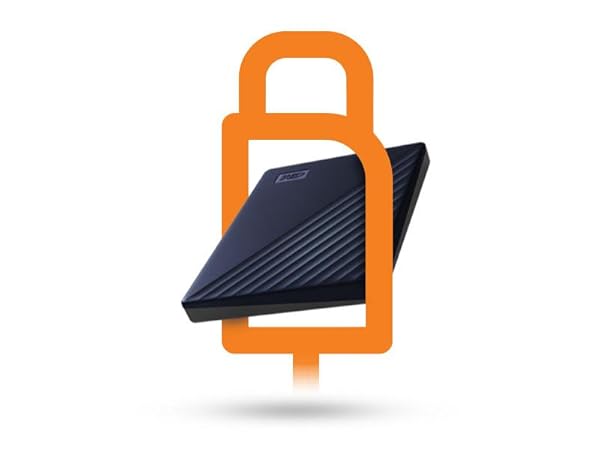
The WD 5TB My Passport for Mac is a portable external hard drive engineered for seamless Mac integration with USB-C and USB-A compatibility. It offers a massive 5TB capacity housed in a durable, slim metal design. Featuring hardware encryption and password protection, it safeguards your data against ransomware. Included backup software automates file management, making it an essential tool for professionals who demand reliable, secure, and stylish storage on the go.


| ASIN | B07VX8HHFK |
| Additional Features | Hardware Encryption, Portable |
| Best Sellers Rank | #6 in External Hard Drives |
| Brand | WD |
| Built-In Media | My Passport for Mac portable hard drive, Software[2] for device management and backup with password protection, Quick install guide, SuperSpeed USB-A cable (5Gbps), USB-A to USB-C adapter |
| Cache Memory Installed Size | 5 |
| Color | Navy |
| Compatible Devices | Desktop, Laptop |
| Connectivity Technology | USB |
| Customer Package Type | Standard Packaging |
| Customer Reviews | 4.4 out of 5 stars 15,122 Reviews |
| Data Transfer Rate | 1 Megabytes Per Second |
| Digital Storage Capacity | 5 TB |
| Enclosure Material | Metal |
| Form Factor | 2.5-inch |
| Global Trade Identification Number | 00718037871776 |
| Hard Disk Description | Mechanical Hard Disk |
| Hard Disk Form Factor | 2.5 Inches |
| Hard Disk Interface | USB 3.2 |
| Hard Disk Rotational Speed | 5 |
| Hard-Drive Size | 5 TB |
| Hardware Connectivity | USB 3.0, USB 3.2 Gen 1 |
| Hardware Platform | Mac |
| Installation Type | External Hard Drive |
| Item Dimensions L x W x Thickness | 4.22"L x 2.95"W x 0.75"Th |
| Item Weight | 7.4 Ounces |
| Manufacturer | Western Digital Technologies, Inc. |
| Mfr Part Number | WDBA2F0050BBL-WESN |
| Model Name | My Passport for Mac |
| Model Number | WDBA2F0050BBL-WESN |
| Number of Items | 1 |
| Read Speed | 130 Megabytes Per Second |
| Special Feature | Hardware Encryption , Portable |
| Specific Uses For Product | business, personal |
| UPC | 718037871776 |
| Unit Count | 1.0 Count |
| Warranty Description | 3-year manufacturer's limited warranty |
B**S
Works right out the box and that is Amazing! It stopped working I ordered a replacement!
Update: It stopped working and I ordered a replacement because I love it! First, let me say I love my MacBook Pro and it is my baby. Everything I hook up to has to be an item that I trust. I have completed a lot of research on external hard drives. The majority of them have to be formatted to even work with the MacBook. This WD 2TB My Passport for Mac Portable External Hard Drive does not need to be formatted. Also, I do not need an adapter for it to fit. This is specially designed for Mac and Time Machine and USB-C and USB-A compatible and Password protected. It is just so easy to use. It works straight out of the box. I use it to import and export movies. Also to store photos from my computer in order not to use up my storage or in case something happens to my computer. It is also small for me to carry on the go easily. This works so easily and I am happy I did not have to set up anything else to make it work.
J**N
Western Digital Drive to Backup My Macbook Air
Western Digital has always been a more stable and reliable product line for me in the HDD space whether internal or external. This drive is no different. So far, it has provided the stability and reliability that I have grown accustomed to. It is perfect for a simple backup drive I can use to backup my Macbook I plan to eventually use as a work machine. I may purchase another Macbook with the 1 TB drive and 24 GB of memory, or maybe 32 GB. I will purchase another one of these drives to as a backup drive for that system when the time comes. I recommend this drive. It is small, lightweight, and it appears to allow speedy transfer and write of data.
A**R
Great external. Use as a backup for my Mac Time Machine. Low price.
Love it. I have two of them. Great external. Use as a backup for my Mac Time Machine. Low price.
S**W
Smaller, lighter, and more rigid than previously, but no footpads, and top side is inverted
My first WP Passport drives a few years ago had the silver bodies with the rounded corners, and so far they have worked quite well, the next generation was a little bigger, back, with what seemed like a casing made of two segments, one about two thirds, the other about one third, of the length. The activity light was a bright rectangular horizontal LED. In some of those the join of the casing was not rigid where the two segments met, although I don't know if that affected functionality. Some of them vibrated a good deal when operating and one recently failed and froze up my computer when attached, although I'm not sure the reason. Disk utility repair did not work. Luckily I had the original drive--the silver rounded corner version, that this was a copy of but I had to waste a new disk drive of that two-piece version to make a new copy, which took about 16 hours. Getting back to this current design, of which I purchased two 4 TB drives, I don't know how it will work, but they are recognized by my computer, and have fairly low vibration. Physically they seem to be of a sturdier construction than the last design, they are about 1/8 thinner, top to bottom, and about 1/8 inch shorter. One thing I don't particularly like is that they have no foot pads as previous ones did, however minimal they were, so these clunk down on the hard surfaces and can slip around more. Also, if you go by the side that has the label plate, which on previous versions is always on the bottom, the position of the port for the cable is reversed, so instead of being on the left side of the end and is now on the right side of the end, and the direction of the cable plug must be turned the other way to fit. Another thing is the previous generation had a rather large horizontal LED activity light, whereas this has a very small, fainter circular LED opening, but still adequate.
R**E
works seamlessly with macOs Sierra 10.12.6
I see lots of controversy over which Mac operating systems this external hard drive works with. I just bought the drive (Western Digital WD 2TB My Passport for Mac, Portable External Hard Drive with backup software) and it worked instantly and seamlessly with my late 2015 iMac i7 27" currently with the older macOs Sierra 10.12.6 I'm about to upgrade my Os, which I always hate doing to be honest, and needed another hard drive to back up a terrabyte of data onto, and use as new Time Machine designated hard drive for continual back-ups. NOTICE: It will hook up to your computer with EITHER USB-1 or the newer oval USB-C: If you use, like on my older iMac the now classic USB-1 (rectangular looking thingie) connector, then when you unbox this hard drive, you might see the newer elongated oval USB-C connector as what you need to plug into your computer. This can cause a moment's alarm, but look closer and you'll notice that that connector on the included cable is actually a usb-c connector (wide rectangular thing) but snug attached to an included adapter with the usb-c (wide oval thingie). So just pull the adapter off and you have, voila!, the old USB-1 or whatever. Then plug in and select it's icon when it appears in whatever spot appears on your screen or in your Finder function, double click on it, and you will be asked (even with the Mac-Designated hard drive) to click on Mac, or to simply NOT click on the option to have reformatted for PC. Follow the instructions to upload and then install it, and then it's all systems go. I immediately designated it as my Time Machine linked function on my iMac and had it immediately back up almost as entire Terrabyte. It gave time estimate of 4 hours, and it took about that much time. So I am very happy. I got the 2 terrabyte unit, so I think I will be able to use it both in link with my Time Machine Continuous backup function, and also for simple dragging and dropping to store files. Anyway, i just started with this last night, and I will give updates if i have problems. Currently I'm very happy with it. excuse any typos. don't have time to edit right now.
E**P
DO NOT TRUST THIS PRODUCT WITH YOUR DATA!
This external hard drive got corrupted after only two months of use. I have lost over 12,000 photos as well as other personal files. I have worked with a data recovery service who said "that when they ran the data recovery tools there were too many failed sectors to continue the recovery. Also that the HD has weak read/write heads, which require replacing parts from a donor drive". The data recovery would cost me $975 which I cannot do. I could not return through Amazon because it is past the 30 days. I called Western Digital and they told me I could get a replacement. They also referred me to their customer "Community" which I went to, and found that the majority of the community is totally dissatisfied with this product. I therefore asked if I could pay for some kind of data recovery warranty on the replacement drive and they said they don't have that. Since I DO NOT trust this product I then asked for a refund, which they have refused. I have also gone back out to Amazon to intercede about the refund. Oh, and may I add that it has been 3 weeks and I still haven't gotten the return label from WD. Terrible customer service and website!!!!! DO NOT BUY THIS PRODUCT.
C**Y
Great Product
I really like Western Digital hard drives. I have a couple of these external drives that I use for backing up our computers, and have never had an issue with either. These are high quality products. Easy to set up, although it would be nice if step-by-step instructions were included. That being said, I was able to figure it out. The backup capability is exactly what I needed.
K**E
Great X 2!
Got two of these for my offsite backups. Works Great.
A**C
Quality buy, value for money.
A well trusted brand. Easy setup and use, with useful features like password protection. Quality build, though slightly on heavy side for the 5TB Mac version.
M**E
Perfekt für Mac – zuverlässig, ohne Netzteil und gutes Preis/Leistungs-Verhältnis
Die WD My Passport for Mac (2 TB) ist für mich der ideale mobile Speicher am Mac. Sie ist gut verarbeitet, kommt ohne Netzteil aus und wird bei mir zuverlässig erkannt – anstecken und loslegen. Für eine HDD ist sie ausreichend schnell (Backups, Dateien, Fotos etc. absolut okay) und insgesamt stimmt das Preis/Leistungsverhältnis für mich richtig gut. Fazit: Solide, unkomplizierte Mac-Festplatte mit fairer Performance – klare Empfehlung.
B**A
Perfecto
Muy buen disco, a la fecha sin ninguna falla.
N**I
Disco Portátil
Produto Excelente
R**Y
Muy bueno
Son muy buenos discos, por desgracia si los llegas a golpear despídete de ellos, así que cuídalos mucho, El nivel de seguridad es bastante bueno
Trustpilot
2 weeks ago
1 month ago