We remain fully operational. Our teams are working around the clock to ensure your deliveries continue safely.

DOWNLOAD THE APP


Copyright © 2025 Desertcart Holdings Limited
DOWNLOAD THE APP


Buy anything from 5,000+ international stores. One checkout price. No surprise fees. Join 2M+ shoppers on Desertcart.
Desertcart purchases this item on your behalf and handles shipping, customs, and support to Thailand.
🧊 Keep your Pi cool, calm, and colorful — because throttling is so last season!
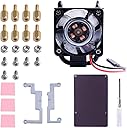
The GeeekPi ICE Tower Cooler combines a robust 5mm copper heat pipe and multi-layer aluminum heatsink with a 7-blade RGB fan to dramatically reduce Raspberry Pi CPU temperatures from 80°C to 40°C. Designed for easy installation and powered via the Pi’s GPIO, it ensures silent, efficient cooling for Pi 4B, 3B+, and 3B models, making it ideal for overclockers and professionals seeking reliable performance with a stylish LED flair.




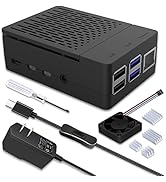


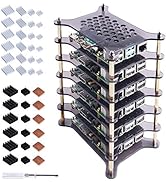


| ASIN | B07ZCW27VK |
| Best Sellers Rank | #666 in Computer CPU Cooling Fans |
| Brand Name | GeeekPi |
| Compatible Devices | Raspberry Pi |
| Cooling Method | Air |
| Customer Reviews | 4.6 4.6 out of 5 stars (269) |
| Item Dimensions L x W x H | 3.15"L x 3.54"W x 2.36"H |
| Manufacturer | GeeekPi |
| Material Type | Copper |
| Maximum Rotational Speed | 2200 RPM |
| Model | EP-0107 |
| Noise Level | 30 Decibels |
| Number of Items | 1 |
| Part Number | EP-0107 |
| Power Connector Type | 2-Pin |
| UPC | 703501203931 |
| Unit Count | 1.0 Count |
| Voltage | 5 Volts |
S**C
Awesome cooler but only contacts CPU with thermal pads or paste.
Previously was using the Vilros passive cooling case with a Sandisk Extreme 32gb card, stock CPU settings. Liked the case as it came in contact with the CPU, ram, ethernet and usb controllers. Looks good too. For my use, got so hot the pi kept slowing down and becoming unresponsive. Too bad. Added this cooler, same conditions but added my own heatsinks to the other chips as this cooler only contacts the CPU. Rock solid at 1.5ghz. Not a single issue. Never overclocked a pi before so gave it a try. Ramped up to 2ghz. Temp never got over 40°C! Run this command via command line to monitor temperature: watch -n 1 vcgencmd measure_temp Even when stressed with near 100% CPU load at a full 2ghz, never skipped for 12 hours and only touched 44°C for a short time. Was performing large file transfers (large and small files, 5 bay raid usb 3.0, four simultaneous transfers and random speedtests via chromium) to test. System is running full Raspbian and OMV (wired ethernet, 5-bay usb 3.0 enclosure). Very usable as a workstation (and background server) for light office use, not video editing or heavy tasks. That is what a PC is for. Fan is a quiet hum and barely noticed it running. Nice touch on the color changing LEDs. Would highly recommend the cooler and would like to know if anyone has tried Retropi while overclocked? Would be interesting.
J**4
Great Pi Cooler !!
This is a great product that is built well and has had many review videos on UTUBE. I have installed it on my Raspberry Pi 4B with 8 GB of memory and it keeps everything cool with no throttling of the CPU. I highly recommend the product as it is easy to assemble and works as advertised.
C**T
Good product - good support
It was able to lower temps on a rpi4b from 83c during a stress test to 37c. You will need longer screws if you want to install a Noctua fan. The original shipment arrived with some damage to the fins but the seller offered a full refund.
M**W
Wow this is cool!
I have a Noctua NH-D15S chromax.black in my desktop, so I bought this just because it looks cool and thought it would be a fun compliment. I was halfway thinking this was just a gimmick and wouldn't actually have a real benefit. I installed this on a new Raspberry Pi 4B 4GB. To take the install over the top, I sanded off most of the paint on the base with 400 grit sandpaper and then polished it with 1500 grit to get a nice smooth surface for mating to the CPU. Rather than using the supplied thermal adhesive I used some NT-H1 thermal compound that I had laying around. Attempting to follow the pictures in the installation guide I assembled the mounts backwards the first time, but it was easy to correct. Following the install I thought it would be a good idea to run some thermal stress tests. The case that I ordered is still in transit so for now it is sitting on my desk in open air, ambient temperature is ~24C. I used Stressberry to run 3 tests, Fan Unplugged, Fan connected to 3.3V, Fan connected to 5V. Because I was so excited to install the heatsink I didn't run any stress tests without it installed. Fan unplugged: Idle 33C, Stress 44C 3.3V Fan: Idle 30C, Stress 39C 5V Fan: Idle 29C, Stress 36C At these temperatures there was obviously no throttling. These were short 15 minute tests so I may not have reached stability. Once I get the Pi installed in the case I'll run longer tests to determine how I want to run it long term. I bought a Noctura 40mm fan that I'll be testing as well, just to increase the cool factor a little bit more. If you want your Pi to run cool or just look cool this is the cooler to get. Is it overkill? Yes. Am I happy with my purchase? Yes.
D**N
Raspberry Pi ICE Tower Cooler - RGB Cooling Fan
When looking for single-board-computer cooling solutions I generally go for utilitarian function, and I'll admit part of the "market appeal" of these units is strictly cosmetic - they just look cool! That being said they are still quite good at what they do, well built and reliable. I bought this one in particular to build a retro-gaming emulator for a friend and the cool look was just an added touch, but considering the impressive quality and affordable price I would consider buying this model again for myself.
J**N
Its bad the powdercoat makes the thing useless as a cooler
Huge warning on this cooler. The entire thing is covered in black high temp spray paint there are runs and its bad its also very thick and on the contact surface preventing heat transfer.
M**Y
No cooler than this!
Heatsink cools the pi to very low temps. Even without fan running! Install is 1,2,3 easy! You cant get cooler for the cash.
J**N
It's cool
Used some thermal paste to attach it, definitely works better than a passive heat sync, looks way cooler, and fits nicely in my case (with just enough room for my SSD to squeeze on top)
L**O
Highly recommended if your raspberry pi is running hot. Previously running at about 60-65C range with my current workload (case with fan, heatsink). With this it stays well in 40-45C range.
D**P
I've been using my RPi 4 as my Homebridge device for my home and it'd get pretty hot sitting in my rack. This cooler has dropped the temp. by 10 degrees and under heavy load only hits about 40 degrees max now. Great product for the price. Definitely recommend. Keep in mind, it will not fit in any case but the ICE branded cooler or larger.
O**W
Went together easy and ran great keeping the pi 4- 4gb at a modest 39 to 41 degrees I just feel more relaxed now when stressing the pi.
J**.
Works as advertised. My pi an run hd videos for hours and the temps never exceed 32-35. Fantastic addition.
A**H
Earlier, I was using metal case with 2 little cooling fan which failed in 1 year. Ever since then, my RPi 4B has been running without fans and reaches ~ 50 to 54 degrees under medium load. After, installing GeeekPi RBG Cooling Fan, it instantly dropped to ~ 35 degrees and never exceeds 40 degrees. Best part is, it comes with extra black (non-RBG) fan, incase if the RGB one fails. Rating is 4/5 because the thermal pads are very thin and this cooler doesn't support cooling for memory module. What I run? Multimedia Stack - Jellyfin, Jellyseerr, Prowlarr, Radarr, Sonarr, Lidarr, qBittorrent, MeTube VPNs. Everything running as docker containers on Ubuntu Server LTS.
Trustpilot
2 months ago
2 months ago