

Buy anything from 5,000+ international stores. One checkout price. No surprise fees. Join 2M+ shoppers on Desertcart.
Desertcart purchases this item on your behalf and handles shipping, customs, and support to Thailand.
🎮 Elevate Your Game On-the-Go!
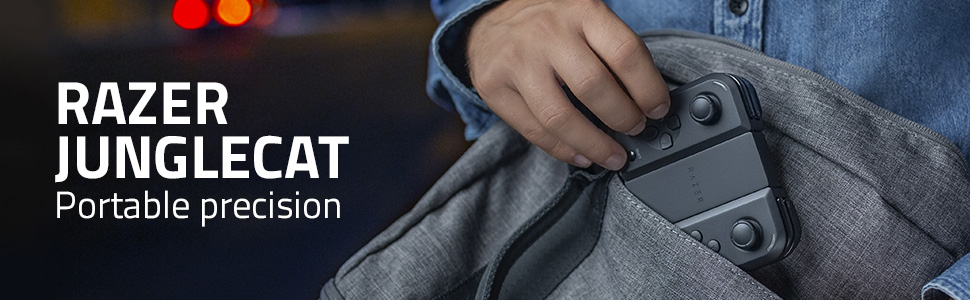
The Razer Junglecat is a portable dual-sided mobile game controller designed for Android devices, featuring a modular design for personalization, a remarkable 100-hour battery life, Bluetooth low-latency connectivity, and compatibility with popular smartphones like the Razer Phone 2, Galaxy Note 9, and Galaxy S10+. Perfect for gamers seeking precision and flexibility in their mobile gaming experience.


| ASIN | B07YNM5YG3 |
| Batteries | 2 Lithium Polymer batteries required. (included) |
| Best Sellers Rank | #35,042 in Video Games ( See Top 100 in Video Games ) #615 in GEM Box Microconsole |
| Customer Reviews | 3.9 3.9 out of 5 stars (781) |
| Date First Available | October 29, 2019 |
| Item Weight | 3.52 ounces |
| Item model number | RZ06-03090100-R3U1 |
| Manufacturer | Razer |
| Package Dimensions | 7.68 x 4.69 x 3.19 inches; 3.52 ounces |
| Release date | October 29, 2019 |
| Type of item | Video Game |
R**S
A good controller if your phone fits the case
This is exactly the controller that I hoped the Gamevice would be. Unlike that controller, the build quality good. The buttons are clicky and satisfying like on the Switch, the analog sticks feel and look the same as the Switch (maybe they are the same?), the “joy cons” have almost no wobble on either side, and most of all, it looks pretty. It’s the best experience I’ve had using a controller with my phone. Nitpicks, not dealbreakers: 1) It’s small. Really small. You think the Joy Cons are uncomfortably tiny? This is considerably worse. I have to hold it with the tips of my fingers to get a good angle on the buttons. Using this controller on its own, not physically attached to the phone, would be absolute madness. 2) Each controller must be charged with a separate USB-C cable, bought separately. It’s an awkward design, but the battery life is good. You won’t have to deal with that awkwardness too much. 3) It lacks a Home button. If you’re using Steam Link or Moonlight, you use a button combination for the Home button’s functionality. It’s not bad, but it’s not great either. The bad news: Your phone needs to fit one of the cases to attach the controllers. There’s no other way to do it, and I didn’t fully understand that when I bought it. Yes, you can still use it if your phone is propped up or connected to the TV, but at that point, you should just use a normal controller. It would be absurd to pay $100 for this itty-bitty thing that is lower quality than, for example, a $50 DS4. However, all is not lost if your phone isn’t a Note 9, Galaxy S10+, or a Razer Phone 2. If you’re lucky, it’s possible that one of those cases will still fit. My OnePlus 7 Pro fits in the Note 9 case, for example. The case pushes up against the power button and part of the camera, but that’s nothing a Dremel tool can’t fix. It’s a little bit ugly after being cut, but the gaming experience is worth it. Summary: I highly recommend it for handheld gaming, and I do not recommend it otherwise. If you want to use it for handheld gaming, you must make sure your phone fits one of the cases.
B**S
Galaxy S9 Plus - Razer Junglecat
The Nintendo Switch like controllers slide only on 3 cases that come already in the box with it. the 3 cases fit only the following phones respectively: Galaxy Note9, Razer Phone 2, and Galaxy S10 Plus. - My Galaxy S9 Plus had a snug fit into the Galaxy S10 Plus case, but it was as much effort as an R3 press for most Xbox controllers. Just make sure to slide out Junglecats before removing phone from case to avoid damage. (just being cautious.) The Junglecat controllers have a thunderbolt port on each at the bottom when you hold them, and next to each thunderbolt port is a tiny power switch that you can tell is on because of the green color base part of the power switch. Built quality was really nice hard plastic, I'd compare them to a really nice 100$ keyboard.. anyways it's hard but you know its still plastic, premium feel. The cases don't feel as hard tho they're about a 6 or 7 in comparison. What came in the box: Controllers, a plastic slider holding the two together, 3 phone protectors listed above, and a small manual with razer stickers that you can stick probably on your dog. really nice looking box feels like I got a new Nintendo Switch. Downloaded the app in the Google Play store typing "Razer Gamepad". Sync/pair your Razer Junglecat L and Razer Junglecat R prior to launching Gamepad. Gamepad let me list on/off other apps that were games, so when I tried launching something like minecraft it asked permissions to be allowed for Gamepad to have its functions and then it prompted to sync to my other Google Play Center stuff for smooth play but when I said yes it wanted to ask for access for my pictures, my health app, my location, even my contact list and phone functions. each came in the form of 3 options and i denied all of them because in logic I think I don't need it to access my aunt's number to play minecraft. But then the gamepad would crash or go green screen with nothing loading, I could go back to home but the app was like frozen. so I hold app down, i select app info, it let me set permissions on it to on but i didn't enable the other things still. I launched the gamepad app and it started working and asking to download an APK from the browser called Octopus, so I installed it and I think it also wanted the same access to all my things haha, of course I said no. - So now that I open Gamepad and launch another app from the library I made, I open Minecraft and 3 options and a Play button are displayed. (Play as game is meant to be, Custom controls, and something they preset.) I select Play as its meant and then click Play. Launching me into the game with full functionality now. But I kept getting prompts that Gamepad stopped being connected or something and gave me 3 options. (Exit, Wait, and Info) basically. when I click wait everything goes back to normal asap but the prompt came back every 8 seconds or so. maybe it just wanted to make sure analog sticks were in use because I didn't get as many prompts with the joy sticks in use. The Junglecat is great if you wanted to play full PC games listed on Nvidia GeForce Now App. Tried it on Tekken 7 and it's great, I just don't think I'm doing something right since I get the prompts regardless. maybe if I fix it I'll update this review, or maybe when an update comes out. Date: 05-12-2020 As long as I don't select sync with Google Game Center or whatever, the controls work fine and no prompts tell me loss of sync, everything works as intended so far. the analog sticks don't feel as smooth as xbox controllers but its a better step from not having anything at all!
B**A
Unusable...
The built quality is outstanding, good materials, feels solid, I do like the clicking buttons, but... 1- No charging cables. For some reason Razer didn't think that was necessary a charging cable (you need 2), since each control charges separate. 2- Razer Gamepad app. That app is a mess and Everytime I try to use it with Fortnite is a mess, just random buttons click everywhere, shooting to nothing while swapping weapons. 3- The case. Why to cover the RGB logo on the Razer Phone 2 case? Is a Razer brand controller... 4- Connectivity. This controller works like Bluetooth earbuds, one gets conected direct to the phone Bluetooth and the other to the other controller, but the one that is conected to the controller keeps disconnecting every once in a while, and obviously for a couple second you can not use it. I do not recommend this Razer controller. I'm disappointed.
J**I
A Streamers Dream. Perfectly Portable.
Absolutely stellar product. I am a heavy pc gamer who streams constantly to my phone on the go. This is hands down the best controller on the market for portability and overall function. If you own one of the supported phones this controller is a no brainer. If you are looking to play android only games don't waste your time and get a cheaper controller, this is only for those who are dedicated. The cases are the only flaw as they do not offer screen or drop protection but I knew that going in and wasn't concerned. There is some wiggle on the controllers when connected to the case(similar but more pronounced then the switch) however it is in no way noticeable when gaming. The buttons are awesome. Real solid click, they are loud but as they should be. Very very satisfying. Overall very well made portable controller and the only one of its kind that has total quality. Pros: Moonlight, steamlink and xbox stream are absolutely flawless. Configurable sensitivity 100 hour battery life Well made Awesome buttons Easy to use fast to connect Sub 12ms delay (my tests 02-08ms) Cons: Buttons can be too loud for complainers Difficulty connecting to PC Needs more case options Better drop protection for case needed Case is slippery to the touch Better more granular configuration options needed Side note: not a con since its not razers fault: PSNOW is not supported as it currently only supports DS4. However the latency if psnow on its own makes it u recommendable to anyone currently imo.
W**E
They Nintendid something here
For years, I have been searching for the perfect controller for use with my phones. Many have been good. The 8bitdo line of products in particular stood out. However, they weren't very ergonomic being a design where you mount your phone above the controller. Not to mention 8bitdo and most other mobile controllers aren't Popsocket friendly. Suddenly, in comes Razer with the solution I've needed and then some. Junglecat has changed the way I game on mobile. Touch screen controls kept me from playing ports of many of my favorite games like GTA San Andreas, Stardew Valley, and Xbox gamestream. This controller works seamlessly with all of them, and anything it doesn't work with natively can be adapted with the a built-in, fully customizable overlay that simulates touch input. What's more, it made my phone feel like a Switch to the point that I was reaching for my lock button like it was the Switch's. This is an amazing controller and I hope Razer expands compatibility to more phones. I know my brother would love it, but he doesn't have a Note 9, S10+, or Razer Phone 2. I honestly feel like this could be a game changer for hardcore gamers with busy lives. It has basically turned my phone into an Android powered Switch. It's everything I've wanted and more. The sole downside I have found is that, by virtue of requiring a specialized case, it covers up my nice Dbrand skin. Oh well. I've got games to play.
L**G
Overpriced but interesting.
The Junglecat isn't what I was hoping for and is definitely overpriced, but if you have a desire to hold your phone like a Switch while you play a supported game, this is a decent choice. Pros: -Build quality for both controllers and the included cases seems good; I own a Note 9, and the case is acceptable enough that I think I'll be using it as my regular case from now on. -Setup and pairing are super easy. -Worked with every emulator I tried. -Subjectively, comfortable to hold and use. Neutral: -Clicky buttons, triggers included. Cons: -No included charging cable; a Y-split should have been included given the price tag. Each controller needs to be charged by USB-C. -Gamepad app is pointless at the moment. If you were expecting something similar to Octopus or any other actual remapper, you're going to be let down. At most, you can adjust stick sensitivity and remap buttons within games that *already* have controller support. It's pretty much just a launcher and browser for games. -Price. For 2-4x the cost of other gamepads, what exactly are you getting? Custom cases for 3 specific phones and software that seems half-baked at best. Would not recommend for most people at the moment.
J**Y
Fantastic if it fits.
The best phone controller is the one you have with you all the time. The vast majority of controllers are too big to carry on you all the time. I have a smaller 8-bitdo controller, that is good, but this feels much better. The buttons are all very clicky. The build quality is superior to my 8-bitdo NES 30 PRO($40). I can see how this used to sell for $99. Now for half the price, this is a fantastic controller. If you have a phone that fits on one of the three bumper cases, you really have an Android Switch. A Galaxy Note 8 fits the Note 9 bumper, with only buttons not lined up perfectly. The K40 Gaming edition has very similar size dimensions as well, as does the Poco F4 GT. Personally, I can't hold up controllers for long periods of time anymore. The blood runs out my hands and I get pins and needles feeling in my fingers. With the Junglecat controller, I can prop my phone in front of me, or connect to a monitor and then just let my hands hang separately at the sides of my computer chair while playing. The Bluetooth connection is solid and I feel no lag. Also works well with Steam Link. I actually just bought a Refurbished Galaxy Note 9 to be my main phone (that's a 2018 phone bought in 2022) because I was so impressed with this controller. Paired with my Note 9 and Steam Link It is unrivaled. Only 4 years ago a 512GB Galaxy note 9 and Junglecat would cost you 1400 USD. Now you can get that setup for $350. Playing Assassins Creed: Odyssey on a 6.4 inch 2k screen, with a sleek Junglecat controller setup, looks beyond any Switch Pro Lite you have ever imagined. As for cons- the main flaw is no analogue triggers for racing games. Doesn't pick up controllers automatically with ePSXe either, but works well with the Duckstation App for PsOne emulation. Also works well with PPSSPP as well. You can map the thumbsticks to button movement. I really hope Razer make a Junglecat 2 with analogue triggers and more bumper cases for new phones.
S**N
The Razer Junglecat for Android is AMAZING!!
The Razer Junglecat for Android MY RATING: 🎮🎮🎮🎮🎮 (5/5) Admittedly a bit on the small side (let's just call that maximum portability!), the overall feel in hand and build-quality of the Junglecat is impressive, the buttons have a VERY satisfying click, and the killer-feature: undetectable bluetooth latency!!! ❤❤❤ This controller is rated for about 14ms of lag and I would equate my experience with Minecraft to the accuracy of using a Nintendo Switch Pro Controller. This is the king of wireless controller on a device built on Android, which is a known issue for gaming on this platform. As one who prefers to game at home just as much as on the go, this set up is light and portable as well as compatible with the Samsung DeX Station for use on your home monitor/television screen!! This controller comes with pre-built cases for the controllers to slide into place, the Note 9, Razer Phone 2, and S10 Plus. The cases are a hard-plastic and slot securely in place. I cannot deduct points for lack of case support for my Note 10+ as the controller launched first. Here is to HOPING that #Razer creates cases for a more diverse selection of phones post-sale. (Please Razer, I would drop a hard $20 for a Note 10 Plus case, take my money already!!! 🤣) I LOVE my Nintendo Switch. I really do. But as a Minecraft machine, my Samsung Galaxy Note 9 & Razer Junglecat are my new beasts!!
N**S
D
Verry good to play ge witch the razer phone
A**A
Some people love it Some People hate it.
I just wanna own it xD The bluetooth connection is good enough for me. Although kinda troublesome each "joy-con" needs to be charge sperately. Overall a decent controller only if you could buy it for below $40. Thank you for fast delivery!
J**S
Excelente articulo
Es un excelente gamepad, muy comodo, sencillo de configurar y conectar al celular, la batería dura mucho, los materiales son de muy buena calidad, si duda alguna es una excelente compra para las personas que nos encantan los videojuegos y no podemos dejar de jugar en el celular.
D**L
Hay que tener un poco de paciencia
Es muy bueno y cumple su función, aunque tiene muy pocos detalles, el verdadero problema es el software, suele ser un poco confuso pero cumple. Para juegos de disparos es un poco tedioso a menos que sea fornite, ya que hay que asignar botones y ajustar la sensibilidad. Por si tienen duda, se puede usar con CoD Mobile, PubG y Free Fire
L**E
really nice feels good and is awesome
defiantly a great product super happy
Trustpilot
4 days ago
2 weeks ago