Buy anything from 5,000+ international stores. One checkout price. No surprise fees. Join 2M+ shoppers on Desertcart.
Desertcart purchases this item on your behalf and handles shipping, customs, and support to Thailand.
🎨 Stick Bold, Print Brilliant — Your Creativity, Waterproofed!
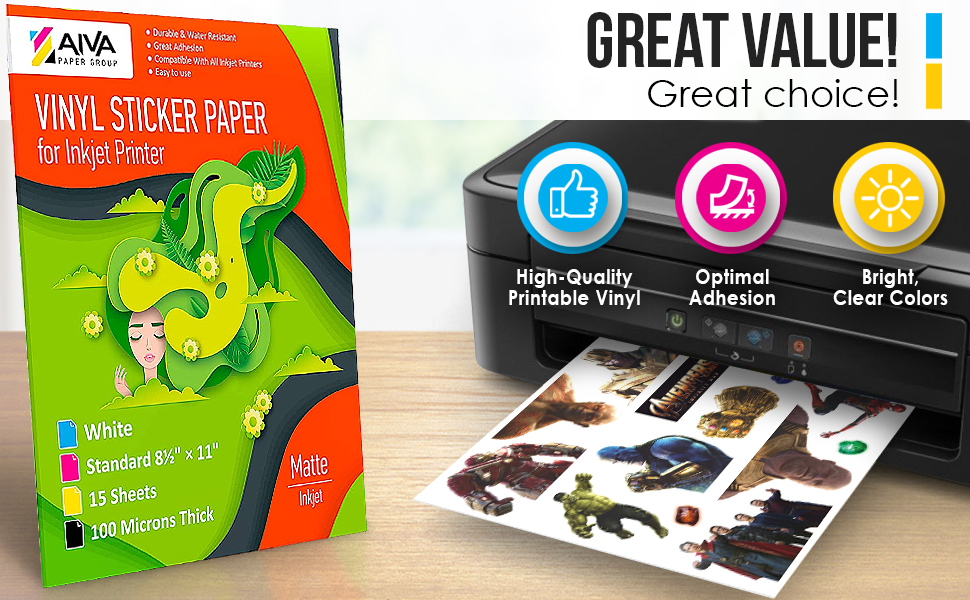
Limia's Care Printable Vinyl Sticker Paper offers 15 matte white, self-adhesive sheets sized 8.5"x11" designed for inkjet printers. Waterproof and scratch-resistant, these sheets deliver smudge-free, high-resolution prints that adhere cleanly to multiple surfaces and remove without residue, empowering professionals and creatives to produce durable, vibrant stickers for indoor and outdoor use.


| ASIN | B07Y9RQPWZ |
| Best Sellers Rank | #11,395 in Office Products ( See Top 100 in Office Products ) #77 in Inkjet Printer Paper |
| Brand | Limia's Care |
| Brand Name | Limia's Care |
| Brightness | 75 |
| Color | White |
| Customer Reviews | 4.5 out of 5 stars 3,788 Reviews |
| Item Dimensions L x W | 11"L x 8.5"W |
| Item Type Name | printable vinyl |
| Item Weight | 0.25 Kilograms |
| Manufacturer | Limia's Care |
| Material Features | Waterproof |
| Paper Finish | Matte |
| Paper Size | 8.5-x-11-inch Inches |
| Paper Weight | 20 |
| Sheet Count | 15 |
| Sheet Size | 8.5-x-11-inch Inches |
| Unit Count | 15 Count |
M**T
Holds ink well
I’ve been testing out different matte papers, and so far I’m loving this one!! It’s not expensive, but it’s definitely not cheap. Tried smearing it as soon as it finished printing, and some of the ink got onto my finger, but the paper itself was perfectly fine.
C**S
Perfect for arcade button inserts
- Goal - Print arcade button inserts on transparency paper, put them inside arcade LED buttons - Printer used - InkJet Printer - Printing Tips - Don't follow the instructions. Instructions says: Use Transparency paper, in your settings (THIS IS WRONG). This created a washed out black color. I fixed the issue by switching my settings back to the default "plain paper" this works! I then got a deep black color. PERFECT! - INK Stays On, doesn't run - After i print on the transparency paper, i give it a couple of minutes to make sure it's dry. And it's fine. Ink never smears or runs. It dries very quick. You can touch it with your fingers after a few minutes and the ink stays on. ___________________________ - Printer Settings - Paper / Quality: Print Quality: Best (you want to print on best to get the deep rich colors) Type is: Plain Paper (don't use transparency) Effects: Resizing Options: Actual Size ___________________________ - How i made the inserts - The goal is find the correct size you need, match the circles in the print to the circle size your buttons need. So FIRST, you need to know what size you need. I used regular printer paper for this test. (don't waste your transparency paper) I found random arcade button templates online and threw it into photoshop. I first printed it out as is to see if it matched the size i need. It was close but not perfect. So I then took one of the button images and i made a new template with that button in photoshop. I duplicated that button many times, each duplicated button i slightly enlarged. This way each button is slightly larger. And then i printed it out on regular printer paper and matched it to my button to find the "perfect size". Once i found the best size. I go back into photoshop and take the correct size button image. And i make duplicates of that size. Align the buttons and then throw on all the artwork (player 1, player 2, etc) on the buttons. I printed a small sheet of buttons to test it and it was perfect. (as you can see from my image) BUT what you really want to do is, create a FULL PAGE of buttons. Print duplicates of the same buttons. Why would you want to do that? Because if you don't, you'll waste the transparency paper. It's nearly impossible to stick the same paper back into the printer to print. After you print on the transparency paper, the printer will create a curve in the transparency paper. It makes it difficult to feed it back into the printer. I tried and it kept jamming my printer. So use it or lose it. Use up the WHOLE sheet. Print as many buttons as you can on one sheet of transparency paper. Also because... It's VERY difficult to cut perfect circles. I used an x-acto knife. I had to very carefully cut circles. I cut a TON of buttons on one sheet and i messed up many times when i was cutting. But because i printed a full sheet of buttons. I had more chances (more of the same buttons) to try to cut close to a perfect circle. ___________________________ - ONE LAST TIP - I designed my button inserts, so that they would create black buttons (black using the ink) and the LED light of the buttons would shine through the artwork. It works, but i ran into a small issue. This transparency paper are adhesive sheets that are stuck on a white paper background. After i cut the buttons out. I removed the adhesive from the white paper and i stuck it (like a sticker) inside my buttons. But what i learned was this....when the LED light shines through the black ink. That black ink is no longer 100% black. It looks like a grainy light black color. It looks like what i should have done was NOT remove the white paper. Leaving the transparency paper on the white background will help make the black color look closer to a solid black. I think this issue is due to the InkJet printer. A laser printer would probably do a better job. (i don't have a laser printer to test that). *** I think that tip will apply to any project if you plan to use this on top of a light source, keep that in mind *** ___________________________ - IN CONCLUSION - It works, works well. I recommend it. They also do sell similar adhesive paper minus the transparency (white stickers). That could work, but i didn't buy that paper so i can't try it.
S**P
Good quality and great printing
I tired so many brands and had issues with smearing or not sticking properly. This one has been the best one! Doesn’t smudge while printing or after and doesn’t feel sticky when wet as others do. Sticks great and won’t peel up after time. Prints nicely and clear. Doesn’t curl up after sticking
W**E
Decent enough product for arts and crafts; a little thin and tears easily
Bought these for an arts and crafts project - to stick on the backs of handmade mini cards and lunchbox notes for a flat white surface to write on. For the price, I'm relatively pleased. The quality is pretty good but the sheets are a little thin. The sheets are easy to peel off but they also wrinkle relatively easily. I haven't used these sheets as intended, with a printer, yet, so I can't speak to the smearing or water resistance, etc.
S**F
Perfection!!!!
This product is everything I have been looking for. It alleviates the need for glass paints and some pretty tedious techniques I was using before. I have tried a few other printable vinyls that were not bright when removed from the white backing. The cp;prs on this awe vivid and beautiful. I hesitated on buying this simply because there were a lot of reviews stating that the printer ink didn’t dry on the vinyl. I’m glad that I gave it a shot anyway because there wasn’t a smudge or a smear and the ink dried quickly. I’m not sure if folks are using after market inks in their printers or their printers are old. I have an HP Tango and all I can say is, this product is THEBEST that I have tried. Hands down.
L**S
Great quality
I’ve been using this sticker paper for a long time now and it is perfect, totally waterproof
H**R
Outstanding print quality
This produces an outstanding color print on high-end inkjet, suitable for photorealistic architectural model texturing. It is more water-resistant that sticker paper, but not perfectly so: moisture-resistant, yes; submerge in rain, no. It needs some dexterity to apply: while it's very sturdy one applied, it tears much more readily than standard stock sticker paper when handled. Adhesion is good on parts down to about 2 mm, below that it will tend to peel up and needs superglue added.
H**E
Ink bleeds after awhile. Quality has gone down
I make stickers and prints of my art as a side gig - I’ve been using this paper for years. About 3, actually. I never really had a problem until about the last year- the ink has started to bleed on my stickers, and they look bad. It happens after several months. I know it’s not my printer or ink, as I’ve been using the same brand and type all this time. It has to be the paper because the prints I make with Epson paper are just fine even a year later. The quality of this paper has gone down, and it’s super disappointing for me. I used to love it. Just be mindful if you’re buying. It’s definitely not cheap imo
Trustpilot
2 months ago
1 week ago