Desertcart purchases this item on your behalf and handles shipping, customs, and support to Thailand.
♻️ Write. Scan. Erase. Repeat. The future of note-taking is here.
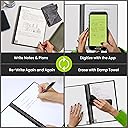
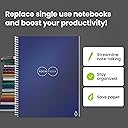
The Rocketbook Core is a reusable, spiral-bound notebook featuring 32 lined pages that can be written on with Pilot Frixion pens, digitized via the Rocketbook app, and wiped clean with a damp cloth. Its durable waterproof cover and app connectivity to major cloud services make it a sustainable, portable, and tech-forward solution for students and professionals seeking organized, eco-friendly note-taking.


| ASIN | B07WMVDX64 |
| Best Sellers Rank | #3,291 in Office Products ( See Top 100 in Office Products ) #48 in Spiral Notebooks |
| Binding | Spiral-bound |
| Brand | Rocketbook |
| Brand Name | Rocketbook |
| Color | Navy Blue |
| Cover Material | Cardboard |
| Customer Reviews | 4.6 out of 5 stars 15,802 Reviews |
| Global Trade Identification Number | 00855510007700 |
| Item Dimensions L x W | 11"L x 8.5"W |
| Item Dimensions L x W x Thickness | 11"L x 8.5"W x 0.25"Th |
| Item Length | 8.5 inches |
| Item Width | 11 inches |
| Manufacturer | Rocket Innovations, Inc. |
| Number of Items | 1 |
| Pages | 32 |
| Paper Size | 8.5 x 11 inches |
| Pattern | Notebook |
| Ruling Type | Lined |
| Sheet Size | 8.5 x 11 inches |
| Special Feature | Reusable Notebook |
| Specific Uses For Product | Note Taking, Brainstorming, Sketching, Planning |
| Style | Lined Pages |
| Theme | Notebook |
| UPC | 855510007700 |
| Unit Count | 1 Count |
C**S
Everything as promised, with quirks
So, I bought this for myself because I (for some reason) decided to go back to college. Right now, I'm just taking a couple little classes to amuse myself, but I really wish I had this during law school for the exact reason I bought it this time around. I got it because I've always been horrible with notes. I would have different colored notebooks for each subject for my notes. Problem is that I would get lazy and wouldn't take out the appropriate notebook, so I would have a notebook where every 3rd page had a different subject of notes, and it was very unorganized. The Rocketbook allows me to upload my notes (pretty easily, by the way) and have them organized in any manner I choose. Since I use One drive, whatever I upload to my Samsung Galaxy phone also appears on my Galaxy tablet and Samsung laptop. Now, for the experience: I read a decent amount of reviews and found some helpful tips that were actually pretty handy. Yes, it does take a few seconds for the ink to dry. I'm assuming it's because the ink doesn't "soak" in like it does with paper. It does actually feel VERY close to a real paper and pen writing experience. It comes with a pen and cloth to wipe it. Just wet the cloth and wipe. I do think if you pressed too hard (as others complained about) it would leave a dent, so watch out for that. If you close the notebook while the pages are still wet from wiping, they will stick together. It won't ruin it, but just pointing it out. Figure out a way to keep your set together. The pen does not fit in the spiral on the pad. Like some reviews stated, you can swap the pen case for a Pilot G2 and it fits, but the original pen doesn't bother me. Since I already knew about these things from reading reviews, it wasn't a big deal. I considered it a minor inconvenience in trade for being organized. My only complaint is that there's not a thicker pen available for it. I use the thicker writing G2 pens normally. I think they're the 1.0 thickness. Anyways, not available for this. Only the .7 is available. I prefer thicker lines, but whatever. You can get packs with different colors here on Amazon, which I did get. I use the different colors for math (to get track of the steps I do) because I'm in Trig. However, some colors don't show up right when you go to scan it if you have a lot of light (glare) on the pages. All in all, I don't regret buying it and I enjoy using it. It's just one of those things that you need to figure out if it fits your lifestyle. FYI, I have the note cards and all of the above applies. I use the note cards for my son (he's 12 and in junior high). He has asperger's, and has oddly fixated on wiping the cards and making them as pristine as possible. My 4 year old thinks it's magic. Update****** After almost 2 months of use, here's my input. As I stated in my original review, the rocketbook was bought (and is) mainly used for college (trig) work. It has been used for random notes that I need to leave for my husband etc. What I said before still stands, plus the following observations: -Get a pen holder. I got a basic one (from amazon) that is a peel and stick (onto the rocketbook). I originally didn't think it was a big deal, but since the rocketbook can ONLY use the frixion pen, get the holder. It will help you to not lose the pen, and it helps you to use the right one so you don't just grab any pen and start writing. I've caught myself grabbing my G2 pens and almost wrote on my rocketbook. If you decide to get the other colors of frixion pens, the pen holders are small enough to where you can easily stack at least 4 to hold different colors. - figure out a way to hold the cleaning cloth with the book. It's a bigger pain than you think (and I thought) to keep track of it than you could imagine. However, the pages will clean with ANY moist ANYTHING. I held the notebook when my hair was still wet, and just my hair dragging on it did some erasing. That's a good thing, if you watch out. I keep my rocketbook in a little canvas tote with my laptop, mouse, calculator, and cleaning rag. That was enough to fix the problem for me, but then again it just goes from my house, car, and office. I don't go into a classroom etc -I use the rocketbook mainly at home where water is not an issue, but I can see that it could be an issue if that's not readily available. If you're unfortunate enough to have to write through all (35, I think) double sided pages in one sitting, have a little spray bottle of water with you. The reason I didn't get the rocketbook that goes in the microwave is because last time I was in college was pre-covid, and I figured I wouldn't have a microwave in my class......but everything (and I mean everything) seems to be proctored on the computer as far as college goes now. Think about if the water or microwave one is best for you. If I would've known I wouldn't have to go in campus, I would've gotten the rocketbook wave. I still love this one, but just saying. -after using the app a bit, I can say it's been awesome for my needs. It's as easy as holding your phone up to the page (it auto scans) and you click which folder it goes into. If you use a cloud like I do, it'll all appear. In a couple of minutes, my notes appear on my Samsung Galaxy S20, Galaxy tablet, and Galaxy laptop in one step. This alone has fixed my unorganized notes issue that I mentioned. -the cleaning cloth needs to be thrown in the wash (I just put it in with my towels) here and there. Residue builds up (duh) and it needs to be cleaned. -the pen does seem to run out of ink faster than the G2 pens I normally use. -the eraser on the pen is like magic. It doesn't decrease with use like a normal eraser. However, I did notice is leaves a residue, and unless you wipe with your finger really quick, it's almost like the ink won't "stick" to the spot that was erased. -I have not used this pen on regular paper, so I can't speak for that -heat DOES make it disappear! I wipe my notes off within a couple of days of use, so I don't usually have to worry about it becoming "permanent" (like the disclaimer states), and the book doesn't make it far with notes since I scan them almost right away. However, we recently had a warm day (yes, in February because I'm in Arizona) and I didn't think it was "warm" enough to worry about anything (it was like 85?) And my notes went away. Thankfully, nothing important that I didn't plan on erasing. I did read that putting your notebook in the freezer brought them back, but I haven't tried it. -make sure any stupid people in your house don't have access to the notebook because they will use a regular pen on it -watch your lighting when scanning. It can mess up how your scans turn out. It only took me a couple of scans to figure out how to avoid issues, but wanted to point it out. The light just makes it to where some writing won't show up on certain areas if you're not careful. -honestly, the multi-colored pack of the frixion pens suck. There's a major QA issue because they run out at different rates (even with equal use) and dry up fast. I have had luck with the 3 pack of black, red, blue. No issues with that pack, but I kind of wanted the rainbow of colors. They just aren't the same as the "basic" colors. I wanted to share my experience after a couple months of use since that can vary from the first impression. I will update again of anything changes, but I think I've run across any quirks I would have by now.
J**.
HIGHLY RECOMMEND!
Let me start off by saying: I found out about this product while watching a video on Facebook. A guy said it was worth the buy and I thought “this is too good to be true, let me research.” After a few hours doing research, I thought I would give it a try. As a full time college student, I easily spend $50-100 a semester on school supplies that I eventually lose. That being said, the reviews seemed great for the Rocketbook products so I ordered 2 notebooks (one grid/one ruled), flash cards and the Frixion colorful pens & highlighters. My review on the core notebooks: 5 ⭐️ Each book came with a black pen and cleaning cloth. Initially, the pages feel a little weird. It’s not paper, feels like plastic. Writing on them takes an adjustment, but the Frixion pens work amazing. It takes about 15-20 seconds for the ink to fry on the paper which is fine. To clean it, I sprayed some water on the page and used their cleaning cloth. It doesn’t get sparkling white like the original paper, but as you can see in the photos—you can’t tell the difference unless you really look hard. The pages dry really quick once you wipe them too. I absolutely love these books. It’s so easy to take notes and upload them to the Rocketbook app and view them later. It also allows for me to only use 1 notebook for all my classes. Given that I can upload my notes—it makes it so much easier to study. Personally, I have a habit of losing the notes I take in class so having them uploaded to the app makes it easy and convenient to look at them when I need them. ***HIGHLY RECOMMEND TO STUDENTS OF ALL KINDS**** Review for the Frixion pens: 5 ⭐️ The multicolored pen pack is amazing. My only complaint is that the pink pen stains the pages a little, thus erasing it is a little more difficult. However, once you completely clean the page, the little pink stain goes away too. I believe the pink pen is probably more concentrated, thus making it harder to completely erase like the others. But other than that, the pens are great. Review on the Index Cards: 5⭐️ The index cards are awesome. One side is ruled and the other grid. They work just like the core paper does. Easy clean up too. I highly recommend these for anyone who likes to make flash cards. Overall review: 5+⭐️ Rocketbook has really changed my academic life. I’m thankful for that Facebook video showing me this product. I’m definitely going to continue to buy their products. I highly recommend this brand and the Pilot Frixion pens. It’s well worth your money!
A**L
Surprisingly awesome
I was not expecting much from this purchase but now have to rethink life. I have been looking into an e-ink notebook and my wife bought me the Remarkable 2, but it was a gift and I bought this around the same time, not knowing she had purchased it. Now I am torn on which one to keep and I leaning on sending the Remarkable back. My favorite thing about Rocketbook is the writing feel. It is not just a natural writing experience but my writing comes out beautiful and satisfying. I much prefer the writing experience to anything e-ink. It is also $30 instead of $400. That does not even include the pens and folio you need with the e-ink reader. The Rocketbook has a great app that may take a few extra steps but once set up is pretty simple and has integrations to Google Drive, OneNote, email, Trello, Evernote, todoist, and more. Once set up, you just mark the box you want to integrate the note to. The screen capture works well but not a lot of frills, or none that I have drilled down into yet. The notebook itself is a combination of a dry erase board and notebook but it works well. Sure, I have to get a wet cloth and wipe it down to get all the ink off after a few minutes but its not a huge deal. The handwriting is smooth, clean, feels good, and looks like I am writing with a pilot .7 G-2 pen. If you are a tech lover, then this may not be the purchase for you. If you are looking to do away with the need for a smart device to remove distractions, then this may not be the purchase for you. But if you are looking to simply take beautiful notes that you can digitize easily, then this could be a great product for you.
G**I
Good product, with some tips and warnings...
While I have not had our Rocketbook for very long, I have certainly tested it quite a bit in the short time it has been in our possession. I love it, and it works well for us. I have also experimented, and found some “kinks” in use. Here is what I have so far. Pros: No paper. You are literally using this as a substitute for wasting notebook after notebook. Write what you need, scan when finished, clean, reuse. Simple. The paper feel is actually more like paper than I was expecting. I don’t know why, but for some reason, I was expecting some thick, laminated sheet type feel. The pages are (pardon the pun) paper thin, and have enough of a surface on them, that it does not feel like I am using foldable whiteboard to write. An app QUITE LITERALLY so simple a kindergartener can use it. I got this for my daughter to do her writing assignments while she is stuck at home distance learning through the Coronavirus crisis. I downloaded the companion app to her tablet, and did the set up so that the diamond marker auto sends to her OneDrive when scanned. She finishes her writing, scans her work, and submits without so much of a prompt from me after the first try. Beauty. Ink that erases!!!! I had been using the darned thing for half a day before I realized the accompanying pen had an eraser on the back and it actually worked. Game changer, especially for a little one who is learning to write and needs to correct often. Cons: Ink: the price of the pens to use on the books is certainly not the cheapest around. I am grateful my book came with a pen. I will definitely have to expand my Frixion selection in stages. Also BE CAREFUL you have the correct pen in hand, more on that later. Price: In the same vein as above, the price on these things was the main reason why it took me until a pandemic to pull the trigger on buying one. And most importantly, things I have learned and want to pass on: Yes, if you use regular ink or (Heaven forbid) a sharpie on your pages, you can use rubbing alcohol or hand sanitizer to remove it, but there will be consequences. The supporting pictures I have loaded show that when you try and remove these things, you literally remove the “paper-like” surface of the pages, revealing a more plastic-type page below. You can still write on this, and wipe it off with ease, but the ink does not want to “lay” on these exposed areas like the rest of the page. Take this gem of information and tread wisely. BE PATIENT!!! This ink takes time to dry, and it can be as much as 60 seconds for that last swoop of the pen with the extra dot of ink at the end. Take this into consideration when it is time to pack up and put the book away. If you slam it shut too soon, all your notes on one page can easily end up smeared on the other. Taking that extra moment to ensure it is dry has been successful in not transferring ink to unwanted pages. Also, fast writing can result in lighter ink lines, which may scan lighter. By the same token, the eraser works to remove unwanted markings SOOOOOOO much better if you wait for that ink to dry first. Otherwise you smear everywhere, and then you have to erase the smear. It’s just frustrating and can all be avoided by a simple count to 10. Overall, the Rocketbook has met, and possibly exceeded my expectations, especially with the app. I am also going to try and include a photo of a page, and the resulting scan from the app so you can see how it turned out for us. Yes, we are just using the black ink for now, so I cannot speak to the vividness of colors. *Edit to add: Amazon is not letting me post pictures, will add when able.*
K**R
Sounded too good to be true, I was wrong, it's awesome!
I bought one a while back, and I've gone through the book a good few times. I started school recently and ordered a second because I write down everything or I'll forger. Then I go back and write the pieces I need to focus on for study. I like being able to have the 2 books for that. Upload is so easy, and transcribes to text for me (option you can choose with certain things and I like that). Load everything onto Google drive and I have the help of writing on paper, AND the ability to look over things at literally anytime on my phone or whatever. Doctors office stuck waiting, in the car as a passenger (can probably load it to a reader actually....). It's handy. The pen it comes with makes it feel more like writing on a white board which is not for me. I ordered a set (actually a few sets lol) of colored pens and it feels almost exactly like regular paper writing. I write hard which can cause issues, and I erase when it's *better* to clean the notebooks then it is to erase but I'm gonna do it as it can erase right then. I'm 100% hard on the notebook. I even wrote a few words in regular pen on a page when my pen died not realizing until after. Whoops. So just cross the words off when I get to that page. Considering I'm way rougher on them then I should be, they hold up great! If you search hard you can see little indents from my writing, it still works just as it should. I'll probably have to replace it eventually to go back to having 2 notebooks, but it's well worth the money. It's already been super useful, and it holds up significantly better then I expected based on how I do write hard and erase. Now my home notebooks are scrap paper for to do lists and such. These are great. Won't ever go back. Also, the other pens dry much quicker so you don't have to wait like you do for the one it comes with because they will smear for longer (both are fairly quick big picture, the other pens are a few seconds vs closer to 20 or 30 I'd guess). The highlighters and markers all work great too! Got them all!
A**E
Love this notebook
I love this notebook! I bought extra pens, markers and highlighters because I love colorful notes, but this is truly awesome, no needing correction tape or white out, just wipe away your mistakes. No paper yo throw away, no different notebooks for each class taking up space. Write, scan and after a little bit of setup goes directly to where I want it to go. Then wet with a bit of water, wipe clean, two seconds to dry and I can take more notes. Can't highlite on the notebook BUT can use the different colors of markers to get my point across. AND the pens, markers and highlighters are eraseable on PAPER! So awesome. And I'm always needing to write something down so I write scan and send myself an email or my friends an email. I love this I wish I found it earlier. It's thin, portable and easy to use, no having to charge any batteries. I'd recommend this to any students out there. I have to several friends, and classmates already.
I**I
Paper saver!
I used to go through notebooks like crazy - and then I couldn't find the notes I wanted to reference later. I seemed to pass this trait onto my son as well so I bought him one for college and one for me. It's so easy to use and I love snapping a photo of my notes for storage in the cloud (accessible from anywhere). You can even flag the page with a name, i.e. ##Alzheimers-Research## and when you photograph your document to go to the cloud, the file name will be Alzheimers-Research.pdf. It keeps you organized and you can choose where to put your notes, i.e. Dropbox, Drive, Evernote, OneNote, Trello, Slack and much more. The paper feels smooth and you can erase with the pen until you're ready to erase the whole page. I've had a few ink smudges but that happens if you don't give the ink or paper a few seconds to dry before putting it against something. Great concept, easy to use. Recommend.
J**N
A Godsend for my music teaching business but non existent customer service
original review: I bought this because I was intrigued at the opportunity to scan notes and save them to the cloud. I have about 10 music students and take notes after each lesson and send them to the students. I had bee n using photos of the notes and email. I bought this because of the potential of sending the notes to the cloud and saving them AUTOMATICALLY to a file name of my choice. using photos has been difficult to send and track, requiring a lot of effort to save and send. Plus, it was hard to view the past notes during lessons. Rocketbook has done an INCREDIBLE job with this. I'm able to save notes to a cloud file in Dropbox , using OCR to AUTOMATICALLY assign file names. Plus, I can email the scans to my students after the lesson. since the scan is to black and white, It's easier for the parents to print them for the students. And, since it's sent to Dropbox, it's much easier to access the notes from the previous lesson during the current lesson. This has made doing what I do as a music teacher TREMENDOUSLY easier. That having said, it's not perfect. There is a maximum limit of emails/file locations for transfer of 7. I have 10 students and I'd like more. But I send my notes to a Dropbox file I use for all my students, and I'm able to access them much more easily during the lessons. This notebook and technology has greatly improved how I do my music lessons and I can highly recommend it. ++++++++ Update May 4 I've been trying to contact Rocketbook on an issue and it's impossible. There is no phone number on their site and they have not responded to frequent emails and FB messenger messages. So, the features of the product are still great but don't expect any help from a live person. I also suggest buying from Amazon so it's returnable if you don't like it
S**E
Perfekt
Habe es für meine Umschulung gekauft und bereue es nicht, das schreiben im Heft/Buch ist total angenehm. Ebenfalls das abfotografieren und verschicken ist kinderleicht. Zum entfernen habe ich eine kleine Sprühflasche mit Wasser.
S**Y
I love it
This is brilliant. I can't write fast on a tablet without my handwriting looking ugly so I use this for brainstorming ideas. This would also be great for meetings. It is a great way to save paper and organise notes, the pages are a type of plastic and feels nice to write on. You can use any fixion pen, whic can rub out with the rubber on the back of the pen or wipe off a whole page with the cloth. Be sure to have a small spray bottle on you if you are getting to your last few pages and think you may run out during a class as the cloth needs to be damp to wipe the pages clean The app is easy to use. You can back up noted to various clouds like Gdrive etc. I really like that you can use hangtags on either side of title and that will become the file name. You can convert handwriting to text and you can use tags, search key words This would make a great present for someone who loves stationery. I have no complaints. Worst the money as it will last forever.
D**Z
Grandioso producto
Llego en perfectas condiciones y antes de lo programado.
G**A
J’adore
Ce cahier est super, on note on scanne grâce à l’appli, et on efface facilement avec un chiffon humide.
Y**Y
Facile d’usage
Livré avec jour d’avance. Testé et conforme à la description. Très utile pour garder un pdf des croquis faits avec, sur OneDrive ou par mail. Vu la qualité du scan, je vais commander des stylos supplémentaires en couleur. Un point d’amélioration toutefois serait d’avoir une couverture rigide quand on garde le cahier à la main pour dessiner. Question : quand on a ecrit par erreur avec un stylobille traditionnel, peut-on effacer et avec quel produit, sans endommager les pages de ce cahier ?
Trustpilot
2 months ago
3 weeks ago