Buy anything from 5,000+ international stores. One checkout price. No surprise fees. Join 2M+ shoppers on Desertcart.
Desertcart purchases this item on your behalf and handles shipping, customs, and support to Thailand.
💾 Double your storage, halve your hassle.
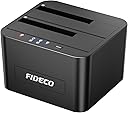
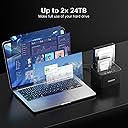
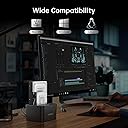
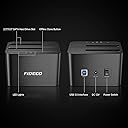
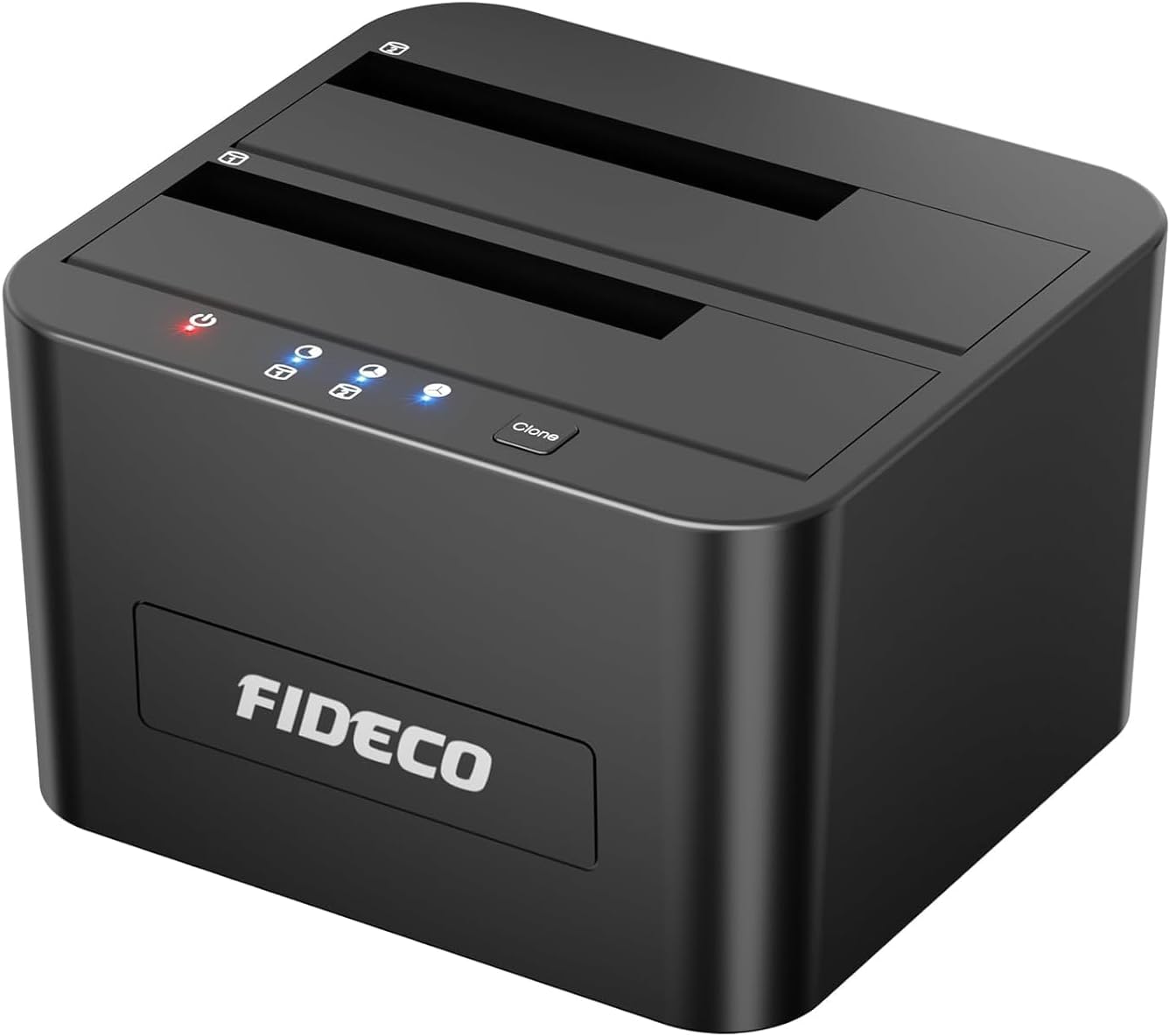
The FIDECO Hard Drive Docking Station is a dual-bay USB 3.0 device supporting 2.5" and 3.5" SATA HDDs and SSDs with up to 32TB capacity. It features ultra-fast 5Gbps data transfer speeds, offline cloning functionality without a PC, and universal compatibility across Windows, Mac, and Linux. Designed for easy, tool-free setup, it’s the perfect solution for professionals needing quick, reliable access to multiple drives.


| ASIN | B08291CB6J |
| Best Sellers Rank | 2,026 in Computers & Accessories ( See Top 100 in Computers & Accessories ) 3 in Hard Drive Docking Stations |
| Brand | FIDECO |
| Brand Name | FIDECO |
| Colour | Black |
| Compatible Devices | 2.5" Hard Drive (HDD), 2.5" Solid State Drive (SSD), 3.5" Hard Drive (HDD), 3.5" Solid State Drive (SSD) |
| Country of Origin | China |
| Customer Reviews | 4.4 out of 5 stars 5,586 Reviews |
| Data Transfer Rate | 10 Gigabits Per Second |
| Enclosure Material | Acrylonitrile Butadiene Styrene (ABS) |
| Hardware Interface | USB 3.0 |
| Hardware Platform | Universal |
| Hardware interface | USB 3.0 |
| Hardware platform | Universal |
| Item Dimensions L x W x H | 11.3L x 10.3W x 6.9H centimetres |
| Item Weight | 581 Grams |
| Manufacturer | FIDECO |
| Manufacturer Part Number | YPZ04-S2 |
| Material | Acrylonitrile Butadiene Styrene (ABS) |
| Memory Storage Capacity | 24 TB |
| Model Number | YPZ04-S2 |
| Network Connectivity Technology | USB |
| Product Warranty | One-year Warranty |
| Product dimensions | 11.3L x 10.3W x 6.9H centimetres |
| Supported Devices Quantity | 1 |
| The Standard Size of the Hard Drive or the Bay the Hard Drive Is Compatible With (in inches) | 2.5 Inches |
| UPC | 751450850409 |
| Unit Count | 2.0 count |
G**S
Perfect
This was a perfect solution for me to expand the storage on my Xbox Series S. I had a couple of 1TB drives, and found this to be a cheaper solution than buying a new 2TB external hard drive. This docking station is well built, easy to use and works every time. I had issues in using one of the hard drives on an alternative docking station, however with this one there are absolutely no issues at all. Both hard drives show independently, it's really easy and quick to move files from one to the other and back and forth between the drives and Xbox. You also have the option to clone a drive with one press of a button. This also works really well on my laptop. Drives are really quiet when being used so no noise issues, the drives do go into stand by when not being used for long periods, but you can also switch off the docking station when not in use. All in all, this is a compact, well build reliable and relatively cheap docking station, that is a perfect solution to anyone needing to expand their available storage and already have some hard drives. I would highly recommend.
M**S
Great piece of equipment for all type of gamers
Works perfectly fine, I saw some negative reviews saying the top cover can become scratched but I am using a 2.5 and a 3.5 and no scratches so far, there's tape on the lip area, I keep mine on though for protection, I have a total of 1.5tb, works amazing, works on Xbox series S and presumably X, just literally plug in and play, averaging around 500mbps transfer speed from my old HDDs which is great
D**B
Easy to use and reliable, ideal for quick drive access
This docking station is very straightforward to set up. Drives slot in securely and are recognised by the computer almost instantly. Transfer speeds are solid for USB 3.0 and make it useful for backing up data, cloning drives, or recovering files from an old HDD or SSD. The build quality is good for the price. It feels stable on the desk and does not wobble when inserting or removing drives. Heat dissipation is decent, although mechanical drives can get a little warm during long transfers, which is normal. Overall, a convenient and reliable tool for anyone who works with multiple drives or wants easy access to old storage without installing them inside a PC. Good value and does exactly what it claims.
2**S
Rescuing Mac drives and general backup - Excellent
I do a lot of video editing for corporate video/ads/weddings/family videos and have always worked on iMacs. The cost of the hardware was becoming ridiculous, limiting in options and it was time to switch to PC based (you can build an awesome editing machine for a fraction of the price of Mac stuff and run it with DaVinci resolve [free] for an amazing system). Was trying to access and rescue data off older Mac drives using a PC. I only had old FREECOM drop in bays with eSata, firewire connections for this that connected to my older now dead iMac. The cables for eSata were ludicorusly priced and basically just buying old junk that's obsolete. So I looked for a new drop in bay and found this.... USB 3.2, excellent. For less than the cost of a crappy eSata cable too. It comes with everything you need, power supply, USB cable. A little bit tight to drop the drives in, the gappage could be half a millimetre wider and the drives tend to catch on the edges. No biggie. Other than that, fired it up and everything connected instantly great stuff. Of course, a PC won't read Mac drives natively, but get hold of the very excellent FREE piece of software called HFSExplorer (catacombae.org), run this and you will then be able to view the tree, select and load file system, and then browse and extract files to your PC drive no issues. I've used this bay and the software to rescue and bring over hundreds of project video files, some family vids in ancient old AVI format etc. without any issues. Then use Handbrake (free) to upgrade near lossless to proper MP4 archive quality pristine HD files and bobs your uncle. It's a winner.
A**C
Does a great job.
Small and works great.I have used the cloning facility just once and it made a perfect copy.Other wise I am very happy that I bought it.I don't care about transfer speeds and all that nit picking about finishes. I just need a reliable unit that doesn't take up a lot of desktop real estate and works to store my data.
K**E
⭐⭐⭐⭐⭐ Excellent Hard Drive Docking Station – Fast, Reliable, and Stylish!
I recently purchased the FIDECO Hard Drive Docking Station (USB 3.0, SATA for 2.5” and 3.5” drives), and I’m thoroughly impressed! Quality & Build: Right out of the box, the docking station feels solid and well-built. The materials give a premium feel without being overly heavy, and the overall construction inspires confidence that this device will last for years. Value for Money: For the price, this docking station is an absolute steal. It delivers features and performance that often cost much more with other brands. I genuinely feel I got excellent value for my money. Design & Looks: The sleek, minimalist design looks great on my desk. It’s compact but still sturdy, with a professional aesthetic that blends seamlessly with both home and office setups. USB Ports & Ease of Use: Plug-and-play has never been easier. The USB 3.0 connection is fast and reliable, and installation is literally just inserting the drive and connecting it to my computer—no drivers or fuss required. Transfer Speed & Performance: Transfer speeds are excellent, easily handling large files without lag or interruption. Even with older drives, the docking station provides consistent and speedy performance, making backups and file transfers effortless. Fit & Compatibility: It perfectly accommodates both 2.5” and 3.5” SATA drives, and the drives fit snugly with no wobble. I’ve tested multiple drives, and everything slides in smoothly, staying secure while in use. Weight & Portability: Light enough to move around if needed, yet heavy enough to stay stable on a desk. It strikes a great balance between portability and sturdiness. Overall Impression: The FIDECO Hard Drive Docking Station is a fantastic purchase for anyone needing a reliable, fast, and easy way to access multiple SATA drives. From speed to design, build quality to value, it ticks all the boxes. Highly recommended for both casual users and tech enthusiasts!
A**Y
Worked really well to connect internal drives to a Raspberry Pi for a cheap DIY NAS solution!
I bought this in order to connect some internal SATA drives to a Raspberry Pi as a cheap NAS solution. It worked great in all honesty. Super simple to setup - any computer you plug it into will see each disk plugged into it as a separate drive, just the same as any USB stick or drive. The drives fit well, but with a bit of room for wobble. The unit itself is pretty tidy, but with 3.5" drives plugged in the whole thing can be a bit bulky. I'd had mine in a cupboard, so it was out of the way. Speeds are pretty quick. I didn't do any scientific testing, but noticed no slower speeds than a USB 3.1 external USB drive that I also have plugged into the same Raspberry Pi. Unfortunately, I did return mine for a couple of reasons - the first being that there is no built-in power saving. The drives inserted will always be powered and spinning. That was my fault and oversight, but thought I'd mention it for clarity here. The second, and main reason for returning it, was that it gave off a noticable electric humming noise. It did this with or without drives inserted, so was definitely something in the unit itself. I may have just had a faulty one, but Amazon returned it no problem thankfully and I instead purchased the Alxum version that looks very similar (but does have power saving).
M**5
good product and good quality
brilliant product, great quality, takes 2 SATA hard drives, very easy to set up, and is plug and play for Linux or Windows, not used the cloning feature, but both hard drives appear in the file manager separately so easy to copy to both seperately
B**E
Works as described. Great for backup or storage.
Can't speak to the duplicating a drive feature. It is a dang fast interface between my desktop and two auxiliary hard drives. When the docking station is turned on, they come up like they were installed in my computer, without a problem. I turn it on when I need access to the drives and off when I don't to save the drives, since drives in my computer turn on and off whenever I turn my computer on or off, and the internal drives run continuously while the computer is on. With this, the drive wear is greatly reduced.
P**T
Very good and decently prices dual bay dock
Works as expected, data transfer speeds are very good and build quality is good as per the price. Neither device nor the hard disks heat up beyond normal values during heavy prolonged usage. Hard disk cloning requires removing the usb cable from the device, very good safeguard. Very happy with the purchase, must buy.
J**S
Good device, no issues, but if you have old GPT partitioned drives, read my description
Nice device, haven't had any issues with it. I like that the switch is on the unit instead of the cable. NOTE: If you have drive that was formatted with GPT on a Nexstar or similar device from about 10 years ago, it isn't compatible. If you want to save the data, you will need to get a new drive, format it with the Fideco with GPT, plug in your Nexstar as well and transfer the data to the new drive. There is no way to convert the Nexstar's GPT to the newer GPT used by these disk devices today. If you don't need to save the data, you can use Minitool Partition Wizard to delete the entire partition and create a new/clean GPT partition. If you have a drive smaller than 2TB, you don't need to worry as it can still use MBR and can still be read by the device.
A**.
Excelente, cumple su función
Buena solución para quien busca mas espacio de memoria
S**A
Recommended
Wonderful product
Trustpilot
3 weeks ago
3 weeks ago