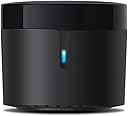
📡 Master your IR universe with a tap—because your smart home deserves the smartest remote.
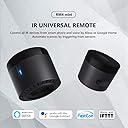
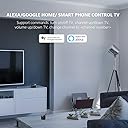
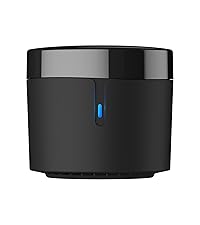
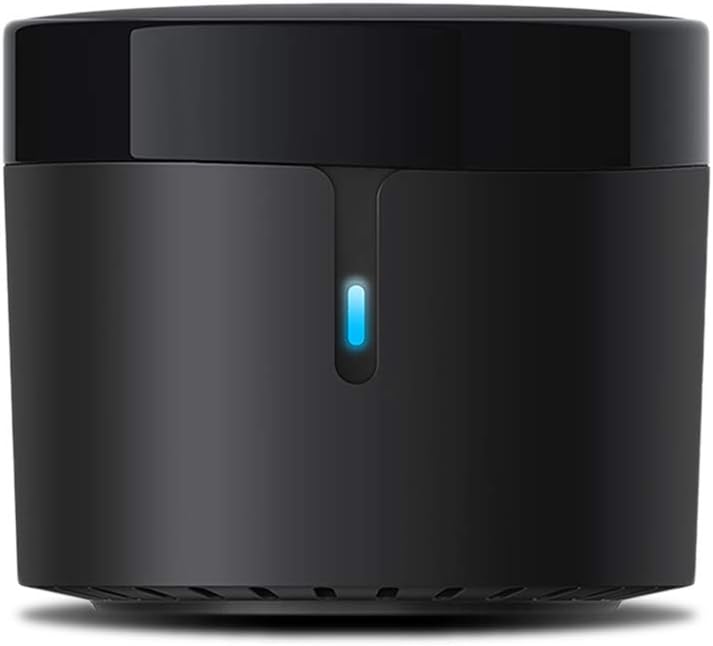
The BroadLink RM4 Mini is a compact Wi-Fi infrared blaster that supports over 50,000 IR-controlled devices, enabling smart home automation for TVs, air conditioners, and more. Compatible with Alexa, Google Home, and IFTTT, it offers cloud-updated device libraries and custom learning for unmatched versatility. With an 8-meter IR range and a sleek design, it integrates seamlessly into any modern smart home setup.


| ASIN | B07ZSF46BX |
| Additional Features | Communication Mode: Wi-Fi 802.11b/g/n(2.4GHz) |
| Battery Type | No Battery |
| Best Sellers Rank | #29,788 in Tools & Home Improvement ( See Top 100 in Tools & Home Improvement ) #44 in Home Automation Hubs & Controllers |
| Brand | Broadlink |
| Built-In Media | RF Hub |
| Button Quantity | 5 |
| Color | Black |
| Compatible Devices | Infrared 38KHz |
| Connectivity Technology | Infrared , Wi-Fi |
| Controller Type | Amazon Alexa, Google Assistant, IFTTT |
| Customer Reviews | 4.3 out of 5 stars 3,149 Reviews |
| Item Dimensions L x W x H | 1.89"L x 1.89"W x 1.69"H |
| Manufacturer | Hangzhou BroadLink Technology Co., Ltd. |
| Max Number of Supported Devices | 12 |
| Maximum Number of Supported Devices | 12 |
| Maximum Range | 8 Meters |
| Model Name | Broadlink RM4-Mini |
| Model Number | RM4 MINI |
| Special Feature | Communication Mode: Wi-Fi 802.11b/g/n(2.4GHz) |
A**R
Worked well for an LG split
I have an LG split in my garage/shop, and wanted to be able to pre-heat the space as it's been very cold lately. This unit was incredibly easy to set up, and at least the main functions of the split can be controlled remotely now so I can warm up the shop ahead of using it. Mostly, I needed just on/off. This unit is tiny, and includes a wall-mount plate, so can be tucked-in most anywhere. It does not include a power adapter, but does include a USB-A to micro-USB cable, and can be plugged-in to any adapter you might have lying around. I used an old Amazon Fire charger. Update: I still like this unit, but did find one annoying oddity. If I turn the split on via the app, and then turn it off via the real remote, eventually the split will be turned back on uncommanded. I'm not sure when this happens, but basically the rule is, don't mix use of remotes if you want the state of the split to be known.
Z**A
Works Just Fine
Works great with my IR-based space heater. The app is so-so, but works fine for my use case. Placement, especially one that's out of sight, isn't ideal but it works. Ultimately, this was quite easy to get setup and linked to the device. It's also quite small, making it easier to hide. In a dream world this worked natively with Homekit but one can dream.
N**K
Works
Difficult to setup. Once setup works great.
D**N
Nice product
Very easy to set up and worked perfectly with my Ac.I could automate the task as per schedule
B**2
Works great!
This thing is great. If you have a bunch of little remotes for things like lights, candles, fans; use this to control them all from you phone. Or better yet link thw vendor to Alexa and boom voice control. The only downside would be it needs to have line of sight to those items, well or in that same room may work, but hey we all figured that since is just basically a universal remote. I thought it was easy to setup but others not so tech savvy may have to read a bit
B**G
worthless
I've been using an RM mini 3 for years, and purchased an RM mini 4 for another room. Aside from all the awful things the new app does (including collect all kinds of information about you and your network and transmit it to a cloud server) the latest firmware versions have BLOCK THE USE OF THIRD PARTY APPS. I purchased a second one - first one I got - directly from Broadlink's Amazon store was USED. Came in a clear plastic baggie with no packaging or instructions and obviously used. So I returned it and got a second one. My intention was to use this RM mini 4 with AnyMote but it will not work. I did some digging on the Interwebz and it looks like Broadlink is starting to block third party apps from being able to use these devices on newer firmware to force users to use only the Broadlink app.....which is terrible and spies on you. The older RM mini 3 works just fine with anymote so if that's your intent, get an RM mini3 while you can because the new mini 4 on the latest firmware only appears to work with the terrible Chinese-made app loaded with spyware that sends data to a cloud server. What possible reason an app for an IR blaster to constantly send data to a cloud server is beyond me. Returning this garbage! Update: I game the RM4 Pro a shot after finding some info on the interwebz for using these things with Home Assistant and setting it up for local control without Chinese cloud servers. It works but it’s pretty a pretty hacky process and I definitely wouldn’t recommend it to a novice. Even then getting it to learn new codes requires a Linux server and some comfort using command-line tools. It CAN be made to work as a locally controlled device but it’s a lot of work so unless you enjoy that sort of thing I still wouldn’t recommend it even though it ultimately is working for me.
R**E
Great device and great product/price range.
Great universal remote, working as intended, tiny device that fits almost everywhere, its 360⁰ directional signal makes it possible to place the device out of the way. I have read many reviews complaining about first time configurating it, not wanting to connect to Wifi (remember it has to be 2.4ghz), myself had this issue and the instructions are not very clear as much as on the manual as on the app but, with a little patient I notice two things, one, it needed to update its firmware to a new one and without Wifi this was impossible and two, this was impossible since didn't want to connect to it and that's when I notice that in order to make the connection possible it gives the option to connect directly to the Broadlink universal remote through Wifi by selecting it like you are stablishing a new access to the Internet through Wifi, you select this, then will give the option to choose the Wifi you want it to log in and follow the steps. Hopefully this might help someone out there having this same issue I encountered and for the record been using mine since 19th February 2021, so far have my TV, amplifier and air conditioner controled by this little guy through Alexa without any problem and even created some scene that made my life easier.
E**O
Some mixed feelings about this product
So...I've been watching lots of videos of most Youtubers and people who explain features about smart houses and appliances, and almost everyone tend to use this universal IR control. I decided to buy it. In the last 3 days I could say these pros and cons: Pros: -Pretty small, you can put it everywhere you want (as long as you have an outlet close to it, obviously). -It was easy to set up, actually. Once the app detected the control, the setup for my TV, AC and ST box were pretty quick. -The default remotes that appear in the app work pretty well and with the first option you should have it working (except the ST box, who took me up to the 3rd default option to work, but at least I didn't have to set up all the buttons one by one). -They were rapidly discovered by my Alexa app, and at the beginning they were working great with the on/off commands, volume for the TV, etc. -The voice commands respond almost in no time. I could tell Alexa to turn off my TV and, before she answers "okay", the TV is already off. Cons: -Channel management is not the "magical solution" if you want to be able to change channels with voice commands (which is what I was hoping for). To do that, I would have to create individual scenes for each channel, then sync them with Alexa and then create routines to change them with voice commands (in my case I only tend to watch around 10-12 channels, but for those who like to watch more than that, it will be kinda annoying to do, and apart from mentioning that Alexa only lets you have 99 routines, so if you would need to have that amount of routines, these ones would bulk you up some space). -In my particular case with the channels, the ST box has the HD channels starting from channel 1002 and further. When I added my favorite channels to the list and tried to test them out with the app remote, it seems the app dials the numbers so quick that some numbers even repeat themselves and you end up getting a different channel than expected. What I had to do was to set up "channels" which were only every single digit from 0 to 9, and I created scenes for each channel with 4 different commands (each corresponding digit), to kinda add up a little delay in the channel dialing. This took me around 20 mins for 12 channels...a little bit awkward. -Could happen that sometimes your Alexa routines would trigger, but the actions regarding the remotes you want to control won't do what you expect them to do. I wanted to be able to change my TV inputs with certain triggers. At the beginning they started working very well, but last night they weren't responding at all. I added up some Alexa confirmation phrases to check if it was the routine itself or simply the actions regarding the IR remote and indeed, the IR remote wouldn't do the actions. I unlinked the skill, signed out of the app, tried to link everything once again and for some reason it was glitchy and it wouldn't let me sign in and link my account again for around 25 mins (have no idea why) until it decided to work again, and after that the routines were working perfectly...but I'm hoping I don't have to go over all that process every 2-3 days. -FAQ section is not helpful at all. It doesn't have a lot of questions and most questions there are about set up stuff (which ironically was my easiest step to do). Overall, I wouldn't say this thing doesn't work at all...it does respond, it can be integrated, but it could take some time to set it up as you would like it to work, just like it happened to me. If you want something to just automate your devices' on/off status or maybe timers, this will work nicely for the price you're paying. If you would like it to do more complex stuff (especially a bulky channel list), maybe you could save a little more and buy a more reliable one.
Trustpilot
2 weeks ago
1 month ago