🎹 Connect. Create. Conquer your MIDI world with zero fuss.
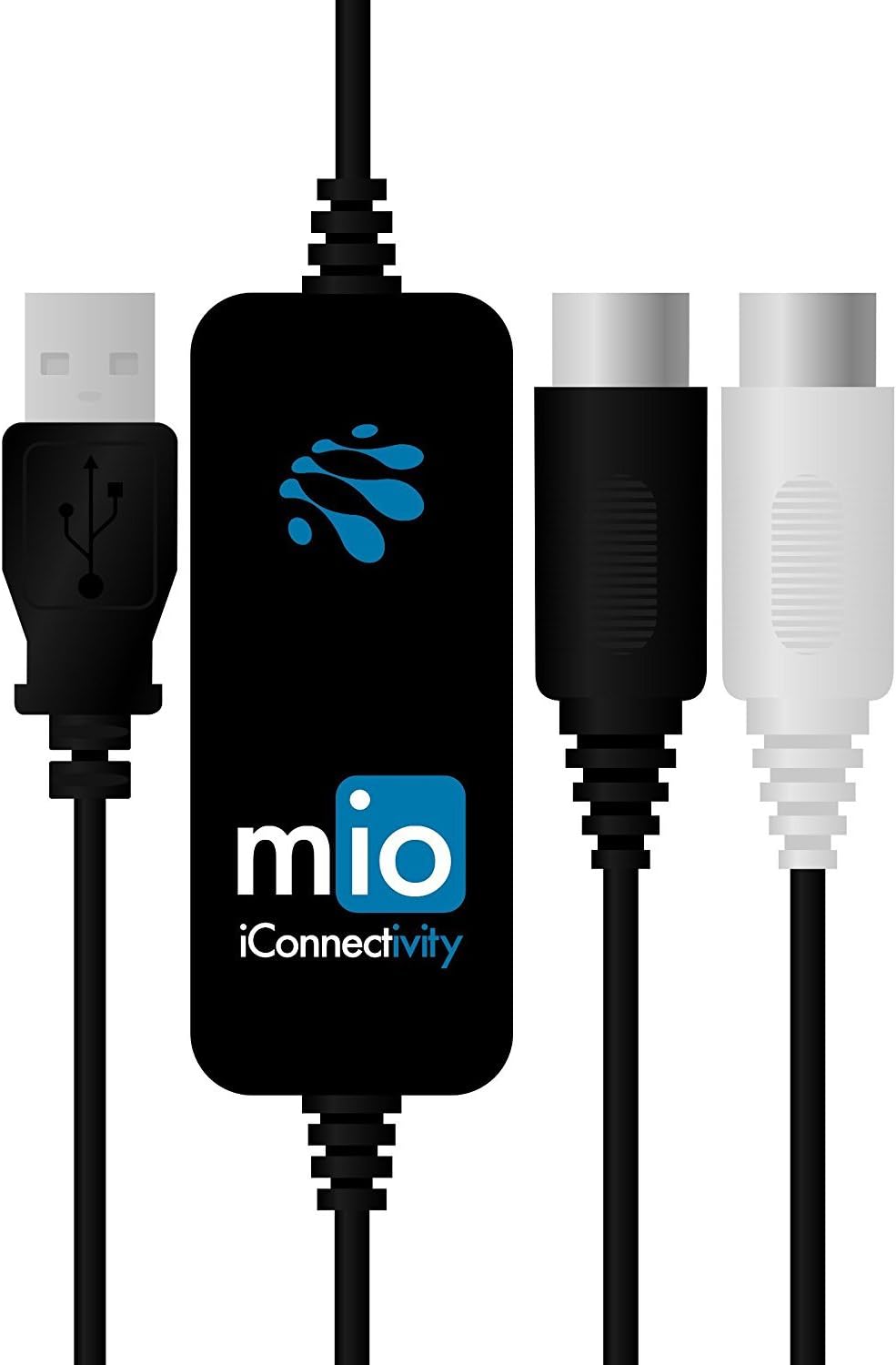
The iConnectivity mio is a compact, 1-in/1-out USB to MIDI interface delivering 16 channels of ultra low latency MIDI connectivity. Designed for Mac, PC, and iOS, it requires no drivers and is USB bus powered for ultimate portability. Engineered by an award-winning Canadian team, it ensures reliable DIN MIDI connections with plug-and-play simplicity, making it the go-to tool for professional musicians and producers seeking seamless integration of their MIDI gear.


| ASIN | B00CO5IRSG |
| Best Sellers Rank | #19,221 in Musical Instruments ( See Top 100 in Musical Instruments ) #23 in Computer Recording MIDI Interfaces |
| Compatible Devices | Personal Computer |
| Customer Reviews | 4.5 4.5 out of 5 stars (899) |
| Date First Available | May 6, 2013 |
| Hardware Interface | USB |
| Is Discontinued By Manufacturer | No |
| Item Weight | 3.52 ounces |
| Item model number | midi-mio |
| Operating System | Windows |
| Product Dimensions | 5.71 x 0.98 x 4.41 inches |
| Supported Software | Compatible with various operating systems (Windows, Mac OS, iOS) and CoreMIDI compatible apps for iOS. |
D**N
Great product from a company that eats, sleeps, breathes and dreams Midi connectivity!
USB is great for Midi, except when it’s not. With many devices, DIN Midi just works, when a USB connection sometimes won’t, or is less reliable. DIN Midi also brings the benefit of the opto-isolation that quality gear has on the DIN Midi connection, that will not be engineered into the USB port. This may mean few chances for electrical noise to creep into your signal. Case in point: The USB port on my TC Helicon VoiceLive 3 Extreme simply wasn’t compatible with the device I wanted to connect it to. I put this 1-in/1-out interface between, and they immediately synced up. Simple. This is the second iConnectivity product I’ve bought. The experience with both (MioXM) and this Midi 1-in/1-out has been just right. These product simply work. They do exactly what they promise, with no frustrations. Before getting the MioXM, I had questions. Tech support was excellent. iConnectivity is a company that solves problems, not creates them. I can’t say enough good things about both of the products I’ve bought from them.
P**F
Great interface- beware: multiple wont work at once on Windows
I've had one of these for quite some time. Works great. Works great on iphone, ipad, macbook, windows... I use it as the dedicated in/out for my octatrack to my daw (whatever it might be for the job). The big caveat is though, because of the way windows handles USB devices, if you buy 2 MIOs, and plug in 2 at once, only 1 is going to work. I did this because I thought I'd be smart and leave 1 plugged into my desktop at all times, and have another to move around to use with the iphone... or whatever right? So no value added for me if I can't use them both at the same time on the desktop for convience. I do have to other midi devices that use USB that could give me a physical midi port on my iphone or Ipad, but they are keyboards or pad controllers... the convivence of the size of the MIO just being a single cable to midi I/O is what I was looking for. Weird edge case I know, but I couldn't find anything answering this situation anywhere, so now I've done that experiment, and you don't have to. Again, if you just need 1 midi I/O on your machine or iDevice... and dont need a full blown audio interface. This is the best tool for the job.
A**R
If you love your equipment, buy this cable.
Hands down the best midi cable I’ve bought. Will work with just about anything and doesn’t feel cheap like so many other cables of this kind. Buy this cable if you need to do anything midi, it will not let you down.
T**Y
Great Unit! One Caveat - Be aware of Boot sequence (at least for Static IP) - possible failure point for a live venue
So far I'm impressed with the unit. I purchased it with the intent of using it as a synchronization mechanism in a theatrical venue. IE - I have it sitting at FOH, where sound and lighting are connected physically via DIN. The unit is then connected to the venue's network, Pro Tools machine, Ableton Machine (loop/click,) and backup mac all connect to the unit over network. (ETH ports 1-4,) I've also purchased a kenton LNDR to run a physical DIN connection to stage from FOH over another cat5 connection so that our Kronos may be synchronized to Ableton over the Mio4 network. In terms of overall function, all of the connections and routing appear to function as desired. I am able to trigger multiple show parameters in complex ways with very little effort. For instance, Ableton can act as both trigger master for Pro Presenter and Lighting while also supplying midi synchronization to the Kronos, which makes the arpeggiator function actually useful in a live setting. I can do the same from the sound or lighting desk, or even pro presenter, using Ableton as a submaster triggering mechanism. In that regard, this unit is super solid. Having said that, I do have one fairly large concern about using this thing live: This venue has a fairly large network, so show control devices must be set to static ip for stability/usability from show to show. When powering on the mio4, at least in static ip mode, it will NOT recognize connection to the network if a cat5 cable is already physically patched upon boot. You MUST remove and re-plug the cat5 cable to the mio4 in order for connection to be established. (Same result with multiple different routers/switches,) The unit seems to be stupid reliable as long as it remains powered on; zero connection issues there so far. Thus, the concern is two-fold: this is an extra, sort of asinine, step in booting up a show control system, that will also wear out the cat5 connection on the unit (and/or cable,) fairly quickly. ...and b: in the event of power failure, it is an extra thing to deal with while getting the show back up and running. I have submitted a ticket to iConnectivity support and fully expect this will be a simple issue to resolve with firmware update. My only other comment is that I will agree with other reviewers that the iconnectivity software editing interface is slightly confusing at first. I'm pretty well-versed in midi architecture and traffic control; and still found myself pondering some of the filtering settings juxtaposed against the routing setup. (IE you're ENABLING destinations in routing, and DISABLING specific things by way of ENABLING filters in the filter settings.) Really looking forward to pushing this thing to the limit! I'll update this review once I hear back from iConnectivity concerning the iP addressing on boot.
L**K
Excellent product
I bought this to connect an older midi out keyboard with an Amazon Fire tablet. Simply Piano recognizes it without trouble and it works exactly as needed. No extra drivers or complicated setup needed. Was plug and play
M**I
Midi ninja routing, fairly deep and rock solid.
Super flexible one stop shop for midi, works out of the gate with minimal fuss. Pros: Routing and filtering is very comprehensive, timing seems very tight, and display clearly shows messages and routing. Supports networked midi and controller hosting. Supports Linux out of the box. As far as I can tell its the only 10 port box I have seen that is supported in OSX Yosemite+ Cons: App to configure is not super intuitive, packaging was awful, and app doesnt run on linux, I had to use an iPad to set it up. Also doesnt support presets so whatever is stored is the routing you get. Overall though, rock solid and I'm very happy with it
D**S
Excellent quality and easy to use
It doesn't need a separate driver. it really is plug and play. i bought this to replace a cheaper cable and it works so much better and the sound quality is better.
R**D
Funciona sin problemas
M**I
Mi è piaciuto perchè funziona senza problemi. Il costo è un po’ alto... ma funziona. Lo uso per simply piano per collegare una tastiera yamaha a ipad con un adattatore usb to lightning
P**J
Super interface Midi, avec de très nombreuse possibilité de connection (Ethernet, Wifi, Câble) j'ai pu enfin contrôler Ableton Live avec le logiciel Touch DAW qui est installé sur ma tablette Samsung Galaxy Tab en Wifi, j'avais fais le choix de cette interface midi notamment pour cette fonctionnalité que l'on ne trouve pas sur la plupart des autres interface midi avec 10 entrées / 10 sorties. Je recommande, elle est superbe, rien à signaler hormis le fait qu'il n'y a pas la moindre documentation en Français mais bon on y est habitué quand on fait de la MAO.
S**N
iPad Pro and MAC quite the simple solution to a midi headache
W**A
Doet precies wat het moet doen. Aangesloten en direct herkend op zowel Mac als PC. Geen drivers nodig. Plug en play. MIDI in en out werkt stabiel. Geen vertraging merkbaar. Ideaal om oude synths of keyboards aan moderne software te koppelen. Behuizing voelt degelijk aan. Klein en makkelijk mee te nemen. Kabels zitten vast en stevig. Goed om te weten. Geen extra functies. Gewoon een pure MIDI naar USB interface. Maar dat is ook precies de kracht. Betrouwbaar ding. Als je muziek maakt en geen gedoe wilt is dit een prima keuze.
Trustpilot
1 week ago
3 days ago