Buy anything from 5,000+ international stores. One checkout price. No surprise fees. Join 2M+ shoppers on Desertcart.
Desertcart purchases this item on your behalf and handles shipping, customs, and support to Thailand.
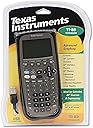
📈 Elevate your problem-solving game with the TI-89 Titanium — where precision meets power.
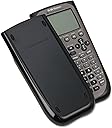
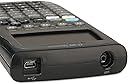
The Texas Instruments TI-89 Titanium is a professional-grade graphing calculator boasting 188 KB RAM and 2.7 MB flash memory for rapid processing and ample storage. Its large 100x160 pixel display supports split-screen views and advanced graphing modes including 3-D and differential equations. Equipped with USB on-the-go technology and compatibility with multiple data collection systems, it enables seamless file sharing and real-world data analysis. Preloaded with high-quality apps and programmable via TI BASIC, it’s designed for students and professionals tackling calculus, algebra, statistics, and engineering challenges. Durable and upgradeable, it’s a long-term investment for career-focused users.


| ASIN | B0001EMLZ2 |
| Best Sellers Rank | #100,573 in Office Products ( See Top 100 in Office Products ) #41 in Graphing Office Calculators |
| Brand | Texas Instruments |
| Calculator Type | Graphing |
| Color | gray |
| Compatible Devices | Texas Instruments CBL 2 system, CBR 2 motion sensor, vernier easylink, vernier easytemp systems, TI-89, Voyage 200, TI-92 Plus, and TI-92 |
| Customer Reviews | 4.6 out of 5 stars 2,547 Reviews |
| Display Type | LCD |
| Enclosure Material | Plastic |
| Global Trade Identification Number | 00033317192038, 03243480015431, 03243480104821, 20033317192032 |
| Item Dimensions L x W | 7.5"L x 3.3"W |
| Item Weight | 0.64 Pounds |
| Manufacturer | Texas Instruments |
| Mfr Part Number | 89T/TBL/1L1/D |
| Model Name | TI-89 |
| Model Number | 89T/TBL/1L1/D |
| Number of Batteries | 4 A batteries required. (included) |
| Power Source | Battery Powered |
| Screen Size | 2.8 Inches |
| UPC | 151903615348 638458758350 601000803259 777780515856 999994048597 696747420654 999997687328 732235277840 702658633004 999992231656 641438713539 999992231854 490800100329 012304273493 021112855081 999997571115 956259238711 804993663675 617407488975 012302291628 638084872314 795327732504 041239864896 031113292945 031112376653 799916115426 012300768375 840356591155 999993472843 638865696559 0123060970… |
| Unit Count | 1.0 Count |
| Warranty Description | One-year limited warranty |
G**A
One of the most powerful algebraic graphing calculators, with a superb command/edit line.
I bought the TI-89 Titanium to be compatible with a fellow engineer--it is great to be able to share code and math solutions for the same model of calculator. This is a switch for me, since I have always been a Hewlett-Packard fan. I have at least one of almost every model of HP graphing calculator, and many other models, going all the way back to 1972 and the HP 35. It never occurred to me that the TI-89 series could actually be competitive with HP. Well, it is! This calculator has some very nice features, and a few features that the similarly capable HP 49G does not. I'll leave it to the buyer to explore the manuals and figure some of that out for themselves. But I will definitely note that the Home screen edit/command line has superior behavior in several ways to the HP 49G. One of those is the retention of the last problem, equation or expression entered by the user. That means you can simply solve the first problem, then move the cursor around in the problem, replace a variable, change a sign, or make any other edit needed to evaluate the problem in different ways, without having to copy the equation/expression from the history (as you would have to do with the HP 49G). The HP 49G has more memory than the TI-89 Titanium (mine is a HW4 edition), and a more feature-rich file system (more like a PC). TI partially compensates for simpler filesystem by having apps show only files appropriate for the app you are using at the time, which helps avoid visual clutter. The TI-89 Titanium has a lot of useful, very high quality apps, preinstalled. Both models have a CAS and about 800 scientific functions, constants, and unit conversions but, while unit conversions are faster and easier on the HP 49G, unit math is better on the TI 89 Titanium if what you expect the calculator to do is simplify units to the most practical SI or SAE unit. As an example, if you multiply 200,000_Pa by 1_l, the simple answer is 200e3_Pa*l, but the most practical SI unit resulting from that product is the Joule. The TI-89 Titanium correctly substitutes units and answers with 200e3_J, while the HP 49G (and later RPL graphers) renders the easiest, but least helpful, answer of 200_kPa*l--the correct answer, but left in inconvenient units. (The 49G does have the advantage of having metric/engineering power-of-3 prefixes, such as k, M, G, m, n, etc.) In a way, the TI-89 series is as much a personal digital assistant (PDA) as it is a graphing calculator. This is the result of having numerous useful record-keeping applications, a clock/calendar, event scheduler, task manager, personal contact database, etc. The Titanium also comes preloaded with EE*Pro, a professional-quality problem solver app aimed primarily at electrical engineering professionals. The closest preloaded application HP shipped with a later model of the 49G series, the HP 50g, was a library of powerful equations copied from the HP 48G series, and an interactive Periodic Table of the Elements for chemistry. Don't get me wrong, those are very useful, and the Periodic Table app is better than ones I've seen for TI. But, the TI-89 series was marketed to students and professionals alike as more than just a graphing calculator with a CAS. It is a PDA. In 2020, that seems a silly point to make, given smartphones of today. But in 1999, when both the HP 49G and the TI-89 series were made, the TI appears to have been a better fit for students and, depending on the disciplines, maybe better for engineers. In most respects, the I prefer the HP, but some features of the TI are eye-opening ideas that explain to me why TI is still making graphing calculators for the US market today, while HP has fallen out of the business in the US, even after the release of the formidable and capable HP Prime (which is, in my opinion, superior to the TI-Nspire CX series). TI showed a better design balance with the 89 series, making the flagship graphing calculators fit either the student or the professional technical user, and most apps for the TI-89 series are of very high quality. One more point I will make, is that both are programmable; the TI-89 Titanium is natively programmable in TI BASIC, while the HP 49G is natively programmable in HP Basic and in UserRPL. HP Basic (not BASIC) is limited compared with TI's M68000 BASIC, but HP RPL is more powerful, more elegant, faster for most programs, and more efficient than TI's BASIC. However, TI BASIC is pretty intuitive, while RPL is considerably harder to learn if the user is not already familiar with Reverse Polish Notation and the HP stack or the Forth programming language (and its stack). Overall it is quite a toss up between the two. But if one were to ask me which brand to go with today, my answer would most probably be, "Go with TI. Get one of the TI-Nspire CX models if you are in high school or college and don't plan to use the calculator in a career, but get the TI-89 Titanium if you plan to keep using it beyond school and into your career." I am pleased with the design, speed, and ease of learning on the TI.
M**N
The titanium choice!--well it kinda sounded like a good slogan...
There isn't alot I can say about this calculator which hasn't been discussed by previous reviewers. I, like the majority of them, and probably you the reader, have an 83 and got into a calculus course, or calculus-intensive course, and realized that the 83 was no longer going to cut it. Well I got the 89 from amazon and since that day the 83 began to look more and more primitive...sigh...The 89 can factor, differentiate, integrate, sum, products, binomials, solve systems and matrix operations, etc. It can also graph in 3d, polar, or differential field (what you may have seen in the promo shots). It even has the option of exact or approximate answers. A very helpful option I've found is the stored units of measurement you can use in the cases where you need to work problems in physics, engineering or even chemistry. After about two months of use I'm still learning just how much this graphic utility has to offer, but the user-interface has long since become completely intuitive for me. But the buyer should beware if they are making the transition to this right before the final--its menu style interface takes a day or so to get used to, and the manual while long isn't as comprehensive or as clear as it could be, relying heavily on abbreviations. Perhaps the most frustrating thing to learn is the exact sequence various commands need to be entered in, in order to get to the graphing utility to something other than say TOO FEW ARGUMENTS or SYNTAX ERROR. (Using the onboard catalog of functions, gives you an entry guide at the bottom of the screen.) What I didn't expect to use, but find very useful is the USB cable and software which allows me to upload screen shots, ie graphs, which I can then attach for homework and lab assignments when I dont have access to either Derive, Excel, or my mac's Grapher. It is also possible to download additional programs and apps but I can't see me, or most of the potential buyers, of this utility actually needing to do this. It can be programmed as well, but again I have hard time imagining when the need to do this would actually arise. This graphing utiltity is a little larger than the 83-85 line (already bordering on the cartoonish) but it is significantly smaller than the 92 (with which it shares the exact same Derive software and which has a full-qwerty keyboard.) However, this is an altogether much more powerful device than the 83 and an equal to the more cumbersome 92. So its a good compromise. One small question in the back of my mind is that with the advances in LCD screens particularly in cellphones why isn't possible to give this utility a better screen? If a device can be built which relays phone and text messages, has a 2mp camera, can stream video, has an MP3 player on it, and a backlit color screen capable of video playback, all in a space volumetrically equivalent to my wallet it seems like the 89, computing power and all, could be built significantly smaller and with a much nicer display. I realize that the market for graphing utilities is no where near as competitive nor as profit tempting to justify enormous outlays in r/d for enhancements, but you would think some of the technology could be licensed by TI for use in their future utilities. In a world of $200 textbooks an additional $50 or so for a tool like this is pretty insignificant. It's not too hard to imagine this thing having at least a backlit LCD, finer resolution (the 3d graphs are borderline useless), and a rechargeable battery. As futuristic as this utility is compared to earlier ones, a quick comparison with my cell phone or my iPod, already nearly 3yr old, and the contrast looks like technology from two different century's. Well, I suppose they are in fact... The utility, like all other TI, utilities is surprisingly well-built--the durability of these is a credit to TI, who with a market consisting entirely of lucrative bulk school contracts and parents supply-shopping for often careless students, could like textbooks publishers make them as cheaply as possible. I've only seen one of these 89 broken and it was only part of the screen: they are made impressively tough. This rant of mine notwithstanding, as graphing utilities go the 89 is great; although I haven't used the Hewlett-Packards, I can say that the 89 is the standard I've encountered for all undergrad math and science courses. If you're intending to take advances courses in any of the latter you will probably have to buy one of these eventually; accepting the inevitable early you might as well become familiar with it as soon as possible.
J**S
Found my mistress!
From slide rulers to Ti-89's, let me tell you! Even my proessor wanted to use it! Long story short, I have never owned a graphing calculator until now. I am auditing a calculus class this summer and needed something more powerful than my Casio fx-115ES (which is sweet, BTW). My Casio can integrate, but not do diff Q's. Well, let me start by price. My friends all suggested I bought and used a Ti-86 or even a Ti-85 unless I was going into a technical major. Surprise, surprise, I'm an engineer major. I figured if I was going to shell out over $100 on a calculator, I should choose the best available. Needless to say, everyone knew about the Ti-89. I showed it to my math professor who had the same reaction as me (think a kid on Christmas morning opening his gifts). The first thing he asked was "How much was it?" I told him I paid $140 clams and he said "Wow! How'd you get it so cheap?" It wasn't just him though. I showed my buddy in AutoCAD and he was astonished by the price as well. Next is features. I loved the fact that it came with an instruction booklet and the batteries. It let me jump into playing with it the minute I got it. The book is about the size of a video game manual (assuming a modern-day RPG). There is a lot to read and I am still reading it. It's not too hard to figure some things out assuming you're rather savvy with electronics and have some free time on your hands. I learned to graph polynomial functions while walking to class! Italready has pre-loaded apps, but I will ask around and get some more when I finally have a chance (and some sleep), since several apps are useful for certain classes. Next is size. I know graphing calculators are big, but wow! It doesn't fit in my pockets, that's for sure! I usually stick it in my backpack or in my cargo pockets on days when I have those kinds of pants. Finally, utility. As I am still using it and figuring it out, it seems to do basically anything I need it to do. I am contemplating buying the Dummies' book for it since that might tell me something the instruction booklet omits, plus they often have tips within! Overall, I would say it is a must-buy. Most of my friends (90% engineer majors) have older models and would kill for a Ti-89. It is a steal at some prices and I love the fact that even my math professor was impressed and asked me if I could bring it by his office sometime. I love calculators and this seems to be the best out there. If you don't want to break the bank, but want something good, try the aforementioned calculator (Casio) since it worked great for me!
Q**N
Texas Instrument Ti-89 is a pretty powerful tool can help you
An effect and powerful tool for career! If you engage in the field about engineering, mathematic, statistics or business, Texas Instrument Ti-89 is a pretty powerful tool can help you. It combined almost all the functions if you need process calculation. You can use it to do simply calculation and work through calculus. It provides powerful assistance if you learn. Functions: It provides multiple functions such as calculus, finance and statistics, etc. You can access different functions in easy way. You can obtain various forms of answer as you need. For example, in mathematic field, you can select to get answer form as numerical, matrix and liner algebra when you enter simple numerical equation. For finance field, you can use its program to get rate of interest, NPV easily. You can use it in simple way whatever you study in finance, engineering or statistics. It has covered all the functions you desire as a calculator. Quality: It seems a little expensive than other calculators and some people choose another due to price consideration. But if you own it, you will know the benefit you get more than money. It does not have any malfunction since I owned it about four years ago. It was fell to floor several times and nothing happen. The clear screen with comprehensive steps also offer you opportunity to see how you go through your questions previously. Convenience: I intended to studied engineering before and I took calculus class. Ti-89 provided me the way to test my answers with matrix, graph and integral. I changed my mind to study finance finally and it required financial calculator. I took statistics class at the same time and Ti-89 was useful in that class. I discovered Ti-89 also has finance function so I do not need buy new calculator and bring those together every day. Every time you want to do calculation, Ti-89 can satisfy all you need and you do not need seek another. Ti-89 is a product that gather wisdom of Ti-89 to satisfy the daily use. You can obtain impeccable function, good quality and convenience with one-time payment. It will define help you with study and career and you cannot miss that.
M**S
Excellent product
Excellent product
B**N
This is an excellent graphing and table calculator
This is an excellent graphing and table calculator. It has a plethora of different functions, algorithms, and utilities, and can perform difficult calculations quickly and efficiently. It can handle calculus, algebra, matrices, and statistical functions. The batteries last very long on this device. In the two years that I have owned this device, I can say that I have had nothing but good experiences with it. This graphing calculator has many more features and more capabilities than most other calculators. A few unique features that I have found include 3D graphing capabilities, 3D modeling, calculus calculations, index cards, and text editor. If you desire, you can write a program (either on the calculator or your computer) that the calculator can execute. This can be useful if you need to run a series of calculations repeatedly with different input values, as the program would significantly lower input time. It can also be useful for playing games (though most people will not use a calculator for that purpose). Programs can also be downloaded from the internet, or created on the computer, and transferred to the device via USB cable. This calculator's flash technology will allow you to upgrade the firmware without needing to purchase a newer calculator. I have never used this feature myself, but it is one of the reasons I originally purchased this calculator. This calculator is more powerful than the TI-84 calculators that are common in higher-level high school courses. It has more features and more processing power than the TI-84 calculators, but the price is not much higher. It also has much more storage for user programs. In my opinion, this would be the smarter investment, as the price is not much higher than the TI-84 (or similar calculators), and depending on which college major you are, you may need this calculator for future courses anyway. Overall, I would recommend this to anyone who needs a graphing calculator that can perform difficult tasks efficiently.
G**S
TI-89 Titanium For Statistics
Pros: - The display has a Pretty Print option (default), which is very helpful when inputting long formulas. - Great for Statistics, which is why I bought it in the first place since that is my major in college. Cons: - This is important if you are a college student. The math and statistics books all refer to the TI-83 when explaining how to perform the calculations using a calculator. So while the teacher is talking out loud walking the students step by step on how to perform a calculation, you're sitting there with the most powerful calculator in the class and out of luck. Then you have to scramble flipping thru the menu items to match the menu path of the TI-83, AND you're trying to learn the math at the same time. That happened to me in a statistics class and that wasn't fun at all! So be prepared for the inevitable; this is your warning. I recommend you study the upcoming textbook chapter ahead of time and learn how to perform those functions before you get to class. - PDF files exist to explain the Flash applications loaded on the TI-89 Titanium. Unfortunately they are not easily found on the TI website. To get the PDF's, you have to follow the menu path as if you want to download the application. Then on the web page where you download the application, the PDF is there. TI should have also have placed the PDF in the "Documentation" section of the website. If I had not updated the application, I would not have known the PDF existed. Make sure you download the PDF for the TI-89 Titanium, not the PDF for the TI-89. Some functions are different. For statistics, be sure to download the PDF "Statistics with List Editor Guidebook For TI-89". General: - I did the Operating System upgrade, but with a few bumps along the way. For example, I have Windows XP Pro SP2 on my PC and it doesn't recognize the driver when plugging in the USB cable. TI knows this and is part of the calculator-to-PC connection instructions on their website. So you'll have to uninstall the driver and then let Windows search for a driver. Eventually Windows found it but I got a horrific message saying the "Microsoft strongly recommends you backup before installing..." In fact, Windows set a System Restore point before installing the driver. The driver worked but why can't TI certify that driver with Microsoft so that message will not scare the heck out of the average user? - Make sure you register before beginning the OS upgrade. You need to register to get any of the downloads, so do it as soon as you get the calculator. - You'll notice that the dates listed in the "About..." menu in some of the Flash applications are almost the same as the dates listed on the TI website. Don't bother to download those because the applications are the same version. Don't know why TI lists a different date on the web page from the date displayed in the "About..." menu in some of the applications. Hope all this helps, George
M**G
Great for College Students, but Sell it (for a Profit) Once You Graduate!
GREAT FOR COLLEGE STUDENTS: I bought this calculator (used) back in 2014, when I was an undergraduate student majoring in economics and minoring in statistics. I had known about the TI-89 calculator for a long time since it was the one that my High School math teachers wouldn’t allow us to use in class, since it has the (awesome) ability to do lots of algebra, graphing, and other mathematical legwork for you. (NOTE FOR HIGH SCHOOL STUDENTS & PARENTS: Make sure your teacher(s) allow TI-89s in class before you put one of these in your shopping cart!) I used it consistently throughout the next 4 years in several calculus, statistics, and economics courses. I get the impression that I never stretched it to its limit--it's absolutely full of functions that I never used. To the best of my recollection, it never met a problem it couldn’t solve! NOT NECESSARY FOR ME ONCE I BEGAN WORK: While I loved having this calculator on my desk during academic tests in which I didn’t have access to a computer/the internet, it became quickly unnecessary after I joined the workforce and had a computer available to help me. As far as I’ve seen, every one of this calculator’s functions is available via Excel or various free online calculating programs. Once I realized that I no longer needed it, I sold it online and was so pleased when I ended up MAKING money on it! (I expect that you'll get a better price for it if you hang onto the cover and the charging cord.) I guess the nature of these calculators is that there’s always someone in school who wants to buy one, and since the TI-89 is pretty top-notch it remains in demand. If your studies and transition to the workforce are anything like mine, I highly recommend that you purchase one, use it while you’re in school, and then pass it along to another student once you’ve begun working. Happy calculating!
E**.
Sehr Gutes Gerät - aber Kritik an der Beschreibung des Lieferumfangs
Sehr gutes Gerät; da ich das Vorgängermodell hatte, habe ich mich wieder für den TI-89 entschieden. Einziger Kritikpunkt die Produktbeschreibung stimmt mit dem Lieferumfang nicht ganz überein Lieferumfang lt Beschreibung auf amazon: 4 AAA Batterien => check USB-Kabel für die USB-Schnittstelle => check USB-Kabel für die Verbindung zwischen TI-Rechner und Computer => check Handbuch => leider nein Produkt CD der verfügbaren Software einschließlich der frei erhältlichen Applikationen und der Handbücher als PDF => check Ein physisches Handbuch aus Papier war leider nicht dabei. Desweiteren täuscht das Titelbild (was ich allerdings nicht negativ werte), da das Gerät selbst in einem Karton statt in einer Plastikverpackung kam.
A**O
Semplicemente la migliore calcolatrice
Ho acquistato questa calcolatrice per i miei studi universitari. Semplicemente perfetta, programmabile in tutto e per tutto e molto facile da usare. Certo all'inizio è un po difficile passare dalle classiche calcolatrici delle superiori a questa, ma una volta fatta pratica sarà essenziale per voi. Consigliata per studi universitari di matematica fisica ingegneria.
C**R
Estoy muy contento con mi calculadorA
Está calculadora es de lo mejor con lo que debe de contar un ingeniero, estoy feliz de tener una de estas
K**R
Excellent.
Excellent. My son is using this for Calculus.
A**I
Ultimate Graphing Calculator
Excellent product with so many features that it is mind boggling. Good from high school to Ph.D.
Trustpilot
1 month ago
2 months ago