


Desertcart purchases this item on your behalf and handles shipping, customs, and support to Thailand.
📲 One remote to rule your smart home kingdom!
The BroadLink RM4 Pro is a universal IR and 433 MHz RF remote hub that connects your traditional devices to your smart home ecosystem. Compatible with Alexa and Google Home, it enables voice control and remote management via a dedicated app. It supports automation, code learning, and optional environmental sensors, all over reliable 2.4 GHz Wi-Fi. Perfect for professionals seeking seamless, centralized control of multiple home devices with a sleek, compact design.
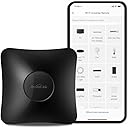


| Asin | B083LLLVPN |
| Battery Types | No Battery Required |
| Best Sellers Rank | 237,123 in DIY & Tools (See Top 100 in DIY & Tools) 183 in Home Automation Hubs & Controllers |
| Brand Name | Broadlink |
| Button Quantity | 1 |
| Colour | Black |
| Compatible Devices | Air Conditioner, Fan, Set Top Box, Television |
| Controller Type | Infrared control, radio frequency, Wi-Fi |
| Country Of Origin | China |
| Customer Reviews | 3.8 3.8 out of 5 stars (2,889) 3.8 out of 5 stars |
| Item Dimensions L X W X H | 8.4L x 8.4W x 3.1H centimetres |
| Item Weight | 0.15 Kilograms |
| Manufacturer | Hangzhou BroadLink Technology Co., Ltd. |
| Manufacturer Part Number | RM4 PRO |
| Maximum Number Of Supported Devices | 1 |
| Maximum Range | 8 Metres |
| Model Name | RM4 pro |
| Model Number | RM4 PRO |
| Network Connectivity Technology | Infrared, Radio Frequency 433MHz Fixed Code, Wi-Fi 2.4GHz |
| Number Of Items | 1 |
| Number Of Packs | 1 |
| Product Features | Pre Programmed, Universal |
| Product Warranty | 2 Year |
| Unit Count | 1.0 count |
User
Excellent way to automate.
Easy to install and not reliant on a proprietary power adapter, USB and you're good to go. The broadlink app works well and will get you up and running without much in-depth knowledge, I use it to control my projector and AC unit that do not have built in smart capability. However, do not expect this to be an easy addition to Home Assistant, with all things HA it takes time and rather a lot of research to get it to work well.
User
Works well, takes a little bit of tuning to your specific devices
I think this works pretty well. I had a little trouble getting it set up, but it does work. The blinds I was wanting to control aren't very responsive to the command, but I set up a routine to send the code a few times with a delay between each request. This works nearly every time now, so I am happy with it. The alexa integration works really well as long as you use the Broadlink app to get the control and scene working first. The Alexa integration allows me to say close Blinds and also to close the blinds at sunset. I would recommend this product if yi hard willing to mess aabout a little bit to get it to work. As with anything offering universal control, this is to be expected and it offers the ways around the quirks of my blinds, so I am very happy and for the money and it offers other options for the future.
User
WHAT'S WITH ALL THE BAD REVIEWS? Works without any issues at all
WHAT IS WITH ALL THE BAD REVIEWS??Currently setting up smart home and this is a must for the voice control over your TV and set top box and load of other thingsAfter reading the bad reviews I knew after reading some of them they were doing soooo many things wrong it was cringy to read and some people should use common sense 🙄 or read the information that comes in the boxPackage came fast with my prime accountI have a split network here from the amazing deco M4 access points where I give my guests assess to my network also I have another split for all my 2.4 smart home stuff so I can jump on the 2.4 and I think this where users are falling flat on their faceYou need to have the ability to be able to jump onto the 2.4 network in your house and also know how to make your phone join that network just to setup the box and app********************IF YOU CAN'T DO THIS DONT BUT THIS ITEM!!! OR leave the company bad feedback its not fair on them or users looking to invest!********************Download the appInstall and setup using the same email as your home ecosystem you are using for alexa ect in your housePut your phone in the 2.4 network ( android pull down screen and hold down the WiFi logo and then look for your 2.4 network) and turn on Bluetooth and location services while you are there and setup is on screen and super easy to followmake sure your TV is on and your rm Pro is looking in directly at the TV for the moment during the set-up processThe setup will ask you tv information if you don't have it to hand don't worry as long as you have the name of the TV it will give you "the most common settings" for that TV.. The rm Pro came up first with my TV remote and infact all other remote templates I asked for in secsYou will be asked to try the remote out like volume up and down and menus ect ect and if you are happy just add the remote and give the remote a name...Within 10mins I had installed the app updated everything and installed the skill to alexaI set up a routine on my 4th generation alexa and now I say " TV on"My smart switches turn on power to the TV and freesat box ( I switch them off to save power in todays current situation) and add a small delay of 15 sec for the freesat box to boot and the alexa broadlink skill kicks in and fires the broadlink to turn on TV off standby and freesat to TV guide.. Super easy to doBrilliant value for money 👍No worries with Alexa and skill setup at all 👍And added bonus I have a smart extension lead that has a USB on it so I plugged the broadlink into that and don't even need to use a plug space 👍👍Remote control is super fast like I have pressed it with the factory remote, so they can now be cleared off the sofa table making more room and looking less cluttered.. Honestly it's a win win!!!Stop leaving bad reviews about the product!!Like anyone that trains or walks dogs know"it's not the dog " rm pro" its the owner " new user" that need trainingI will order another the bedroom TV later so I can turn some rf switches and TV on and off as wellCould not have asked for a easier setup and use out the box!!! 👍👍👍
User
Unfit for the intended purpose.
This is hard to use and ultimately failed completely for the intended use of controlling blinds. Possibly the blinds use a rolling code. The lack of feedback in the learning process means I do not know. Using 433MHz is a lottery and can be a huge waste of time. The concept is dubious. The IR learning is more often useful but the mini does this just as well.
User
Clunky little unit that has some uses, but not for technophobes
Right now I am just adding some initial thoughts after the setup process.I come quite close to giving up getting this connected to the wifi, for quite some time I thought I was not going to be able to get it connected at all, both methods they give you to connect just resulted in errors, even after disabling 5ghz on the router. Eventually it seemed like the process had actually worked but the app still said it failed, but after waiting for a while the device just popped up, worrying to think this is a device on its 4th product generation and this is the user experience.The app requires you to set your town but the town list is not even in proper alphabetical order, and it turns out my town isn't even on the list, making that step just an obnoxious process quite unlike anything I have seen.I had assumed common / popular devices would just be a case of pick a profile and go but apparently that is not the case even for things as generic as the Virgin media set top box. They have custom user profiles that seems like a good idea but the user profile list is an unorganised mess, most profiles only show a brand name rather than a model number and when I did searches for specific models the results showed empty, but then I found when manually scrolled the list there was profiles matching the name of what I had searched for, so you can't even rely on search to quickly sort through the list.I went with the Pro model with RF support in the hope it might support our Oowolf remote control ceiling lights, I could find no information compatibility before hand as no specs are given on the lights but from what I can tell these do not work.So based on the setup process I would say if you are not happy to troubleshoot and jump through unnecessary hurdles this isn't a device for you, the app comes across as just sloppy all round.The hope is once I have gone through the horrible setup process it will at least function well enough to meet my needs, I will update this review once I have had some extended time with the unit to properly judge if this device is worth the trouble.Update after using the unit for a while - The problems have continued beyond the setup process, various bugs such as remotes just failing to show up in the list, wrong inputs being triggered, if i press volume down on my amp remote sometimes it will just turn off the device, no idea why, only happens about 1/10 times the button is pressed but it is a real pain when it happens so I just avoid using this button completely.Sometimes the scenes just disappear from the app for other family members with the app installed, problem just comes and goes randomly.Volume control doesn't support press and hold which for my amp is a big problem so volume adjustment is super slow even if you setup a scene to trigger a sequence of presses, I can be waiting 15 seconds to make a minor volume adjustment that would be 2 seconds on the remote, press and hold should be a standard thing, im once again surprised that this is a 4th gen product but it seems to have some really fundamental issues with its usability.One of the things I like is using the scenes to setup sequences of actions, along with you being able to set your own voice triggers for them, I just need to say activate *scene name* and it will fire off my scene.Overall i'd say it has its uses, but the problems are fairly regular and impact usability enough that 3 stars feels fair.Press and hold volume control should be a thing, scenes do not make up for this especially as the minimum trigger time between inputs when setting up a sequence is way too long, currently you either have to have no delay that leads to dropped signals, or a long delay with no steps in between, another really basic limitation in the app that really shouldn't exist.
User
Both IR and RF functions work well - great bit of kit
I'm not sure why there have been quite a few negative reviews about the IR/RF remotes/relays. I found it easy to set up (remember to turn on Bluetooth scanning on your phone when logging these into the WiFi network for the first time). I use this to control electric blinds in two skylights as well as the HVAC unit in a room. The HVAC is Daikin, which is preprogrammed into the Broadlink library (so very easy to set up). The RF signals and frequency for the Comfy blinds are not in the library, but it was really easy to teach the codes to the Broadlink unit. This is a great piece of kit !Update: I've just discovered the range on the RF control function reaches a third set of skylight blinds about 20 feet away from the Broadlink. So one unit has enabled me to fully automate three sets of blinds and two HVAC units. I love it !
User
Excellent Device
This is a great little unit. There is a learning curve to set it up but once I got the hang of it there is so many things can be done with this device. I have two sets of powered speakers and an optical switch from 4 different sources. At first I was thinking I would just use it as a stand alone remote, but after learning how to use scenes and virtual buttons I now just hit one button on the phone and it turns on/off RF sockets and changes the optical input with IR. The IR is far reaching and activates all the IR devices even from what seems far off line of sight. There are so many things you could do with it, and thinking of things for it to control is fun, well I think it is. The aim was to not have to get off the couch, mission accomplished!
User
Incompatible with BT hub 6
Unfortunately it will not connect with a BT hub 6, I have a sub network with a Netgear Wifi extender and it did connect with that so able to use it.Your phone and the Broadlink need to be connected to the same network 2.4 GHz it does not support 5Ghz networks.The phone app to train it is a little clunky but so far appears workable and operating with Alexa seems to work ok so far.both the IF and RF outputs appear to have a good range.It is small and unobtrusive, comes with a usb cable but without a usb plug.For the price its a not a bad piece of kit but it isn't flawless
User
Heel handig om domme toestellen slim te maken.
Heel handig toestel om via home assistant infra rood te schakelen. Leverfunctie werkt goed. Jammer genoeg verliest het toestel soms zijn config na een spanningsprobleem. Ik svhakel mijn pelletkachel, beamer, oprolbaar scherm, licht en audio bar mat dit toestel.
User
كما بالوصف
يعمل بديل لجميع الريموت
User
Gutes Produkt, leider funktioniert kein Rolling Code.
Gutes Produkt, leider funktioniert kein Rolling Code. Schön klein und gut um nicht sichtbar versteckt zu werden. Leider funktioniert dieses Gerät bei mir nicht, da meine Rolladen Rolling Code haben.
User
Herşeyi kumanda ediyor
Sadece garaj kapısı açma sistemini tanımadı ama tv ,klima, müzük sistemi için müthiş tavsiye ederim
User
Controla todo con un dispositivo. Desde fuera de casa también.
Compré este mando a distancia universal porque vi videos de gente que configuraba muchas cosas con el.Tengo todas las persianas de la casa motorizadas pero cada una va con su mando. El motor no es wifi, con lo que usar Siri o Alexa con ellas era un poco difícil.Con este mando están completamente automatizadas por voz. Con Siri no hay problema porque la propia aplicación tiene la opción de crear un atajo y funciona perfecto. Sin embargo con Alexa y con la skill de broadlink no he conseguido que funcionen.Tienes que configurar escenas en su aplicación y te da la opción de añadir a Siri creando un atajo y luego se ejecutan sin problema desde iOS.Modo cine para que baje las del salón. Me voy de casa para que baje todas. Estoy en casa para que las suba.....El resto de cosas que he incluido en el mando si funcionan con ambas (Siri y Alexa).El ventilador de techo perfecto.En casa de mi madre el aire acondicionado también perfecto con las dos asistentes de voz para encenderlo, apagarlo, cambiar temperatura, encender llegando a casa…Si lo que quieres controlar es por radiofrecuencia como mis persianas no hay problema donde lo pongas. Actúa sobre todas.Si lo que quieres controlar es por infrarrojos tiene que estar en la misma habitación ya que necesitan "verse" ambos equipos.Me pareció un poco caro pero después de ver todo lo que hace me parece genial el precio.
Trustpilot
3 weeks ago
2 weeks ago