Buy anything from 5,000+ international stores. One checkout price. No surprise fees. Join 2M+ shoppers on Desertcart.
Desertcart purchases this item on your behalf and handles shipping, customs, and support to Thailand.
🚀 Elevate your workspace with 4K clarity and zero setup fuss!
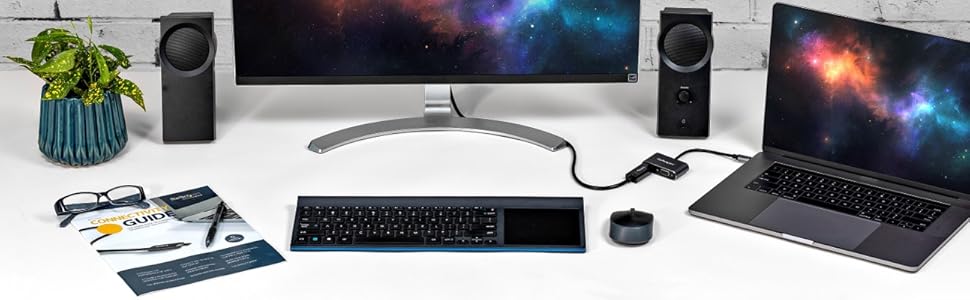
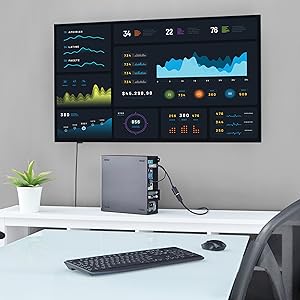
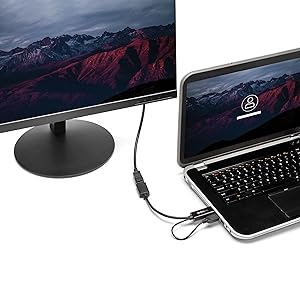
The StarTech.com HDMI to DisplayPort adapter actively converts HDMI 1.4 signals to DisplayPort 1.2, supporting up to 4K resolution at 30Hz. USB-powered for convenience, it requires no drivers and enables professionals to easily connect HDMI-only devices to DisplayPort monitors, boosting productivity with crisp visuals and rich audio in a compact, plug-and-play design.


| ASIN | B0144NS4Z6 |
| Best Sellers Rank | #282 in DVI-HDMI Adapters |
| Brand | StarTech.com |
| Color | Black |
| Compatible Devices | Devices with HDMI output |
| Connector Type | DisplayPort/HDMI/USB |
| Customer Reviews | 4.2 out of 5 stars 404 Reviews |
| External Testing Certification | RoHS, FCC |
| Finish | Hdmi,Projector |
| Global Trade Identification Number | 00065030861588 |
| Input Voltage | 5 Volts (DC) |
| Item Dimensions | 10 x 0.9 x 0.5 inches |
| Item Type Name | A/V Cable |
| Item Weight | 0.04 Kilograms |
| Item dimensions L x W x H | 10 x 0.9 x 0.5 inches |
| Manufacturer | StarTech.com |
| Mfr Part Number | HD2DP |
| Model Number | HD2DP |
| Number of Items | 1 |
| Number of Ports | 2 |
| Package Quantity | 1 |
| Power Plug Type | No Plug |
| Smart Home Compatibility | Not Smart Home Compatible |
| Specific Uses For Product | Monitor,Projector |
| UPC | 065030861588 |
| Unit Count | 1.0 Count |
| Warranty Description | 2 Year |
| Warranty Type | Limited |
R**E
Excellent adapter, but doesn't support multiple monitors when connected to a StarTech DP hub.
My title pretty much sums it up. This adapter works for utilizing a single DP monitor connection. My hope was that it would allow me to use my dual DP monitors on my HDMI only laptop. My other laptop has a DP port and I connect two 27" monitors to a StarTech DP hub (MSTDP123DP, ASIN B00JLRBB8I)...works perfectly. My other laptop (work) has only USB and HDMI ports. So...enter this adapter. I connected the HDMI to DP adapter...then connected it to the previously mentioned hub. No joy. Works with a single monitor directly. Works with a single monitor connected via the hub...but two connected DP monitors results in two black screens with a "no signal" message. So, I doubt my use case was intended in the design so it is not fault of the product. Works as designed and works well. However; consider other options if you intend to connect multiple DP monitors to your "HDMI only" device.
T**M
Works Great! Easy intall. Simple - no configuration or software was needed
What an awesome little adapter. Simple, with a "clean" design. No software was needed. Plugged adapter into the HDMI port, then plugged the USB connector in. Then plugged monitor cable (Displayport) into the adapter. Turned on the computer and VOILA! Worked perfectly. Running 1920 x 1080 on 23 inch monitor. Works great!
E**H
works with a little bit of adjustment
I have a dell u2711 and wanted to get a bit more out of the monitor. 1440p is not supported over HDMI. After a bit of research I found this cable and plugged it in. It didn't work right away. I kept getting an error from the monitor saying the supported resolution was not supported and to change it 2560 x 1440 @ 60 Hz. After poking around in the xbox settings I turned of 50hz and 24hz and it worked!
F**X
This is trash. Don't get it.
This item worked great... for a day and a half. Plugged it into the HDMI and the USB port, and it worked right away. Two days later, I left my computer to go do some stuff, long enough for it to go to sleep. I came back to two blank screens, not surprising, but then I move the mouse and only one of my monitors comes to life. The one attached through this item wouldn't come back up. It's not the monitor, as I plugged in a different feed to it on the same input. Not the cable, tested that as well and it worked fine. By process of elimination it has to be this piece of junk, which I paid extra to have over-nighted. Would have been an easy 5 stars if it just kept working. Save yourself the time and pain, go with a different active converter, even though it will cost you twice as much. I guess you get what you pay for. EDIT for UPDATE: I was able to get a replacement over-nighted from Amazon. I am fully willing to give a company a second chance, because I know stuff happens and sometimes things can slip through despite best intentions. I received the replacement late yesterday, and plugged it in. Like the first sample, it worked great, and I was very happy... for about 8 hours. I put the computer to sleep, and went to bed. Got up this morning, and the adapter wasn't working again. Since I'm already involved in this imbroglio, I'll probably try to get one more sample to see if that one works. I don't have high hopes. I reiterate: If you're looking at HDMI to DP converters, I wouldn't tough this one with a 10 foot pole.
P**E
Actually works, unlike others
I started an odd journey, looking for a way to connect my HDMI only Alienware Alpha PC to my Apple LED Cinema Display (27", 2560x1440). This display panel only can be fed with (mini) DisplayPort. I'm sure anyone looking at this product will realize it is very easy to find DisplayPort (Source) to HDMI (Display) converters but not the other way around like this device. This product (and any other video signal converter typically) is NOT bi-directional. It will not convert DP -> HDMI. I does convert HDMI -> DP wonderfully. I had initially ordered another one by GoFanco(?) I think on Amazon, and it worked 2/10 times I would plug it in. Screw that, returned it, got this, I'm happy. Worked the first time, it doesn't seem to care which end you plug in first, and in my case doesn't even need the additional USB plugged in for power. My guess would be it's required when the HDMI port can't supply enough power to the converter. I used this DP > MiniDP passive adapter to connect to the monitor itself: https://www.amazon.com/gp/product/B003N3DTKY It worked across various resolutions, all at 60hz: 1024x768, 1280x720p, 1920x1080p, and the native res of the Apple monitor 2560x1440. Not sure how much higher it goes, maybe 4K, HDMI hardware permitting. The conversion yields a perfectly clean image. Just FYI this will not help you if you have the newer Apple Thunderbolt Monitor. That is Thunderbolt only.
S**E
May work better with Xbox One X or S due to the ...
Doesn't work that well with a 1440p DP monitor (60/120/144hz). Had to jump through hoops to get 640x800 temporarily then stream from my Xbox One to PC. Any other setting on Xbox would not work. May work better with Xbox One X or S due to the fact they support 1440p and 4k. Word of advice don't get a DP only monitor or live with the fact for awhile nothing but your desktop will be able to easily connect to it. Other than that probably works great with other things.
C**S
Best customer service EVER
Bought a new graphics card for my PC. Thought it came with a Displayport out. I was wrong. HDMI and DVI only. Ordered the HDMI to DP adapter hoping I could use that to get Nvidia g-sync working on my monitor (it only works via a DP connection). While I was putzing around trying to make it work, I set my refresh rate too high and it turned my display completely blank. Couldn't reset it to the original resolution because I couldn't see anything on the monitor. I about lost my mind. It was nearly 10pm and I knew I wouldn't be able to sleep until I fixed it. Took a shot in the dark and called Startech's 24 hour support line. Expected to get an answering machine asking me to leave a callback number. Nope. I real live human answered. He knew what was wrong immediately. I'm a bit of a PC gaming noob. He took a ton of time explaining how the different display connections worked. Then he told me straight up that the adapter I bought wouldn't work to activate g-sync not matter what. He had no problem encouraging me to return the item since I couldn't use it. Then he told me what I needed to do to upgrade my graphics card to get the result I'm looking for. As a noob, he could've told me anything and I would've believed him. Instead he was honest and helpful even though it wasn't exactly in his interest. Turns out I'm going to keep the adapter. I can use it to connect my work laptop to my monitor via the DP port while my PC is connected to the monitor via HDMI. I just switch between the inputs. I'm buying all my cables/connectors from Startech going forward. You've got a customer for life.
J**K
Worked perfect to drive an 8K monitor from the HDMI on my computer to a KVM to the monitor.
M**A
A must buy for anyone out there who doesnt have ...
A must buy for anyone out there who doesnt have a HDMI port in their laptop to connect their Cintiq pro. This really works.
I**R
Funktioniert am Apple LED Cinema Display 24“ A1267
Der einzige und wirklich einzige Adapter der mit HDMI am Laptop oder an der Dockingstation ein Bild am Apple LED Cinema Display 24“ darstellen kann. Alle anderen Adapter oder Kabel die es hier gibt, funktionieren NICHT!!!
B**T
Great for connecting HDMI PC to iMac
It works well on an 2010 iMac 27" display with an Alienware Alpha PC. Supported the native resolution of the display (2560×1440) @ 60hz and picture quality is crisp. Hard to find a solution to plug hdmi only devices into iMac at full resolution and not 720p, this one worked flawlessly. Able to support up to 4k @ 30hz however I have yet to test that capability out yet. Bottom line, if you have an hdmi only PC and would like to utilize your older iMac as a display for it look no further. Just a side not the does NOT support THUNDERBOLT models of the iMac, only MINI DISPLAYPORT variants (2009/2010).
S**N
Works with 1440p 60Hz display
Does exactly what I needed, had some issues waking the monitor from sleep but it's working fine now after replugging the displayport cable enough
M**.
Uno nessuno , centomila (l ultimo è il costo del cavo )
Carissimo. Non c è dubbio..un collegamento per la dialisi costa meno.. Lo si può usare per pagare il riscatto di qualcuno...però...funziona..nessun altro cavo comprato ha fatto il suo lavoro e così bene.. per chi ha problemi con la tavola grafica Wacom cintiq pro questo è il cavo che fa per voi.. quando vedi Genova piangi due volte..quando la lasci e quando paghi questo cavo.
Trustpilot
1 month ago
4 days ago