Buy anything from 5,000+ international stores. One checkout price. No surprise fees. Join 2M+ shoppers on Desertcart.
Desertcart purchases this item on your behalf and handles shipping, customs, and support to Thailand.
🔗 Power up your workspace with speed, safety & style!
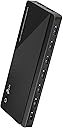
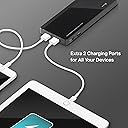
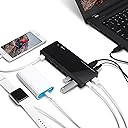
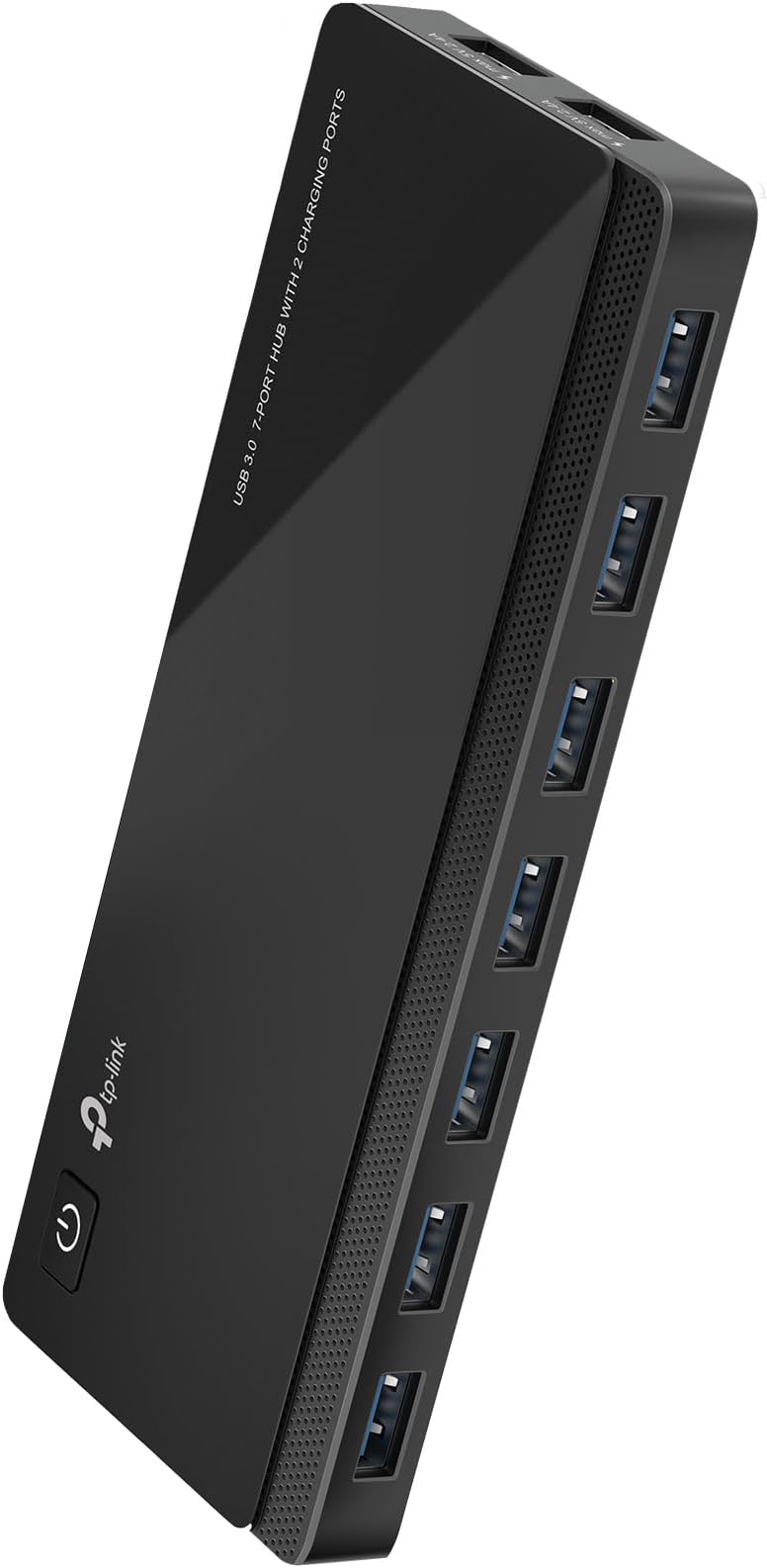
The TP-Link UH720 is a premium 9-port USB 3.0 hub featuring 7 ultra-fast data ports and 2 smart charging ports delivering 5Gbps transfer speeds and 2.4A charging output. Designed for professionals juggling multiple devices, it offers advanced surge and circuit protection, plug-and-play compatibility across major OS platforms, and a convenient power on/off switch. Perfect for decluttering your desk while powering and syncing your essential tech with confidence.


| ASIN | B00SCX6I8A |
| Additional Features | Play, Plug, Powered |
| Best Sellers Rank | #46 in USB Hubs |
| Brand | TP-Link |
| Built-In Media | power adapter, USB Hub |
| Color | Black |
| Compatible Devices | Desktops, Keyboards, Mouse, Printers, Smartphones, Tablets |
| Customer Reviews | 4.5 out of 5 stars 4,976 Reviews |
| Data Transfer Rate | 5 Gigabits Per Second |
| EU Spare Part Availability Duration | 2 Years |
| Enclosure Material | Plastic |
| Hardware Interface | USB 3.0 |
| Item Dimensions L x W x H | 7.8"L x 5.8"W x 2.8"H |
| Item Part Number | UH720 |
| Item Weight | 500 Grams |
| Manufacturer | TP-LINK |
| Mfr Part Number | UH720 |
| Minimum Required Operating System Version | ChromeOs 134, Mac OS X 10.6 Snow Leopard, Windows 8.1 |
| Model Number | UH720 |
| Number of Ports | 7 |
| Operating System | Windows, Mac OS X and Linux systems |
| Special Feature | Play, Plug, Powered |
| Total USB Ports | 9 |
| Total Usb Ports | 9 |
| UPC | 845973010041 |
| Warranty Description | 2 years |
T**R
No more spaghetti wires
Review: TP-Link Powered USB 3.0 Hub (7 Ports + 2 Charging Ports) I don’t usually write reviews, but this one earned it. This is one of the few USB hubs I’ve bought that is actually true USB 3.0. And that matters more than most people realize. A lot of hubs claim “3.0,” but if they don’t have the proper 3.0 cable and you’re not plugged into a real 3.0 port on your computer, you’re not getting 3.0 speeds—period. This one does it right. As soon as I hooked it up properly, I noticed an immediate difference. Devices responded faster, file transfers sped up, and everything just felt more stable. No lag, no weird disconnects, none of the usual nonsense you get with cheap hubs. The powered aspect is a big deal too. Running multiple devices off a non-powered hub is asking for problems—things drop out, drives don’t spin up right, etc. With this, everything stays solid. The extra 2 charging ports are a nice bonus for phones or accessories. Build quality is good, setup is simple, and most importantly—it actually performs like it’s supposed to. If you’re tired of hubs that say “USB 3.0” but don’t act like it, this is one of the few that delivers. Bottom line: If you plug it into a real USB 3.0 port, this thing just works—and it works fast. Ignore the spaghetti wires in the video—this hub is actually what’s going to let me clean all that up. Now that everything’s running through one solid, powered 3.0 hub, I can finally reroute things properly instead of patching cables everywhere.
E**O
Best USB Hub From My Experience (MUST HAVE!)
Now a days it seems harder and harder to find a computer with enough USB ports to be able to accommodate the amount of devices you need in your daily workflow. Being a music producer and content creator this hub has saved my life. I am going on my third year since I’ve purchased this USB hub and I do not regret it one bit. I purchased another around the same time and this was the keeper between the two. The way it sits on my desk I sleek and out of the way. I have a few external hard drives attached, my audio interface, midi devices, and my gaming controller adapter. I love the fact that I didn’t have to keep swapping devices while putting my cables and USB ports on my tower in jeopardy. As time has gone on I found this hub to be very, very useful and reliable. To top things off it has a dedicated fast-charging port that works great for my GoPro when I am recording on it with no battery. It is plug-n-play with no need for any drivers. It has a power button for easy turn off or reset, if needed for whatever reason. I have zero heating issues with it and the lighting on the buttons and ports are subtle yet visible. I’m not going to lie. I did buy another hub recently thinking I would save a couple bucks, but I might have made a mistake by not buying another one of these by TP-Link… Definitely recommend.
J**Z
Flawless
Brest hub. Nice slim design. Good amount of ports. Powered hubs are the only way to go and this one supplies a good amount. From what I’ve seen it doesn’t get excessively hot while being used heavily. I have 2 of these. I use one for my PC and the other is for my Xbox Series X with no compatibility issues. I fairly certain you could use this with anything that has a USB port. It’s backward compatible with 2.0 but if you want to get the most out of it use it with, at least, USB 3.0. Charging speed seems to be good. I don’t use it for charging specifically because I have multiple charging stations. Usability has a wide range thanks to a lack of complexity and unneeded features that require specific software or drivers. The hub connected to my PC has portable hard drives, 2 wireless usb dongles for a mouse and a keyboard, a charging stand for a Jabra headset, a 4k windows hello webcam, and a few other things I can’t think of off the top of my head and it works flawlessly.
I**N
Good Product, Somewhat Misleading Description
I had bought this product for a new computer I had built and from the get go I had some problems with connecting USB's into it and them staying connected to my computer. For the longest time I had assumed it was my computer being buggy and just not being properly updated, but it turns out that it was a compatibility issue. The description of the product says that this hub is compatible with Windows/MacOS and Linux, but what it fails to mention is that if you are using Windows, you need to be using Windows versions between 7 and 10. I'm a Windows 11 user and the whole time I was under the assumption that it would be compatible with my that version of windows when in fact it isn't and even says so on the box. This info is not anywhere on the page so just be aware of that. Anyway, the Product itself is built extremely well and even works well on a laptop I tested it on that is running Windows 10 Home. If it was not for the lack of such an important piece of information on the product page then I would have rated this 5 stars. If you are still wanting this hub specifically and are running a Windows 11 computer, TP-Link actually sells an exact version like this on their website called UH720 V4. Just updated to work with Windows 11, albeit at a raised cost. Regardless of the problems I faced, I recommend this product for anyone needing a reliable piece of hardware that gives you some extra leeway on how many accessible USB ports you have.
S**M
Reliable Expansion Hub — Perfect for External Drives and Accessories
So far, this TP‑Link Powered USB 3.0 Hub has been solid. It’s great for running 2–3 external drives at the same time, plus extra space for accessories like external audio outputs. Since it has its own power supply, it doesn’t drain anything from my laptop which is a huge plus when you’re running multiple devices. At the time of this review, I’ve been using it for about two months and everything is still working smoothly. I’ll update this as months or years go by to share long‑term performance. Just a heads‑up: this is not a video‑output dock. If you need HDMI or display support, skip this. This hub is strictly for USB expansion, and for that purpose, it does the job really well.
F**Y
Old powered hub just couldn't take my DAC
My old 3.0 powered hub which had served me well over the years started to suddenly malfunction when I connected a Toppings USB DAC to it. For those who don't know, DAC stands for "Digital to Analog Converter" and is considered a better sound source for listening. Well I read that it could be helpful to run a USB DAC off a independent USB powered hub instead of directly connected to the computer for even better sound. Snake oil...Hmmm, I'm not sure but I thought I would try it. Well my old hub started acting wonky from the first moment I connected my DAC . The DAC's front led screen wouldn't start up correctly and the sound wouldn't work 3/4 of the time, especially when I booted it up with my computer. But this DAC was working and still would work when I plugged into my computer directly! I assumed the hub had a power problem. So I bought this TP-Link Powered USB Hub 3.0 and It has had no problem handling the DAC being connected to it. This TP link has plenty of power and It hasn't "wonked" yet when booting up and it has almost twice the inputs of my old hub. Now my DAC is working great (better sound?) and the hub has given me more cord length so I moved the DAC to the other side of my large work station. TP Link is a trusted brand and if you need a good powered USB hub I think this is a good bet!
C**.
Well Engineered and Manufactured Product
1. Unit is rock solid in both, performance and build construction. 2. The Power and USB Connector interface was redesigned. A tight interference fitment = zero issues. 3. Been using this since October 2021 24/7 on a 2014.5 Macbook Pro Retina with zero issues 4. The speed / port speed checks out 5. The two charging ports charge an iPod Classic 160GB as well as stylus pens and small USB desk lamps. 6. Tested on a 2014.5 Macbook Pro Retina running OSX 10.15.3 and Boot Camp running Windows 10 7. Running memory cards affixed into a USB Media Transfer Hub works flawless and just as good as directly mated to the MBP Laptop Port. 8. Even running an iPod works fine - the computer sees it without asking to connect it directly to the MBP. 9. Garmin Diesel 740Z mated up charged without issue and was later connected without issue when running firmware and map updates. *See Note 10. Firmware updates for the Kinesis keyboard - no issues when connected to the USB Hub. ** See Note * ** NOTE: As a rule of thumb here: I don't recommend getting into the habit of running firmware updates while attached to a Hub. My default recommendation is mating to the laptop ports and bypassing USB hubs in general. The old design issues involving the USB and power connector were designed out and replaced with rock solid fitment. Form, Fit and Function under quality control are superb on the unit I received in October of 2021. USB Front Port Fitment is firm and tight and feels very robust upon insertion without side to side slop like on other ports I've tested. Same applies to the two charging ports on the right side. The Power <ON> button always works and never flakes out. USB Hub work with both Windows 10 and Mac OS 10.15.3 without issue. No issues on either Device Manager. This hub is the first one that does not get impacted by sudden power outages or during times of hot swapping devices involving removal of the main USB connector at the laptop port. On OTHER Hubs -upon reconnect post reconfiguring and or cleaning like all the past ports I've had. This is the first and only hub i've used that doesn't require cycling <POWER> and a total reconnect in a certain sequence regarding connecting external devices to get it working post power outages etc.. This is the first USB Hub I've had that is simply Plug & Play across the board without all the memory issues associated with older style hubs. I run two external Kenisis Ergonomic Keyboards and a Kensington Slimblade trackball setup running off the older version of Kensington's Trackball Works without issue or interrupts / random disconnects. Other USB hubs had issues post sleep / wake / power <OFF> power <ON> wherein, the Kensington Software would not see the trackball thus forcing one to remove the device and reconnect in order to get the software to "see" the trackball. This USB has none of those issues. This is thee best USB Hub out of seven that I've ever used. I'd order another as a backup in fact. I highly recommend this model knowing the issues that plagued older revisions were redesigned and reconfigured with new hardware to remedy those failures. The cats have jumped up and toppled my keyboard trays with trackball off the desk and yanked the USB hub - dangling by the cable and it was still online and connected. These cables are securely fitted into this newly designed hub (Note: Mine was delivered to me October 2021 per order history). The transfer speeds have been just as fast as the laptop ports. Highly Recommend this particular USB Hub. Hopefully, it's going to last many years (reliability). I've only had it since October of 2021. The Hub has been in use nearly 24/7.
N**A
Total junk
EDIT: I ended up returning this to Amazon it was so bad. ***ORIGINAL REVIEW*** This is complete garbage. First off, they use an extremely cheap proprietary (hard drive) USB cable instead of USB-C or even standard USB-A. Secondly, when I plugged in the cable, it is so extremely flimsy that it would not stay plugged in, even in a very stationary and calm environment. It completely stopped working within 5 minutes. I ended up buying a second USB-B cable, thinking that I had a bad cable or broke it, but nope, it's the port. There's an issue where the cables don't fit snugly and it's nearly impossible to get them to stay. Also, the "wall wart" charger is the absolute biggest, most awkward charger I've ever seen and will take up 2-3 spaces on your outlets. Also, the provided charge cable is about 3 feet long. So, let's see the logic in that. You're buying this because you obviously need several connections to reach over several feet. However, your MAIN hub has to be within 18" of your PC, unless you use -- checks notes -- another hub! That's not logic; that's just cheaping out -- completely. There are no lights at all to let you know if your port is working or receiving/sending data. It's noisy. It's not worth $5. Sorry if you read this after buying it. If you're reading before, skip it.
N**O
4th time buying this
This is great as it has 7 ports and 2 charging ports as well. Works well. I bought the first one several years back, since then have bought 3 more - one for my son and another for my PC and one more for my Mac. Works well with both Macs and Windows PCs.
I**S
USB HUB
Moltoefficiente perchè ha i led per ciascuna porta e capire quale periferica USB non funziona è molto più rapido senza dove passare su "info su questo Mac"
D**.
Data copy/ transfer speed and additional power supply.
I liked the product - excellent because of power supply support - all 7 nos USB ports and charging ports work well and the data transfer / copying speed is fast.
C**F
Qualidade ímpar, segundo que compro
Uso um UH720 há quase dez anos e ele sempre funcionou sem falhas, com ótima estabilidade e potência para vários dispositivos. Gosto tanto da qualidade e confiabilidade que acabei comprando um segundo aqui. Recomendo sem hesitar.
M**Z
Top!
Reaktion, Kompatibilität, alles voll in Ordnung. Habe, wie fast alles im Arbeitszimmer an WLAN-Steckdosen hängen, um nur dann Strom zu verbrauchen, wenn ich es auch benötige. Funktioniert dort auch sehr ohne Probleme. Passt alles.
Trustpilot
1 month ago
3 weeks ago