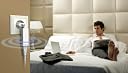
🌍 Stay connected everywhere, effortlessly stylish and ultra-portable.
The Edimax BR-6258nL Travel Router is a pocket-sized powerhouse delivering up to 150Mbps WiFi with IEEE 802.11b/g/n standards. USB-powered for ultimate portability, it features Smart iQ Setup for lightning-fast installation and supports 3-in-1 modes including router, access point, and WISP. Perfect for business travelers, it securely shares a single hotel WiFi login across multiple devices, eliminating extra fees and connectivity hassles.
| ASIN | B00ADHPP6Y |
| Antenna Location | Home |
| Brand | Edimax |
| Color | Mini |
| Compatible Devices | Laptop, Smartphone, Tablet |
| Connectivity Technology | Ethernet, USB |
| Control Method | Touch |
| Customer Reviews | 3.8 out of 5 stars 104 Reviews |
| Frequency | 2.4 GHz |
| Frequency Band Class | Single-Band |
| Global Trade Identification Number | 00132018276525, 04710700929124 |
| Item Weight | 27.22 g |
| LAN Port Bandwidth | 150 Mbps |
| Manufacturer | Edimax |
| Maximum Upstream Data Transfer Rate | 150 Megabits Per Second |
| Mfr Part Number | BR-6258nL |
| Model Name | BR-6258nL |
| Model Number | BR-6258nL |
| Number of Ports | 1 |
| Operating System | ZyNOS |
| Other Special Features of the Product | Access Point Mode |
| Security Protocol | WEP, WPA-PSK, WPA2-PSK |
| Special Feature | Access Point Mode |
| UPC | 616268716340 801038396741 172304261217 132018276525 649659019775 115971589130 506129847828 |
| Voltage | 5 Volts (DC) |
| Warranty Description | 2-year limited manufacturer's warranty |
| Wireless Communication Standard | 802.11b, 802.11g, 802.11n |
| Wireless Compability | 802.11b, 802.11g, 802.11n |
P**E
I was ready to dig into the advanced settings and spend a good hour to set it up just right
This review is for the mini stick shaped version (BR-6258nL). It is absolutely tiny. Set up was a breeze. Having used many routers by many different vendors in the past, I was ready to dig into the advanced settings and spend a good hour to set it up just right. Boy, was I wrong. Set up literally took 3 minutes. Your grandma can probably do it. As soon as I selected the router name in the wireless connection settings of my tablet (I'm sure it would work the same on a laptop as well) it connected and prompted to open the router page (the same way when you connect to a hotel wifi and you get the prompt for the terms and conditions page) and it fired up the browser window and opened the set up page. The router set up page asked a few questions about how I wanted to connect it, the explanation for each item was written for a layperson, the router restarted itself a couple of times through the process and it was set up. I couldn't believe how streamlined the process was. I previously purchased the TP-LINK TL-WR702N Wireless N150 Travel Router, Nano Size, Router/AP/Client/Bridge/Repeater Modes, 150Mbps, USB Powered for the same purpose and that thing was a mess. The set up page was confusing, wifi selection page never opened on my computer and caused the router to restart itself. Settings were very confusing, I had to factory reset it mutiple times because I kept losing access to the set up page (due to messing with DHCP settings). Most importantly, although it is advertised as a travel router, it doesn't work well at hotels with no ethernet. For the technical folk, that router doesn't have wisp mode, in other words it doesn't do DHCP and NAT except when in the hardwired router mode. In wifi modes, all DHCP requests are passed on to the hotel router. So forget about using a streamer with no browser or sharing the same wireless connection for multiple devices, Anyway, back to the Edimax. This router is perfect for hotel use. a) If there is ethernet, plug the ethernet cable into the wan port, connect to the router from any device, go to the set up page (192.168.8.1) and go through the set up options to select ethernet. Boom. Done. b) If there is only wireless, connect to the router and open the set up page, select wifi, select the hotel wifi from the list. Boom. Done. If the hotel wifi has a terms and conditions page or a login page where you enter the room number and last name, the first device to try and connect to the internet will have to accept it, after that all other devices will be free to surf. That's because this router has wisp mode, where it connects to the hotel router as a client, and then broadcasts a separate wifi network that your devices are a part of. The hotel thinks that all the communications are coming from one device (the Edimax router). The wisp mode allows two great advantages for travelers: 1) Some hotels charge for wifi connections, this router will let you shared that with multiple devices without paying for each device. 2) Unlike the Tp-link listed above, this router allows devices without browsers to be able to connect to hotel wifi (only the first device has to accept the terms and conditions). So Chromecast works, fire tv's and roku's work as well. Even though I said I didn't have to dig into the advanced settings, I still browsed through them because of curiosity and to change the password for the set up page. I was shocked to see as many options as my full size router at home. This is not a watered down product at all. Whereas the Tp-link was definitely watered down and it was missing many features like firewall or QOS management, etc. This one has it all. Cons: Really only one, there is no ethernet cord included. The Tp-link came with a really nice, tiny flat cord (first time I saw a flat ethernet cord, pretty cool). I wish this one included something similar. And also fyi, there is no power adapter, but there is a built-in usb cable that you can plug into any usb port (not really a con).
V**E
My handy little travel companion.
This is a great little gadget. I wanted something smaller than my Airport Express when I travel and this fit the bill. Easy setup though extended period does disconnect sometimes so you have to reboot it. I love that you can plug it into any usb charger or the USB port of your laptop for power. Works great as WISP. I set it up with the same SSID & password as my home network so that all my devices connect automatically.
D**B
Awesome (almost)
Edit on Dec 19. There are times when I find it very useful to disable the DHCP server, which disables the router function. And that allows wireless computers to be on the same domain as wired computers and printers on the network. The configuration screen includes an option box for the DHCP server. However, when I tried to use the setting, I found the only option is "Enable". I sent a tech support request using the web form and heard back from the now famous Judy the same day. Her answer clearly indicates she understood my question, understood the implications, and confirms that the DHCP server cannot be disabled. I'm disappointed. But I decided to keep the 5-star rating because this functionality is not required to allow the device to perform it's advertised purpose. And I must say it is very rare to get tech support this good. Most readers won't know what I'm writing about. But if you are the one-in-a-thousand readers who think this handy device might serve two disparate purposes, you should know that "you can't get there from here". *** This is an amazing device. For $20, it is an awesome device. We will take a trip to China. According to the hotel web sites, most of our rooms will have Internet access, but not WiFi. Every device we own requires WiFi, even my tablet / laptop. We need a device that turns internet into WiFi. I bought this and tried it at home. I followed the quick setup. Everything worked out of the gate. Besides connecting to hard-wired internet, the device has a WISP (Wireless ISP) mode. This lets the user log several devices into WIFI under one IP address. Some hotels charge for each device connected to their WiFi, so this can save some people money. The trick to making WISP useful is to allow the user to log into the hotel's web site. I have not personally tested this and I don't expect to find WISP useful. But other reviewers have confirmed it works. It's a very nice feature for those who benefit from it. I walked through the advanced settings. I was pleasantly surprised to find more features than I will ever want to use. I can't imagine anything I would want to do that this device can't do. In fact, I am wondering what it is that makes the more expensive WiFi routers worth so much money. I found one glitch, and it's a very small one. The router couldn't find the time service that it was programmed to use. Because of this, it didn't know the time or date. I'm not sure why it would ever be important for the router to have the correct date and time. But it's certainly easy enough to fix. You can find a list of time servers run by NIST (the US standards bureau) at tf.nist.gov/tf-cgi/servers.cgi. I set the time service IP address to one of the NIST servers, and it worked right away. But this device isn't about advanced features and complex configurations. It's about making it very easy to connect your WiFi devices to either hard-wired internet or WiFi. The genius is that the default configuration and feature set makes this so easy to do, in a form factor that is perfect for travel, and at an amazingly low price. Edimax has a winner here.
M**Y
Avoid it
This is a *horrible* device. I use it primarily for the WISP functionality (connecting to the internet via wireless instead of using cable). I hoped to replace the Asus WL330NUL, which was excruciatingly slow. This device is FAR worse -- every setting modification you make will cause it to reset, and requires you to wait 60 seconds and reconnect to wifi. For some reason, my lenovo laptop is unable to ping the router and access the internet, even though it's able to acquire an IP address via DHCP -- I suspect this might be related to the MTU size, but there's no option in the router to modify this value. MAC cloning only appears if you use the quick setup menu, which I don't believe works at all because the "Internet Status" page always shows "disconnected," even though my iPad can clearly access the internet through it (but not the laptop!). Once connected, the router is slow, slow, slow -- it's like the thing is running android with 64MB of memory. Finally, the setup menus look remarkably similar to my old Sapido portable router, which was also a horrible device and my laptop also have trouble connecting to it. For example, the menu labels and ordering are exactly the same. I suspect all these chinese brand routers come from the same factory. So, save your time.
D**N
Worked fine, but done in by poor design.
Worked fine, but very quickly the wires from the usb port came loose from the device--right after the return window closed.
M**E
Reliable easy to setup and makes me feel much safer when using wifi in a hotel.
I wish I could have given 3 and a half stars. I am sure it could be a 4 star but I was really hoping it would do one extra thing that it just does not do. The device seems to be very dependent on the ethernet connection. When connected in a hotel or other LAN the device works okay. It does allow sharing the ethernet connection and making a 'local' wifi network. I just wish I could use the local wifi WITHOUT connecting the ethernet/LAN cable. I know I would not have internet connectivity, but I do not understand why I can not just make a local wifi network without the LAN connected. It is a nice small size, easy to include in my travel kit, but it would be so much more useful if I could connect my laptop to my tablet even when I did not have to have or want the internet connection. (I know I could just do Ad-Hoc network in that instance, but Ad-Hoc has its own limitations.
9**8
Amazing Device
I thought that it was impossible to improve on the BR-6258n, but boy was I wrong. The even smaller BR-6258nL offers virtually all the expert setup options of the BR-6258n, but it has an express setup menu for its two most common uses, which can be set up in under 5 minutes. You no longer need to be a geek to use it. On the other hand, it is sold without an USB wall charger and it doesn't have an Ethernet LAN port - two features of the BR-6258n. In my view the easy set up and smaller size are much more important than the missing $1 charger and the LAN port that never gets used. Let me explain why every traveler needs one of this. If you connect to a hotspot or to a hotel's guest network, there are three major issues. First, you are connected to the same router as strangers, who can see you. Second, the hotel may only have wired Ethernet. Third, some hotels and hotspots charge per connected device. The BR-6258nL solves all three issues with ease. The BR-6258nL gets the internet wirelessly or from wired Ethernet (WAN port). Then, acting as a router with its own IP, it rebroadcasts the internet wirelessly with its own identifier of your choice and with its own security of your choice. The hotspot and any other users only see one device: the BR-6258nL. I have tried other devices that claim to do the same, like Sapido BRE71n, TP-Link TL-WR702N, TP-Link TL-MR3020, but the fact is that they only do some of these functions and their setup is cumbersome. A few of these alternative devices also have low WiFi power or undisclosed limitations, e.g., TP-Link doesn't work if a password has special characters like the innocent dot ".", the Sapido has very low Wifi power and it can't get the internet from wireless access points (WISP) although the manufacturer claims so. The tiny BR-6258nL is permanently in my briefcase ready to help. Don't forget to disable the WPS function as you should with other any wireless device as it is a security risk. I paid $25+tax. I have no relationship whatsoever with any device manufacturer or seller.
N**O
A simple, inexpensive, small solution (w/ limitations)
I found myself in a hotel overseas with unsecured wifi. I bought this to be able to set up my own security on an insecure network anywhere there is open, unsecured wifi. It's tiny and USB powered. The only issue I have is that it's 2.4 GHz single band and not 5 GHz dual band. When I set this up at home and tested it, my direct connection speed test showed 54 - 58 Mbps down to my Macbook Pro, while the Edimax ran 6+ Mbps down. A huge speed loss, but secure. At present, there is only one portable travel router that uses 5 Ghz, but it's almost four times the price and 8-10 times the size of the Edimax. And, you'll need to purchase a micro male jack to a male USB connector to power it off your laptop or a wall adapter with USB connections. I'll see how the Edimax works at Starbucks before I invest in a technology that's destined to become standard and much less expensive, soon enough.
S**O
Einfach in der Anwendung
Ziel war, ein WLAN-Netzwerk aufzubauen, um Präsentationen auf dem iPad (mit Keynotes) über das iPhone zu steuern. Dazu müssen sich beide Geräte im gleichen WLAN-Netz befinden. Beim Kunden oder sonstwo kann man das im Regelfall nicht sicher stellen. Versuchsaufbau: Edimax mit USB-Adapter an Steckdose angeschlossen (Installationsroutine problemlos gemeistert). iPhone an Edimax-Hotspot angemeldet. iPad an Edimax-Hotspot angemeldet. Keynote auf iPad aufgerufen. Fernsteuerung über iPhone gestartet. Funktioniert auf Anhieb. Erst später habe ich den Edimax über Netzwerkkabel mit einer Fritzbox verbunden. Internet kann er auch. So klein und so genial. Die anderen guten Rezensionen hier kann ich nun bestätigen.
J**C
Small and easy to use. Perfect with Chromecast.
This is tiny but works perfectly. I use it in hotel rooms to share the hotel wifi with my Chromecast so that I can watch Netflix on the large screen in the room. It takes no space at all in my suitcase and can be powered from the USB socket on a TV or from a wall charger. It was very easy to set up.
D**.
it has good range for shared connection
I usually have to run through the connection steps a few times in row to get it to stay connected; I'll complete the setup and connect to the hotspot, then on the next screen I'm put back to the first setup screen again. It rarely remembers the last working connection after I unplug it and try to use it the next day. When it's connected, it has good range for shared connection.
S**E
Brilliant little device
I use this mostly as a travel router to connect multiple devices to hotel or other hotspot wifi. Its worth spending a little time getting used to the device before travelling, I tested and set it up on my home wifi first, then connected all my devices I travel with to it. That way connecting and getting to the signup pages from hotspots was easy and painless from any device - I found it actually easiest to use an iPad for this. Awesome value too, its easily paid for itself in just a few trips.
A**N
I bought a HooToo Tripmate after this unit broke after ...
I bought a HooToo Tripmate after this unit broke after light use. The USB wire broke off from the main unit after the weak soldering connecting the wire to the board broke after only a few months of use. The range of the unit and the software is decent but the construction is weak, especially for a portable unit.
Trustpilot
1 week ago
2 weeks ago