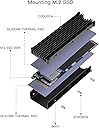
🔥 Keep Your Cool While You Game!
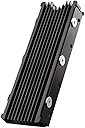
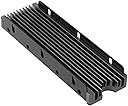
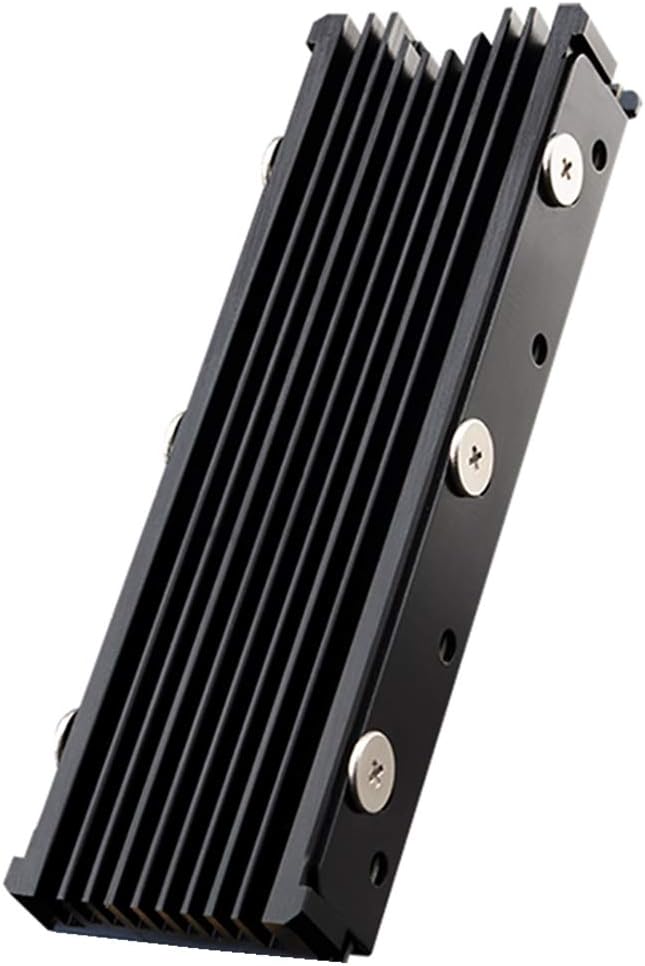
The M.2 Heatsink NVMe 2280 is a high-performance cooling solution designed for M.2 SSDs, ensuring optimal temperature management for your PS5 and PC. With easy installation, universal compatibility, and advanced thermal materials, this heatsink enhances your gaming experience while prolonging the life of your SSD.


| ASIN | B08G823MLD |
| Best Sellers Rank | #2,507 in Heatsinks |
| Brand | QIVYNSRY |
| Brand Name | QIVYNSRY |
| Cooler Heatsink Compatibility | samsung970evo/980pro |
| Cooler Heatsink Material | Aluminum |
| Customer Reviews | 4.8 out of 5 stars 2,916 Reviews |
| Included Components | 1 |
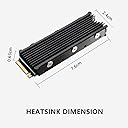
| Item Dimensions L x W x H | 3"L x 0.95"W x 0.4"H |
| Item Weight | 28.3 Grams |
| Manufacturer | QIVYNSRY TECH |
| Mounting Type | Clip and Screw Mount |
| Part Number | EC-009 |
| Product Dimensions | 3"L x 0.95"W x 0.4"H |
D**!
Nice complete kit.
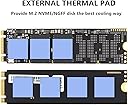
I wish I had the patience to do some benchmarks and science to show some reliable before and after temps under load but I'm running Ubuntu CLI and it would have required research and time I didn't want to invest. Based on everyone else's reviews, this might help reduce temps somewhere between barely and a lot. I would attribute that to the unscientific methods used to test. Many people are talking about IDLE temps, which is like trying to compare the performance of a couple parked cars. The only really test that matters is whether or not this will keep your SSD from throttling under a full load. If it does, then it works. Apart from it's actual thermal functionality, I will say that it is a nice kit for a decent price. It has a nice low key black look that fits in anywhere. The tooling on top is not very smooth. Expect to see a little wire brush marks under the anodization. There's no logos on the top, although there is a brand name on the back plate that you will never see after installing this. You will see the screws protruding into the fins of the heat sink a little (see my images). The odd thing is the product images show the cooler from almost the same angle and with screws installed, yet you cannot see them poking out. I suspect a little photoshop work was done. I personally like to see authentic product images rather than renders and altered images. The manufacturer could probably resolve this problem better and improve the overall look of the product by using black screws, or shorter screws. My kit included everything that was supposed to be included, including of course the heat sink and the back plate, a little Philips screwdriver that is actually worth keeping, 3x full size thermal pads, 7 mounting screws (1 is extra for when you drop and lose that first one). It also includes a tiny little book with some mysterious microscopic script that is unreadable by most humans. The images in this tiny book seem to indicate what items should be included in the box. They also include 1x M.2 mounting screw, which is a nice bonus. These are generally included when you buy a motherboard. Sometimes they're already screwed into the motherboard, sometimes they're in a tiny little bag that is easy to lose. Sometimes...who knows where it went. They're never included when you buy a NVMe drive though...so it's possible that bonus screw could save you some hassle. The included M.2 mounting screw is a bit longer than the one that came with my motherboard though, so be careful. It is not longer because it had to go through any extra material when the heat sink is installed, because it doesn't. I just used my old stock screw. I have had to order one of those before all by itself and that single screw was $10. I probably could have installed this without having to trim the thermal pads at all, but I decided to trim about 3/32 of an inch off the ends just to make sure there wasn't going to be any blue stuff visible. The thermal pads are sort of tacky, but not what I would describe as sticky. I don't foresee any problem removing them later if I wanted to. Do make sure to remove the plastic coating from the pads (one side at a time) when you're ready to apply them. Note: You probably should not remove any sticker from your SSD. Removing these labels will generally void your warranty. They are often made from a metal material to allow for heat transfer anyway.
R**C
Good heat sink for my M.2
Bought this for a secondary m.2 slot on a B550 AMD board as I upgraded the main slot to gen4X4. The primary slot has its own heatsink. I simply wanted to ensure there would be no heat throttling of the drive under load. I have not formally tested this, but so far I have seen no performance dips and the sink remains cool even under stress. The sink was fairly easy to assemble around the m.2 and I feel it contacted the chips well enough for a good heat transfer to the fins. Pleased so far.
V**G
Does a good job even as a passive heatsink
I'm using this on a Samsung 980 PRO and it does a good job keeping the drive comfortable, even in my cramped mini PC. It's easy to install the drive and all the holes lined up nicely between the parts and the screws went in easily to complete the installation. I had to fight with my previous heatsink to get the holes to line up, so it was nice that this one went together so easily. The included thermal pads was a nice bonus and they are of decent quality.
L**Y
I will say it works
So with this heat sink make sure you put the thermal paste on. Shouldn't have to say anything beyond that. Does the trick keeps the drive really cool and it is compact so it will fit into smaller areas like the computer I bought this for. I would buy again due to how easy it was put together after I understood how it worked. This was my very first one I ever assembled so going from here on out should be easy as cake.
B**S
I got this for my PS5 NVMe and it fits great!
If you're looking for a heat sink for your PS5 this one will do the job. I've been using it for months now with a Samsung 980 Pro and never had an issue with overheating or anything. It's really easy to install and the instructions are very clear. It took me maybe 5 minutes to read the instructions and have it assembled. You won't regret purchasing one of these.
M**E
M.2 cooling
First off I'll say build quality on this is really nice, it is I believe aluminum but doesn't feel super light and cheap like you might think. There are 6 screws securing the heatsink to the M.2 drive itself with a 7th screw to screw the M.2 drive in as normal. I had no problem fitting this in the slot but I'd say if this were under a graphics card or something just make sure you have the space for it, though it isn't tall at all. I am including some benchmark exports from Samsung Magician of my Samsung 980 NVMe but the significant range in scores is a little misleading so take it with a grain of salt because I'm not sure what happened. I can say with certainty that the temperatures of the drive have come down significantly. The ASIC (NAND controller) is the part of the drive that puts out the most heat and with this heatsink on it is not getting above 50c whereas it was reaching 70c during benchmarking previously. In short, it works- and it looks pretty cool if it's in an area that is visible. For the price and the potential to get better performance and most importantly better sustained performance it's an easy recommendation.
W**O
Excellent
I have a SFF PC with a small heat spreader on the VRMs, and the NVME drive rests on the VRM heat spreader. This allows me to use my NVME as a passive heat sink fory VRMs. My particular NVME already has a thin heat spreader and this cooler fit still. All has three sections of gap pad. Perfect for my application
J**S
Good heatsink
Keep NVMe drive temps down for added life for your drives. They can get really hot on large data transfers. Definitely need some help to stay cool. This is a simple solution to keeps temps down. Comes with everything you need plus a mounting screw and goes together easily. It is very inexpensive and good for regular office use.
D**2
Très bon dissipateur.
Rien à dire, Dissipateur Thermique utilisé sur NVMe M.2 Samsung 990 Pro installé sur l'emplacement PS5. Tout fonctionne à merveille et d'une stabilité sans failles. Montage très facile si vous suivez bien les instructions de Sony pour la PS5 et du petit livret pour le dissipateur. N'oubliez pas de retirer les petits films transparents sur la pâte thermiques livrée avec.
G**E
pietropaoli giuseppe
arrivato in ritardo pero di hottima qualita ++++++
A**.
Works as expected
The NVMe heatsink I purchased is a straightforward yet effective product that delivers on its promises. It comes with an adhesive pad that is easy to apply, making installation a hassle-free experience. I installed it on a standard-sized M.2 drive that I use as a cache drive in my Unraid server. Before adding the heatsink, I noticed a decline in speeds as the drive warmed up during use. Since installing the heatsink, I have observed a noticeable performance improvement, with temperatures reduced by a few degrees. While it may not completely eliminate thermal throttling, the enhancement in performance is significant. Additionally, the sleek black design of the heatsink helps to conceal the less visually appealing NVMe drive beneath it, contributing to a more polished overall look. In summary, this NVMe heatsink is a simple yet effective solution for anyone looking to enhance the performance and aesthetics of their M.2 drives. I would recommend it to anyone experiencing thermal issues with their NVMe storage.
M**N
top heatsink voor ps5
ik heb de heatsink gekocht voor in mijn ps5. ik heb er een firecuda 530 ssd bij besteld op een andere site en die past er perfect in.
K**.
Great heatsink easy to install
Easy installation and works perfectly to add cooling to the SSD, The SSD I had purchased included a aluminum strip heat sink but I was not confident of its ability to cool effectively. This was purchased with the PS5 in mind and fits perfectly into the M.2 NVME slot on the PS5, cooling is effective and adds a layer of confidence for me with valuable electronics
Trustpilot
1 month ago
1 month ago