


Desertcart purchases this item on your behalf and handles shipping, customs, and support to Thailand.
🎯 Elevate your workspace with precision and comfort — don’t let your mouse hold you back!
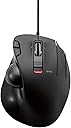
The ELECOM EX-G Wired Trackball Mouse combines high-performance optical tracking with an ergonomic thumb-operated design. Featuring 6 programmable buttons and adjustable DPI settings (750/1500), it offers customizable control for both professional and gaming use. Its durable artificial ruby ball bearings provide smooth, low-maintenance tracking, while wired connectivity ensures reliable, lag-free operation across Windows and Mac platforms.


| ASIN | B016QCPO0G |
| Additional Features | Ergonomic Design, Multi-function Button |
| Antenna Location | Gaming |
| Best Sellers Rank | #37 in Computer Trackballs |
| Brand | エレコム(ELECOM) |
| Button Quantity | 6 |
| Color | Black Ball |
| Compatible Devices | Personal Computer |
| Connectivity Technology | Wired |
| Customer Reviews | 4.2 out of 5 stars 2,941 Reviews |
| Embellishment Feature | Logo |
| Enclosure Material | Plastic |
| Global Trade Identification Number | 04953103473737 |
| Hand Orientation | Right |
| Hardware Platform | Laptop, PC |
| Included Components | English manual, Japanese manual, Trackball mouse |
| Item Dimensions L x W | 4.9"L x 3.7"W |
| Item Type Name | ELECOM Wired Thumb-operated Trackball Mouse, 6-Button Function with Smooth Tracking, Precision Optical Gaming Sensor (M-XT3URBK) |
| Item Weight | 7.04 ounces |
| Manufacturer | ELECOM |
| Mfr Part Number | M-XT3URBK |
| Minimum Required Operating System Version | Windows Vista |
| Model Name | M-XTシリーズ |
| Model Number | M-XT3URBK |
| Mouse Maximum Sensitivity | 1500 dots_per_inch |
| Movement Detection | Optical |
| Movement Detection Technology | Optical |
| Number of Batteries | 1 AAA batteries required. |
| Number of Buttons | 6 |
| Operating System | Windows 10, Windows RT 8.1, Windows 8.1, Windows 7, Windows Vista, Macintosh OS X 10.10 |
| Power Source | Corded Electric |
| Range | 5.0 meters |
| Special Feature | Ergonomic Design, Multi-function Button |
| Style Name | Wired_BlackBall |
| Theme | Office, Home, Telework, Cafe |
| Unit Count | 1 Count |
| Warranty Description | 1 year manufacturer |
A**R
Great mouse, might want to change out the ball.
Had the mouse for over a month now and it's great! I'm going to break down the main points and recommendations for people who are thinking of buying this mouse. --- The included black ball doesn't work consistently. Mine seems to have a "dead spot" on the ball and I have no idea why. Best recommendation is to swap to a red colored ball from another mouse or purchase one, but unfortunately, they aren't cheap. https://www.amazon.com/gp/product/B071NX7Y2J/ref=ppx_yo_dt_b_asin_title_o02_s00?ie=UTF8&th=1 I bought this along with the mouse as a "just-in-case" and I'm glad I did because it works flawlessly. There could be cheaper options out there so feel free to look. --- The trackball companies have said that a matte finish is better for precise and fine movements for text editing but the one on Amazon is sold out with the "we don't know if it's coming back" dialogue. I found one on Newegg if anyone is interested. https://www.newegg.com/p/0J2-01FT-008W3?Description=logitech%20mouse%20trackball&cm_re=logitech_mouse_trackball-_-9SIAMTFB6X3276-_-Product I don't have a matte finish ball so I can't say for sure if it actually does what it claims. --- Depending on how you place your hand on it, you will accidentally right click multiple times until you get a good rotation and hand placement. Don't worry, it sounds worse and harder than it really is. --- I don't use the third mouse button and I haven't downloaded the software specifically for this mouse because I have 2 mice plugged in all the time. One is a gaming mouse with its own software that I don't want to break by having conflicting software from this mouse. This mouse works just fine after being plugged in. No muss, no fuss. Both mouse buttons work, scroll wheel works, forward and back buttons work, and DPI switch all work. --- Play around with the DPI switch on the mouse as well as the mouse options in Windows or whatever operating system you're using. TURN OFF enhanced pointer precision, it is not your friend and will send your pointer to the moon. The 4th tick on pointer speed in Windows works well for text editing, for me, anyways. --- It can be used for gaming but I keep it to certain types of games (ARPG like Diablo, Path of Exile) or single player. Online FPS games require more precision and speed than I can do with this. If you can, you should get a medal.
W**N
Glad I took a chance
OK, so I had Logitech's original trackball back in the old, old 386SX days, and that thing was a tank. It was reliable, lasted forever, and rarely needed cleaning or maintenance. I think it finally died after about 14 years of service. I replaced it with the newer models from the same company and was slightly let down. The new ones were less sturdy, got mucked up and needed cleaning frequently, and were wireless and tended to burn through battery quicker than I'd like. I went through two of those because, honestly, there weren't a lot of other options that had the same shape and form. In fact, I still have one of those, and while it works, it gets gummed up and I lost one of my Unifying receivers and was not keen on spending fourteen bucks to get a replacement. So I looked into third-party alternatives. And here we are. This Elecom was affordable, and works just as well as the older model of my favorite trackball. I can't attest to sturdiness yet, as I just got it, but it feels great and because it's wired there's no worry about battery life or keeping track of a proprietary dongle. The thing just works. I did swap out the black ball for the blue ball from one of my older ones. It fits perfectly and seems to make it a tiny bit more precise. All in all, this was a good purchase. I'm glad I went for it. My wrist thanks me, and the other trackball can go into the living room and be used some of the time on my HTPC where I have my other receiver. Five stars. This is a good trackball.
F**D
Mac users beware! PC or Linux? You're probably okay.
As a Mac user I'd give it 3 stars at best. As a PC or Linux user I'd probably give it 5, so I compromised at 4. Let me explain... I’ve been using the Elecom EX-G for several days without installing the Elecom software. Worked fine except that the Back and Forward buttons didn’t do anything. Unfortunately, even though installing Elecom's software fixed that problem, it introduced a new one. But first the good. It can scroll sideways, which I really like and the buttons work as expected along with software-enabled Back and Forward. Additionally there is a button to the right of the right-click that can be customized. Default is to do nothing, which is good because it’s easy to accidentally click it. Now the problem: it scrolls wrong. PC users won't have a problem with this, but I prefer the Apple way—Natural Scrolling— which is that scrolling moves the important stuff, the content of the window, in the same direction as your finger as you move the wheel. The PC standard is for the scroll bars rather than the content to follow your finger. This means that the important stuff moves opposite of your scroll. The Elecom software won’t let you change the scrolling direction. That’s frustrating, but wait, because it gets bizarre. You see, Natural Scrolling can be turned off. Open Settings, then Mouse and click the Natural Scrolling toggle. Keeping Settings as the front-most application, hover over another window and move the scroll-wheel. The content of the window scrolls Naturally. Problem resolved? No. Leave Settings and scrolling instantly changes back to controlling the scroll bars. I hope Elecom addresses this, because, for Apple users it’s the only problem with an otherwise fine device.
J**B
Fantastic mouse!
I never used one of these before neither did I know they even existed. I bought one because we have them at work, and I enjoyed using them for the first while getting a crash course in operating what is known as a bonding machine. In short there is a crap ton of scrolling involved. Partly used to move a microscope around on XY axis. The other part is scrolling and selecting up to 1000k lines for editing. These machines wire batteries together. Anyway after I fell in love with trackballs I went ahead, and bought one for myself at home. It's a bit different from the one at work. This one is thumb operated. It feels natural to use. A cross between a gaming mouse and a trackball. I dock my laptop to my monitor at home. This trackball enables me to operate in very confined space on my desk. It's not very precise but it's not that bad. I can do most things except maybe play fps games. I use it mostly for web browsing and programming. It's amazing for selecting sections of code. I noticed less wrist strain then before. My wrist does not feel tired while using this. I'm sure it'll prevent wrist problems later on. It's money well spent. I love computers and work on them constantly. It's worth the extra cost for a mouse to buy one of these. This mouse in particular feels very premium, it's built well, and it actually feels good in my hand. My other mouse is a Death Deathadder Chroma. I also have a vertical wireless mouse for travel. Nothing beats this thing in comfort. Fantastic product! I'm sold on trackballs!
J**E
Productive and a huge upgrade from a tradition mouse and touch pad
I didn't realize there was a third button which is customizable, so i made it into the ctrl button to zoom in and out. The scroll wheel could also be pressed from the sides to scroll sideways. This mouse made scrolling and reading through pdfs much easier. No need for a mouse pad since this stays stationary, making it possible to have my mouse on my lap and still being just as productive. I chose a wired mouse instead of a wireless to avoid delay and the "click to wake up" function which is typically found in wireless mouses. Great for my college pdf readings. BUT ON THE OTHERHAND one thing i am having trouble with is highlighting. The trackball can be difficult and maybe even frustrating to use since it has trouble moving the mouse smoothly across one letter. (This is common in all trackball mouses, not necessarily this product). Use a graphite pencil and cover the studs that hold the ball in place to reduce the friction a bit. Overall, happy with the product
M**E
Ok design, poor tracking
I purchased one of these quite a while ago (years) and it still works fine so, I thought I would purchase another one for my other computer as my trusty Logi wired ball mouse was giving up. The newer units must have poor quality or poor components because the tracking on this is awful and it recently just started happening (a little over a month after). I am aware of removing the ball and cleaning inside helps but, it does not with this unit. I read the newer reviews stating how the tracking was not good and thought I would take a chance as I did not see other stating they clean inside the ball area and figured that must be the reason the tracking is off - nope! I own several Logi wireless ball mice and wanted something wired to attach to my gaming computer so I would know there is less of a delay than with wireless. Perhaps the delay is all in my head and I'll switch to a Logi wireless. UPDATE: So, this is strange, last week the other mouse started failing (purchase 2/2018) and began double-clicking when I would click only once or when selecting text would unselct after I lifted my finger from the button. Tracking started to 'skip' around too. It's outside the warranty period (one year) and the newer one is outside my return period. I don't submit many reviews but, I hope this helps someone make a decision whether to purchase this mouse or not. I went ahead and purchased a Kingson and Perixx wired trackball mouse and will be returning the Kingston and keeping the Perixx. Nothing seems to have come close to the Logi's and it's a shame they are now only available wireless.
K**U
Good product that needs some design improvements.
I may be a minority here, but I got this as a corded replacement of the Logitech M570 for my desktop. Unlike a regular mouse, a trackball doesn't have to move much, if ever, so why worry about batteries? I still prefer the M570, and use it for my mobile solution even though this product has a wireless version. Here's why (in order of favorite PRO on top, and most disliked CON at bottom): Pro: Side to side scrolling. You can tilt the scroll wheel side to side to quickly scroll left or right. Pro: Multi-speed Scroll Wheel. Not easy to change speeds on the fly, but it's nice to have the configurability. Pro: Extra Button! middle mouse button. Con: Track ball in less ergonomic position. (This is the biggest difference from the M570). The ball is closer, and under the palm vs to the side of the palm. In the Logitech M570, you move your thumb closer and farther away from the index finger to move the cursor left and right. In this product, your thumb motion is closer to up and down w/ respect to the index finger to get the same motion. Con: Track ball not round enough (This is a surprising and disappointing issue for this product.). I've used this for a month thinking it might have just needed a break in period but that's still not the case. There are places on the ball that are wider than others. When these places roll close enough to a support nub in the ball socket, they cause resistance. The result is that the ball does NOT roll smoothly and gets stuck/changing rolling resistance. Con: Made for small hands. Another consequence to the ball's location is that your palm has to arch over the ball. This wouldn't be a major problem, but the length of the arch (distance from the chord side of the product to wrist side) is too short. as a result, my wrist rests on the table, and there is nothing under my first knuckle (where the palm ends and fingers start) for support.
C**R
Surprisingly good for medium and smaller hands. Not so much for mine.
I wish they made this just a little bit bigger because other than the hand-feel, like my hand is hiding it from bandits, drooped over it so as not to crush it, I LOVE this mouse. The trackball position is perfect. The scroll buttons on the left are great. The dpi switch while not in an optimal place provides something special. You can feel with your palm where it is positioned. You start to remember. You can also quickly verify visually. Having a physical sliding dpi changer isn't something you know you wanted until you use it. The extra finger mouse button is just, perfect for binding mouse-look in games so you can quickly look around. It's not heavy but it's not light so it doesn't wander, but it's not hard to get it out of way quick to put down a pizza or drink. It feels quality. While the page buttons on the top near your pointer finger don't lend themselves to rocker style pressing without moving your finger, they do have positive click and feel very natural to use by curling your pointer finger and pressing them deliberately. This makes them better for precision actions in games like firing a secondary weapon or precisely dropping a bomb on a target. The scroll wheel has the most amazing left-right panning tilt I've ever seen on a trackball. Logitech could learn something here. instead of being completely useless because of hard switches like almost every single other device in existence, they are just compliant enough that you can actually use them for useful things in games that recognize them. If you are an elite dangerous player, this trackball would be perfect for left-right menu navigation binding. If you don't have a good hotas yet (rolls eyes). But if you have bigger hands, all this awesome still won't feel good because you feel like you are riding a childs bicycle. Or you accidentally bought the travel version. And it's just so frustrating because its not that far off. 4 or 5 more mm of base length and it might be perfect for big hands. It's still an outstanding device. Superior to even the MX Ergo I'm using again in many ways, but it doesn't feel good with my big paws. If you have the regular hands they designed this for, you'll love it.
D**Y
Great replacement for logitech thumb trackball
I have been using the logitech thumb tracking ball since about 2002. I cried when they discontinued it. Literally tears. The horrors! A few weeks ago, the last one started to act up and I started the search again for a reasonable replacement. This fit the bill. It took several weeks to arrive but was worth the wait. This has the added advantage of being USB so no more "oh my god, the mouse is dead and I can't find a battery without stealing it from the remote." The scroll wheel runs smoothly. The track ball is responsive and easy to control. The buttons have a nice tactile response when clicked. Works well with both Windows and Mac. Been using it for over a week with absolutely no complaints.
T**4
ザク的ポジション
もうだいぶスタンダードと言うか古いラインナップとも言えるでしょう。 でも扱いやすく機能も備えていて安くてどこででも手に入ります。 ガンダムで言うところのザクでしょうね。旧ザク?。 見た目もそんな感じがしますし。 じゃあ同時期の某社製品がガンダムかと言われると少し微妙かなという感じです。 誰がガンダムの話をしろと言われそうな展開ですが古い設計でも使いやすいものはいくらもあるということです。 チルトホイールにガタが来やすいのですがこれはもう設計の古さでしょう。 中古で買うと大体ガタが来てますしね。
E**O
Preciso, duradero, el más cómodo trackball de pulgar, con una sola pega
Es la versión mejorada del M-XT2URBK de bola roja. Este M-XT3URBK, aparte de las características que podéis leer en la página del producto, trae un botón más y lo mejor, unos microswitches OMROM que duran unos teóricos mil millones de pulsaciones frente a los 500 millones del M-XT2. Hay por ahí una versión del M-XT3 de bola roja pero se eleva el precio. En esta página de Amazon dicen que es Wireless, pero es un error. No es wireless ni falta que le hace. La bola gris dicen que no es muy buena pero a mí me está dando muy buenos resultados. De todas formas se la voy a sustituir por una Perixx más clara. También he comprado el Elecom M-XPT1MRXBK que es un modelo algo superior en diseño y prestaciones, e inalámbrico, y me parece que en precisión y comodidad el M-XT3 está bastante a la altura. Y los materiales no son el ABS de alta calidad del M-XPT1 pero son suaves y bien acabados. Lo único que le hace falta a este ratón es una forma de regular la inclinación para lograr una postura más cómoda de la muñeca. Por eso solo le he dado 4 estrellas en la parte de ergonomía. Mientras encuentro una solución definitiva he comprado unas cuñas engomadas de 20º. Pero lo que más me gusta es lo cómodo que es. Quizá es que se adapta bien a mi mano, por que dicen que los Elecom están diseñados para manos japonesas. Yo soy de mano normal tirando a grande pero la ergonomía y la suavidad de los materiales es una gozada. Me parece una excelente compra si no te importa la postura de la muñeca, ni utilizas almohadillas, etc.
A**O
Excelente calidad.
Excelente fabricación, funciona perfectamente con IOs Apple
D**R
Value for money
Well made and great value for money for a trackball of this type.
Trustpilot
1 month ago
3 weeks ago