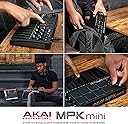
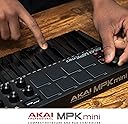
🎶 Unlock your studio’s full potential with the ultimate mini MIDI powerhouse!
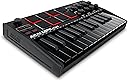
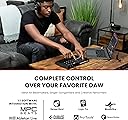
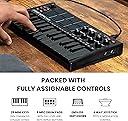
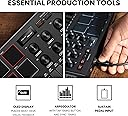
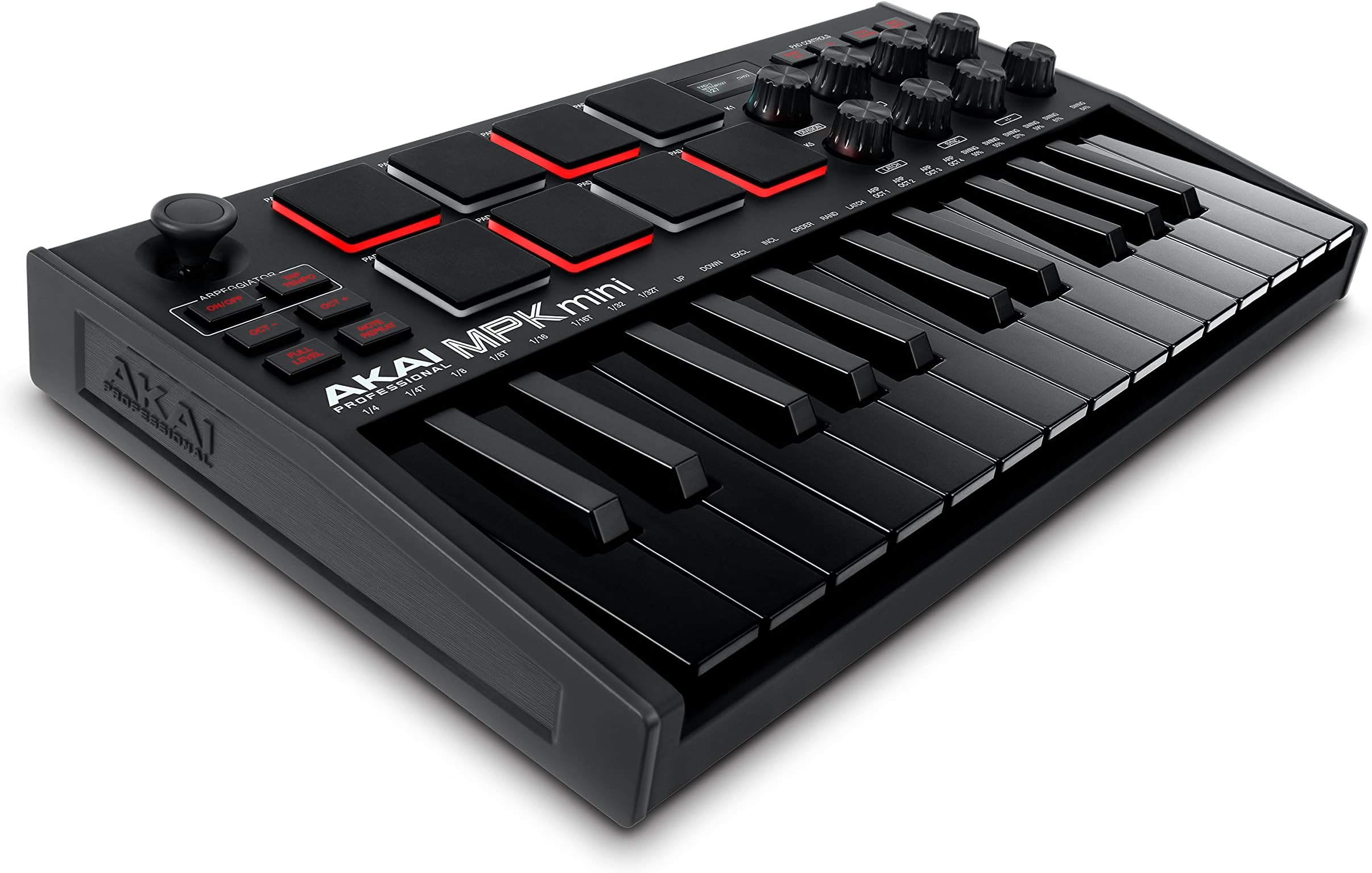
The Akai Professional MPK mini MK3 is a compact 25-key USB MIDI controller designed for professional music production. Featuring 8 velocity-sensitive backlit drum pads, 8 assignable control knobs, and a dynamic 4-way joystick, it offers precise control over pitch, modulation, and virtual instruments. Bundled with MPC Beats software, 6 virtual instruments, and 2GB of sound content, this USB-powered controller is perfect for beatmakers and producers seeking a portable, all-in-one production solution.


| ASIN | B0886KWVYR |
| Best Sellers Rank | #184 in Musical Instruments ( See Top 100 in Musical Instruments ) #1 in MIDI Controller |
| Brand | Akai Professional |
| Brand Name | Akai Professional |
| Colour | Black |
| Compatible Devices | Laptop |
| Connectivity Technology | USB |
| Connector Type | USB |
| Control Method | App |
| Control Type | Keyboard Controller |
| Customer Reviews | 4.4 out of 5 stars 14,548 Reviews |
| Global Trade Identification Number | 00694318024935 |
| Hardware Interface | USB 2.0 Type B |
| Hardware Platform | PC |
| Human Interface Input | Buttons, Keyboard |
| Importer Contact Information | Music & More Distribution Co.Pvt.Ltd, B-189, Shed No.3, Phase-2, Noida-201305, Uttar Pradesh; +919811268090 |
| Included Components | MIDI Controller |
| Instrument | Multiple instruments |
| Instrument Key | Any |
| Item Dimensions D x W x H | 21.3D x 36.6W x 7.6H Centimeters |
| Item Type Name | 25 Key USB MIDI Keyboard Controller With 8 Backlit Drum Pads, 8 Knobs and Music Production Software included (Black) |
| Item Weight | 0.9 Kilograms |
| Keyboard Description | Ergonomic |
| Manufacturer | inMusic Brands inc., Akai Professional |
| Manufacturer Contact Information | Akai Professional |
| Manufacturer Part Number | MPKMINI3B |
| Model Name | MPKMINI3B |
| Model Number | MPKMINI3B |
| Model Year | 2020 |
| Number Of Keys | 25 |
| Number of Keys | 25 |
| Packer Contact Information | inMusic Brands inc., 200 Scenic View Drive, Cumberland, RI, 02864 ; 401.658.3131 |
| Platform | Mac, Windows |
| Product Dimensions | 21.3D x 36.6W x 7.6H Centimeters |
| Product Style | MPK mini MK3 |
| Size | MPKMINIMKIIIBK |
| Special Feature | keyboard controller, midi keyboard, mpk mini, music production, studio recording |
| Special Features | keyboard controller, midi keyboard, mpk mini, music production, studio recording |
| Supported Software | MPC Beats |
| Total USB 2.0 Ports | 1 |
| Total USB Ports | 1 |
| UPC | 694318024935 |
| Warranty Description | 1 Year on Product |
R**H
It Exceeded Expectations
Hands down one of the best MIDI controllers in this price range. I’ve worked with different gear over the years, but this one really stands out for beginners and home studio producers. I got the Akai MPK Mini MK3 for learning and testing—and honestly, it exceeded expectations. The keys feel much better than older versions, the pads are super responsive (MPC-style), and the overall workflow is very smooth. The built-in arpeggiator and knobs make it even more useful for beat making and production. � SoundGuys It’s compact, portable, and perfect for small setups. If you’re just starting music production, don’t overthink—just go for it. Totally worth it!
A**R
Portable and light with decent build quality and fully customisable interface
It’s quite portable, keys are nice and decently sized also it is easy to use with most of the DAWs i used it with Logic Pro it works well But wouldn’t recommend for absolute beginners I think a simple midi keyboard which costs only half the amount of this, with just keys would be enough if you’re just starting and not sure about investing this much in a midi keyboard although its quite affordable for its functionality Overall great piece of hardware from AKAI
B**S
Good product
Good
P**.
Worth it!
Compatible with most of the DAWs out there. I use FL Studio and it works perfectly with it (if pluged before launching the app). Plug and play feature works smoothly, the drum pads are very comfortable and responseive, the key feel is good though they are just a little bit small but this is a budget controller so you gotta adjust. The knobs are infinite knobs. The buttons make clicky noise. The weight is very minimal and easy to carry, though you gotta look out for the joystick as it can break if not packed with care.
J**R
MPK mini MK3 – the backpack brick that turned every coffee-shop table into a mini studio
Pulled the trigger last month after my 49-key stayed at a mate’s place for the third weekend in a row. Been living with the MK3 in my rucksack ever since and, honestly, it’s staying there. Keys New Gen-2 bed feels miles better than the old MK2 I borrowed last year. Still mini, but the travel is deeper and the clack is gone—quiet enough to noodle in the library without the death-stare squad arriving. Velocity is smooth once you flatten the curve in your DAW; factory setting’s a bit jumpy for my lazy fingers . Pads Eight MPC pads are the real heroes—firm, no false triggers, and the after-touch actually speaks to Ableton’s sampler. Finger-rolls on drum breaks feel like the real thing; I’ve ditched dragging loops entirely . Knobs & screen Endless rotaries map to filter cutoff in two seconds and the tiny OLED shows the CC number so I’m not guessing. Yes, it’s pixel-1995 monochrome, but it beats the blind-twiddle I had before . Toy-factor? Whole thing weighs less than my iPad charger; USB cable powers it straight off the laptop—no dongle life. Survived a drop from hostel-bunk height: corner scuff, nothing bent. Niggles (why not 6 stars?) Thumb-stick mod is fun but easy to nudge pitch when you only want vibrato—old-school wheel would’ve been safer. No transport buttons, so I still smash spacebar like it’s 2010. And pads light red-only; a colour velocity rainbow would’ve been icing. Bottom line For anyone who makes beats between lectures, flights or late-night hostel common rooms, this is the pocket studio that actually keeps up. Five shiny stars and a permanent slot in my backpack.
V**H
Value For Money and Functions
Excellent 👌👍👍👍 Compact Size And Value For Money Functions is awesome but we need change some settings initially (V1: 40.0, V2: 20.0, V3: 10.0, V4: 05.0, Black Bal: 0.7x) this was the settings I have used this is for mine for others usage it may different
M**R
Value for money!
Great Product at this budget..! Would really recommend if you are looking for a portable, affordable midi keyboard. The default key sensitivity is less but we can tweek that later. I bought the White one and it looks so good!!
M**R
Some Issues For Fl studio users
Straight to the point- 0. It is plug and play, but for individual working of pads and keys; you have to set it up from youtube 1. you have to go to youtube to know how to set the drums pad with fl studio ( some idiots will even ask you to pay 15$ for a stupid template file for the akai editor application , like bruh ) 2. Joystick is always not calibrated with fl studio and the akai editor application is confusing to use ( even the manual inside the box ) i cant even factory reset my midi contoler 3. My joystic's modulation dosent work in fl studio , it is detected as a " absolute knob " maybe i set it up wrong but it dosent works for me pitch works fine 4. everything else is great the dialers , keys , pads , even the joystick feels great. basically build quality is great.
J**R
Super worth the money, and very good quality
Pad quality is outstanding, seems very easy to bring around with you. (haven't done it yet) Sounds perfect all inputs are correct, setup was VERY easy (Youtube is amazing lol) if you know basic chords then this should bring up your music production to a whole new level. probably one of the best things i've bought of Amazon!!
ふ**ー
初めてのDTMに買いました
初めてDTMという行為を行うようになり、調べていくうちにMIDIコントローラー(MIDIキーボード)が必要という記事を見たりして、必要性も意味も何も分からずに購入してみました。 結果、必要であるということを実感しました。 なぜ必要かというと、音楽を作るには「楽器を弾く」という感覚がやはり大きく影響します。 マウスでポチポチと音階をクリックしていても何も産まれません。(私の場合は) そういう意味では非常に有用な買い物でした・・! 初心者用かどうかという部分においては、全くもって初心者向けではない。 メーカーサイトもわかりにくい、説明書もわかりにくい、Amazon商品ページに 「ビートメイキングへの3ステップ」 「プラグを繋ぐ」 「ソフトウェアをインストールする」 「PLAY!」 ・・なんていう説明がありますが、DTM初心者の場合、この流れでは音を出すことすら不可能でしょう。 それでいてDTM関連の情報サイトやブログは「わかっている人」が「わかっていない人」に伝えたくて記事を書いているのだと思いますが、はっきり言って「わかりません」。 一つずつ色々試していって自分の最適解を見つけるしかないですね。 とにかく、買って良かったと思いました。 <<追記>> 本当にはじめてのDTMで何が必要か? という部分に対して私なりにたどりついた答えを書いておきたいと思います。 PCで始めるなら最低限以下のものが必要でした。 ・DAW(Cubaseなどの音楽編集ソフト) ・音源ソフト(ピアノやドラムなどの音データ) 上記2つに加え、このAKAI MPK mini mk3などのMIDIキーボードです。 なぜMIDIキーボードが必要なのかは上述のとおり、楽器を弾くという感覚があるから。 ちなみにCubaseには多少ですが音源が元々入っています。 マイクで歌や楽器を録音したいなら「オーディオインタフェース」と「マイク」も必要です。 エレキギターやベースを録音する場合は「オーディオインタフェース」と「アンプシミュレーター」が必要です。 アンプシミュレーターは無いと音が劇的にショボくなりますのであった方が良い。 ただしギターやベースに関しては「LINE OUT」という端子があるアンプなら、アンプシミュレーターがなくてもLINE録音ができるのでアンプシミュレーターがなくても大丈夫です。この場合LINE OUTからオーディオインターフェースに接続して録音できます。 <<私自身が実際に揃えたもの>> 私がDTMのために揃えたものを紹介します。 (1)ヤマハ THR30II wireless(ギターアンプ、LINE OUTあり) ※現在はヒュース&ケトナーのTubeMeister20 Deluxeを使用しています。 (2)STEINBERG UR22mk2(オーディオインターフェース) ※現在はMOTU M4を使用しています。 (3)AKAI MPK mini MK3(MIDIキーボード) (4)AKG P120(マイク) ※DAWはTHR30IIに付属しているCubase LEを使用 ※Cubaseは有料のElementsにアップグレードしました。 使用しているPCはwindowsです。 ドスパラで数年前に10万円ほどで購入したゲーミングPCです。 なぜゲーミングPCにしたかと言うと、ゲームがちゃんとプレイできるPCはスペックが高いので『なんでもできる』からです。 動画編集も音楽編集も写真編集も楽勝でイケます。私自身、ゲームは全くやりません。 実際に音楽編集ソフトも完璧に動作しています。 本気でゲームをしたい目的でなければ予算は10万円程度で全然OKだと思います。 また、ドスパラなどのPCは後からPC内部の部品を交換しスペックアップをしていくことも可能なのでオススメですね。 また、PCを持ち出してライブ演奏などでもDAWを使いたい場合は必然的にノートPCが必要かと思いますが、その場合はmacbookのハイスペックなものをオススメします。 macはOSの動作がwindowsと比べトラブルが少ないことが期待できます。多くのアーティストがmacbookを使っているのは安定動作が理由だと思います。 ただ、iPadやiPhoneでも使えるDAW(すぐに使えるのはガレージバンド)があるので、iPhoneとMPK mini MK3だけでもライブ演奏はできそうです。 ところでデスクトップであればmac専用ソフトウェアを使う必要がなければmacを選ぶ理由は皆無です。(高価なだけ)しかしmacbookを使うなら自宅はmacが良いかも知れませんね。 私的には金額が金額なだけに音楽機材に投資してほしいとは思います。 もしくはどこでも持ち出して使うことを想定してmacbook pro一台でいく、というのも良いとは思います。 ちなみにですが上記(1)(2)にはDAWのCubase LEが付属、(3)には「MPC beats」というDAWと良い感じのピアノ音源などが付属しているます。 (4)のマイクは価格的にサウンドハウスで購入しましたが激安かつハイクオリティなマイクのようです。 このセットがあればボーカルとギターは録音、ベースとドラムは打ち込み・・みたいなことはできます。 弾き語りなんかもOKです。 <<この場で伝えたかったこと>> 個人的には始めるにあたって、ものすごくストレスが募りました。 先ほども書きましたがネットの情報ブログは「そんなことも知らないの?」的な鼻にかけたものが多く、結局どうすればいいのか結論にたどりつくことが難しい。 その上、アフィリエイトとして売りたい商品をどう売るかという視点で書かれているので売り文句ばかりで具体性のある情報が少ない。 ネット上のブログって無料で公開されてるものだし仕方ないことではあるけどね。 楽器店のブログなんかもがんばってると思うけど、わかりにくい。ほとんどが「〇〇と比べ△△はどうだ」とか、「□□なので初心者でも簡単にできます」というものばかり。 私のような初心者がそういうものを見た感覚としては、「結局、初心者でも簡単に『何が』できるの???????????」ってことなんです。 なんというか「パソコン」という道具の存在自体を知らない人に「パソコンを使えばできるよ!」という説明をしている感じ。さらに言うと「新しいパソコンは前のパソコンと比べてここがすごい」という話だったりする。 初心者が知りたいのは、「そのパソコンとは何なのよ!!??」ということですよね、きっと。 私自身、ブログを書いているのでそこで詳しく書いていこうかと思います。 この情報が未来のクリエイターの役に立つことを願っています! <<2022年10月、状況が変わったので追記>> このAPK mini MK3を購入してからしばらく経ちますが、今でも実際に使っています。 自分の音楽にピアノやシンセサイザーなどの選択肢が増え、非常に幅が拡がったと思います。 さて、上の方で書いていたPCなどの環境ですが状況が変わってきたので再度追記します。 まずPC。 当初は10万円程度のゲーミングPCを使用していたのですが、ちょっと問題が発生。 それは「PC本体のファンの音」のことです。 デモ音源を創るときやちょっとした音ネタの録音では気にならなかったけど、アコギやボーカルをちゃんと録ろうとしたときにバッチリ集音(録音)されていることに気づきました。 さらには、接続しているHDDにもファンがあったりでそれも聴こえる・・んですよね・・。 ホワイトノイズ的であったりなものなのですが。 とにかくこれはイカンということで、たどり着いたのが「MacBook Air(2020)」です。 MacBook Air(2020)は薄さ軽さを重視したモデルなので、ファンが無いんです。 つまり、PCが完全に「無音」なんですよ。 2020年10月の本レビュー当時は、コスパが悪いのでmacはおすすめしていないとしていましたが、なんと2020年11月に発売開始されていたこのMacBook Air (2020)は「M1」という新たなCPUを搭載していました。 私自身macは視界に入っていなかったので気づいていなかったが、ちゃんと調べたらこのM1、スペックは私のゲーミングデスクトップよりも上でした・・。 さらに、MacBookにはだいたい「Pro」と「Air」がラインナップされているのですが、この2020が発売されるまではあからさまにProの方がハイスペック機としてつくられていました。 ・・が、MacBook Pro(2020)とMacBook Air(2020)はCPUがなんと同じM1なんです。 つまり、細かな違いはあれど中身は同じってことですね。 しかもMacBookAir(2020)の価格は13万円代からあり、高すぎるものではなかったし、私のデスクトップよりも上位スペックということ、そして最大の問題であった「ファン」の音も無いし・・で迷わず切り替えました。 ところでwindowsでファン無しを選択するとなると、やはりノートPCしか無いのですが、windowsのファン無しでそれなりにスペックのあるPCというのは無い・・?かも知れません。 自宅で録音したいという人にとって、楽器を演奏する部屋とその録音先PCを別の部屋にするということは難しいと思います。(それができるならもはやスタジオ状態) それなりのスペックがあり、無音で録音ができるのはおそらくMacBookAirだけだと思うので、案外と唯一無二の選択かも知れません。 ちなみにPro(2020)はファンあり。調べるとうるさいという意見が多く出てきます。 MacBookAir(2020)のYouTubeでのレビューってすごく多くて、DTMをやるにはスペックが足りない・・というYouTuberの方が多いですが、そういったYouTuberの方はあまりにもイレギュラーな使い方しか語っていないので、はっきり言って気にしなくてよいです。 彼らが語っているのは最終的には主に「積めるメモリなどの上限」の話です。 MacBookAir(2020)はMacBook Proなどと比べて選択できるメモリの上限が少ない、だから重たい処理をしようとするとメモリ不足に陥ったりフリーズする可能性がある、ということを言っています。 ここで言うDTMでの「重たい処理」ですが、実際にあるYouTuberの話を視聴していたところ、100種類の音源を同時に再生する・・等の話でした。 正直、バンド系で100も200もトラックや音源使わんでしょ・・と思います。 ただ、オーケストラな音楽を創りたい等の目的があるならメモリのことは考えたほうが良いと思いますが、まぁ仮に多くのトラック数が必要だったとしても工夫でなんとかなる範囲だと思います。 それにオーケストラを生録音するのであればスタジオやホールなどを使うことになるでしょう、宅録ではない環境です。そこでファンの音を気にする必要は無い。 そういうわけで私の実感としてDTMやるにはMacBook Air(2020)は十分だと思います。 2022年になり新たにM2というM1のグレードアップCPUを積んだMacbookAir(2022)が販売されています。 これからDTM用にPCを買いたい人は、MacBookAir(2020)を買うかMacBookAir(2022)を買うかで迷うことになりますね。 これの最適解も「新型でドヤりたい」という希望がなければMacBookAir(2020)の購入をおすすめします。実際に現在Appleでも2020も購入できます。 理由は単純。 2020の時点でDTMに耐えうるスペックだし、2022は2020よりも価格が16万円スタートと、約3万円も上がっているから。 CPUのスペックも上がっているでしょうが、それも劇的な進化では無いです。 (毎年のiPhoneのバージョンアップを考えるとわかりやすいと思います) 音楽的な部分では本体の3.5mmイヤホンジャックがハイインピーダンスヘッドフォン対応となりましたが、DTMerはオーディオインターフェースを使ってるはずなのでほぼ無関係。 新しいものがほしくなる気持ちはわかりますが、2022を「今」買う理由は見つかりませんね。 同じ予算で考えるなら、その差額3万円を2022に費やすよりも、2020のメモリ(RAM)かストレージ(ROM)を上位に使った方が賢いと思います。 それに2020を買い、2年後におそらく発売されているMacBookAir(2024)あたり買うべきかと思う。 2年後であっても大事に使い、ステッカーをベッタベタに貼ってないMacBookAir(2020)は普通に10万円くらいでフリマで売れると思います。それを元手に新型(2024)ですね。
L**A
PRODOTTO FANTASTICO
++++Confezione++++ Scatola ben curata e d'impatto Al suo interno si trovano: - il prodotto tenuto fermo dall'imballaggio e protetto ulteriormente da una busta in plastica - plastica protettiva applicata ai tasti della tastiera - cavo di connessione usb - manuale di istruzioni In aggiunta sul sito di AKAI: - software gratuito di produzione musicale MPC BEATS - tutorial gratuiti sull'utilizzo del software - pacchetti di preset musicali a pagamento/grautiti aggiuntivi ++++AKAI MINI MK3++++ Il prezzo pagato vale fino all'ultimo centesimo: la tastiera, anche se non ricopre materialmente tutte le note del piano, consente l'opzione di scalare tra i toni musicali, così da avere a disposizione tutte le varie tonalità. Sull'utilizzo del Joystick avevo qualche dubbio inizialmente ma mi sono ricreduto l'attimo che l'ho provato: ottima maneggiabilità e precisione che permette di modificare la lunghezza e il tono del suono mentre si suonano le note. I pad per creare i beat sono comodissimi e retroilluminati e, come anche le note della tastiera, funzionano a pressione, cosa che garantisce un migliore raccordo tra ciò che vuoi creare a ciò che registri. In aggiunta, ai pad attraverso l'utilizzo di MPC BEATS possono essere settati con i suoni che meglio preferite. Le 8 manopole presenti sulla destra non solo garantiscono le classiche funzioni (es: alzare il volume della traccia), ma se usate insieme al software di AKAI (MPC BEATS) permette anche altre funzioni supplementari, che nel complesso favoriscono il corretto utilizzo dell'MK3 correlato al software MPC. Inoltre l'MK3 è dotato anche di un piccolo schermo su cui controllare le operazioni che svolgi sulla tastiera, come l'aumento delle tonalità, del volume, dell'arpeggio. Infine, questo prodotto supporta anche un pedale che può essere collegato dietro, vicino alla porta usb. ++++MATERIALE++++ L'unica piccolissima "pecca" risiede nel materiale utilizzato per la creazione dei tasti delle note, perché si macchierà molto facilmente dopo qualche utilizzo. Basterà pulirlo con un fazzoletto, non è niente di eccessivo. Diversa considerazione per il resto del prodotto, infatti è realizzato con una plastica che non viene improntata e non si sporca facilmente. ++++SOFTWARE E COMPATIBILITA'++++ Il programma offre di poter scaricare tramite il suo sito internet un software gratuito chiamato MPC BEATS, al 100%. Sempre attraverso questo programma è possibile accedere a dei tutorial in lingua inglese sull'utilizzo dell'MK3, utile soprattutto a chi si avvicina a questi strumenti per la prima volta e non ha la minima idea di come utilizzare un software di produzione musicale. ATTENZIONE: L'MK3 può essere compatibile con altri software di produzione musicale, sia gratuiti che a pagamento (es: LMMS, FL STUDIO), però non si ha lo stesso utilizzo totale del prodotto, in quanto MPC BEATS è un software sviluppato direttamente da AKAI, la casa di produzione dell'MK3. ++++CONCLUSIONI++++ Il prodotto è fantastico, sia per chi si avvicina la prima volta a questo mondo sia per chi ha già esperienza pregressa. Una delle qualità che questo prodotto garantisce è la totale compatibilità appunto con un software di produzione TOTALMENTE GRATUITO, che sarà oro per chi ha iniziato con la produzione ma non è ancora del tutto convinto di portarla avanti a lungo, risparmiando su eventuali software professionali e a pagamento. Inoltre, come già detto, AKAI mette a disposizione tutorial gratuiti su come sfruttare al meglio il programma e il prodotto. Personalmente sono molto soddisfatto dell'acquisto e lo consiglierei soprattutto a chi si sta avvicinando al mondo della musica o che ha tutto sommato poca esperienza, in quanto non è una spesa eccessiva e il rapporto qualità/prezzo è decisamente uno dei migliori in questo campo.
S**T
¡Es un verdadero tesoro para cualquier músico que busca llevar su creatividad al siguiente nivel!.
Como teclista apasionado, este teclado controlador me ha brindado una experiencia inigualable y un rendimiento excepcional. Desde el momento en que comencé a tocar, supe que tenía algo especial en mis manos. Este teclado no solo es versátil, sino que también ofrece un rendimiento inigualable en una amplia gama de estilos musicales. Ya sea que esté creando delicadas melodías de piano de cola o introducciones enérgicas de sintetizador, me permite explorar mi música de maneras nuevas y emocionantes. Las almohadillas MPC retroiluminadas son un verdadero punto destacado. Su sensibilidad a la velocidad me brinda un control preciso sobre ritmos y muestras, permitiéndome agregar dimensión y emoción a mis composiciones. La sensación táctil es simplemente perfecta, lo que me permite concentrarme en mi interpretación sin preocuparme por la respuesta de las almohadillas. Las perillas giratorias del son una maravilla. Me dan un control total sobre los parámetros asignables en mi DAW, lo que significa que puedo ajustar el ecualizador, cambiar los sonidos de sintetizador y mucho más, todo con una facilidad sorprendente. Esto me permite experimentar y personalizar mis creaciones de una manera que nunca antes había experimentado. La repetición de nota, el arpegiador y el joystick omnidireccional son características que han elevado mi creatividad a nuevos niveles. Estas funciones confiables son una parte esencial de mi proceso creativo y me permiten explorar patrones y efectos de manera intuitiva. La pantalla es una verdadera ventaja, proporcionando retroalimentación visual directamente en mi flujo de trabajo. Tener acceso rápido a información como el modo DAW, la velocidad y los datos CC es una característica pequeña pero poderosa que hace que todo fluya de manera más eficiente. La combinación de diseño robusto y portátil, conectividad plug & play y una disposición inteligente hacen que el MPK sea una adición invaluable a mi estudio. Ya no hay barreras para mi creatividad, ya que puedo centrarme completamente en mi música. En resumen, si eres un músico que busca una herramienta que realmente amplíe tus horizontes creativos, es la elección perfecta. No puedo estar más emocionado por el impacto que ha tenido en mi música y en mi proceso creativo en general. ¡Es una joya tecnológica que no puede faltar en el arsenal de cualquier músico!
G**Z
Capable, small midi controller
I'm not a seasoned music producer, I just bought it for play with it really. Started to learn how midi works, how to map instruments and filters and stuff to the controller and how to use the pads. Keys are OK, pads are awesome. 8 pads, 2 banks, so you can map up 16 percussion (or whatever) instruments onto them. And the whole thing is fairly small, you can take it with you anywhre and this MkIII model has 8 rotary encoders which are way better than the previous model's end/limited knobs. The built in arpeggiator is great. It's running on USB power, don't need and external power supply to carry with you and there is a connector for a sustain pedal to connect. Also this controller has built-in presets for different DAWs, from GarageBand to Ableton, LogicPro, MPC, saving time and hassle to setup everything. Support is quite good, but hey it's and AKAI, even a cheap, plasticky one. It's not a toy, it's a fully capable midi controller for an affordable price.
Trustpilot
1 month ago
1 month ago