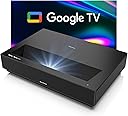
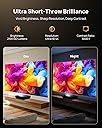
🎬 Elevate your space, ditch the TV — cinema-grade 4K laser projection redefined.
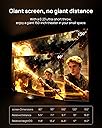
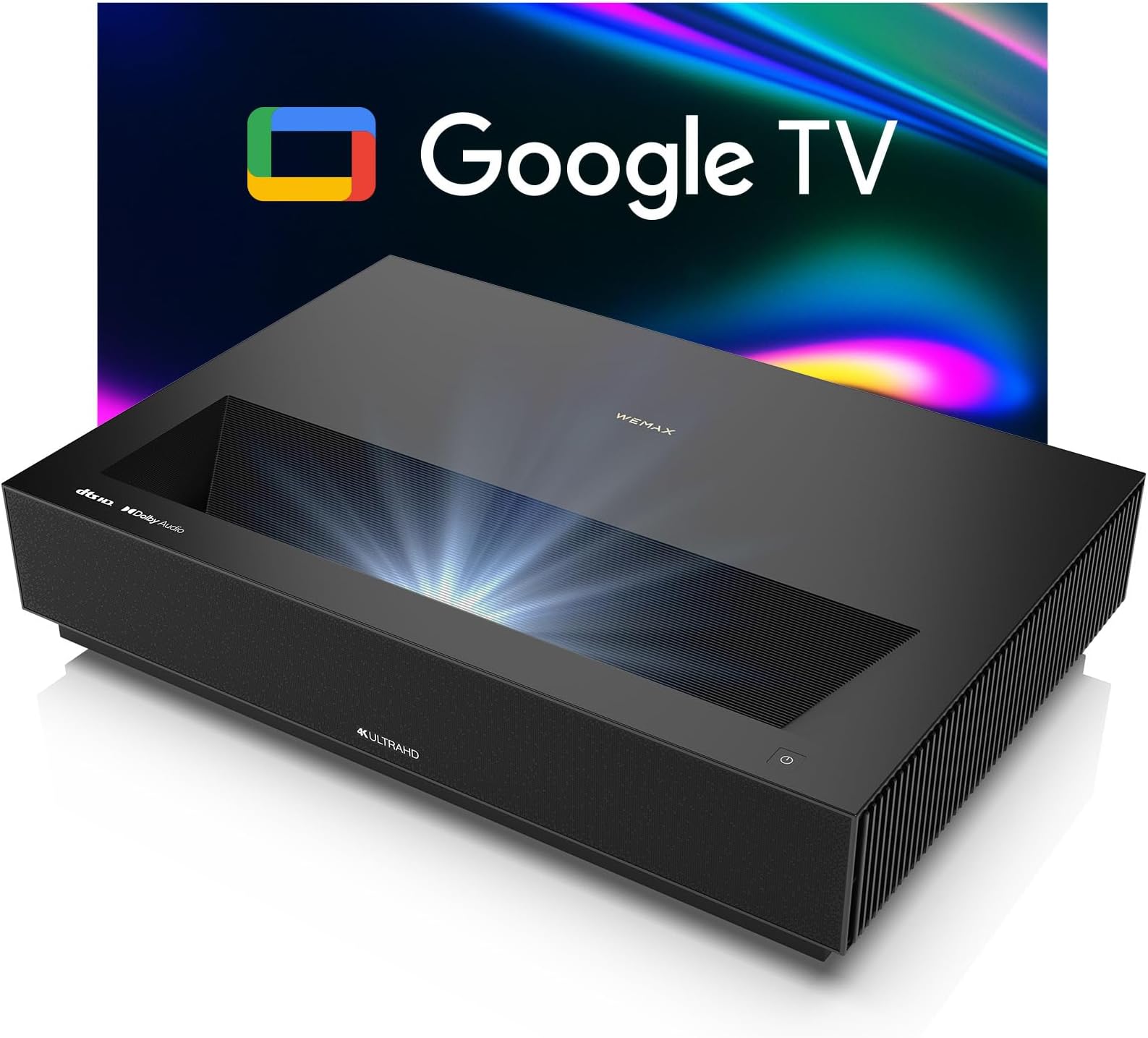
The WEMAX Nova Pro is a premium 4K ultra short throw laser projector featuring ALPD technology, delivering a massive 150-inch display from just 19 inches away. It boasts 2100 ISO lumens brightness with eye-friendly low blue light, HDR10 support, and a 110% Rec.709 color gamut for stunning visuals. Integrated Google TV and Assistant provide seamless smart streaming and voice control, while 30W Dolby Audio DTS-HD speakers create immersive sound. Perfect for professionals seeking a sleek, space-saving home cinema with cutting-edge tech and effortless connectivity.


| ASIN | B0FG7FMYLZ |
| Additional Features | 4K Ultra HD Ultra Short Throw Laser Projector with Goolge TV, ALPD Laser light source, 0.47" DMD 4K DLP Display Technology, HDR 10, 110% Rec.709, HLG, Google Assistant Voice Control, Google Cast, Internet Port Built-In, 2.4G/5GHz WiFi 6, Bluetooth, MEMC, 3D Function |
| Antenna Location | Business, Education, Gaming, Home Cinema |
| Best Sellers Rank | #497 in Video Projectors |
| Brand | WEMAX |
| Brightness | 2100 lumen |
| Built-In Media | Cleaning Kit, Power Cord, Remote, User Manual, Warranty Card |
| Color | Black |
| Compatible Devices | Gaming Console, Laptop, Speaker, Tablet |
| Connectivity Technology | Wireless (WiFi, Bluetooth) Wired (USB, HDMI) |
| Contrast Ratio | 3000:1 |
| Control Method | Remote |
| Controller Type | Remote Control |
| Customer Reviews | 3.9 out of 5 stars 391 Reviews |
| Display Resolution Maximum | 3840 x 2160 Pixels |
| Display Type | DLP |
| Display resolution | 3840 x 2160 |
| Form Factor | Desktop |
| Hardware Connectivity | 3.5mm Audio, HDMI, USB 2.0 |
| Item Dimensions L x W x H | 12.13"L x 3.58"W x 18"H |
| Item Height | 18 inches |
| Item Weight | 7 Kilograms |
| Manufacturer | WEMAX |
| Maximum Image Size | 150 Inches |
| Maximum Throw Distance | 0.49 Meters |
| Minimum Image Size | 80 Inches |
| Minimum Throw Distance | 0.13 Meters |
| Model Name | WEMAX Nova Pro |
| Model Number | L166FGN |
| Mounting Type | Tabletop Mount |
| Native Resolution | 3840 x 2160 |
| Picture Quality Enhancement Technology | HDR10 |
| Recommended Uses For Product | Business, Education, Gaming, Home Cinema |
| Special Feature | 4K Ultra HD Ultra Short Throw Laser Projector with Goolge TV, ALPD Laser light source, 0.47" DMD 4K DLP Display Technology, HDR 10, 110% Rec.709, HLG, Google Assistant Voice Control, Google Cast, Internet Port Built-In, 2.4G/5GHz WiFi 6, Bluetooth, MEMC, 3D Function Special Feature 4K Ultra HD Ultra Short Throw Laser Projector with Goolge TV, ALPD Laser light source, 0.47" DMD 4K DLP Display Technology, HDR 10, 110% Rec.709, HLG, Google Assistant Voice Control, Google Cast, Internet Port Built-In, 2.4G/5GHz WiFi 6, Bluetooth, MEMC, 3D Function See more |
| Video Encoding | HEVC |
| Warranty Description | 6 months |
A**R
Best value UST on the market
Overall this is an exceptional short throw projector for those that have the space and are thinking of getting rid of their TV. Straight out of the box, product quality is clear to see. It feels like a high-end piece of equipment, which for $2000+ it is, but in the land of ultra short throws it really isn't. I've never had a VAVA to compare it to but I know it's more compact and a nicer looking box. Everything feels quality. One small thing, is I wish it had a source button on the remote, so that I didn't have to access my Fire TV through the menus. I used this on a plain white wall and I have to say picture quality was excellent. You do get a wave at the top though if you have any imperfections in your wall. No way near as unwatchable and scary as people led me to believe with these delicate lasers though. My wall is very uneven and the picture was still exceptional. Colors pop, brightness really good. It's nowhere near as bright as the Bomaker Polaris, but that thing is like the sun when it starts up - practically blinds you. Sound through my soundbar was good also, and plenty good enough without. Make no mistake, this is an excellent projector and generally available for at least $500 less than the VAVA so I think it's the better buy. The real thing that tips it over the edge though is the customer service. OUTSTANDING! Unlike Bomaker, who never replied to my messages, the guys and girls at Wemax are just on it. They reply super fast, are extremely knowledgable and hunt down answers to questions they don't know, like their lives depended on it. Honestly, I've never been more impressed with customer service than this one. Which is a huge concern when buying high-tech equipment. VAVA responded to my questions too, but nothing like these guys. They were superheroes. It's also great to know that were something to go wrong, I can send it off to them in the US (I believe California) and they will repair it and ship it back free of charge. No sending it over to China to get it fixed, no uncertainty, no costs. That's huge. In short, a few little nitpicky things. The remote as I said, woulda been nice to have a few more customisable options in terms of picture settings. But for sheer plug-in and play this thing is a beast. You won't be disappointed!
Z**I
Quality projector at reasonable price
This is the fourth projector I have owned over the past 6 years, and the Nova out ranks all of them as the best of all of them. Pros: 25000 laser life – this is absolutely a godsend for heavy use. Most people don’t realize how much of a pain it is to replace bulbs every year and Nova's laser life span is truly above the mark. The ultra short throw makes installation a lot more clean and convenient. Not to mention you don't have the clutter of a large TV. The sound quality is really quite good for an integrated setup, but I have a high end system already. Pciture Quality - Absolutely beautiful. The colors are very vivid even in lower power setting, which looks great to the typical user but might be a bit over saturated for people who prefer a more realistic images. You have the option to tweak with the settings for a more realistic tone. Big time wow factor right out of the box. Cons: Many of the apps are those I haven't heard of, and typing on the remote can become somewhat of a pain. A streaming device like Apple TV or Fire TV is highly recommended - which you'll need if you want Netflix. I get netflix from my cable box so it doesn't bother me, but it might to some. Summary: As I mentioned, this is a very good projector out of the many I've owned. From Optima, to Anker (this is the second laser projector) this is by far and large miles ahead of all others. The picture quality you will be getting is like moving up from a 4 cylinder to a V12 engine.
G**O
DO NOT BUY, WASTE OF MONEY
I’ve been using this projector for about a year now. It has a great picture but there are a lot of things I don’t like about it. I’m using a Marantz 11.2 channel receiver with it and if I use the smart features of the projector (Home Screen), I can only hook it up to the receiver for sound with a fiber optic cable. Also, whenever I try to switch the input, the projector doesn’t read the input most times and I have to constantly restart the projector. When I bought it, I thought it was a good price for a 4K projector but if I could do it again, I’d buy a different brand. If I was able to return this projector, I would. There are so many glitches. Also, it’s hard to use the key correction to align the screen. This is not my first ultra short throw projector. No matter how close/far I put the projector, I can’t fill the screen and my screen is 128”. This projector has a max of 150”. For a $2000 projector, I just thought it would be better. My personal opinion would be to keep looking for a better projector. There are so many now for around the same price. A lot of more well know projectors that are 4K and affordable now too. If WEMAX sees this review, is there anyway I can return or exchange this projector? The HDMIs not reading inputs is really annoying and I’ve tested it with another projector and I don’t have the issue so it has to be the WEMAX. Update- this projector is garbage. It doesn’t connect to any inputs. I spent well over $10k on home theater and it never connects to any selected input. Don’t waste your money on this projector. There are so many actual 4K projectors, long and short through that are so much better and a lot of them are way cheaper than this one. I’ve updated my review to 1 star because that’s the minimum I can give. This thing is useless.
R**.
Overall great projector
I’ve been using this projector for just over a year now and I really like it. I bought it because initially I had limited space for the projector and wanted an ultrashort projector and this item was slightly cheaper than VAVA and other brands. I should say the brand is kind of confusing because although it says WeMax, almost nowhere else you’ll see that brand and you’ll see Huawi are over the place. The operating system is Google OS which I have conflicting feelings toward it (don’t really like it but it’s easy to use, I personally use my Roku). The setup is relatively straightforward, keystone and focus corrections are easy and pretty user-friendly 8/10 . I have thrown the picture over a huge white wall and on a screen, both had very good qualities but in bright sunlight, the screen is much better. I haven’t bought a fancy screen yet and therefore, unfortunately there’s some wavyness on the screen which is the downside of laser projectors 7/10. As far as picture quality, I haven’t compared it to other ultrashort projectors but comparing to conventional projectors, it’s definitely far better and almost identical to a real movie theatre 9/10. Sound quality is excellent, it’s quite deep and loud but it’s not Dolby and obviously you’d need a home theatre for that 8/10. The ability to use it as a Bluetooth speaker is a plus. Overall although this projector is expensive but I’d recommend it if you’re a cinephile 8/10.
C**.
Amazing video quality!!
Had this projector for about a week now. Let me get this out of the way first, I LOVE this projector! With that said, here are my notes for considering the WeMax Nova: 1. SETUP PROCESS: The Nova itself is very easy to setup and prompted guide helps you tune the specs. It is easy to "fine tune" the picture using the keystone correction in the menu. 2. IMAGE QUALITY: The picture is excellent, contrast is very good, colors are vibrant and image is crisp & sharp. With any laser projector, you should expect deeper colors, but the Nova is very even across a wide color spectrum. You definitely get darker darks, whiter whites, and it lends well for a crisp image quality. 3. SOUND QUALITY: The Nova comes with an excellent soundbar, and sounds significantly better than previous TVs i've owned. I'll admit, I only listened to it for a few minutes before plugging in my surround sound system. 4. FAN NOISE: In standard picture mode, the fans run at a very low speed - I don't really notice them at all. When I set picture brightness to "high", the fans spin up and are a little more noticeable, but not excessively like it's about to take off. If you're watching anything even at low volume, it's not going to be noticeable. SUGGESTIONS/IMPROVEMENTS: A. REMOTE CONTROL: The Nova comes with a bluetooth remote, which is just fine for me and works as you'd expect. I'd like for it to be integrated with smarthome devices like Alexa and Google Home. This would be preferred because of how I've setup my home - so this critique may only apply to me. I'm still researching what solutions are out there. B. INPUT MODE: The Nova has an input option in settings, which allows us to select Five TV or other contents input. However, it resets once turned off. So every time you power the Nova "on", you need to go to settings and select again. CONCLUSION: As stated, overall, this projector has exceeded expectations and comes highly recommended. Compared to other brands, the Nova is definitely a better bargain for the quality of projector that you are getting. The only one that comes close to performance is maybe the Optoma, but also comes at a greater cost. Upgrading to a laser projector is definitely an investment, but you likely have some idea of what you're getting yourself into. The difference between a standard LED TV and this projector is night and day. If you're looking to make that leap, this is definitely the projector you want to choose...and a screen is highly recommended!
M**U
overall, very pleased
This was a big purchase for our family, and so far, has been totally worth it. Highly recommended. We were hoping to get an ultra short throw projector for under $2000, but we realized that if we wanted a projector with our required amenities, along with a 4K picture quality, we would need to spend $2000-3000. This is a fairly new product, and there aren't many reviews out there, but it did have all the options we wanted. We are so happy with this. While we are not hardcore visualphiles, the image quality is great. We've been watching Marvel movies on Disney+ in 4K and I am actually noticing details I haven't seen before when watching on my HDTV. Daytime viewing is pretty good too, we have some blackout blinds near the screen but we can't make the whole room dark but the degree of brightness has not been an issue. It took me about 15-20 minutes to set up the image, adjust the keystones, focus and start watching a movie. We have a 92" screen and the projector is about 10 inches from the wall. We have a pretty good router so all our streaming has been pretty flawless so far. We needed a projector with bluetooth, so we could hook up our soundbar wirelessly, and it was easy to do. We do need to "pair" every time we turn it on, it doesn't happen automatically but this is no big deal for us. The internal speakers are pretty good too, so I wouldn't say you need external speakers unless you need the full theater experience. The baseline apps that come with it are fine, but it does not come with Netflix or Amazon Prime, so we also got the Roku Streaming Stick. If you plan on getting this projector, plan on getting a streaming stick also. HOWEVER, you need to change the HDMI to 2.0 to get 4K quality. We didn't realize this and all the images were pixelated and glitchy at first. Once I read some reviews, I changed it to 2.0 and now our streaming and image quality are spot on. But now we have 2 remotes, one to turn on the project and set the input to "roku" and then the roku remote. We are not an android family, we have iPhones and Macbooks, so we have not been able to screen mirror. I heard you can hook up iPhones to the projector via bluetooth. I tried to once, it never paired and I haven't tried it again, but honestly, I haven't really needed to. So far, this projector has been great and fulfills all our home-viewing needs (sports, movies, shows). Haven't tried gaming yet.
S**S
For the Cost It's Amazing
I've been buying projectors a long time. I started out borrowing an old InFocus 800x600, then bought a cheap Epson , bumped up to an Epson 720p, moved to an Optoma ultra-short-throw, and now I've upgraded yet again to this 4K projector. It's not without flaws but overall it's wonderful. The Good First of all, setup is almost dead simple if you have an ideal setup. If you just stream Disney+, Amazon, Youtube, you won't need ANYTHING else. You'll plug in the power, point it at the wall, connect to your wifi and logon to your accounts, and away you go! This thing is a "TV" not just a projector. The built-in speakers are impressive. If you're used to TV speakers you might actually be blown away. It's not a home theater but it's on-par with a Vizio soundbar. I've only tested a Polk $300 sound base that sounded more impressive without going the receiver and tower speakers route. The picture quality overall is amazing. 4k. Sharp. HOLY SMOKES is this thing bright!!! Contrast is fantastic. Color saturation is pretty much perfect. And did I mention it's bright? The remote is the best for a projector I've ever tested. Simple. It's got volume control, back button, common commands, and voice control (!) at your fingertips. This thing has THREE HDMI inputs and can talk to modern devices. That means it can turn on your PS5 if you select it and auto-detect best video settings. That said you're probably going ot want to manually set your per-input video settings to be more optimal (game mode for video game consoles, standard for movies unless you like them on the reddish movie mode, etc). Make sure your cables are all HDMI 2.0 for 120hz 4K. This projector has bluetooth speaker capability, a sceen saver, and is a Google TV, so you can download apps watch Youtube to your heart's content without connecting to any other devices, and that is awesome. Think of it less as a projector and more as a big screen Smart TV. If your setup is less than ideal (There's a tilt in your room) you will want to mess with the keystone settings. this confused me initially because you have FOUR WAY FOUR CORNER Keystone correction with 8 degree control (!). I'm used to the trapezoid correction of older projectors and didn't realize I could stretch and squeeze EVERY corner separately for a completely square picture (nice!). It's a lot of work to fine-tune but if you want to... you can! The Bad Oh boy. This device has some quirks. First of all, it's a laser (duh!) so you CAN'T turn down the brightness. It's got one setting: BLINDINGLY BRIGHT. Do NOT look at the wall/screen too closely or THE REFLECTION OFF THE WALL CAN BLIND YOU. Now the projector lamp itself is SOOOOO bright that I recommend you pick up a magazine and plop it on top if you need to adjust something in the back or you WILL damage your eyes. Speaking of backend adjustments... The text on the back is so tiny and faint it's pretty much unreadable while hooked up. It's VERY hard to read when you are trying to determine which port is which. Once you do... The optical port doesn't work! Or rather, optical audio out doesn't work! There's a red light. I know the cable is good. I tried both settings. No sound. So I was forced to use headphone out to output to my stereo amp. Honestly, that actually worked fine. Sound sounds slightly compressed (bass seems lacking) but initially volume was low. It took me a while to understand I needed to TURN THE VOLUME ALL THE WAY UP WITH THE REMOTE. Aparantly the amp on this projector is actually VERY powerful with a high quality DAC (I can't hear any static or distortion) but you have to turn the volume all the way up! It would have been nice to see this in the manual... The Ugly The manual is totally lacking for this device. It does't explain video modes. It doesn't explain configuration. It doesn't explain much of anything. I'm not finding much info online (forums and such) either. I hope you're a "do-it-yourselfer" because you're on your own figuring this device out. The remote is great but button placement is a little odd. It's nice and minimalist and reponsive though, and comfortable to use. The menus however are kind of terrible and the UI is worse. When you turn the device on it goes to the home screen. When a device goes to sleep/powers down it kicks you to home screen. When a device fails to detect it kicks you to home screen. There is no input button on the remote control. There is no setting I can find to disable being kicked back to the home screen and to just stay where you are. So for instance, my very SLOOOOOW SONY blu ray player that takes forever to turn on keeps resulting in my getting kicked back to the home screen. Argh!!! And the inputs are on the very tippy top right of the home screen, not a huge default icon like would be logical. There's no "HDMI 1, HDMI 2, HDMI 3" on the remote (again, that would be logical) so you have to deal with the pain-in-the-neck menus EVERY time you want to switch inputs. That's just bad design. Smart TVs are not this big of a pain to switch inputs. Even Google ones. Perhaps worst of all, this projector has trouble with 4K input. My Xbox One WILL NOT accept it as a 4K capable TV and keeps saying the device says it cannot accept 4K signal. So I'm stuck at 1080p on an Xbox One even though it's a 4K blu ray player. Won't accept 120hz refresh either. It keeps saying the device is only capable of 4K 30fps. Seems to mabye be a non-standard resolution mode? I've seen similar issues with projectors before because they are trying to use PC resolution modes instead of TV modes and the Xbox is confused by this. Also, the old game Mass Effect 3 has a horrible issue with bright/dark constant flickering. Seems to be the aperature of the projector rapidly opening and closing and over-brighening/over-darkening the picture constantly because it doesn't know what to do with the flickering in-game from the old graphics lighting engine. So if you are running old game consoles this might not be a great choice because it seems to be confused by old lighting and resolution modes. Conclusion If you are running ALL-4K ALL-THE-TIME this is the projector for you I think. Blu Rays look great. Animation on blu ray looks amazing. Streaming apps look awesome. I haven't tested Switch, PS5, Wii, PC, and a ton of Xbox games yet but newer seems to work better. The jury is still out on true 4K/HDR because I don't know if the streaming services are running in these modes or not and I can't find any HDR information in any of the menus. The native apps however look amazing HD content looks awesome. Old video games, even when they are running fine, look terrible. There does not appear to be any anti-noise, upscaling, anti-aliasing going here, and Xbox 360 era games look absolutely terrible because the contrast and brightness are so incredibly high (way higher than the developer ever intended). Weirdly, it's the opposite of the problem I used to have with projectors. Usually they are so dim that HDR designed movies are unwatchable because dim scenes are just black (the beginning of Thor was unwatchable on my old projector). On this projector dim scenes are over-bright and over-contrast showing massive graphical imperfections in old video games. No display is perfect, especially projectors. Just be aware of these flaws when purchaing and make sure all your devices are HD/4K and buying NEW HDMI cables for max picture quality. Also, make sure your sources are capable of very good upscaling/anti-noise, and de-interlacing because this projector doesn't seem to be capable of any post-processing. Then again, maybe it is, and it's just hidden in a video mode that there no information on online or in the manual. For best picture quality, try EVERY video mode until you find the best one for your particular setup. Update: Okay, I found a review that listed all the video modes and what they do. Apparently you CAN change image settings if you select "User" as the option. Then you can change the brightness and a few other parameters. There is little reason to select this unless you want to slightly decrease brightness. With no way to alter contrast decreasing brightness very much will give you a washed-out picture. It turns out to get 4K on this device you have to push the center button on the remote, select HDMI, then select "2.0" in the toggle. This is a PER PORT setting so after you attach ultra-high-speed HDMI cables an enable 4K in your devices, you will have to turn on for EACH port on the projector. This device does NOT support 4K at 120hz or Dolby Vision so you will be getting "4K 60hz" "HDR 10" at best. After spending all this time calibrating the device I have to say it is now VERY impressive. Outstanding picture quality for the average consumer. Just be aware that you may run into some weird visual glitches and need to pay very careful attention to the settings to get best experience and full potential. The issues with Xbox One games (Mass Effect 3 in particular) were mostly resolved by switching to 4K HDR. Unfortunately the textures still look absolutely terrible and contrast in that game just isn't right, with everything looking too bright and washed out or too dark with blacks that should just be dark colors. In other words, it ain't perfect, and older content is this device's Achilles heel due to lack of smoothing/anti-aliasing. It's STILL the best projector I've ever used, because once you get picture and sound settings finally figured out, it's incredibly bright, with very deeply saturated colors, the remote is wonderful, it starts up near-instantly, and it's got 4K and HDR that you can actually see. At this price it's an excellent purchase if you don't have several thousand to spend on a better projector.
S**R
Picture is great….when it works
The picture is incredible….when the projector works the way it is designed. I really don’t understand why projectors use Android software. To me that’s the number one issue with the projector. The next thing would be the useless customer service that Wemax offers. They don’t provide any assistance with their products, they don’t update the system either. Which leads to why I contacted the customer service. The built-in WiFi, doesn’t work…at all! I ended up using a WiFi extender that had a CAT5 Port to make the Projector think it is hard wired to a router….even then it is crummy. When you use an Android System that uses WiFi to operate its normal functions causes the projector to freeze up, restart and not display any inputs (so forget using a Firestick or Gaming System). Overall, I thought these were a good projector from reviews I read before purchasing it….NOPE, Wemax projector stinks. I would keep searching if you’re considering this product.
Trustpilot
2 days ago
1 month ago