Buy anything from 5,000+ international stores. One checkout price. No surprise fees. Join 2M+ shoppers on Desertcart.
Desertcart purchases this item on your behalf and handles shipping, customs, and support to Thailand.
🚀 Scan Smarter, Work Faster, Live Clutter-Free
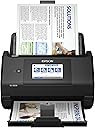
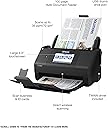
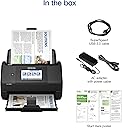
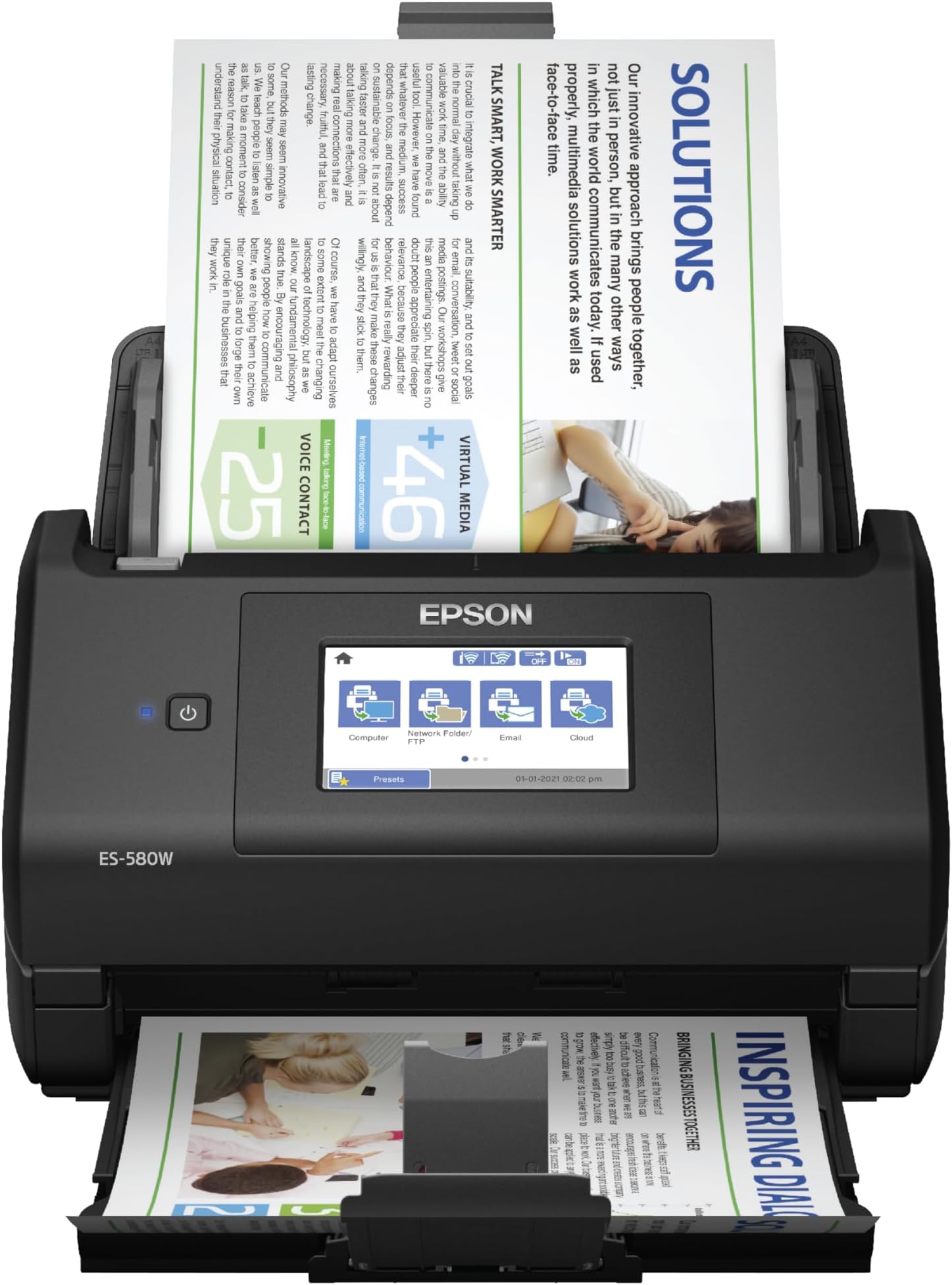
The Epson Workforce ES-580W is a wireless color duplex document scanner featuring a 100-sheet Auto Document Feeder and a user-friendly 4.3" touchscreen. It delivers high-speed scanning at up to 35 pages per minute with single-step double-sided capture, supports direct saving to USB and cloud platforms without a PC, and includes OCR for creating searchable and editable documents. Compatible with Windows and Mac, it’s designed to streamline professional workflows and reduce desk clutter.


| ASIN | B08P3ZT5WH |
| Best Sellers Rank | #8,005 in Office Products ( See Top 100 in Office Products ) #10 in Document Scanners |
| Brand | Epson |
| Built-In Media | Item |
| Color Depth | 30 bits |
| Connection Type | Wi-Fi |
| Connectivity Technology | Wi-Fi |
| Customer Reviews | 4.4 out of 5 stars 966 Reviews |
| Item Dimensions D x W x H | 14.5"D x 9.95"W x 11.25"H |
| Item Type Name | Document Scanner |
| Item Weight | 3.7 Kilograms |
| Light Source Type | LED |
| Manufacturer | Epson |
| Media Type | USB |
| Minimum System Requirements | Compatible with Windows 7, 8, 8.1, 10, and 11 (32-bit 64-bit), macOS 10.7.x to 12.x (10.11.x 13.x for some models). |
| Model Name | Epson WorkForce ES-580W |
| Optical Sensor Technology | CCD |
| Product Dimensions | 14.5"D x 9.95"W x 11.25"H |
| Resolution | 300 dpi |
| Scanner Type | Document |
| Standard Sheet Capacity | 100 |
| UPC | 010343953505 |
| Unit Count | 1.0 Count |
| Warranty Description | 1-year limited warranty in the U.S. and Canada |
| Wattage | 580 watts |
Y**N
Must Have Scanner for your business!
If you scan documents daily for business, this scanner is worth every penny. I use the Epson WorkForce ES-580W Wireless Duplex Document Scanner constantly for my Notary Business and it has made my workflow much faster and more organized. The wireless setup was simple, the touchscreen is easy to use, and the duplex scanning saves a huge amount of time by scanning both sides at once. The scan quality is sharp and professional, especially for important client documents, loan packages, and estate planning paperwork. I also love that I can scan directly to cloud storage or my phone without needing to sit at my computer. The 100-sheet feeder handles large stacks smoothly and keeps me productive during busy days. This has easily become one of the best investments for my Mobile Notary business. Reliable, fast, and perfect for anyone handling high volumes of paperwork. Highly recommend for notaries, loan signing agents, and small business owners. 10/10
W**Y
True workforce. Excellent product.
I made some research for awhile and I chosen this machine. Awesome product. This is true draft horse. I am using one but if that device would break then I would buy another one without hestation. It has a lot of usefull options and features. Menu has color display and is configurable by the user. Connectivity to PC works fine but since I’m doing heavy scanning most of the time I’m ‘dumping’ all the scans into the external USB drive. I have attached extension cord for USB memory stick and when I need to unload all the scans I can easily detach the USB stick from device after powering of scanner. Dual scan works like a charm with skipping blank screen if necessary. Also length of the document is working very well. I am not sure what it the maximum length of the document that can be scan but I haven’t reach it yet on those document which I needed to scann. Definitely device doesn’t take much space and it is rather compact. All necesary drivers and SW can be downloaded from EPSON site but for faster operation I prefer to operate ES-580W via menu and external USB drive. Quality of the scanner IMHO are decent and reflect very well original and Work. Setup wasn’t particularly challenging and rather straightfoward. There is nothing missing in this machine but option for LAN connection. Although ES-580W have option for USB connection to PC or WiFi and Direct Scan from mobile device I would prefer to see Ethernet connection as I did have in other scanner. That would only option I wish to see in this excellent product.
D**E
Turns hours of work into minutes.
If you’re not intimidated by a little setup, this is a life saver. What I needed was to set up several presets that send from my email address to another, with different subject lines. With a few minutes of scanning, my bookkeeper can receive hundreds of pages, neatly organized into PDFs, emailed under easy to identify subject lines. And the scans are often even easier to read than the originals. I first saw my dentist’s office staff using the ES-580W. It seemed so efficient, and I had high hopes. I was not disappointed. It has saved me hours and hours of otherwise cumbersome and low quality scanning, organization, PDF conversion, and manual emailing. I HAVE made some mistakes. Like leaving a staple in. It detects a double feed when this happens and throws a paper jam error. With the push of a button, the whole unit hinges wide open like a jaw, and paper jams are easily cleared. I wish printers were this easy. When you close the unit, it asks you to reload your pages where you left off, and resumes the scan flawlessly, or at least it has so far. I’ve seen nothing but consistency from this scanner.
S**.
The ABSOLUTE best scanner!
I have been using this Epson Workforce ES-580W for a few weeks now. Can I say I am beyond impressed???? The last scanner I purchased, and still use, is a Fujitsu. I needed to purchase another one to have upstairs, so pulled the trigger on this one. The ability to connect to any of my computers via WiFi is a game changer, even though it does come with cables for wired connectivity. It is super smooth in its scanning capabilities, along with being rather small. I like the fact it can easily scan a thermal receipt without the need of a scanner sheet protector type of feeder. The processing of paper is quick! So just know you will not sit for long periods of time waiting for the device to complete the process. I can say I will purchase another one of these in the very near future to replace the older Fujitsu in my office. To connect/work cord free really puts a smile on my face. The prospect of decluttering even more cables at my office desk is a huge bonus for me. Definitely worth the investment!
M**H
Good product
Works well with windows 11 pro and also works well with eClinicalWorks, scan PDF directly into EMR, fast, easy installation , good buy, I wish it comes in white
M**N
Great Scanner at Reasonable Price
I purchased this scanner as a replacement for my Brother ADS-2800W, which was a fantastic scanner but is not compatible with Windows 11 and Brother will no longer be upgrading drivers, etc. to support it. The Epson Workforce ES-580W is a perfect replacement. It was easy to install and has all the same functionality that I was seeking (and it's compatible with Windows 11). It has a smaller footprint than my old scanner, which is an added plus. As I try to avoid keeping paper files, I scan a lot of documents to file them digitally (and they are backed up into the cloud). I also scan receipts, bank statements, etc. into Quicken, which requires a TWAIN driver, which the Epson ES-580W provides. It scans quickly and with good quality, whether to PDF or an image file. I'm very happy with this purchase.
A**R
Good scanner for how
I purchased this for my home office when I opened my own solo practice. I have used it a ton as I am scanning old files to retain and it has worked really well. Recommend.
T**H
Rated a 1 or less, not very good instructions. Can not use as is.
This scanner does not come ready to go. You must put it together than figure out how you put software in system. It did come with disc, but not flash drive or a write ways to download the software. For the amount of money $450.00 I would think that Epson would make this very easy. The disc they gave will not go in my computer so that does not work. The only instructions given is how to put it together then you have to figure it out yourself. I did go to a Epson web site but I did not have time yet to see that that works. It this point I can not use the scanner. I would think the instructions would tell you very thing you need to know to use the scanner. The computer now days some don't have a CD slot so the CD is not going to work. If the scanner does not work with what looks like a flash drive slot then I will need to return scanner. The Grinch
R**O
Várias páginas, frente e verso e com uma qualidade absurdamente positiva!
Excelente scanner, rápido, fácil de usar e extremamente útil! Eu recomendo!
R**W
Great document scanner, mediocre picture scanner.
PROS: - Flexible reliable document scanner. Can scan-to-network drive and make use of presets directly on the scanner without having to install special software or drivers on any computers or tablets in the house. Software/drivers were supplied, but they're not needed to operate this unit. - Reliable sheet feeding; paper jams that do occur are usually limited to a missed staple or cut-outs on the the paper, or setting safety settings to high/conservative. - Successfully scanned >25,000 pages of material within the past 6 weeks and it's very reliable for both one-off scans and near continuous scanning over several hours at a time. - Can access settings via HTTPS page on local LAN. - Auto skipping of blank pages and auto-correction of paper skew are fantastic! - Scanner is easy to access and clean - the moving parts pop-out and pop-in intuitively. - Picture quality is limited (see CON below); however, configurable cropping and shadow delete are nice features to have when bulk-scanning hundreds of old physical photos. Color tones and contrast appear good compared to trial-and-error flatbed scanner, and dust on pics isn't as noticeable. - Nice options for image compression. - Nice small footprint on desk (when trays are retracted). - Handles very large documents (>100 pages)....simply by feeding the paper into the scanner in batches. - Accepts paper of differing sizes within the same scan into a single PDF (eg: scanning receipts). CONS: - Picture resolution could be improved particularly on photos (product is limited to max 600 dpi). 1200 DPI would be nice. - Would be nice to set a timer for confirming/committing the last page of a scan. At present, pressing a button to confirm last page is required. An optional 5-second countdown timer would be useful. - Additional image format outputs would be useful (eg: GIF, BMP, etc). All told, a small but reliable scanner that's great for document scanning.
J**N
Gran equipo y servicio que brinda, TODO PERFECTO
Perfecto empaque, todo en orden, buen funcionamiento
R**.
Excelente compra
Muy satisfecho con el producto. Es muy práctico, rápido y eficiente.
B**E
Rápida, eficiente e tecnológica.
Muito bom! Além das expectativas! Recomendo!
Trustpilot
3 weeks ago
2 weeks ago