Buy anything from 5,000+ international stores. One checkout price. No surprise fees. Join 2M+ shoppers on Desertcart.
Desertcart purchases this item on your behalf and handles shipping, customs, and support to Thailand.
๐ Elevate Your Home Network Game โ Stay Connected, Stay Ahead!
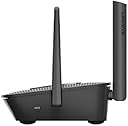
The Linksys MR8300 Tri-Band Mesh WiFi 5 Router delivers ultra-fast 2.2 Gbps speeds and expansive 2000 sq ft coverage powered by intelligent Mesh technology. Designed for busy homes with 20+ devices, it ensures seamless 4K streaming, lag-free gaming, and secure browsing with advanced parental controls. Easy app-based setup and robust security features make it the ultimate future-proof router for professional millennials craving reliable, high-performance connectivity.
| ASIN | B07SHT6LDQ |
| Antenna Location | Gaming, Home |
| Antenna Type | Fixed |
| Best Sellers Rank | #52,633 in Computers ( See Top 100 in Computers ) #853 in Routers |
| Brand | Linksys |
| Built-In Media | MESH WiFi system |
| Color | Black |
| Compatible Devices | Laptop, Personal Computer, Smart Television, Smartphone, Tablet |
| Compatible devices | Laptop, Personal Computer, Smart Television, Smartphone, Tablet |
| Connectivity Technology | Ethernet, USB |
| Control Method | App |
| Controller Type | App Control |
| Coverage | up to 2000 square feet |
| Customer Reviews | 4.2 out of 5 stars 198 Reviews |
| Data Transfer Rate | 2.2 Gigabits Per Second |
| Frequency | 5 GHz |
| Frequency Band Class | Tri-Band |
| Frequency band class | Tri-Band |
| Global Trade Identification Number | 07458837759340 |
| Is Modem Compatible | No |
| Item Dimensions L x W x H | 16L x 5W x 21H centimeters |
| Item Weight | 608 Grams |
| LAN Port Bandwidth | 1000 Mbps |
| Manufacturer | Linksys |
| Maximum Upstream Data Transfer Rate | 1100 Megabits Per Second |
| Mfr Part Number | MR8300-UK |
| Model Name | MR8300-UK |
| Model Number | MR8300-UK |
| Model name | MR8300-UK |
| Number of Ports | 3 |
| Operating System | Windows |
| Other Special Features of the Product | WPS |
| RAM Memory Installed | 4 GB |
| Security Protocol | WPA2 PSK |
| Special features | WPS |
| UPC | 745883775934 |
| Wireless Compability | 802.11ac |
| Wireless communication standard | 802.11ac |
A**S
Best buy
I am having Etisalat 500 mb connection and i have used many TPlink, Dlink and Linksys routers , all price range between 120 to 170, and i have been struggling alot. Many times technicians came and they always said to change router and recommended me Etisalat router which i never accepted even free one. After a lot of research finally i spent some more bucks on this linksys router and it is giving me magic feeling. My Ocla test speed was always around 70 to 80 mbps download and with this you can't believe it is 634 mbps for 500mb connection. It is my first day with this router and i can see huge difference in browsing and video streamings. I would recommned it's a best buy. Regards, Yasir
T**I
If you want to make it a child node do this....
Hi, I bought this as another linksys product to expand my network upstairs. It wasn't working until I had spent 2 days and 3 hours on the linksys support chat. All you need to know is to manually update the firmware in order to get it to connect properly. Don't think it's broken and make sure to chat with linksys support. Regards
H**.
so far so good but 1 flaw in the router sys itself
I was surprised to find I couldn't make my SSID hidden. Linksys now doesn't allow this on their modems which in my opinion is a big flaw. It was an option I always looked for. The speed test on the linksys app is not at all accurate. It gives 650 mbps speed and I only have max of 100 so the app is not correct.
R**D
Very bad software
Very bad software , no option to make hidden wifi, also no way to turn wifi of in case to make the router just router
A**X
Sehr gut!
Sehr zufrieden.
M**M
Gooooood router.
Good router better than the nodes as the main hub. Got this on middle floor and 2 additional linksys nodes on ground floor and top floor. Good coverage. But on its own its quite crap. The giga ports work excellently. Looks okay not to bad and definitely not in your face. The leds for the port are good indicator although don't like it flashing. Rather have steady colours. Quick and easy to connect. the mobile app is okay. I'm on 1gbps fibre connection. All hardwired devices receive 900mbps+ (Note 10 400mbps+ from close by middle floor. And around 100/200 if im on grnd floor/top floor. [But with the additional nodes I get 400mbps almost everywhere these nodes are hardwired]
M**O
Ottimo, funziona perfettamente con OpenWRT
Ottimo router che funziona perfettamente con OpenWRT
T**W
Good entry level device to use with custom firmware
works fine
M**R
An instant revolution of my network
Having been looking at various mesh systems to replace the hodgepodge of modified devices left in place by my brother (with no logins for any of it) I settled on one of these and two of the tri-band Velop units. Before we had an old HomeHub with two crusty old n routers connected as access points serving 4 different networks that on a good day barely covered the house. It's an 1860's Victorian property with thick, solid walls; signals don't travel well here. Fortunately, having networked the systems before wifi was really an option we have an ethernet run that traverses all three floors already. Before you do anything install the app on at least one device. You can use the app on multiple devices and there's a web login system once things are setup. Create an account and have it ready to go as it will guide you through the whole process. As long as you do as you're told there's not much to go wrong. Connected the MR8300 to the modem, let it settle down and fired up the app on a tablet. Followed the instructions and left it to do it's things. It takes about 10mins and may ask for login details depending on provider and setup (BT Infinity here so just [email protected] with no password). It asks you to leave the setup device nearby while it's going so wander off and come back in about 10 mins and you should be at the system dashboard ready to configure things. Setup a wifi name and password and that's about it. There's not really a need to setup anything else but there are options that will cover some of the more common things people with more in-depth needs will find handy. The wifi range on this alone reached to the attic, the signal wasn't great but it was there which we couldn't have done just off the HomeHub. Likewise I was still able to connect at the back of the house which is a fair distance and has the hardest time even with the old setup. Next up was to set up the mesh. This is where my selection of products became clear, the MR8300 is one of few routers I could find that supports the company's meshing setup and in the case of this becomes the primary node of Linksys' Velop system. From what I could find it became clear that should I need any additional devices to fill deadspots I could easily pick up some of the cheaper units to do so while having the backbone of the system running on the better tri-band units. Everything labelled Velop plays nicely together, I couldn't confirm this for other systems at similar prices I paid and some flat out don't work across mixed hardware despite being labelled the same. Now I can't comment on the connectivity between the devices wirelessly as I planned from the start to use the existing ethernet for the backhaul given the problems we've had in the past here it just makes more sense as the cabling is already in place. Again, just fire up the app and select the add device option. Follow the instructions and again it will take about 10-15mins to detect, configure, and setup each device. Everything is handled automatically with a few taps and messages to tell you what's happening. Did this for both units in the places I'd already planned to connect them. Completed the setup and then it proceeded to update the firmware for the nodes. After a few minutes everything was good to go. I may not of needed both of the extra nodes but I certainly have an excellent signal throughout the house now. Things can be monitored through the app so you can see when devices are being switched between nodes as you move around. Speed seems fine, we don't really use the wifi for heavy duty stuff as the main PC's are all wired. Connected are a number of laptops, phones, tablets, streaming devices, printers and an AV receiver and everything seems happy connecting. Only had it up and running for a few hours now but very happy with the simplicity and performance. With enough nightmare installations under my belt I'm more than happy to fiddle around but it's so nice not having to try and hold a laptop at an odd angle to configure over a wired connection or play guess the settings before moving things in to their final places and hoping it works. Doesn't look like I'll be needing any extra units but it's nice to know I can just buy whatever Velop unit and it'll sync up. I would've preferred the MR9000 for the better 5GHz speed but they don't seem to be available in the UK. If and when a replacement setup is needed as long as the Velop system remains back compatible with what I have it'll be an easy choice.
Trustpilot
2 months ago
2 weeks ago