🚗 Stay Ahead of the Curve with Laser-Precise GPS Tracking!
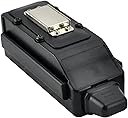
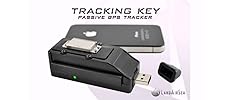
The LandAirSea LAS-1505 is a compact, pocket-sized GPS tracking device that connects to 24 satellites to deliver location accuracy within 2.5 meters. Designed for parents and employers, it records data every second and can be discreetly hidden in vehicles. Powered by 2 AA batteries, it offers over 5 days of continuous tracking, making it a reliable tool for real-time monitoring of driving behavior and routes.


| ASIN | B000H9E9UG |
| Batteries | 2 AA batteries required. |
| Color | Black |
| Customer Reviews | 3.3 3.3 out of 5 stars (241) |
| Date First Available | July 7, 2004 |
| Is Discontinued By Manufacturer | No |
| Item Weight | 1 pounds |
| Item model number | 1505 |
| Manufacturer | TRACKING KEY |
| Other display features | Speakers |
| Product Dimensions | 11 x 4 x 6 inches |
| Special features | Pocket-Sized |
| Whats in the box | Battery, USB Cable |
G**D
Mission accomplished
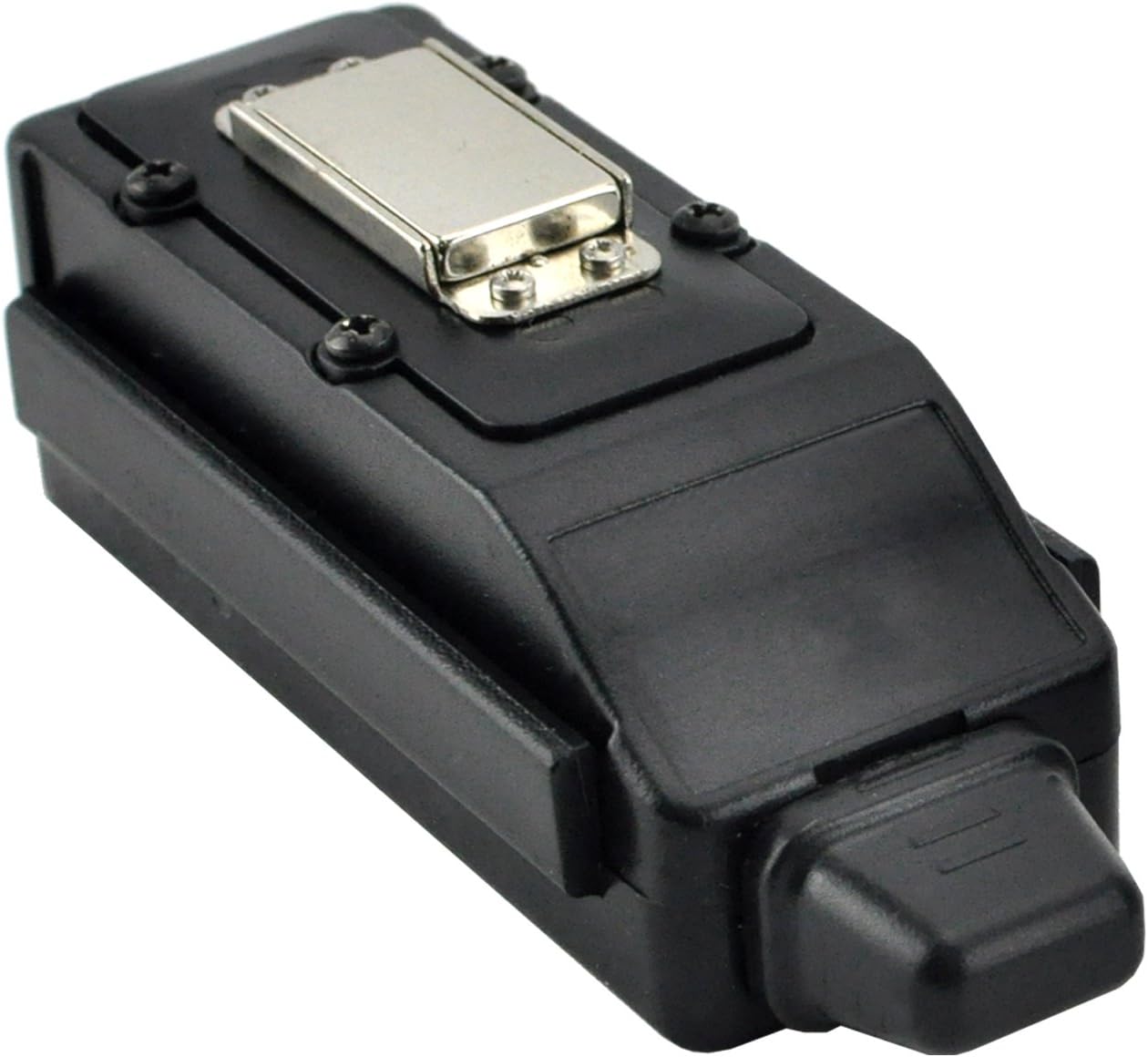
After looking at many reviews for a variety of products, I settled on this as the best bet, and am not disappointed. One thing not made clear in the specs and comments is that you do not actually need Google Earth to review tracking history. The installation CD includes a US street map. Not as clean and easy to navigate as Google Maps or Google Earth, but it is plenty functional to do what you need to do. You can also download text-based data with speed, heading, and GPS coordinates for each measured point, if that suits your needs. I've reviewed many days of driving records and watched as the car icon drove along the map at scaled speed, with the timer and speedometer showing me progress and rate. You can zoom in and out as needed, speed up or slow down the playback, etc. Using the software's built-in mapping software, the track did not always follow the roads I know the car traveled (the tracking line sometimes went off into space with no roads, or doubled up). After working with this for some time I have discovered that (1) The line track sometimes shifts as you zoom and pan, and (2) the built-in map is inaccurate and outdated. Still, it does quite well enough that there is little question as to where the tracker went, and you can cross-reference the time and get the GPS coords from the text report to verify exact location in an external map application. This inconvenience is not a deal-breaker. And of course, you can always use Google Earth like they intended. You can tweak the display track to change colors based on speed, to make it immediately obvious when the tracker has exceeded certain speeds. Pretty cool. There were times when it lost the signal for a minute or two, but for the amount of driving I tracked I'd say it caught well over 95% of the data it was supposed to. I've placed it under one of the front seats, and behind the rear bumper, so it did not have the clear view of the sky that the manual suggested... but let's be real, these will rarely be planted in an obvious spot. Considering how much it grabbed in a non-optimal hiding spot, very good for the cost. Gripes: No on/off button (see that a lot in these comments). Right before putting it to use, you have to install new batteries and dink with those tiny screws, or you can do the access panel earlier and insert a strip of paper or one of those thin plastic bookmark tabs over one of the battery heads to prevent contact, leaving it hanging out from under the battery panel, and then pulling the strip when you are ready to use it. Someone mentioned parking the screws on the magnet to not lose them, which is not a bad idea as long as you don't drop them when trying to put them back in. One thing I found out the hard way is that you have to be careful with your screwdriver around that magnet. I put all four screws on the magnet when the panel was removed and laid the panel on the table, and then laid the screwdriver down by the panel... the magnet and screwdriver snapped together with such force that all four screws went flying! Found them with some effort, and when putting them back in, once again the screwdriver tip got too close to the magnet while trying to put it back together. And once again they smacked together hard enough to launch the screw. Take away from this comment that the magnet is plenty strong. Battery life: Got a little over five days or recording under heavy driving conditions. Not great, but enough. Under light driving, the daily errand and commuting variety, it went over a week and was still active when removed. Perfect. Anyway, I got the info I needed, and know that there will be plenty of other times I need to track my daughter in the future. For that matter, remember to think outside the box... it can be stowed in a backpack or other places, too.
C**A
DESPERATE DADS: You don't need this headache.
This product is a classic example of a product that was probably cool and very useful ~7 years ago with 15-year old software, but it definitely shows its age against today's easy-to-use, battery-friendly devices. You start to get this perception from the moment you remove those 4 tiny screws to insert 2 AAA batteries and a very thin "gasket" that's supposed to provide "water resistance" falls out. Then you squeeze the batteries in place in what seems like a compartment that's too small but not snug enough to hold the batteries in place. I had to retrofit a little piece of styrofoam in there to prevent the batteries from coming loose. Then, as others have said, you have to be careful to insert the screws without having them *snap* to that powerful magnet. Why the tiny screws? And, if so, why put the magnet there? Then, when you load the software and attempt to setup the device, after seeing another loose gasket around its USB connector, you notice that you actually have to instruct the software to go find the device. Quaint. And it shouldn't take as long as it does to find. Then, after you run it for a day or two you completely deplete those two batteries and try to review the data. You actually have to download the data before viewing it. It seems to be a really old USB format because it takes a long time to get 300-400k transferred. The Past-Track map display is "interesting", it renders the vehicle as what seems to be a black horsefly. Panning & zooming yields results that you wouldn't expect like reset, US-wide view, zooming into another state, etc. What you get with the software seems to be like a box of chocolates, you never know what you'll get. The whole UI for Past-Track, the software that comes with it, is like a throw back to Windows 95. So, I've had it for a couple of months, hoping somehow that it would get better, but earlier today I noticed yet another odd behavior. It's supposed to go dormant (in low battery consumption mode) while it's not moving around. You can tell when it's active when one of the green lights blinks every second or two. When I put it on my desk last night, it was still blinking. This morning, it was still blinking, but the battery indicator light was red -- indicating that I've almost depleted two batteries by having it measure the movement of this thing sitting on my desk all night. D'oh! I can't believe I bought this thing. I guess it just goes to prove what a desperate & frugal Dad would do vs. shelling out $25+ / month for a tracking service. Here's my advice to all those like-minded desperate Dads out there. Unless you really like to tinker every day or two, and don't mind doing battle with the software, just pay the extra monthly fee for the onilne tracking service. Besides, you can always turn off the service when your little bundle of joy gets his/her own car or leaves home.
R**T
Perfect for My Purposes
Very effective in the application I am using it for. I am using it to determine where my vehicle has been driven. The magnet is very strong making it easy to place underneath the vehicle in a number of different locations. While the device is supposed to be water resistant, I took the advice of another reviewer and place it in a small sandwich bag prior to placing on the vehicle. The removal of the battery panel is somewhat annoying as it requires removing 4 screws using a small screwdriver. Not that it is difficult, but it is not just an easy pop off type cover. Also, it would be nice if the device had an external on/off switch as the device is always powered on if batteries are inside. Again, not a huge deal. I've found the accuracy to be pretty impressive. It appears that while the vehicle is being driven (in constant motion), the better the accuracy. When the vehicle makes lots of stop and go movements, the accuracy is not as good, but good enough to be able to figure out where the vehicle has been. The software that comes with the device is nothing fancy, but does make easy to download and view tracks. Being able to import a track into Google Earth is a nice touch. I would recommend looking looking over the documents found on Land Sea Air's website before buying (http://www.landairsea.com/gps-tracking-support). It provides a great deal of information on how to use the device and any limitations, thus helping you make an informed purchasing decision. Overall, I would recommend this to others who are looking for a simple, easy to use GPS logging/tracking device.
A**R
The good: one of the few options for tracking your vehicle without paying a monthly fee. The bad: no on/off switch. screwdriver and 4 screws to remove to change the 2 AAA batteries. data sometimes corrupted if batteries run dry. Used this device to track my teen drivers. Sometimes frustrating but it did what I asked it to, show me where they went. I would buy it again but only because there are no viavble alternatives
A**R
Doe's what it says on the tin and costs only 2 batt's to run excellent
P**S
I wanted something self-contained (power-wise) to monitor the movement of farm vehicles. Fitting the batteries is fiddly (I could have done with a non-magnetic screwdriver) and there is no on-off switch. The simple reports of vehicle movement are OK, though not very useful to me. The software uses Google Earth to produce the maps of the tracks I wanted, but the device outputs a proprietary format for which there appears to be no widely available converter to extract latitude, longitude, and time of day, which I needed to determine speeds and detailed trip data. Google Earth will produce a KML file if you just need the tracks, but that doesn't include timing. I eventually had to write a program to convert the data files to something I can use in Excel. The more expensive version has an on-off switch and appears to produce a more accessible text format, but a much cheaper solution for my purposes would have been a cheap USB battery pack and a USB-powered GPS dongle.
J**J
It works as advertised. I put it in a plast zip loc to keep it safe from the elements and wrapped and elastic band over that to ensure it did not come apart. Use Energizer lithium batteries and got 3 weeks + out of it. Sometimes it shows routes that simply aren't possible is my only complaint but by and large it works as advertised.
B**S
Easy to use.
Trustpilot
2 months ago
2 months ago