Buy anything from 5,000+ international stores. One checkout price. No surprise fees. Join 2M+ shoppers on Desertcart.
Desertcart purchases this item on your behalf and handles shipping, customs, and support to Thailand.
💼 Elevate your digital workspace with storage that works as hard as you do!
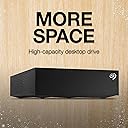
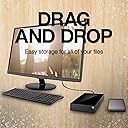
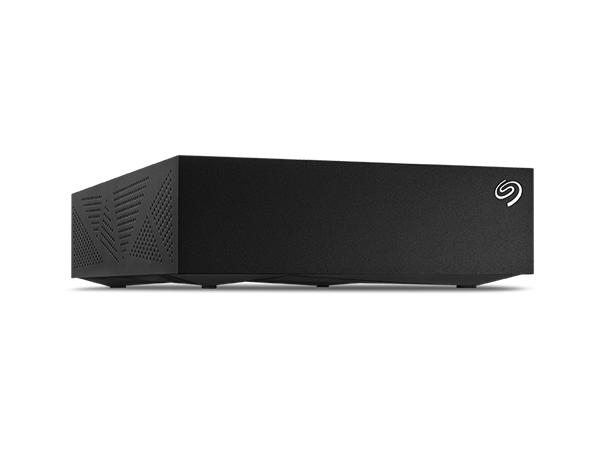
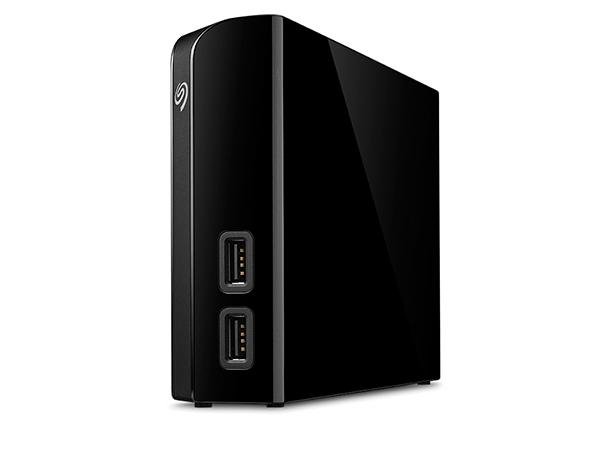
The Seagate Expansion 14TB External Hard Drive combines massive desktop storage with USB 3.0 speed and effortless plug-and-play setup for Windows and Mac. Ideal for professionals and gamers alike, it offers reliable data protection through included Rescue Data Recovery services, delivering exceptional value and peace of mind for all your backup and transfer needs.


| ASIN | B07CQJBSQL |
| Additional Features | Data Recovery Service |
| Best Sellers Rank | #62 in External Hard Drives |
| Brand | Seagate |
| Built-In Media | Seagate Expansion Desktop External Drive 8TB USB3.0 |
| Cache Memory Installed Size | 8 |
| Color | Black |
| Compatible Devices | Desktop, Laptop |
| Compatible Video Game Console Models | Microsoft Xbox One, Sony PlayStation 4 |
| Connectivity Technology | USB |
| Customer Package Type | Frustration-Free Packaging |
| Customer Reviews | 4.5 out of 5 stars 16,465 Reviews |
| Data Transfer Rate | 160 Megabits Per Second |
| Digital Storage Capacity | 8 TB |
| EU Spare Part Availability Duration | 2 Years |
| Enclosure Material | Aluminum/Glass |
| Form Factor | 2.5-inch |
| Global Trade Identification Number | 00763649127322 |
| Hard Disk Description | Mechanical Hard Disk |
| Hard Disk Form Factor | 3.5 Inches |
| Hard Disk Interface | USB 2.0/3.0 |
| Hard Disk Rotational Speed | 7200 |
| Hard-Drive Size | 8 TB |
| Hardware Connectivity | USB 3.0 |
| Hardware Platform | Mac, PC |
| Installation Type | External Hard Drive |
| Item Dimensions L x W x Thickness | 4.65"L x 1.63"W x 7.06"Th |
| Item Type Name | Seagate (STGY8000400) Desktop 8TB External Hard Drive HDD – USB 3.0 for PC Laptop & Mac |
| Item Weight | 2.43 Pounds |
| Manufacturer | Seagate |
| Media Speed | 120.0 |
| Mfr Part Number | STGY8000400 |
| Model Name | Expansion |
| Model Number | STGY8000400 |
| Number of Items | 1 |
| Read Speed | 120 Megabytes Per Second |
| Special Feature | Data Recovery Service |
| Specific Uses For Product | business, personal |
| UPC | 763649127322 763649161210 |
| Warranty Description | 1 Year Limited |
M**N
How I got it to work on my mac (finally)...
I bought this drive (10TB version) to use as a media storage device for my Plex server. I run my Plex server on an older (2013) apple iMac that is running MacOS Catalina. When I first unboxed the drive, it looked nice, but when I plugged it into the power and then the USB on the back of my computer, it wouldn't show up. I couldn't get it to show up in my Finder window, on my desktop, or even in Disk Utility. I did all the tricks to show all drives and all volumes, but it just didn't even recognize that it was plugged in at all. I read some of the other reviews, lots of people complaining about how it wouldn't work on their mac etc..., I thought that maybe I was going to have to return the drive and figure out something else (it comes preformatted in exFAT, but as I said, MacOS Catalina wouldn't even acknowledge it was plugged in at all, so there was no way for me to reformat into the the system I wanted). Luckily I had a Mac Laptop with BigSur installed. On my laptop, it didn't show up in Finder or the desktop at first, but it did recognize it in Disk Utility (again, you have to set it to show all drives and volumes in the view). There I was able to select it, then reformat it as MacOS Journaled (or whatever file system you wanted, but that is what I use on my older Mac). Once I did that, I was able to plug it into my older Mac, and it showed up in Finder, Desktop, and Disk Utility. I actually reformatted again on the old mac (just to be safe, but probably not really needed as it was reading, I just wanted to make sure it would work on the old mac the way I wanted it to). As I'm typing this, it's just finishing backing up the 4TB of media from my old drive, it's been whirring away for about 24 hours now, no problems so far. So as long as you are willing (and have the newer macOS available), then this is a great external hard drive for Macs, just don't expect it to work natively right out of the box (but external hard drives rarely do). That being said, I am happy with the price and performance so far, hoping 10TB will last me quite a while (my old drive was 6TB and I thought I would never even come close to filling that up, but I don't like to run my drives too full, so using 4TB out of 6TB was more than I liked, so this 10TB should fit the bill nicely for a while anyway).
R**D
Drive needs a better USB B - A cable otherwise you are capped at abysmal speeds...
First off this drive is right in the sweet spot of having enough storage but not being too expensive. I got it for a bit over 120 but considering the 10tb was over 60 more, I think I got a great deal. I will say this though, throw the cable that comes with it away and get yourself a quality 24ga or better one. The USB B to A cable that is roughly about 2 feet long IS JUNK!!! I couldn't get it to get any higher than 50 MB/s and I was like uhm, my backup plus drive which completely utilizes the bus to power it was getting 120-150MB/s so this should be WAY Faster... And I was right. I disconnected the cable after cancelling a backup of Acronis, and ejected it, removed power cord then USB and replaced it with the one that came with my Seagate Backup Plus and it immediately jumped to 200MB/s and kept going, dropping only to about 190MB/s So I can testify this drive is completely bottleknecked by the darn cable it comes with. I saw others with similar problem, and I was certain it was what indeed it was, an inferiour costcutting measure that sucks for the customer especially when they don't know why it's so slow. For me, who has several cables lying around, including some from monoprice, I dropped a 3 footer that is now making life a lot easier, as the BUP had only a 18" cable. Drive is humming along, and I have a little fan near it for temp sake, as I am now backing up my server which has a raid 5 consisting of 3-4TB SAS Seagate constellations ES.3 drives. It took a while since it was about half full lol, but at ~200MB/s it didn't take as long as the BUP did. Really nice drive and very sparkly lol. I will say I hate having to plug in a backup drive but for my server I had to since it's kinda difficult to find any 8-10TB external drives that only use USB 3.0 Power. This will do fine though as it will see minimal use only around once a month or more...
B**B
Good for 5 years running 24/7 initially.
Purchased in December 2020. Has run 24/7 for five years with little heat issue. Yes, I know why 24/7, I have my reasons. Stopped working intermittently then completely would not start when powered off then back on. So I decided to disassemble it as the warranty was long out of date. Here is what I found: A SG Barracuda HDD ST8000DM004, you are still able to purchase this SMR HDD as bare drive. Good if not reading and writing large files constantly. I still prefer CMR overall. The HDD is still good and loads up in a docking station. Good News files were recovered. Better News I now have a large drive I can use in my server for continued storage. Time to pull out the meter... As it turns out the control board in the enclosure has bit the dust. Figures the control board would fail first! The power supply is still good. Overall if you are buying for a backup drive it is worth it depending on price fluctuations. If you are not computer savvy you may have issues down the road when the control board fails. Look fo rthe videos pulling the internal drive out is easy. Suggestions here for the less informed: Back up your backup. If its electronic save it in several places IF it is an important file!
E**S
Seagate Desktop Drive 8TB External Hard Drive Review
Seagate Desktop Drive 8TB External Hard Drive Review The Seagate 8TB Desktop Drive is a simple, high-capacity workhorse built for large backups and general storage. It’s a **mechanical USB 3.0 drive (3.5-inch form factor)** that plugs into both Windows and Mac (reformat required for Time Machine). Setup is straightforward—plug in the power adapter and USB cable, and it’s ready to drag and drop files immediately. Performance is **typical for an HDD**—write speeds around 150–180 MB/s, which is fine for storing large video collections, backups, and read-heavy tasks. It’s not ideal for constant rewriting or editing 4K footage directly off the drive; that’s where SSDs still win. For archive and bulk storage, though, it offers an unbeatable **cost-per-terabyte value**. Build quality is basic but functional, with a plastic case that stays cool and a low hum that’s noticeable but not distracting. It includes an **18W power adapter**, so it’s meant to stay on a desk rather than travel. Reliability feedback varies—some units last for years, while others show bad sectors after heavy use. As with all HDDs, pairing it with cloud or secondary backups is smart. Bottom line: A dependable, plug-and-play desktop drive for massive local storage at a great price per terabyte. Perfect for media libraries, backups, and game storage, but not for heavy editing or mobile use.
W**R
Fit my needs perfectly!
I am reviewing the 8000 GB (8 TB) Desktop. Okay, I knew going in that this was a "shingled" drive. But, I needed it for archival storage, so I figured it would work and I was right. I have a home network and a home server. I nedded to expand the capacity of that server. This is my experience. The drive arrived on schedule. It was easy to unbox and I liked the look, feel and solid weight of it. 30 minutes after unboxing it was connected to my server. It took only few minutes to reformat it for linux. (Who would want to run a server on anything else?) After formatting I got down to work. Let me say here that it runs only slightly warm, never hot. It does make a sound, but is quiet and doesn't bother me at all. It comes with it's own power so my computer doesn't have to supply it. Anyway, the first thing that had to happen was moving about 4 TB of files onto it. I started the copy and went away. It's a shingled drive so I knew it would take a while. And it did :) The next day I set up the Samba share, let Jellyfin scan it, and I was in business. It has now been running 24 hours a day, 7 days a week, for tw-months. It performs beautifully. No problems and no issues. It is a perfect archival drive. It's performance is way better than needed for it's purpose. I really like this drive and it is approaching 6.5 TB, so I will need to get another one soon. Can't think of any reason not to get another one of these. So far I am VERY satisfied with this purchase. One thing I wanted to know going it was how long it might last running 24/7. Never could get an answer. But, so far, better than good!
G**K
Great Storage for Series X/S Games
First, we should all know by now that with a few exceptions, there is no way to play Series games from any external drive, not even from an SSD for those wondering, but we CAN play games from all previous Xbox consoles from an external drive. I read so many reviews on so many drives prior to purchasing this one. Did I purchase this one because it has the best performance? No. I could’ve purchased an SSD with a much higher write/read speed but I would’ve gotten a fraction of the storage at a much higher price. I decided on this HDD because at $164, the dollar per TB is almost impossible to beat and with how I intend to use this HDD, the performance is more than adequate. So, I write this review in hopes that it’ll help someone else decide whether this drive is for them. I read so much about read/write speeds when researching HHDs and I got to thinking, the read speed for a lot of us will be more important than the write speed. Why? Because our internet’s download speeds will max out way before the HDDs write speed capability is maxed out. So here is where the read speed comes into play. If you use this drive to store all your games, including Series games, and copy rather than move the games to the internal drive, then you’re only “moving” your games in one direction, and it just so happens that copying from this HDD to the internal drive is very fast. I copied Jedi: Fallen Order, Halo Infinite and Forza Horizon 5 from the HDD to the internal and they copied at a pretty much sustained 1.5Gbps (187 MBps). At 103GB FH5 took no longer than 15 or so minutes to copy. To me, a 15 minute wait is totally worth the savings/storage you get vs an SSD or dare I say the $400 2TB expansion card!!! At this price point I think it’s hard to make an argument against this HDD. I don’t know if the read speeds will be impacted as the HDD fills up so I will update the review once I’ve had more time with it. On a side note, the drive came in a generic cardboard box which I was not expecting. Don’t know if that means anything but nonetheless that’s the way it was shipped.
J**J
Funny noises and slowly died from day one
I bought this drive to hopefully rid me of one of my two, 8 tb hard drives. At the very least free up some space. The moment I got it it was making some distinctly but alternatingly different sounds that did not sound like a hard drive should? Anyone familiar with the old Maxtor grinding noises will know what I mean. At first I thought that is just how this drive must sound. As someone that has been building computers since the 90's I'm aware technology changes and sometimes in unexpected ways. But as I transferred files the drive not only got slower but it got louder. It took me five to six times longer to get all my files off the drive and back onto my other drives before it died completely. I only had the drive for a week and not only did the noises (I can only equate to taking a record needle and tapping on a record that wasn't spinning) get stranger and louder but the drive took longer to transfer files and got more and more erratic coming out of sleep mode. I love both Western Digital and Seagate but in this case I am willing to say I just got a bad one as this is more than possible. I personally have not checked on the actual technology that is in this drive but until I do I had to go with a reliable drive I know the technology in better. I would advise if you get one that takes a long time to come out of sleep mode and makes strange taping scratching noises speraticly, send it back for a new one. I won't blame Seagate for this completely I just know I got a bad one out of the box.
D**N
3 years later i still love it
i been using this thing for about 4 years now and it’s great. the sleds are a bit slow so it’ll struggle to run games 2025 and up but outside of that it’s great for storing a mass game library and running them from it!
P**A
For TERA-Capacity with 'EX0S' Drive.
Great PRODUCT. Hard Drive (STKP16000402) 'EX0S Drive' inside. TIP: Buy from 'Appario Retail Private Ltd' they ask for a reasonable price. 16 TB ('terabyte in decimal' NOT 'tebibyte in Binary') in Decimal Bit-unit so about 14,900 GB('gibibyte in Binary' NOT 'gigabyte in decimal') in Binary Bits. Difference: 1 TB(terabyte) = 1000 GB(gigabyte) {in decimal} 1 TB(tebibyte) = 1024 GB(gibibyte) {in Binary} Therefore, 1 TB(terabyte in decimal) = 931 GB(gibibyte in Binary) approx. That's why when we buy microSD Card it shows less in mobile device than what was branded for. Manufacturers use/brand in 'decimal' where as we all know digital computers are 'binary' at their core + the OS takes a bunch more. [This may me confusing cause mostly we say "tebibyte as terabyte" & "gibibyte as gigabyte"] {Linked Website for better understanding- https://en.wikipedia.org/wiki/Gigabyte}
D**Y
Great external drive if on sale.
Does what it does, a lot of storage and it hasn't failed me yet. Worth a buy when it's on sale.
M**.
Ottimo prodotto. Affidabile, veloce e piccolo. Top 🔝
F**O
Excelente disco duro.
Ya tengo bastante tiempo con este producto y es fantástico en relación calidad precio. Tiene 14 Tb de almacenamiento y no ha fallado nunca. Le queda muchísimo espacio. Es ideal para tener un equipo de cómputo libre de archivos. Lo mejor es que sea para un lugar fijo.
A**C
Yes it's a EXOS X16 inside
For the 16TB it's a EXOS X16 inside. Great HDD. Shucking is easy. You don't have to deal with the 'pin problem' from shucking a WD external drive. The WD drive from shucking is not really great quality anyway. In case you are using it as external drive, the box comes with multiple plugs that should fit most countries in the world.
Trustpilot
1 month ago
2 months ago