We remain fully operational. Our teams are working around the clock to ensure your deliveries continue safely.

DOWNLOAD THE APP


Copyright © 2025 Desertcart Holdings Limited
DOWNLOAD THE APP



🚀 Elevate Your Connectivity Game!
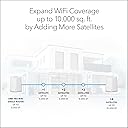
The NETGEAR Orbi Pro WiFi 6 Mini Mesh System (SXK30) is a powerful networking solution designed for both business and home use. With advanced features like VLAN support, QoS, and a coverage area of up to 4,000 sq. ft., it ensures robust performance for up to 40 devices. Enjoy fast AX1800 speeds and the flexibility to expand your network with additional satellites.


| ASIN | B0933NKXJR |
| Antenna Location | Business, Gaming, Home, Security |
| Best Sellers Rank | #83,286 in Electronics ( See Top 100 in Electronics ) #409 in Whole Home & Mesh Wi-Fi Systems |
| Brand | NETGEAR |
| Built-In Media | One (1) 2m Ethernet cable, One (1) Orbi Pro WiFi 6 Mini Router (SXR30), One (1) Orbi Pro WiFi 6 Mini Satellite (SXS30), Two (2) 12V/1. |
| Color | white |
| Compatible Devices | Gaming Console, Laptop, iPhone |
| Connectivity Protocol | Wi-Fi |
| Connectivity Technology | Ethernet, Wi-Fi |
| Control Method | App |
| Coverage | 4000 square feet |
| Customer Reviews | 4.0 out of 5 stars 430 Reviews |
| Data Transfer Rate | 1.8 Gigabits Per Second |
| Frequency | 2.4 GHz |
| Frequency Band Class | Dual-Band |
| Has Internet Connectivity | Yes |
| Has Security Updates | Yes |
| Is Modem Compatible | No |
| Item Dimensions L x W x H | 7"L x 12"W x 8"H |
| Item Weight | 4.7 Pounds |
| LAN Port Bandwidth | 1.8 gigabits per second |
| Manufacturer | Netgear |
| Maximum Upstream Data Transfer Rate | 900 Megabits Per Second |
| Mfr Part Number | SXK30-100NAS |
| Model Name | SXK30-100NAS |
| Model Number | SXK30-100NAS |
| Number of Antennas | 4 |
| Number of Ports | 1 |
| Operating System | RouterOS |
| Other Special Features of the Product | QoS, WPS |
| Router Firewall Security Level | High |
| Router Network Type | mesh |
| Security Protocol | WPA3, WPA2, WPS |
| Special Feature | QoS , WPS |
| UPC | 606449154535 |
| Unit Count | 2.0 Count |
| Voltage | 240 Volts |
| Warranty Description | 5 year limited warranty |
| Wi-Fi Generation | WiFi 6 |
| Wireless Communication Standard | 802.11ax |
| Wireless Compability | 802.11ax |
C**J
SXK30 / AX1800 Great entry level business router, security features, 4 SSIDs. Working w/60+ devices
UPDATE 11/11/22 - This router has been rock solid for over a year now (since 8/2/21). I am updating this review to let people know it has only lost internet connection once or twice (I suspect it was the ISP), and always regained connection immediately. Even better, there was a slight issue with a firmware update, and their tech support was some of the best I have ever experienced. I was expecting an annoying phone tree and to get routed to various representatives who had no idea how to assist. Instead, there was just very brief phone tree navigation, and I was connected with someone who resolved the issue! He was really knowledgeable. I was VERY impressed. Yes, it would have been better if there had not been an issue in the first place, or failing that if there had been a warning in the release notes. But Netgear did resolve it, and did so relatively painlessly, which is more than most companies can say. A prerecorded message did warn me that my 90 day free support had expired, and I may need to pay for further support. But then it immediately routed me to an experienced representative, and he did not try to get me to pay for support. So if you get that warning, just ignore it. The issue was that after the version 4.2.3.102 firmware update, the password for the admin config stopped working. The router came right back up and was working fine; I just could not get into it. Even though I had backed up the configs right before the update, they had the same password. I hesitated to do a factory reset and re-apply those configs just to have the same problem. I didn't see an option in Insight to change the password, but it's actually in there. In the app, on the "Location" tab, in "Location Configuration". It's a strange place to put it, and I don't know why it isn't under the settings for the router instead, but it worked. Insight had an old password, and the firmware update had overwritten the password from the admin config with the password from Insight. This had never happened for previous firmware updates, and the representative said this is likely because this firmware version (4.2.3.102) modified functionality related to Insight, whereas previous firmware versions probably had not. I changed the password in Insight, and this automatically and immediately changed the password in the admin config (it immediately logged me out, and I had to use the new password I had just specified to log in). The representative said pushing the password like that from Insight to the router is supposed to be a "Professional" feature, which I am apparently getting for free even though he said my account is only a free "Premium" account. Possibly this has to do with initially getting free limited time subscription with the purchase of the router. I got an email after 30 days indicating my free trial of "Insight Premium" would expire, and I did not renew it. Insight did initially warn me when I added the router to it over a year ago that it would override the admin password on the router (annoying). I thought that was a one-time thing. Apparently even though I had since then changed the password on the router through the admin config, that old password was lying in wait in Insight, just waiting for a firmware update with the right functionality to spring into action and overwrite the password in the admin config again, lol. In summary, don't change the password in the router admin config, do it in Insight. I rather wish Insight did not let you change the password on the router at all. It would be more secure, and it would keep this issue from happening. But, it does give users a way back in if they forget the password, so they don't have to reconfigure the router from scratch. And, I did get an email and the Insight app popped up a notification warning me the password had been changed, so at least you will know when it is changed. __________________________________________________________ ORIGINAL REVIEW 1/11/22 - Not that many reviews for the SXK30 (AX1800), so I'm leaving a comprehensive review. tldr: highly recommended for anyone who wants a secure, stable router, whether they are a home user or a small business. But for beginners, the advanced features may be difficult to configure. And, if you're not going to use the advanced features, then this router is overkill. It's working great for me with 60+ devices, but most of those are IoT. I don't need mesh, but I wanted the 4 SSIDs for a segmented network. I could have gotten just the router, instead of the set with a router and a satellite / extender, but at the time I bought it, it was only a $30 difference. I went ahead and set up the extender, and used it to replace my switch. The satellite does NOT have line of sight to the router, though it is close by in an adjacent room. I have a CAT-6 cable running between the 2 (I had already run the cable for the switch). I also tested it out WITHOUT the cable, and it worked fine. It takes the satellite a few minutes to connect anytime the router reboots, or while it's applying settings. But once it connects, it seems to work great. I configured it via the web interface. Be sure to back up the configs often as you configure it, in case you have any problems. If you are looking for a fast, easy setup, then this router may not be the best fit for you. If you are a beginner, but you want to take advantage of the advanced features, you should check out the user manual (on the Netgear site). If the user guide seems too complicated, then this router may not be a good choice. It's a beautiful, sleek design, without a bunch of annoying LEDs that are on all the time. The LED indicators on the front turn different colors when it's booting / connecting, and to let you know if there's a problem, but otherwise they are off. They come with little shelves to mount them securely to the wall. One reviewer said in June 2021 that the unit failed to operate after the very first firmware update, and they spent hours on the phone with technical support and finally threw the router away. I bought this in August 2021, and at that time, the newest firmware version was from July 2021. I had no problems with the July update (V3.2.33.108). So, it looks like Netgear fixed the problem. Typically, I do like to wait a few weeks with firmware releases, just to make sure there are no serious issues. I make an exception for a brand new device, because I want to make sure everything is working while I am within the return window. I have 60+ devices, and it's been working fine so far. This router (SXK30) says it supports 40 concurrent devices, but I really didn't want to pay 3x as much for the SXK80. The majority of my devices (about 45 of them) are IoT devices that ARE online all the time, but are low bandwidth. There's always the risk that if I run into any problems, Netgear will point to the fact that I am exceeding the device limit as an excuse, whether that is the actual problem or not. If that happens, I'll temporarily take some devices offline to get it under 40, to prove that isn't the problem. Your results may vary, but I've been totally fine so far. I really can't speak to the speed. I used to have fiber gigabit, but I downgraded to 100Mbps (my company is paying for my internet connection now that I'm a telecommuter, and I can't tell that much of a difference). So, this router is total overkill for 100Mbps. I'm getting the same speeds on the router as I get connected directly to the modem from my ISP, usually somewhere between 70 - 120Mbps. It lets you configure "Client Isolation", which it describes as: "Client isolation prevents hosts and clients in the VLAN from reaching ports, hosts, and clients in the same VLAN, thereby increasing security." Sure sounds like layer 2 isolation, which can be called INTRAnetwork routing. Different companies have different terms for it. It means devices on the same network can't communicate with each other. I actually posed this as a question before I bought it, and "Netgear Team" responded that layer 2 isolation / disabling intranetwork routing was NOT supported. I tested it out using Fing, and they were right, devices on a network that has "Client Isolation" enabled CAN see each other. Even on the guest network, I could see the other devices on the guest network with Fing. So what does "Client Isolation" do...? Apparently, the devices can SEE each other, but it prevents them from "REACHING" each other. When "Client Isolation" is enabled, I can see the other devices on the network with Fing, but I could not ping them, connect to them, etc. True layer 2 isolation would be more secure. Netgear calls disabling INTERnetwork routing (communication between networks) "Network Isolation": "Network isolation, also referred to as network segmentation, prevents hosts and clients in the VLAN from reaching ports, hosts, and clients in other VLANs, thereby increasing security." Fing confirms that devices on one network cannot see devices on the other networks. I should hope so, otherwise what would be the point of segmenting the network? It actually has 5 LANs, although the first LAN is the native VLAN, which must be VLAN 1. This cannot be changed or removed. This is a complaint with many network devices, not just from Netgear (because for security reasons it's best to avoid VLAN 1). Apparently the web configuration is on this VLAN, because I could NOT access it under any other VLAN. I've seen this on other network devices also. UPDATE 11/11/22 - the release notes for firmware updates list this as a "known issue": "The device UI can be accessed via the default VLAN network only. Workaround: Connect to a WiFi network that uses the default VLAN profile when you want to access the device UI." It's good security to limit access to the configuration to a particular VLAN, but it would be better to move it off of VLAN 1. When you are planning your network, remember to leave at least one secure admin computer on VLAN 1 to configure the router. Otherwise, if there's no wireless for that VLAN, you may need to do a factory reset (it's a good idea to make frequent backups). The packaging says you MIGHT get a free year subscription for the Netgear Insight app, and new users MIGHT get a free one month Premium subscription. I downloaded the app and it says 1 free month. It did not find the router in a network scan (although Fing could see it). I entered the info to add it manually, and it said adding it in the app would override the admin password on the router, which is annoying. I went ahead and did it to check it out. The app is super limited, with only some of the basic features. It really doesn't seem very useful. I guess you can check to make sure it's up, and if it's not responding you can reboot it remotely. But if it were that unstable, I would just return it! The ONLY thing I used it for is to move the LAN port for one of my desktops back onto VLAN 1, so I can configure the router from the web configuration (as mentioned, you do not seem to be able to configure the router from any other VLAN). The app does let you do this, but it was not at all straightforward, and applying the change took the networks down, and took a really long time. And it said it failed, though it actually worked. I wouldn't pay for a subscription for this. Additional security features it has that I wanted: - Change the address of the router - Change the IP ranges for the different VLANs - MAC address filtering - Disable UPnP - User ID / password can be changed - Can disable remote management - Can be configured via web interface. You do NOT need a Netgear account to configure it (you don't have to use the app at all) - It seems like WPS can be de facto disabled by disabling the sync button, although WPS does still show as Locked on Lan 1 only (and disabled on the other LANs). The user guide says to use the button to use WPS, and mentions no other way to use WPS, so without the button, theoretically there should be no way to unlock WPS. The guide does not mention that you can disable the sync button, but it's an option in the web configuration (Advanced Setup -> Sync Button). UPDATE 11/11/22 - According to the release notes, firmware version 4.2.3.102: "Removes WPS functionality from fronthaul due to security concerns". I'm hoping this means it disables WPS instead of just locking it in on LAN 1, but I haven't tested to be sure. Cons - No true layer 2 isolation - Can't change native VLAN ID (to anything other than 1) - Can only reach the web configuration from VLAN 1 - Limited number of LAN ports, especially if you wire the router and satellite(s) together (you lose a port on each). Most routers have 4, this router has only 3. But you do get another 4 on the satellite - Limited number of LANs and SSIDs. The more segmentation, the better - Email alerts are not particularly useful. It will email firewall alerts immediately, and the logs on a schedule. The logs don't record when new devices are connected - WPS can't be completely disabled on LAN 1 - The Insight app can access the router, even though I had already changed the password and disabled remote configuration and UPnP! Hopefully the fact that I added my device in Insight will prevent someone else from doing the same and hijacking it. I would like to be able to disable management from Insight, in addition to disabling remote access. - When applying config changes, a lot of the time it takes the networks offline when it should not be necessary. For example, the wireless networks go offline when changing the VLAN on one of the LAN ports. But, it's a minor inconvenience, because I don't make those kinds of changes often. - I came across a strange bug, which is annoying, but seems harmless. Periodically, a bunch of wireless devices would start showing up as "Wired" under Attached Devices. It seems to come and go. The one time I used the Insight app, I saw the same thing. Netgear will hopefully fix this with a future firmware update - It's slow to apply settings. Every time you apply the settings, you need to wait a few minutes. I typed this whole long review while I was waiting for it to apply each change I made. But, that's really only a drawback for the initial setup, when I was testing everything out. I don't make that many changes most of the time All in all, it has some good features for an entry level business router. 5 stars, because I think it's the best option at this price point, with the most features that are important to me. I wish it had better security, but it's certainly more secure than consumer routers, especially ones from your ISP. It may seem like a lot of cons, but sadly these are quite common. If you can find a better router for a reasonable price, I'd REALLY like to hear about it. My last router was the Peplink Surf SOHO, which was very secure, but unusable because of the constant connection issues (you can read my review). It's been about 5 months now, and it's been quite stable. Lost internet connection a few times, but it always reconnected right away, and I suspect that was the ISP. Netgear just emailed me that there is a firmware update available, but as mentioned, I will wait a few weeks to make sure there are no serious problems before upgrading.
D**G
App and other apps along with features likely confusing for the avg home user
Coming from 20 years of networking and wireless just as long I usually go with enterprise products, but w/o everyone having Intel Cards and IoT using cheaper parts along with the wireless version 4 or 5 on the 2 locations that could use the boost in coverage due to layout or new devices added over the last decade for IoT use the devices served their purpose hooking one set up for my parents, so they could use the wireless throughout the house and in my mom craft room and the front garage area mostly for calls and pictures about boats, their house has full signal everywhere now and was an upgrade from an old netgear single band all in one cable modem which I turned its wireless of since they had newer I phones and devices to connect. Location where I'd normally use enterprise gear for my own setup/use generally a generation older Cisco gear, these seemed to review well and had other features like the extra hardwired ports and a router built into it that I could use to route through or put a firewall behind for more enterprise use along with the 4 vlan options it gives you. I don't have an AX card in my laptop or NUC and just recent WiFi 5 certified triple band wireless cards, I'll probably add a newer card even through the systems are older and the chip sets I put a more recent generation in a dell workstation and it worked fine to get the higher grade enterprise features from the Intel cards, so don't know why it won't work on the NUC for the number of bands it has at least, till then I can't do some of the tests I could do over matching WiFi connections and the smartphones with AX well I'm old school so use at least a laptop OS to test networks. We likely will be connecting it in the next month or so directly to a net-gear modem and getting rid of the Comcast box which mostly covered things, but was a bit overloaded for all the IoT devices since mu-mimo wasn't a feature among others of the all in one boxes, the software is kind of a pain and you have to pay for most of the features vs. the 5 year license it gives you. Once you get the settings setup ether manually or through on of their apps if you want to use their insight app for remote/cloud management or play in some of the advanced features and different vlan settings it does work, I'm just used to configuring things a different way and maybe have a preference to directly configuring it vs using a setup/follow me, though I read others having trouble with the app in some areas also. Depending what you are trying to accomplish as far as distance, look and design these are likely more then enough for people in the mid west region with 200 Mbps or less as the connection speed consistently from your ISP like Comcast or others which usually work in burst anyway, you can add a 3rd satellite onto the kit if want or if you have a 4ksq foot home and large outdoor area you need to cover the more expensive orbi's for wifi 6 and 6e that recently came out appear to cover 10k square feet or close to it for many people. Will add any new information if any changes in use once summer comes closer to an end and get to see how they work with all the IoT and work from home along with Azure and other ways the other location hasn't used it yet with more devices connecting and having separate vlans for IoT devices
D**O
Great for High Speed Gigabyte Internet.
I have had the most ridiculous set of problems with my internet. Spectrum can not even wire my apartment properly. My internet is Jerry rigged to work from my bedroom cable to the living room. So if I wanted cable TV in my bedroom, I would not be able to do it. Consequently, my internet signal has consistently had issues. I had them come out and service, and they will not fix the line or the internet disconnecting. I even upgraded my internet speeds incrementally from 400 Mbs to 1Gig in less than a year, so we could attempt to work around the issue. That was also a No Go! However, the Orbi has saved the day. All other routers would get a spike from the line and stall or shut down. Not this little lifesaver. Now, the only time my internet goes down is during a power outage or an area-wide internet outage. Thank you, Netgear! All other routers previous to this one have failed. Even Netgear ones. I know because I have purchased several.
T**N
If you love to troubleshoot then this is your router!
Let's start with the good: The SXK30 system offers WiFi 6, MESH or wired backhaul, four unique WiFi networks, and a very tempting price when discounted so it seemed to be too good to be true. And to be fair, after some initial hickups I had the system up and running smoothly with one router and three different satellites giving me great coverage and speed all in (and around) my three-level house. My network consists of a SXR30 Orbi Pro router connected via Cat6 Ethernet to three SXR30 Orbi Pro satellites, spread throughout my home. I have a large mix of wired and wireless devices, and wanted the Pro model so that I could isolate my IoT devices from the rest of my home network. I'm an engineer by trade and know enough about networking to get myself into but mostly out of a lot of trouble, and for a while all was well and my network was running smoothly... Fast forward seven months to this summer (just long enough for the 90 day tech support to expire!), and I now cringe every time I hear thunder knowing that a simple 1-second power drop will kill my whole network for a day and tie me up for hours trying to troubleshoot my network. Simple fix, right? Reboot and then everything should be OK...except it isn't, and what starts as one disconnected satellite turns into two or three of the satellites refusing to connect. With the satellites disconnected, only the router will accept any wireless clients, so 1/3 of my network is out of range of the router and therefore offline. From there it gets even more frustrating, with ever-escalating, time consuming, and tedious fixes like rebooting the router and the rest of the whole network, cycling the power on the router, model and satellites (all over the house), even taking the satellites to the basement and re-syncing the satellites individually. I even tried factory resetting the satellites and router, restoring the existing configuration to a brand new spare SXR30 router and resyncing the satellites, which only temporarily fixed the problem. And don't worry, the firmware is up-to-date so that's not the issue. For whatever stupid reason, even though all the satellites are wired with Ethernet directly to the router, the satellites often become unsynced to the router and will refuse to accept any clients, resulting in numerous offline devices. The first time it happened was frustrating, but all was good the next morning after I spent half the night troubleshooting. A week later and after another storm it took a full day of troubleshooting to get my whole network back online. Then not even two days later it happened again, and this time two of the three satellites REFUSED to resync even though they I had moved them to within a few feet of the router. A little background: these router/satellite systems are designed to be used in a MESH configuration (wireless connection to the router), but in this particular model you sacrifice half of your transfer speed since there's not a dedicated radio for the Wireless Backhaul. So I connected them to the router using Ethernet...problem solved, full bandwidth and increased reliability, right? Nope, for some reason Netgear requires them to be synced wirelessly (apparently without Ethernet) first, and then after they are synced they can be hardwired. Why on earth would anyone design a system to ignore the WIRED connection and force a WIRELESS sync even when the satellites show "connected" in the web portal? And how in the world can the satellites not sync even when they're within a few feet of the router? As good as this gear appears on paper, and as well as it can work in the best of times, I simply cannot recommend it to anyone. It's just not reliable in real-world conditions, you're very limited in troubleshooting a disconnected satellite, and after 90 days the Netgear tech support costs more than I paid for the hardware. Not to mention that I get different connection information (status of connected satellites and number of connected devices) when using the Web portal vs. the Insight app. In the end I gave up...my current "band-aid" solution seems to work for the moment, I deleted the three SXS30 satellites, unplugged them, turned off the main WiFi on the router, and connected three Linksys EA9300's as access points until I can order some Ubiquity hardware.
A**R
Provides really good coverage and allows me to easily expand coverage if I need more.
The base and the remote unit are very compact and both provide physical Ethernet connections for the non WiFi devices. Setup was easy and multiple SSIDs made for a more customized setup along with the bandwidth allocation that lets me decide how much bandwidth certain devices get to use. You don't want all the guests around the pool for instance eating up all your bandwidth when you are trying to stream movies for those inside the house. Plus the other security features that are built-in give me peace of mind that my internal network is secure. I have been a Netgear user for many years and they continue to make improvements with each new model. Yes, I can spend a lot more money on other platforms that have really great features and security as well, but for my money, I am sticking with Netgear!
C**K
Will Not Work in a Metal Building (Mobile Home, Trailer, etc.)
The setup app takes you about halfway through setup, then tells you you need to download a different app and the current app won't take you any further. Why not have the user just download the correct app in the first place? When I finally got through to the tech support, the guy's accent was so thick that I couldn't understand him. That's not the tech support guy's fault—I'm sure everyone speaks with the same accent where he lives (India?). The problem is, in the US we don't speak with that accent and it's very difficult to understand if you're an American. A technical subject along with a language barrier, makes tech support almost impossible. Eventually, the guy told me that my metal building was the problem and hung up on me or the line was accidentally disconnected. At that point I was frustrated enough that I decided to return the product. I can't comment on how well the unit works because I was never able to get it working. My brother has this same unit in his home office and it works, which is why he recommended it to me for my home office. I gave the unit three stars because of the two installations I know about, one works well and one doesn't work at all.
K**N
so far so good.
I had a tech guy install it. took about 2 hours and works fine. Only problem was the advanced 5G level of the wifi device is not compatible with my 4 yr old wireless HP printer , so needed to update the printer.
R**.
Awesome but then…..
These wifi devices have given me High speed wifi as though I am connect via cat 5. It's simply amazing how fast and how many devices can have access to my network now. Very glad I bought these. Six months later called support because I was experiencing latency from 30-60% of previous speed. I spent hours with first level support trying to get answers on why my speed had decreased. My case was escalated to level two support and another month passed trying to trouble shoot why the hot spots in my house no longer had the speed originally experienced. Level two support forced me to do everything level one did and added one more option to update firmware. Another month passed and no change. I was relegated to level three support which made me repeat everything level one and level did, with no better solution to my problem. I requested new devices from them to replace the current ones only to be told it needed to be authorized by a supervisor and I needed to do another step with troubleshooting. The next step was to have a more experienced technician call me back or email me. By now this was more than I could handle. The technician never called. Several emails were sent to me walking me through all the steps the each technician had me do before and didn’t work. I finally gave up and decided to never by from this company again. Their technical support is NOT customer friendly or professional. The agents don’t take the time to look at a case before calling you so that you don’t repeat unnecessary steps. They have a very lazy approach to problem resolution that results in kicking the can down the road. Finally, they do not stand by their products with easy replacements even if you are within the warranty period. Nor do they speak clear English so that you can follow their instructions clearly. Spare yourself the trouble and think twice before relying on after purchase tech support from this vendor. I originally rated them 5 stars at the beginning but am sorely disappointed at this stage and have downgraded my rating to 2 stars. The devices work but I am not getting anything near the max speed they advertise. Buyer beware.
Trustpilot
2 days ago
2 weeks ago