Buy anything from 5,000+ international stores. One checkout price. No surprise fees. Join 2M+ shoppers on Desertcart.
Desertcart purchases this item on your behalf and handles shipping, customs, and support to Thailand.
๐ Upgrade your desktopโs USB game to pro-level speed and connectivity!
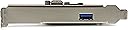
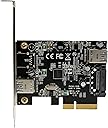
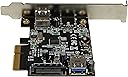
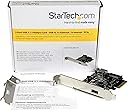
The StarTech.com 2 Port USB 3.1 PCIe Card (PEXUSB311EI) boosts your desktop with one external and one internal USB-A port, delivering up to 10Gbps transfer speeds. Designed for easy installation with PCIe 3.0 x4 support and native OS compatibility, it powers high-demand peripherals via SATA power and supports legacy and USB-C devices, making it an essential upgrade for professionals seeking faster, versatile connectivity.


| Manufacturer | StarTech.com |
| Part Number | PEXUSB311EI |
| Item Weight | 1.8 ounces |
| Product Dimensions | 6.69 x 5.59 x 1.18 inches |
| Item model number | PEXUSB311EI |
| Is Discontinued By Manufacturer | No |
| Size | 1x USB-A Ext + 1x USB-A Int |
| Style | 1x USB-A Ext + 1x USB-A Int |
| Item Package Quantity | 1 |
| Certification | No |
| Included Components | 1-2-port USB 3.1 (10Gbps) card - 1 ext, 1 int^1-low-profile bracket1-instruction manual |
| Batteries Included? | No |
| Batteries Required? | No |
| Warranty Description | 2 year warranty |
B**T
A must for an older board in a new case.
Nice addition to an MSI x58 Pro-e motherboard. PCI-e 4x provides good read-write speed considering the board is PCI-3 Gen 2. Not quite the speeds of native USB 3. I'm certain it would be much faster with PCI-e Gen 3 board, but a definite improvement on an older motherboard.An important feature for me was that it allowed me to utilize the front panel USB 3.1 ports on my case. The front panel cables / plug fit right in on the card without a hitch. Installation is a snap.The card will install in an 8X or 4X slot.The type C connector on the back is a nice touch. For me it was all about being able to use my front panel ports. That kind of stuff drives me crazy. It's a good value with all the features you want. I think it's one of the better cards out there.Windows 10 picked it up on reboot and loaded the appropriate drivers. No issues at all.
A**.
Works with PCI-e version 2.0 hosts.
I installed into a Dell Optiplex 990 running Win7 32 bit. The Dell had a free PCI-e 4x slot, which this peripheral requires. This model of Optiplex has PCI-e V2.0 on the motherboard, which can get you 5GB performance on each port.As others have noted, the "ASMEDIA" designation emblazoned right on the processing chip is very difficult to read, but I got a magnifying glass, confirmed it, and so just went ahead and downloaded the Win7 installer package offered at the StarTech website. Didn't use the CD at all.Note that the downloaded ASMEDIA driver from the StarTech website will not run SETUP without the hardware being detected. You may be used to installing software drivers before you install corresponding hardware, but that's not the case here.My model: PEXUSB312A2So far, so good, but today's my first day with it. It seems to have solved the problem I specifically bought it to solve: sluggish USB 2.0 being the bottleneck on my Samsung FIT 128GB USB 3.1 device, which I was trying to use as the hard disk cache location for my web browser.I'm getting great read speeds now. Writes, not so much, but that seems to be a problem with the Samsung. I may yet graduate to an all-around speedier device, to get the most out of my $35 investment in the card. I just went ahead and applied (optional) SATA power up front, because if it does turn out to be necessary, crawling under the desk and getting that all done is just too much trouble.Beware of "bulky" USB devices which physically spread out. Although the spacing of the two ports looks pretty reasonable on this StarTech card, I could not fit a Samsung FIT and a Corsair Voyager GTX (256GB) at the same time.(The Voyager is a fat little device.)
M**N
Works best when correct Drivers installed.
I purchased this item as a way to future proof my PC and expand the USB Ports. I had a USB TYPE C Gen 2 dock that was designed for 10gbs to connect to this item. Installation of this card was easy and I installed the ASMedia Drivers from the StarTech website as instructed. The card showed up in the device manager and everything seemed to be ok. However when I did a CrystalDisk check, the results were not what I expected. I could not get more than 300mbs read/write out of a 512gb SSD installed in the dock. I have a trick up my sleeve to find out what is wrong. I have another PC that has a Windows Mixed Reality Headset installed on it. There is a test that you download from Microsoft that will check everything on your PC needed to run WMR, including the usb ports. I ran the test and sure enough the test said there was a issue with ASMedia drivers and the solution was to replace them with Microsoft Drivers. I did that and ran the CrystalDisk scan and it nearly doubled to 550 mbs. I ran the WMR test again and it checked good. If you want to find out on how to do this,run the WMR test and follow the instructions on what to do when it shows USB port failures. All I can say is that after I did this everything is working as it should and I have not had any issues since.
T**L
Works well on Windows 10 Pro, 64-bit on Dell T5500
This StarTech PEXUSB312EIC PCIe x4 USB 3.1 Gen 1 + Gen 2 card works well on Windows 10 Pro, 64-bit running on a Dell T5500. Even though Windows did auto-detect the card, I still downloaded the latest driver from the StarTech website and ran that setup. At first the card did not recognize the USB 3 flash drive that I had plugged in as basic-functionality-test, but after a reboot the flash drive was recognized and worked as expected. I have not had any issues since. Rebooting is necessary after many driver installs, but their setup program did not tell me that I had to reboot.The StarTech card is very similar in functionality to the Inateck KU-5211 card. The biggest difference between the two is that I never got the Inateck card to work after hours of messing around with it, whereas I had this StarTech card up and running in about 15 minutes. Ironically, I think think they both use the same ASMedia chipset and an almost identical ASMedia installer downloaded from their respective websites.Both cards have a single USB 3.1 Gen 2 (10Gbps) Type-C port on a dedicated channel, and four other ports shared on one USB 3.1 Gen 1 (5Gbps) channel. For the StarTech card, those four ports are two external USB 3.0 Type-A, and an internal 19-Pin dual-port USB 3.0 motherboard header to attach to extension ports or hubs via additional equipment that is not supplied (cable and disk bay front panel USB ports or adapter slot backplane USB ports). The StarTech card also has an SATA power connector for additional USB power, if needed, but does not come with any kind of power splitters (SATA-Y) or adapters (Molex-to-SATA). The Inateck card has no power connector, and no internal ports. For the four ports share in the 5Gbps channel, the Inateck card has three USB 3.0 Type-A and one USB 3.1 Type-C.
Trustpilot
2 months ago
3 days ago