We remain fully operational. Our teams are working around the clock to ensure your deliveries continue safely.

DOWNLOAD THE APP


Customer Services
Copyright © 2025 Desertcart Holdings Limited
DOWNLOAD THE APP



Buy anything from 5,000+ international stores. One checkout price. No surprise fees. Join 2M+ shoppers on Desertcart.
Desertcart purchases this item on your behalf and handles shipping, customs, and support to Thailand.
🖥️ Elevate your dual-monitor game — because your workspace deserves the best view!
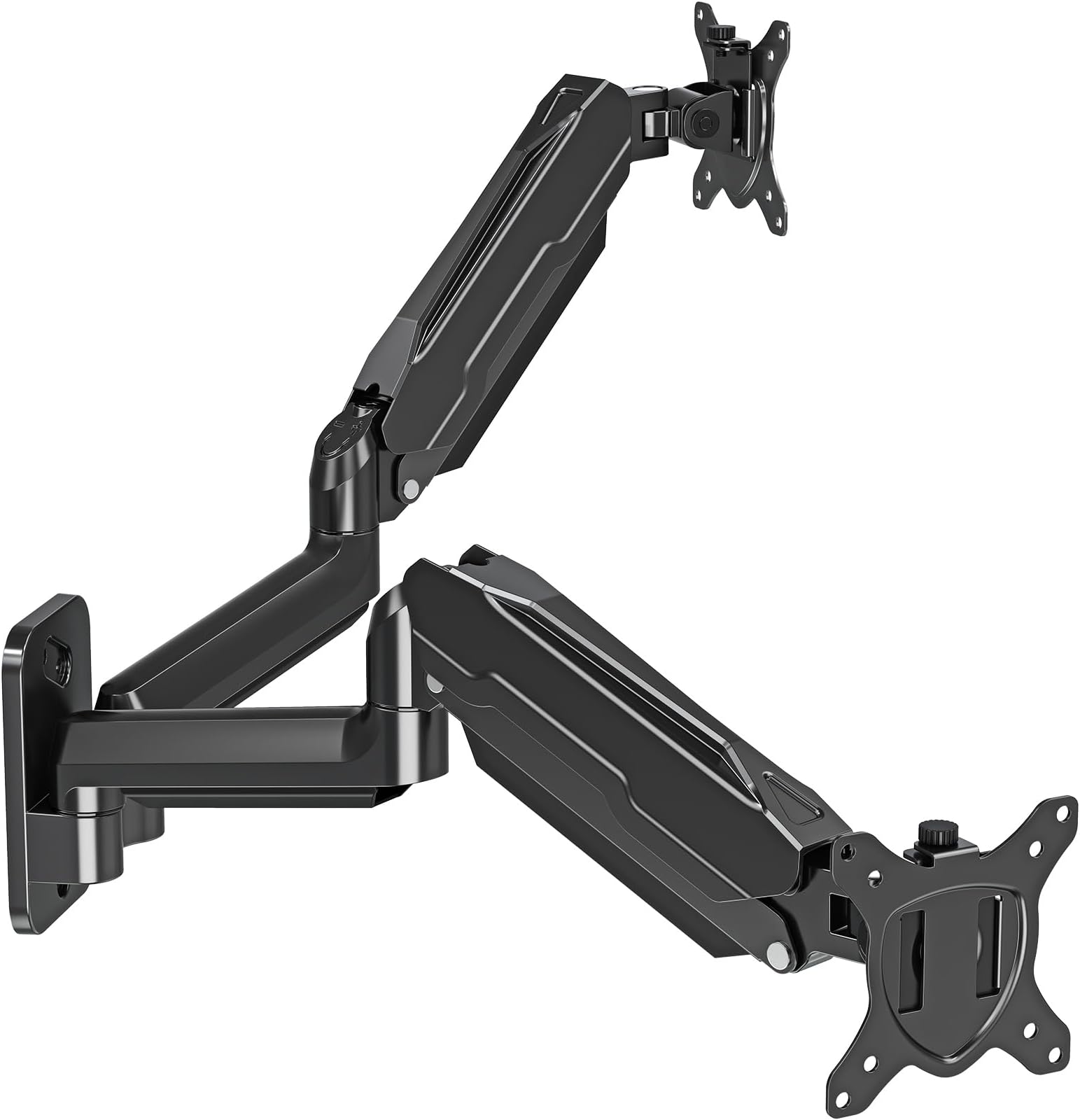
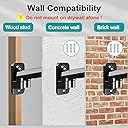
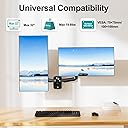
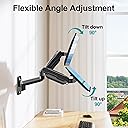
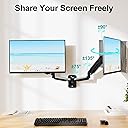
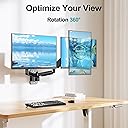
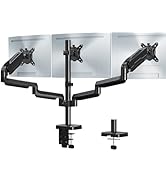
The MOUNT PRO Dual Monitor Wall Mount is a premium, full-motion arm system designed for 13" to 32" monitors, supporting up to 19.8 lbs each. Featuring 360° rotation, 180° swivel, and ±90° tilt, it offers unparalleled ergonomic flexibility. Its robust aluminum build passed rigorous 10,000-cycle tests ensuring durability and smooth adjustments. The mount frees valuable desk space with integrated cable management and installs easily on wood studs or concrete walls, making it the perfect upgrade for professionals seeking a sleek, organized, and highly functional dual-monitor setup.


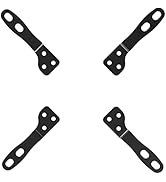


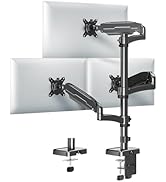
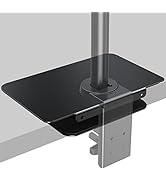


| ASIN | B08SM6ZW4H |
| Best Sellers Rank | #35 in Computer Monitor Arms |
| Brand | MOUNT PRO |
| Color | Black Max 32" |
| Compatible Devices | Monitor |
| Customer Reviews | 4.4 4.4 out of 5 stars (1,103) |
| Enclosure Material | Aluminum |
| Item Weight | 0.04 Kilograms |
| Manufacturer | MOUNT PRO |
| Maximum Tilt Angle | 90 Degrees |
| Maximum-Supported Screen Size | 32 Inches |
| Minimum-Supported Screen Size | 13 Inches |
| Mounting Type | Wall Mount |
| Movement Type | Articulating, Rotate, Swivel, Tilt |
J**B
Very High Quality Mount
I am very pleased about the quality of everything regarding this mount. On top of it feeling like a good quality mount, it was also packaged very neatly, came with detailed instructions, came with a template, and was not difficult to mount the monitors onto it, all of which are things that you sometimes do not find on other monitor mounts. On top of all of that, the price is not bad at all when comparing what some other sellers/retailers want for their mounts. It was very easy to install it and really only took me about 15 minutes after finding my tools. They are very strong arms that offer good flexibility even in the weird position that it was installed in, and the person who I installed it for is very happy with the way it sits and how adjustable in basically every direction the screens can be. Both monitors are 27 inches and still have room to move around. The mount is certainly a little bigger than others, but not by much and I believe that is an expected tradeoff when getting a dual arm monitor mount versus a single arm mount. And while it is bigger, it is not extremely heavy which was helpful for the installation, and it does hold up two moderately heavy monitors with ease. All that being said, I'm very pleased with the mount and when it comes time to buy more, I will definitely seek out this one again. I would also expect the single arm version of this to be a high quality as well and will also seek out this company for a single arm version.
B**B
Strong hold, easy to set up
Very solid and sturdy. Better than a desk mount, lots of range and no shaking
D**N
Great Wall Mount!
Great buy for the price. My monitors are not the big but it works fantastic. Keeps the monitors off of my desk and allows me to set them up exactly how I need them. Easy to install and use. I love the cable management capability that it has to hide the cables. Highly recommended if you want to add more room to your desk.
S**E
Okay, but I wouldn't choose this one again
Pls see images: I have two Dell Monitors. Once everything was done, it worked out well enough, but I wouldn't choose this item again, and I cannot in good conscience recommend it for anyone who is not a very skilled handy-person or who wants to set up an easily changed arrangement. 1. As can be seen, I use my monitors with one centered, the 2nd angled to the side. To make this work, I had to mount the arm offset from center because the arms are not long enough by about 1.5" to do this otherwise. I expected this, so it was not a major problem because the wall is a support wall with 16" centers on the studs, and there was one near where I needed it. 2. The real problem is the top-end two-bolt arrangement used on wood studs. You absolutely !_MUST_! ensure the bottom bolt is precisely centered on the 1.5" stud and plumbed (leveled) correctly, or one of the top bolts will not embed in the stud properly [in case you don't already know, most wooden 2x4s are typically ~1.5"x3.5", NOT 2x4]. This could be a major hazard if an electric wire or a water pipe is stapled to the stud because you could end up drilling into or screwing the bolt into it. {To do this safely, use a reliably accurate digital stud-finder that shows centers, check 3 times, then use a level to mark the centerline. After that, use the supplied template to ID the bolt-hole centers and push a large nail or small cross-tip screwdriver through the sheetrock until it meets resistance. Push a little harder to see if it embeds in wood a bit more. If it stops hard, DO NOT force it, try a different spot. You can putty the holes later.} 3. The other design problem is that on sheetrock, the bolts will tighten the base into the wall material if turned to far, causing it to sink unevenly and damage the wall. Basically, to avoid the problems above (and make this a lot easier) I mounted a piece of 1"x7" hardwood on the wall using 4ea 3" sheetrock screws centered on the stud. Then I centered the arm base at the height I wanted and bolted in on. The bolts are long enough to go through to the stud, but not so long they will weaken it (imgs 2 & 3). BTW, the bolt heads are metric and a socket wrench is the best tool for this. *** The non-construction/installation problems I have with this thing are: A. The arm height tension can be tightened or loosened, but the arm position, height, etc. cannot be locked. I assumed the hex wrench adjustment would allow me to lock the height, but all it does is adjust the tension. Also, the front-facing left-right rotation cannot be locked. I can lock the front-back tilt adjustment, but not left-right rotation. Because of this, every time I move the monitors, I need to adjust the height and position, and the adjustment is neither smooth nor easy. As can be seen, I intend to push them against the wall when I need the space and pull them back into place otherwise. It takes about 5 minutes of fiddling and adjusting to get the position, height, and rotation as shown in the first image. Not in itself a major problem, but not what I wanted. I will be making a fitted bracket to put at the top to make this easier. B. Two small issues: - The plastic lower-arm wire-hiding covers are cheaply made and one of them broke when I gripped the arm. I wasn't trying to remove it, just move the arm around (which is a real PITA BTW when there is no monitor to counterweight it). The upper-arm plastic covers are also not easy to install w/ 3 thick wires (USB, monitor, & power) and more would likely not fit well. - The top of the screw that secures the monitor to the arm is really stupidly designed. I have large hands and fingers. The oval shaped screw head is really difficult to grip in certain positions, so I ended up having to use pliers to turn them—another fine example of fixing something that wasn't broken. *** Other than all of that, it works pretty well and does the job okay, but as I wrote, I would do this differently if I had to do it over.
T**Y
Perfect Pick
prefect for what i needed, i will say to not center the base with your desk to make sure one of the monitors is centered if that’s something you care about. I hit a stud and 2 screws is all i needed to hold it up. Moves and adjusts nicely
N**N
Sturdy and works, with flaws
Feels sturdy. Good amount of space between my Samsung G7 27" and Dell 32" 1080p display. Good height adjustment. The arms themselves, when calibrated, are very smooth to move. However, the monitor tilt is not well designed. It has to be tightened down extremely tight to prevent the monitors from tipping downwards. Once really tight, it is hard to adjust the monitor tilt. Adjusting the position of the monitor usually leads to the monitor tipping down again along with some rotary tilt that needs readjusted and leveled. Would try a different brand if you need to adjust monitors often. Disclaimer: this is my first arm mount and they may all have this problem that I am unaware of. It also may be due to the heavy weight of my monitors. The mount has two parts to each arm. The cable management is good on the wall attached arm, but they changed the design for the monitor attached arm, and you have to bend the plastic near breaking point to squeeze cables in. Why not just keep the design from the first part?
B**B
Works great
Works great , no problem easy install
A**R
Solid
I bought and installed a couple years ago on dry wall. Both monitors a little big, but it is holding up nicely. I'd expect the monitors to sink, but they stay in place. Easy to adjust.
D**D
Works as described. Everything needed to install was included, aside from tools. Well constructed. Adds more space to my desktop area. Would recommend.
S**E
It is a quality product with nice finish and most importantly it is fully adjustable for arm tension in two axes for each arm. I suspect that the reviews where customers said the monitor was dropping hadn't adjusted the arm tension
J**R
ist eine gute Hilfe den Arbeitsplatz aufzuräumen und praktisch zu gestalten...
M**D
ثباتها حلو من عيوبها تعطي ميلان في الشاشه بسيط ولا له حل المشكله ، والعيب الثاني في الصور الواضح لي اني يمديني احرك الشاشه ك عموديه او طوليه ويوم جات اكتشفت ان ما يمديك
R**H
Great product, did not use the wall mounting hardware. As I don't trust the plastic anchor provided. I had placed a 2x6 between my studs and mounted the Mount on it. Works like a charm. Never had an issue, easy to set the spring system and rotate.
Trustpilot
1 month ago
1 month ago