Buy anything from 5,000+ international stores. One checkout price. No surprise fees. Join 2M+ shoppers on Desertcart.
Desertcart purchases this item on your behalf and handles shipping, customs, and support to Thailand.
🚀 Upgrade Your WiFi Game — Because Buffering Is So Last Decade
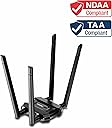
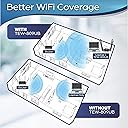
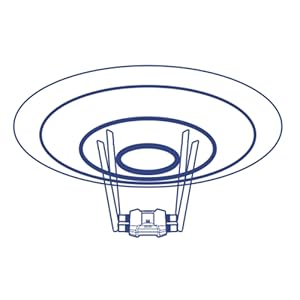
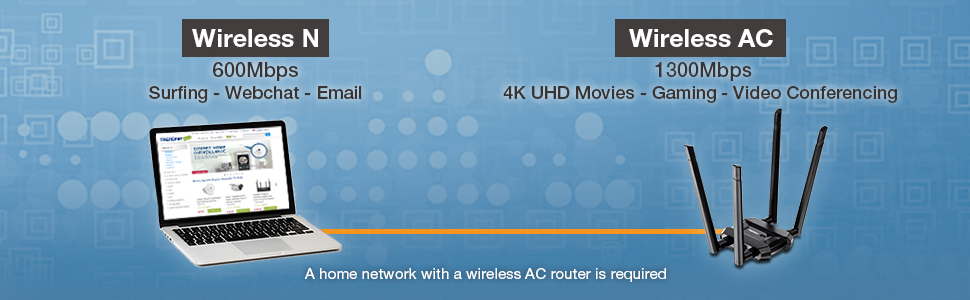
The TRENDnet AC1900 TEW-809UB is a high power dual-band USB wireless adapter delivering up to 1300 Mbps on 5 GHz and 600 Mbps on 2.4 GHz. Featuring 4 detachable high-gain antennas and beamforming technology, it significantly boosts WiFi coverage and signal strength. NDAA and TAA compliant, it meets government security standards and supports Windows and Mac OS with a 3-year warranty, making it a reliable upgrade for professionals demanding seamless, high-speed connectivity.


| ASIN | B01EOQ61KI |
| Best Sellers Rank | #267 in USB Computer Network Adapters |
| Brand | TRENDnet |
| Built-In Media | High Gain Dual Band Antennas(4), Quick Installation Guide, TEW-809UB, USB 3. |
| Color | black |
| Compatible Devices | Desktop |
| Compatible Operating System Family | MacOS, Windows |
| Customer Reviews | 4.2 out of 5 stars 1,303 Reviews |
| Data Link Protocol | USB |
| Data Transfer Rate | 1300 Megabits Per Second |
| External Testing Certification | CE, FCC |
| Global Trade Identification Number | 00710931160741 |
| Hardware Interface | USB |
| Item Dimensions L x W x H | 3.35"L x 2.95"W x 0.79"H |
| Item Type Name | Trendnet AC1900 High Power Dual Band Wireless USB Adapter |
| Item Weight | 0.7 Pounds |
| Manufacturer | TRENDnet |
| Mfr Part Number | TEW-809UB |
| Model Number | TEW-809UB |
| Product Dimensions | 3.35"L x 2.95"W x 0.79"H |
| UPC | 710931160741 |
| Unit Count | 1.0 Count |
| Warranty Description | 3 Year Limited |
D**K
This device worked as intended.
i want to be fair about this, but honestly i never even knew how the thing worked/didn't work. i hated the whole process of switching to wifi internet at that apartment, and whenever it was down i had no clue if it was this device or the building's. but, to my recollection, most of the time this was up and running fine, and whenever it wasn't (lights blinked differently and much slower to show it was down) id unplug it for like 20 min or so and after restarting it'd work fine again.
D**N
Failed after six months; Dissapointing - UPDATED! I'm an idiot!
Edit: Okay, sooo I feel pretty stupid, because I'm pretty tech savvy but this one slipped by me. My router broadcasts two wireless networks - a standard one and the 5g. They are essentially named "Standard WiFi" and Standard WiFi_5G". You guessed it. Somehow my rig decided to connect to the standard with 10mbps instead of the 5g with 600mbps. Router still operational. User error. Updating my review and leaving my error here in hopes that it might help someone else. ORIGINAL REVIEW: When I first purchased it, the product was amazing. Powerful signal at amazing speeds. I have 1gig internet, and was getting a consistent 750-800mbps around the apartment.I was pretty blown away, and was thrilled that I wouldn't have to run an Ethernet cable to my comp. Unfortunately, after six months, the device speeds are abysmal. After comparing it to speed test with wired Ethernet and other wi-fi devices, I am incredibly disappointed. Speeds are roughly 10% of what they were and ping is through the roof. I went through all of the manufacturers recommendations, including updating drivers and removing power throttling and nothing. For the price, I had hoped for better. Just another company making an inferior product to save a dime.
B**G
Boosted Signal, But Bulky Buddy
Looking to upgrade your Wi-Fi game with a powerful USB adapter? The TRENDnet AC1900 High Power Dual Band Wireless USB Adapter (model TEW-809UB) promises speedy connections and wide coverage, but is it all sunshine and rainbows? Let's dive in: ■ Positives: - Blazing Speeds: Say goodbye to buffering! This adapter boasts up to 1300 Mbps on the 5GHz band and 600 Mbps on the 2.4GHz band, making it ideal for streaming, gaming, and downloading. - Signal Strength on Steroids: The high-powered radio and detachable antennas work together to amplify your Wi-Fi signal, reaching even those pesky corners of your home. - Dual Band Advantage: Switch seamlessly between the 5GHz band for lag-free gaming and the 2.4GHz band for better wall penetration, ensuring a consistent connection. ■ Negatives: - Built Like a Tank (But Not Always in a Good Way): This adapter is no lightweight. Its bulky design and large antennas might not be everyone's cup of tea, especially for laptops. - Short Leash: The included USB cable is on the shorter side, limiting your placement options and potentially requiring an extension. I- nconsistent Long-Range Performance: While the signal boost is impressive, some users report occasional dips in performance at longer distances, depending on your home's layout and obstacles. ■ The Verdict: The TRENDnet AC1900 is a powerful adapter that can significantly improve your Wi-Fi experience, especially for streaming and gaming. However, its bulky design and occasional long-range hiccups might be dealbreakers for some. If you prioritize portability and a more consistent signal at greater distances, consider exploring other options. Ultimately, the choice is yours! Weigh the pros and cons based on your needs and preferences. And hey, if you're looking for a conversation starter on your desk, this adapter is sure to get noticed!
K**S
I got fast speeds on Wi-Fi, but power consumption was a bit of an issue
So the reason I had to buy this wireless adapter is because I moved into a place that only had Wi-Fi available and I couldn't run an ethernet cable to my PC. It worked really well, providing me with download speeds that were pretty fast on the 5 GHz spectrum. We're talking like 70 to 100 megabits per second. Unfortunately, power consumption was a little bit of an issue and when I had it on a hub with a couple of USB hard drive enclosures, it would disconnect frequently. Now I know that wasn't a problem with this adapter, but with the power consumption needs of mechanical hard drives connected via USB. Still in all it was bothersome and nothing really helped. I still loved it, but I'm really glad that I asked my landlord to let me run an ethernet cable discreetly to the router, it's a much better and stable connection.
T**K
Can't Recomment - Not Reliable
I had high hopes for this wireless USB adapter. Alas, my hopes are dashed, I've been cursing this little machine, and it's nearly useless for daily work off of the home network. Nearly useless. I'm using Windows 10. Windows 10 is bad enough with wireless connections, and the update to Windows 10 ruined my previously reliable network interface. My previous interface was a $25 DELL computer board that hung antennas off the back of my desktop, all tangled up with the wires going everywhere else. So, perhaps, it isn't entirely fair to say that the adapter is the root cause of this problem. Nonetheless, this adapter is entirely unreliable. When it works, it works for some unpredictable period of time; maybe 10 minutes, maybe an hour or two, or maybe not at all. It never works when the machine is powered on, I have to unplug the adapter and plug it back in. When it is connected, and I'm in the middle of some hot and heavy website activity such as banking, or making an order, suddenly POOF! NO CONNECTION! pops up from Windows 10. I'm not an expert on USB type adapters, but there seems to be little to endorse this unit, especially for the price. I wish I new whether this is a Windows 10 issue, or an adapter issue, or both ... but, whatever it is, and also noting the nearly 20% of customers who feel the same way, you are probably better off going elsewhere or using a hard wired connection. I finally gave up on all wireless interfaces to Windows 10 and have been hard-wired to the home router. Works great now, no problems at all. So, good luck to the TRENDnet folks in figuring out what's going on. I certainly can't. So it seems to me there's something awfully rotten in the bowels of Windows 10. And, note, all Apple equipment connects to my home network and runs the full 300 Mbps (300 million bits per second) no problem, every time, all the time. Crap. It's time to go Apple ... !
G**E
This thing rocks and is worth 5 stars if you don't let a Windows Setting hold you back!
This thing rocks and I get the speed and reliability it advertises. It is also able to negotiate and work in areas other normal USB WIFI devices cannot. I usually do gaming with a hard wired connection but I decided to see how it would be if I just used wireless. It worked flawlessly and my experience was the same. Ran LAN tests and it ran with flying colors so if you have internet issues I wouldn't be too quick to blame the device. I have noticed a lot of complaints about it dropping out but this type of problem is not unique to this USB device. It can happen to almost all brands and it is not their fault. In almost all cases a Windows setting is to blame not the device. In Windows if you go to Device Manager > Network Adapter > TRENDnet TEW-809UB AC1900Wireless USB Adapter > Right Click > Select Properties > Power Management > and uncheck 'Allow the computer to turn off this device to save power' > Hit OK and reboot you will be rocking steady for the life of the device. If you still have some issues I would investigate other things before being quick to blame this device. The Internet Modem or stability of the ISP network play a big factor as well. Another thing that is good to do is download an App and analyze the WIFI channels in your area to see if someone is saturating your signal and adjust your router accordingly. In summary I love this thing and would recommend it to others. In most cases you can achieve the 5 stars you desire with this device and others if you adjust the windows setting above. I even attached a Picture for reference. The guy who created and buried this setting in the Network Adapter and made it default is the one that should get some stars docked. I mean, who would ever want their network devices to be shut off by default and without their knowledge? Sure, if someone wants to shut off their adapter then by all means leave the option for them to go in and check the box, but don't force it on someone. My heart goes out to the Millions of poor souls who just want a stable wireless network and this little bright idea caused them to lose hair, scream profanities, and assume it was the device. I also feel sorry for the Companies that build rock solid equipment only to have a buried windows setting they don't control turn off their device and render it unstable and useless for their customers. That is not to say a Company wont have an occasional device break ranks and have issues or some accident we don't see that renders it useless in transit but that is what returns and a second chance is for. Don't let that windows setting ruin your dreams and hold you back from giving this thing 5 stars.
T**9
Great Wifi Antenna
This antenna really works great. This is the second one I have bought for my house. I have a fairly large house and the router is on the second floor. I have tried a few different antennas to get 5G signal to my entertainment center at the far side of the first floor with spotty results. This one has fantastic reception, blazing speeds and doesn't drop under pressure like some. Been using the first for almost 2 years flawlessly. This one is going in the gym for a computer in there.
M**R
Spend your money on something consistently better
So, this seems like a decent wireless card for the money at first. However, after the first few months of using it, it would start to randomly just not be working. I would have to unplug it then plug it back in for it to come back on and work. I've never had great numbers with this thing like it says I should too. We have at&t fiber so there shouldn't be any problems with be getting at least 100mb down consistently, but it just doesn't happen. I'm lucky to be able to download something and watch a Youtube video at the same time. It's ok, but look for something better for your money.
Trustpilot
2 weeks ago
2 months ago