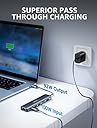
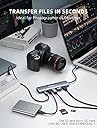


⚡ Unlock your workspace potential with the ultimate 7-in-1 USB-C hub!
The dockteck 7-in-1 USB-C Hub transforms a single USB-C port into a powerhouse of connectivity featuring a 4K@60Hz HDMI output, 100W power delivery for fast charging, 1Gbps Ethernet for stable internet, dual USB 3.0 ports for 5Gbps data transfer, and SD/TF card readers. Compatible across major platforms including macOS, Windows, and iPadOS, it’s designed for professionals seeking sleek, efficient multitasking with reliable performance and a 24-month warranty.


| ASIN | B08SLS9W72 |
| Batteries Included | No |
| Batteries Required | No |
| Best Sellers Rank | #219,538 in Electronics ( See Top 100 in Electronics ) #585 in USB Hubs |
| Brand | dockteck |
| Compatible Devices | macbook |
| Country of Origin | USA |
| Customer Reviews | 4.2 4.2 out of 5 stars (6,292) |
| Data Transfer Rate | 5120 Gigabits Per Second |
| Date First Available | 13 May 2021 |
| Does it contain liquid? | No |
| Hardware Interface | USB Type C |
| Item Dimensions LxWxH | 13.6 x 3.4 x 1.4 Centimeters |
| Item Weight | 92 g |
| Item model number | DD0003 |
| Manufacturer | dockteck |
| Material | Metal |
| Model | DD0003 |
| Number of Ports | 7 |
| Operating System | Windows, iPadOS, macOS |
| Product Dimensions | 13.61 x 3.4 x 1.4 cm; 92 g |
| Special Features | Plug And Play,Plug And Play】dockteck |
| Total USB ports | 4 |
| Wattage | 8 Watts |
S**H
Reliable product
Why did you pick this product vs others?: Update after using 4 years. Its a great product. It worked flawlessly.
C**T
Here's a few things
Cable length: it's on a shorter side, but it cannot be made long so as to provide signal integrity. And that's why I cannot complain. The annoying part : is if you connect the dock and keep it aside the MacBook by keeping the DockTeck logo upwards the ports lies toward the laptop and this is very frustrating bcz i don't want to keep my dock upside down as it looks slightly off and unconventional. Heating: I usually keep connected a lan cable and a USB-hub which further connects my full RGB keyboard and mouse. When it's charging the heatup is very minimal, it's a little warm but trust me it's very less, i just mentioned just to share but it's not worth attention, it doesn't get hot at all ( keep in mind i don't have an air conditioner and the ambient temps in 22 summers you know well). Without charging : nothing at all, it remains at ambient temps. Display output: here's where things get interesting, while all these things connected and if I connect a 1080p 60fps monitor, it slowly starts to get a little bit warm but a interesting thing to notice is that it reaches the maximum temp ( equilibrium state and that too is not hot) in 20-30 min after that it stays at those temps, so it's getting heated up very slowly ( which is normal all USB-C hubs shows this behaviour so it's no different) but it's not alarming. The scary part : you have all heared that USB C hubs are killing MacBooks, if yes then it's true, actually the thing is that when you connect so many things to the hub it draws more power than the mac can handle, so it's better that you don't connect all the things at once, okay then what's the point if I cannot connect my devices? Yes then make sure that when you connect more devices ( specifically HDD and Monitor) while keyboard and mouse connected, make sure that you power the laptop through the USB hub, doing this makes sure that hub gets its power from the charger and not the laptop itself, THIS IS VERY IMPORTANT GUYS keep the hub connected to charger if you dont want to fry your laptop. And if you want that your laptop ( MacBook) doesn't gets charged beyond a certain percentage ( to increase battery life) because you are connected to power at all times, check out tool AIDente.
S**N
Heat : the docs gets very hot while charging the laptop
Does the job very well, only thing is heat, it heats up while charging, the cable has good length to keep far from laptop, such that the heat doesn’t comes to laptop or even if it starts a small fire my device would be far away The real deal of dock comes from thinkpad which cost 10 times more with no heat, as I said this one is value for the money maybe, can’t compare something which has price difference ratio of 1:10
P**R
A must have product
Using the product for a long time now. A very useful product with excellent built quality and good port functions.
S**N
Necessary product for your MacBook
It's a very necessary and easy to use device, functions very well. It's lite weight and looks and feels sturdy. It has all the slots which a normal laptop has and all of them a fast sockets. It gets a bit warm when you start using it but it's normal and doesn't get too much hotter. You also get a small carry pouch where you can use it to carry this adaptor. Highly recommended for all MacBook owners. I've also used it for my iPad and it works flawlessly.
A**.
Gets hot fast and no refund option
Got the product today and was testing it out. It looked solid and packaging was nice. But please keep in mind that this damn thing doesn't have a refund option. In my case it got too hot after just connect my phone to the usb port for charging. Apart from this, the type c port can only be used for charging, data transfer isn't possible using the type c port provided on the dock. The SD card has to be inserted upside down on the dock which was very odd, especially since there was no indication that we had to insert it this way. Worst of all was the lack of refund option which makes me trust the company even less
Y**R
Lovely product
Easy to use, fast response.
K**A
Works well with my MacBook Air with M2 chip
Works well with my MacBook Air with M2 chip. I did not experience any heating issues. Only the cord length is short and could have been a bit longer. Otherwise no issues and the black color matchs well with my MacBook Air which is of Midnight. Speed is excellent.
E**A
Economico expansor de puertos y sencillo de usar. Puedes conectar un monitor externo y conectarte a la red por medio de cable. Excelente producto.
K**C
Needed it fast. Delivered promptly to my door step. Awesome!
M**L
Overall it's a great device that does exactly what you expect. It can get a little hot sometimes but performance has not been affected once. Worth the purchase.
H**M
Very handy for a such a small USBC adapter!
A**Z
Per il momento fa benissimo il suo lavoro. Non ho ancora provato la porta RJ45 ma per il resto tutto ok! Anche senza alimentazione riesce a tenere su tastiera mouse, monitor e telefono in hotspot usb
Trustpilot
2 weeks ago
5 days ago