Buy anything from 5,000+ international stores. One checkout price. No surprise fees. Join 2M+ shoppers on Desertcart.
Desertcart purchases this item on your behalf and handles shipping, customs, and support to Thailand.
🌟 Bridge your IR devices to the future of smart control!
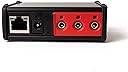
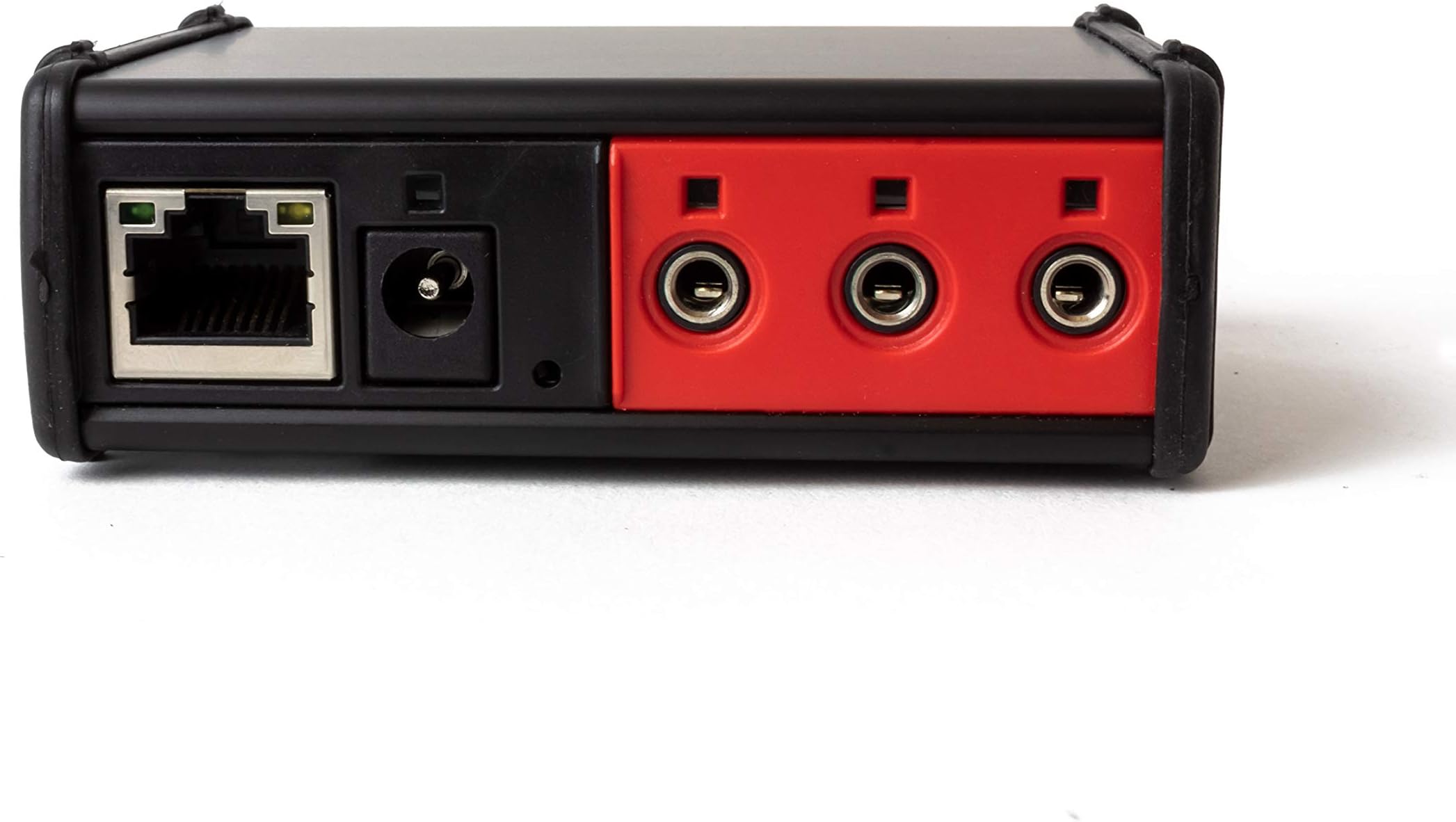
The Global Caché IP2IR iTach is a compact TCP/IP to infrared converter that connects up to three IR devices to your wired Ethernet network. Designed for seamless integration with PC, iOS, and Android apps, it enables remote control of IR appliances via IP. Featuring an easy web-based setup and flash upgradeable firmware, it’s the essential bridge for DIY home automation enthusiasts looking to unify IR devices under smart network control.


| ASIN | B003BFTKUC |
| Best Sellers Rank | #136,814 in Tools & Home Improvement ( See Top 100 in Tools & Home Improvement ) #151 in Home Automation Hubs & Controllers |
| Brand | Global Caché |
| Built-In Media | Global Cache IP2IR iTach Wired TCP/IP to IR |
| Color | black & red |
| Compatible Devices | Monitor |
| Connector Type | RJ45 |
| Current Rating | 300 Milliamps |
| Customer Reviews | 4.1 out of 5 stars 122 Reviews |
| Finish | Matte |
| Global Trade Identification Number | 00810466010181 |
| Input Voltage | 16 Volts |
| Item Dimensions | 3.1 x 1.3 x 3 inches |
| Item Type Name | device-servers |
| Item Weight | 0.09 Pounds |
| Item dimensions L x W x H | 3.1 x 1.3 x 3 inches |
| Manufacturer | Gefen |
| Mfr Part Number | ITACH IP2IR |
| Model Number | ITACH IP2IR |
| Number of Items | 1 |
| Number of Ports | 3 |
| Package Quantity | 1 |
| Power Plug Type | No Plug |
| Smart Home Compatibility | Smart Home Compatible |
| Specific Uses For Product | DVD Player, Monitor, TV |
| UPC | 810466010181 |
| Unit Count | 1.0 Count |
| Warranty Type | Extended or Limited |
M**L
Best option for integrating IR devices with a home automation network or otherwise sending commands from TCP
I do not believe the average home consumer purchases this type of device, so I'm writing this for the semi educated consumer that understands what they are buying or trying to achieve. This device acts as a "bridge" between two commonly used protocols: TCP and Infrared. Global Cache is one of the leaders in these types of devices, used by many home automation companies to integrate home automation controllers with receivers, TVs, and just about every type of device that has a remote control and takes infrared commands. Centralized home automation is not just for the uber-rich or the professional installer anymore. A Do it Yourself (DIY) community of people are out there that have built many great tools for building your own home automation solution. With the communization of devices like an iPad, you can use software to design your own remote control. These types of devices are critical to controlling devices in your house. RS232 is substantially better at delivering commands to a device than infrared, but many times you have no choice. In that case, this is the best device for bridging that gap to include infrared devices in your home automaton scheme. Keep in mind that infrared cannot give you feedback (such as acknowledgement that the device received the command, or the ability to ask a device a question - What is the currently volume level?) where RS232 and TCP do. So, if you want to communicate with a device via a home network, RS232 or TCP are preferred. These devices work great with a home automation package called Indigo by Perceptive Automation, and can be integrated using a plugin called Global Cache. Certainly these devices can be used with just about any home automation system, but these are two of the best for the DIY market. Feel free to reach to me if you have questions.
M**M
Works great with OpenRemote & iRule
This is an awesome little device. The single IR blaster included works quite well. The two adhesive emitters were easy to set up and worked fine with a 25 foot 2.5mm stereo extension cable, to control a projector on/off. The IR learner was hard to use at first. Just put the iTach and the remote control on a flat surface, point the remote's emitter at the back of the iTach with about 2 inches distance between the two. There's a pinhole reset button that apparently also includes the recessed IR receiver. You may need to angle the remote, so it's IR emitter has a "line of sight" directly into this little hole on the back of the iTach. I get frequent crashes with the iLearn software if I use any of the functions except learning a code, trimming it, and saving it. Reconnecting the iTach (it apparently times out after a while), clearing windows, etc, caused the program to eventually crash. Other than that the iLearn and iConvert tools work perfectly. I tried both OpenRemote and iRule, and settled with iRule because I couldn't figure out how to get repeating IR codes to work smoothly with OpenRemote for my Motorola set-top-box. iRule occasionally goes into a mode where it fails to send commands to the iTach, but I think this mostly has to do with my Nook Tablet's groady wireless. Otherwise iRule and the iTach work together perfectly, including the extensive IR device library available with iRule. If using OpenRemote, assign the iTach a static IP _before_ programming a bunch of commands to save yourself a lot of grief when your DHCP server decides to play musical chairs.
M**R
great idea, but seriously poorly executed;
great idea, but seriously poorly executed; the hardware seems well constructed but the documentation and tutorials are as bad as you will ever find anywhere. - 3.5mm ports not numbered and no manual or documentation indicating how to derive port numbering - A set of IR xmitters or something is included but the package no where indicates what is included and impossible to derive what was included. - The binaries on the web site are not signed and un-recognized by windows - Documentation on the binaries (Learn, test, etc) is non-existant or very poor, with many features not documented at all - In the new world of AI it is hard to understand why they did not engage an AI agent to produce useful documentation. - While It has been possible to get iLearn capture the IR codes, I have yet to get transmission to work. - This could have been an amazing product but lacks basic efforts to support the user with documentation or tutorials even after looking up IR codes in the database they have and writing python to send them, it is clear this device simply does not work
J**L
Great, affordable product
My initial impressions of the iTach IP2IR were 1. it's smaller than I expected and 2. feels a bit plasticky/cheap. I was a little worried about what I had plunked down $90.00 on. However, I am pleased to say that I plugged it in and found it quickly on my network. The size is great because I hide it right next to my router. In it's final destination, my new home's AV closet, it won't take up much space or generate much heat. I am using the iRule remote software and it works great with the iTach. The two were definitely made for each other. The IR blaster included with the iTach is very effective at the range I'm using it (approx. 10 feet). The best place to use the IR blaster is when it's aimed at devices that won't move. Some, like my XBOX and Apple TV, need to be angled just right for the signal to successfully go through. One more thing that I've heard people get frustrated with on network connected devices is the lag that occurs when a device "goes to sleep." I've seen it happen on my wife's iPhone when she uses the IOS remote software to control the Apple TV. It takes a few seconds to connect to the gateway. I'm happy to report that we haven't had that problem with the iRule and iTach. As soon as the screen comes back from "dim" or the program opens, we can send commands. Great little device! Definitely worth the money if you're going to put together a mildly complex home AV system.
S**R
Does what is expected of it
I bought this unit to expand on my home automation controls of my media center setup. I was surprised to see that the package included everything I needed to get going. It included the three IR emitters and one IR blaster. Also includes USB power/communication with PC which I did not use. Setting up was easier that I thought. All manuals are available online (in fact very little documentation is included with the product). The first step after powering on the system and plugging it to the network was to find the IP address. Although there is default IP address assigned to it, I downloaded & ran the iHelp tool and within seconds it located the iTach unit in the network which provided me the IP address. Via web browser I connected to the device and set it up with a fixed IP. I was using an open source software called Openremote to control my media devices using iTach and so fixed IP was a requirement. Once setup, I downloaded iLearn pointed my remotes and one by one learnt all the IR codes. That probably was the most time taking for me not because it was difficult but just due to the number of media devices I was using and the IR codes to learn. So why only the 4 stars?? I could not get my Comcast Pace RNG110 setup box to work consistently. On an average of the 10 commands only 7 actually worked. The comcast remote worked 9 out of 10 commands. Had a similar issue with the power toggle on my xBox 360. The operation was erratic. Overall I like this product very much. It (almost in my case) does what it is intended for. The small footprint is another advantage and the support forums are very helpful.
D**R
Great device for sending IR commands over IP
I’ve used these multiple times for different projects. They’re excellent units and very useful if you need to control IR devices over a network. Global Cache’s entire product line are well made and powerful problem solvers.
E**U
Nice, Compact and works
Purchased this unit a month or so back and combined the unit with Roomie Remote Apps. I find the combination works well and I have not problems. Setup and configuration were easy and straightforward. The one issue that I did have was not with the GC IP2IR or with Roomie Remote, but with my router. I have a Fios router and needed to adjust the setting "Enable Multicast" by assigned IP address on my network. This took a little bit of effort to find the proper tables in my router setting, but the support at Roomie Remote was great and therefore I never needed to contact Global Cache. The unit works well without any problems. I would suggest you go to Global Cache website and download the iHelp tool for PCs (there is a MAC version from a 3rd party) that is needed to verify and update your firmware (Mine was up to date). I will also say that SmartHome the seller did follow-up on the sale to make sure everything was ok. I would recommend this product for those needing a remote control solution for your media center. Some IP networking technical knowledge is needed, but the support forums are powerful tools and will help you get everything set-up and functioning.
G**Y
If you understand what this is for BUY IT NOW, if you don't, it might not be what you're looking for.
This is a fairly specialized product insofar as it's not the kind of thing that you're going to want to pick up unless you understand exactly what it does (e.g. DO NOT buy this if you think you're going to just use your iPhone as a universal remote unless you understand that there are going to be a lot of other things that go into that process) but if you understand the purpose of this device, you will not be disappointed. I purchased the first of these units to interface with my Insteon control software (Indigo for Mac) and it is sheer awesomeoness. That unit worked so well that it didn't take long before I purchased a second. I've had ZERO problems with either unit and I've got a huge amount of control that I never had before. There are really only two minor issues I have which are: 1) the IR learning window can be a little hard to target (the remote has to be held VERY close and at just the right angle) and 2) it would be nice if Global Cache had some sort of code database rather than having to learn/find codes, but neither of those things prevents me from giving it a five star review.
M**R
Does the job brilliantly - poor documentation - need to know your tech!
I purchased this so I can build my own KVM solution to switch USB and HDMI inputs via 2 blasters connected to this box. However, be warned, you will need to be tech savvy or a programmer to use this. I coded my client using golang. You "record" the IR using their provided "iLearn" software... which gives you a string of characters. You then connect via your (own) app on TCP port 4998 and then send down the command (which starts with sendir) The unit does not store these IR codes.. you send them each and every time to port 4998 on the unit. It was hard to find this information from their docs! Took me ages to figure out.. hence the 4 stars. 1 star dropped for lack docs.
H**C
IP2IR arbeitet super mit Irule !!!!!!
Das Gerät arbeitet in meinem Wohnzimmer störungsfrei. Die in der Lieferung enthaltenen Emitter kann man angeblich über Y-Kabel an einem Port anschließen. Ich persöhnlich nutze nur einen Emitter, alle anderen Geräte (6Stück) kann ich mit dem IR-Blaster abdecken. Den Blaster wollte ich zuerst mit einer 5m-Klinkenverlängerung betreiben, dabei verliert man aber anscheinend zuviel Sendeleistung. Ich habe dann festgestellt das es viel einfacher geht und den Blaster unten am Phono/TV-Schrank festgeschraubt. Das erste Gerät steht direkt über dem IR-Blaster, das letzte hängt auf ca. 2m Höhe. Wie gesagt arbeitet das Gerät bei mir Störungsfrei mit der Software IRule für Android(zusätzliche Kosten ab ca. 40Euro). Ein kleiner Nachteil ist das bei der Programmierung von Makros relativ große Wartezeiten zwischen dem Wechsel von Geräten eingefügt werden müssen (0,5-1s). Das kann jedoch an der Nutzung des Blasters liegen. Der größte Nachteil ist jedoch der hohe Preis. Trotzdem volle Punktzahl auf Grund der einwandfreien Funktion (Ist in diesem Bereich anscheinend nicht selbstverständlich).
Trustpilot
5 days ago
1 day ago