We remain fully operational. Our teams are working around the clock to ensure your deliveries continue safely.

DOWNLOAD THE APP


Copyright © 2025 Desertcart Holdings Limited
DOWNLOAD THE APP
Buy anything from 5,000+ international stores. One checkout price. No surprise fees. Join 2M+ shoppers on Desertcart.
Desertcart purchases this item on your behalf and handles shipping, customs, and support to Thailand.
🚀 Double your storage, halve your wait time!
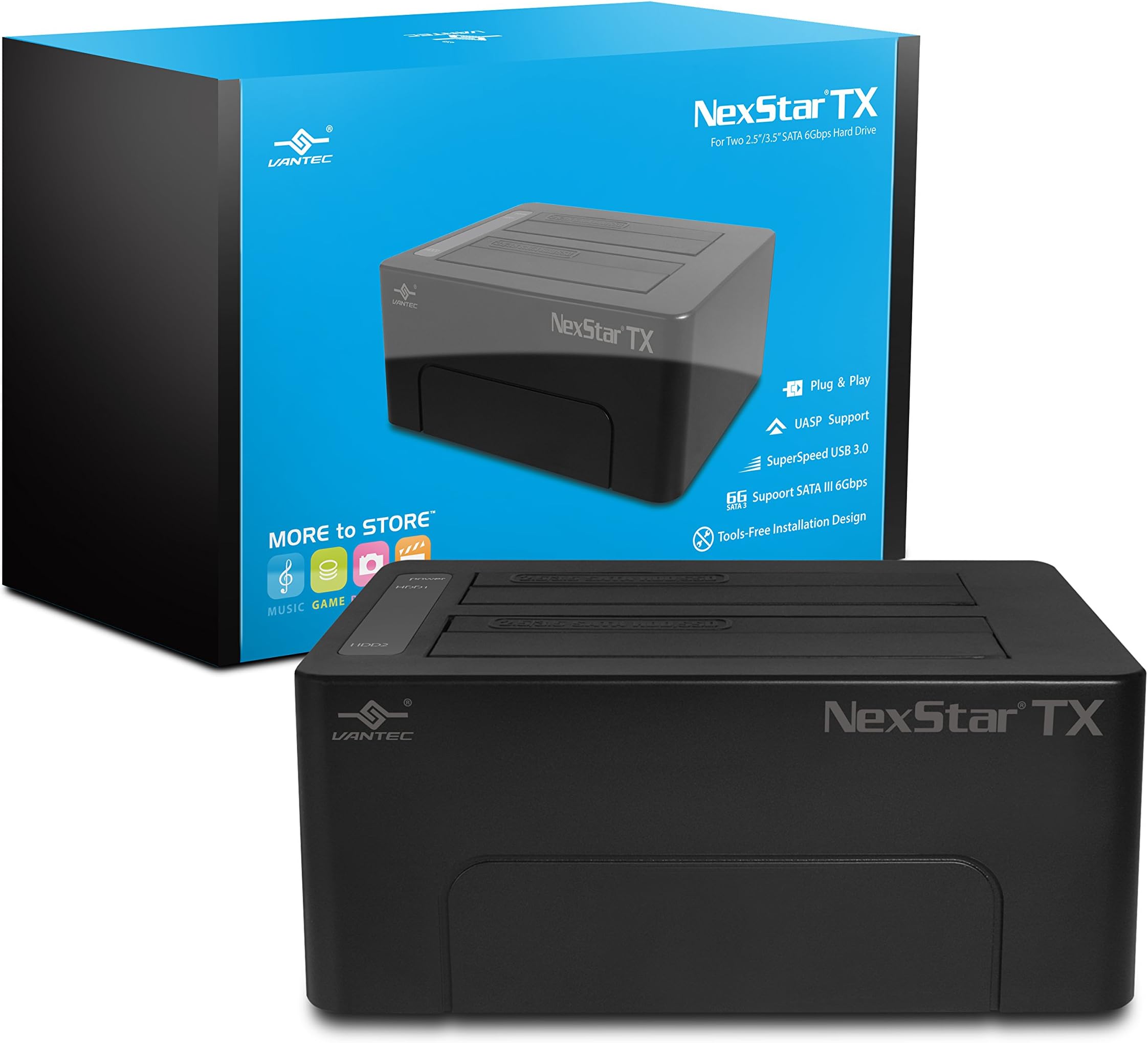
The Vantec NexStar TX Dual Bay USB 3.0 Hard Drive Dock (NST-D428S3-BK) is a sleek, black external dock designed for professional users needing fast, flexible storage solutions. Supporting two 2.5” or 3.5” SATA HDDs or SSDs simultaneously, it delivers SuperSpeed USB 3.0 transfer rates up to 5Gbps with backward compatibility. Its hot-swappable bays and clear LED activity indicators provide effortless, real-time drive management without interrupting your workflow. Compact and reliable, it’s a must-have for efficient data handling and backup.


| ASIN | B01JNLCFQI |
| Best Sellers Rank | #221 in External Hard Drives #402 in Enclosures |
| Brand | Vantec |
| Built-In Media | External power supply, NexStar TX USB 3.0 HDD Dock, Quick Install Guide, USB 3.0 cable |
| Color | black |
| Compatible Devices | Laptop |
| Customer Reviews | 4.1 4.1 out of 5 stars (360) |
| Global Trade Identification Number | 00844767022406 |
| Hardware Interface | USB 3.0 |
| Item Dimensions L x W x H | 6"L x 4.3"W x 2.4"H |
| Item Type Name | Vantec NexStar TX Dual Bay USB 3.0 Hard Drive Dock (NST-D428S3-BK) |
| Item Weight | 1.3 Pounds |
| Manufacturer | Vantec USA |
| Number of Ports | 2 |
| Total Usb Ports | 1 |
| UPC | 844767022406 |
| Warranty Description | 1 year |
| Wattage | 36 |
S**R
Works Flawlessly
This is the second NexStar dock that I have owned and I bought it based on my experience with the single bay Vantec NexStar USB 2.0 eSATA Dock NST-D100SU White dock which I bought back in 2012. The single bay unit with a 1TB WD Black Caviar hard drive has been connected to my desktop computer via eSATA as a backup drive for four years now and has performed flawlessly over that time. The new dual bay dock is being used with two 2TB WD Black hard drives, one as main storage and the second as a backup drive. This dock is currently connected to my laptop via USB3. All three hard drives are available from both computers via my wired network. One difference that I have noticed between the eSATA and USB3 connections is the tendency for the units connected via USB3 to go to sleep when not being used, whereas the unit connected via eSATA on the desktop is always instantly available. This problem probably has more to do with the USB settings on the laptop rather than a problem with the dock itself and is something I will investigate further. At this stage I haven't tried the new unit via the eSATA connection but I wouldn't expect it to perform any differently to the single bay unit. Apart from the (minor) problem with the USB3 connection both units have performed flawlessly and I would have no hesitation in recommending either dock.
-**-
Like the eSATA connectivity, but USB 3.0 works well also.
Great dock, grabbed one of these when on sale and very happy with it. I have had the previous USB 2.0/eSATA single bay model for some years, and it has been very useful, so when it came time to upgrade some gear, I looked at the new USB 3.0/eSATA 2 bay dock. I don't like the white colour (since I'm sure it will yellow with age) but couldn't get black shipped to my region. I hate that everything on Amazon is treated differently depending on where you live, and also, Amazon, please stop suggesting stuff that doesn't ship to my region! I use it both with USB 3.0 for laptop connectivity, but where it really differentiates itself is using the eSATA connectivity as an external device with my old QNAP NAS, which only has USB 2.0 and eSATA - makes backups much faster!
B**S
Not quite as advertised
For an external USB/eSATA drive dock, this is nice if you're constantly changing drives out; it sure beats having to remove screws and other hassles with some cases. Of course it offers no physical protection for your drives either. BUT there are two very misleading specs in the product description on Amazon: 1) Only the front slot works with eSATA. The back one only works on the USB port. And the front one is either eSATA or USB, not both at the same time (not sure why you would, but...) 2) This is NOT hot-swappable. You must power down the unit before swapping HDDs. The very limitied documentation says this (actually, that's all it says. There is really no documentation.) I had hoped that it would work as an eSATA port expander and give me two external eSATA drives from one port. No such luck.
V**Y
Vantec Hard Drive Dock (NST-D400SU3-BK)
Over the past decade, I've purchased more than a dozen hard drive docks from various manufacturers, in sizes from one to four slots. The Vantec NexStar units are the only ones that consistently perform reliably. Docks from other vendors drop ready from time to time, and my four-slot StarTech docks don't provide enough power to start all four drives simultaneously; they HAVE to be started one at a time. I also like the NexStar design. The power bricks are heavy enough to provide power for starting both drives at once without a problem. Also, my docks are on the top shelf of a shelving unit full of computer equipment, so the front-mounted power button and indicator lights work much better than other vendors' rear-mounted switches and top-mounted lights. As for speed, it takes 2-3 hours to copy about 2TB of data using USB 3.0 and 3.1 Gen II. These copies took 10-20 hours on USB 2.0. And running multiple copies at once doesn't slow things down on USB 3 like it did on USB 2. I'm currently using four of the two-slot Vantec docks.
D**Z
Muy fácil de usar exelente producto lo compraría de nuevo
G**L
Super casing just plug n play...8Tb per bay supported
D**R
Great Product
M**H
Works wonderfully for 3.5 and 2.5 data swaps and backups. USB 3 seems to be limited to 500MBs but that's way more than an HDD will spin up to and sufficient for most SSD data transfers (if you're on a budget). * Transfer limitation may be a result of my computer, so don't necessarily take that as a hard fact.
J**Z
Buen producto, yo lo tengo con 1 HDD 3.5" de 4 TB y 1 HD 2.5" de 640GB y funciona bastante bien. Advertencia: conectar el cable directo al puerto USB 3.0 de la computadora, no conectarlo a un multipuertos USB ya que estoy crea un cuello de botella que hace las operaciones de lectura y escritura al disco se vayan a tiempos ridículamente altos y hacen que se trabe cualquier operación.
Trustpilot
5 days ago
2 months ago