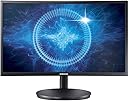
๐ฎ Level up your game with Samsungโs curved powerhouse!
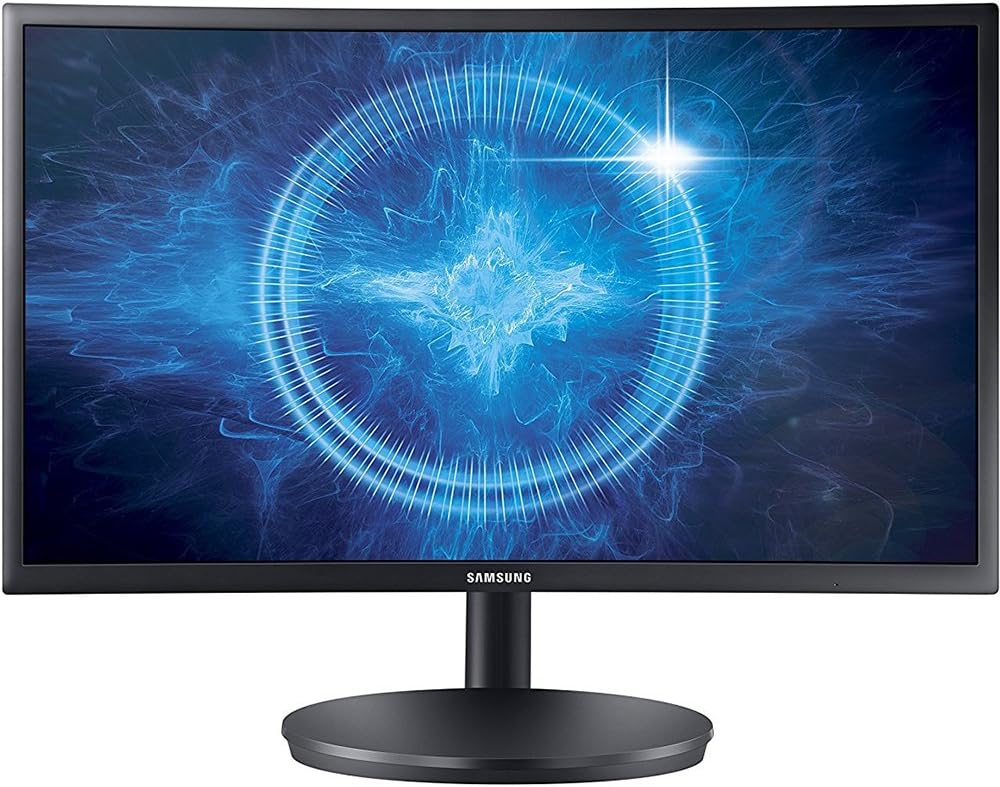
The Samsung CFG70 is a 27-inch curved gaming monitor featuring an 1800R curvature, 1ms MPRT response time, and a 144Hz refresh rate. Equipped with Quantum Dot technology, it delivers vibrant colors with 125% sRGB coverage and a 3000:1 contrast ratio for deep blacks. Designed for gamers, it includes customizable arena lighting and gaming modes for an immersive experience. Its adjustable stand and flicker-free technology enhance comfort during long sessions, making it a standout choice for competitive and casual gamers alike.


| ASIN | B01M1D75E3 |
| Adaptive Sync | FreeSync |
| Additional Features | Curved |
| Aspect Ratio | 16:9 |
| Best Sellers Rank | #949,291 in Electronics ( See Top 100 in Electronics ) #17,841 in Computer Monitors |
| Brand | Samsung |
| Built-In Media | DP Cable, HDMI Cable, Install CD, Power Cable, Quick Setup Guide |
| Color Gamut | 100 |
| Connectivity Technology | HDMI |
| Contrast Ratio | High |
| Customer Reviews | 3.5 out of 5 stars 307 Reviews |
| Display Resolution Maximum | 1920 x 1080 Pixels |
| Display Technology | LCD |
| Display Type | LED |
| Global Trade Identification Number | 00887276189604 |
| Hardware Connectivity | DisplayPort, HDMI |
| Has Color Screen | No |
| Image Contrast Ratio | High |
| Item Weight | 13.66 Pounds |
| Manufacturer | Samsung IT |
| Model Name | LC27FG70FQNXZA |
| Model Number | LC27FG70FQNXZA |
| Mounting Type | VESA Compatibility - Mountable: 75 x 75 mm |
| Native Resolution | 1920x1080 |
| Number of Component Outputs | 1 |
| Refresh Rate | 144 Hz |
| Resolution | FHD 1080p |
| Response Time | 1 Milliseconds |
| Screen Finish | Glossy |
| Screen Size | 27 Inches |
| Screen Surface Description | Glossy |
| Series Number | 70 |
| Specific Uses For Product | personal, gaming, business |
| Total Number of HDMI Ports | 2 |
| UPC | 887276189604 |
| Viewing Angle | 178 Degrees |
| Voltage | 240 Volts |
P**G
I am extremely pleased with this monitor (UPDATE!)
So first of all, I am extremely pleased with this monitor. The picture and color are fantastic, good enough that my older (but still excellent) Samsung monitor's colors actually look sub-par by comparison. I wasn't sure how I'd feel about the curved screen, but I think for a computer monitor where you're sitting so close, it's actually a worthwhile idea. I play a lot of games, and this really does the job well. One thing to note is the stand. It's easy to attach and very sturdy and stable, but it sticks out the back of the monitor almost a foot. If you're used to your flat-screen monitor occupying basically a flat space on your desk (like my old monitor), you're in for a shock. This is more like putting an old CRT monitor on your desk- you need a lot of room behind the screen. It does create a pleasing "floating screen" effect because the stand comes down so far behind, but space-wise it's a real pig. The other thing to note is the control buttons, particularly with regards to powering on/off. It's on the back, and it's just one button with a direction-pad. This is, needless to say, pretty inconvenient. Unlike a normal monitor where you just touch or swipe an on/off button on the front and you're done, with this one you have to reach under the monitor, put your fingers up in back, feel around for it, and push the button to turn it on. To turn it off you not only have to reach up behind the monitor and find and push the button, but then you have to use the direction-pad to push down to power it off. It's not the end of the world, but it's far from user friendly or convenient. I'm used to it after several months, but it's still annoying. Still, overall it's a great monitor at what I felt was a very reasonable price. I'd recommend it to anyone. UPDATE 01/30/2023: I've had this monitor for 4 1/2 years now, so here's what I think. #1 The amount of space it takes up due to the backward-protruding stand is still obnoxious. I've found ways to make it work at various desks I've used, but it's definitely a design flaw, not a feature. #2 The buttons hidden around the back are still stupid and unnecessarily complex, but prior to updating this review I hadn't thought about them in years, because I activate them automatically. All-in-all I'd call it a non-issue. #3 I've found that I actually do prefer the curved screen, and it's a feature I'll look for on future monitors. I'm not sure if it really helps with immersion in gaming, but it definitely makes for a more fluid viewing experience when you're using multiple screens. #4 Most important, this is a phenomenal monitor. I'm so happy with it that I came on here to try to buy another (so far I haven't found one at a reasonable price, and I'm afraid I'll have to buy an updated model, but if I could I'd buy this exact one over again because I'm so please, despite #1 & #2). Anyway, that's my update. If you get a chance I'd recommend picking it up, as long as you're confident you'll have room on your desk for the stand.
Q**Y
Monitor Died after 8 months
**UPDATE** 1/2/2018 The monitor died. After 8 months. :( it is a great monitor and I loved every gaming moment I had with it. However I must say after I paid over $300 for it, this needs to last LONGER THAN 8 MONTHS! I did have a warranty but holy hell. Talk about unfriendly customer support trying to get this thing fixed. The Problem: While i was using it it would turn on and off really quick. I kept using it but when I left to use the restroom and came back the monitor was blank and the blue led was on but not flashing. I have unplugged it multiple times from the computer and the power source. When I plug the power back in the blue led turns on immediately without me touching the power button and does not blink. seems to be stuck in a sleep mode or something? idk The "Support": After going to support (had to go 3 times to resolve this!) I first had to go and tell them my problem. Wait two days for a phone call that was 5 mins where they basically confirmed what they tried on live chat with me. Only they forgot my shipping label (waited patiently two days for it to come in the email. never did so thus my third time with support to get that email fired over to me) The Shipping: UPS was super unfriendly. Firstly I had to go drop it off to them, Samsung would not pay for pickup, I had to buy a $13 box from UPS to put the monitor in, and a roll of bubble packaging because if the monitor gets damaged while shipping it to Samsung it's your fault, so I had to buy in total $40 worth of packing from Lowe's because UPS would not sell me packaging material only the box. Talk about running around and wasting my time for a monitor that should just be working after 8 months of use. I am waiting for my monitor to come back and I will review this review. However I only will give it maybe 1 star depending on my mood just because of this horrible idea of Samsung of making ME pay for everything besides shipping the actual damn product. You know what would be easier you damn glutton of a business? Ship me a new monitor, I only have the one and I use my computer to game and do business on. Now because of this I dont have any monitor. You know what support told me? Not our problem. All I can think is... YOUR MONITOR DIED ON ME! Shesh, you pay $300 you expect $300 worth from it. Trust me, it may be a good monitor but if this only lasted eight months.. BUYER maybe you should be looking elsewhere especially since trying to get it fixed will cost you ~40 bucks and time just to wait 2 weesk or more for them to get it and fix it and ship it back. I do love the monitor but everything about the support shipping and getting it fixed was horrendous. I think this may be the last monitor and/or tv I buy from Samsung. Their qleds arent worth it if they die in 8 months like this monitor. Just so you guys know. Buyer beware of the live span of this monitor. ORIGINAL REVIEW AFTER 1 MONTH OF OWNERSHIP Very noticeable in the 1ms compared to any other monitor I have had. First curved and I like it but don't really notice it? Probably doesn't need to be curved but it gives it a more expensive look I guess. Feels good watching and looking at it though. Worth the price I paid.
G**B
60hz to 144hz for gaming is Op
Been using this monitor for about 2 weeks so far it works great there was a noticeable backlight bleeding which is annoying but doesn't hinder the gaming it's just there. The curved aspect of this monitor doesn't really change the gaming experience as long you sit in the middle. The stand for the monitor is solid and the hight adjustments are minor but doses help if you need the monitor a little bit higher, Don't expect the default stand to have a lot of customizable adjustments. The colors are great and the sharpness is great does have a lot of customizable screen settings like brightness, spareness, and contrast. The built of the monitor is very solid but when handling be very careful it is a curved monitor better safe than sorry. If you are wondering if 144hz changes the experience of gaming which it does of course not all of the game the most you'll get out of it when playing Roblox or Minecraft you'll experience a smooth gameplay, but for FPS games it might help your aim due to the smoother gameplay for competitive gaming it will help if you need that extra frame to hit the enemy with a gun. If your planning to buy this monitor due know that many of these monitors have lots of problems that do with the purple artifact and etc. If you need an upgrade I would hold off and save up a bit more for the newer model that fixes many of the problems that this model has.
E**.
I love this monitor, but there are issues on startup...
I got this monitor almost two years ago as a birthday present by my now deceased mother. Of course, anything that was a gift from her has more meaning to it now, so it sucks that I must worry about this monitor breaking! For the past several months, my Samsung monitor has been having serious issues when I first use it. My computer starts up, and it takes me upwards of 5-10 minutes for my monitor to actually show my computer screen. It has some kind of issue where the screen shows vertical lines across it. It is NOT my computer nor graphics card nor the HDMI cable, but the monitor itself. It will do this entirely by itself when you first power it on, regardless of the computer being hooked or turned on. I'm just really disappointed by this. This monitor was nearly $400 (with tax) when she first purchased it for me. I picked it out, being a computer programmer who works from home as well as a gamer. I wanted a monitor that would stand the test of time, something that would potentially last me at least a decade until graphics cards and computers started running 4K (or up) as the common resolution. As for the performance itself, when it works... it's great. The 1ms response time, this is the ideal gaming monitor. I love it for work, the fact that you can tilt it sideways and it has a sturdy base. But the fact that is has this vertical line issue, I'm just extremely disappointed. Especially for something made by Samsung, one of the tech kings of the world and a company I've typically trusted. Considering the screen issues, I would have to advise people to pass on this monitor now. It's such a shame, because when it works, it's great. It's a sturdy and solid monitor, but the screen issues sucks, and the screen is what it most important.
A**R
The best of IPS, TN and VA worlds in one device. A serious competitor for gamers that enjoy image quality.
A quick rating based review on my experiences with this monitor. I have a later model firmware of unspecified date (it has standard mode but I don't believe the S/N matches up to the other releases). As stated the monitor in this firmware doesn't seem to exhibit the same problems that others are having. Playing many games over the last days at varying refresh rates and FPS things seem clean in its fastest response rate. The input lag, and response rate is absolutely amazing for games on both the display port connection (with Input Lag Reduction) and the HDMI input (Which doesn't offer the same option with my PS4). Seriously had no problems at all, was able to play Miku with no lag compensation. The Black level of this monitor is superb, not only did I pass Lagom's LCD Black and White point tests without even having to adjust the black level over DP but the lack of backlight glow in dark scenes (pitch black) make the monitor appear as if its blending into the bezel. This is hands down the lowest black level i've ever seen on a screen, on top of the fact that it is accurate and i've not noticed any crush or viewing angle issues. Color accuracy of this screen is good enough, particularly for gaming and media use with its factory custom color mode. All the colors are vibrant, and glamourous without being far off into the realm of unrealistic and uversaturated TN Panels. The panel is 8-bits I assume as reported through my video card. Every now and then you will get wide gamut issues of over vibrancy but there is a profile to fix that. It hasn't been overly bothersome but despite its relatively great level of accuracy is not at the level for color sensitive work unless you have the tools that can tweak it so(making an assumption on this part). The Curve is there, when looking head on its subtle to the point of forgetting about it after a while. But it is THERE, and is rather pleasant how it draws in the corners of the screens towards my eyes. With that if you get too lazy by slouching to a side you might notice it more, but these curved displays were meant to be viewed from the front. To reliterate, while gaming and zoning into actual activity the curve was not noticeable but appreciated. On a 21:9 screen it might make things more immersive, but on a 16:9 screen it just makes things feel more comfortale. In short, This monitor has the gaming potential of a nice TN Panel Shadow Detail and Acceptable viewing angles of an IPS Panel (although it will never beat a the angles of a true IPS) Color Range and Black Levels of a VA Panel Without the problems of older generation VA panels. The transition from an IPS panel to this one has been fairly simple for me. Things look as good as they did on my IPS screen but the response time and lack of input lag makes it a no brainer. You definitely feel it if you're coming from a slow IPS screen. I wouldn't touch TN Panel screens with a 100ft pole, their gaming advantages are not worth the loss in picture quality.
J**S
Day 3 Review.
I use to have two 23" AOC Monitors, 60mhz, 3ms. I bought this as a replacement for one as one wouldn't turn on. First off gotta say this thing is nice! First time having a curved monitor, and anything above 23". The Colors look great. There is only a little bit of Light Bleed on the bottom right. Not too much, I tried taking a picture but my camera on my phone is not the best and it makes the whole screen look like it is bleeding. I only noticed it when I made an all black image full screen. Ignore the crappy image quality. The screen barely has any blleed, its the effect of my shitty phone, and lighting. Pros: Big Curved 144hz 1ms Practically no bleed Pictures look nice 1080p Sturdy Base/Arm Cons: Backside right of the screen gets fairly warm. Looking at other reviews I knew this would happen, It doesn't seem to be an issue with mine, or others)(So is this really a con) The Size. I knew a 27" Monitor would be 4 inches bigger. But this thing is huge. Luckily the base is nice. I bought one, to see if I like it, I had a choice of this, or a VIOTEK 32" Monitor. But I want to be buy another one near Christmas to match. I figured the VIOTEK would change the style, or discontinue the item, as their other 32" Monitors look different. You also get what you pay for. This was slightly more expensive, and I am glad I got this. I Will Definitely be buying another one around Christmas to have two matching monitors. You can just tell the difference between a 144Hz Screen and a 60Hz Screen. My friend told me I would notice the difference just buy moving a mouse or a window on the desktop. I did this for like 5 minutes between my two monitors, and the 144Hz is so nice. All my games I currently play benefit from the 144Hz as well. I'll post a range of the FPS I get while playing. It looks so much nicer. Of course when I say anything above 144 its my rig saying It can display that, the monitor caps at 144. playing at max settings Rainbow Six Siege: 150-120 PUBG: 130-100 Leauge Of Legends: 200+ Old School Runescape: N/A as that doesn't matter. Specs: i5 7600k XFX R9 390 MSI Z270 M3 tl;dr If you are playing on a console, this is a waste of money as you cant do the 144Hz, unless you plan on switching to PC Soon. Then sure. PC Gamers, If your rig can do 144Hz I would totally recommend this, even though it is pricey, Everything is perfect so far, except I wasn't expecting it to be so huge. Will Update if I Notice anything else.
J**U
No compromises 144 hz monitor. Buy it and set the Black Equalizer to max. UPDATE: Product died after 9 months.
This monitor is absolutely amazing. It boggles my mind that it isn't often recommended or on the radar for most people in the 144 hz monitor market. The other monitors in this price range are TN panels which are utter garbage. I haven't tried the more expensive varieties however coming from the popular ASUS VG248QE this monitor is vastly superior in every single way. Color accuracy is very good and the colors are rich and vivid. At first I was disappointed with the quality of the colors until I set the "Black Equalizer" setting from the default 13 to the max 20. WHAT A DIFFERENCE. Blacks are way blacker and the colors show up better as a result. Another minor tweak is to set the response time of the monitor from Standard to Fastest. I'm not sure why the two aforementioned settings were not default from the factory. The monitor has 3 buttons which enable you to save presets to your liking. I could see this being useful for those who are very particular about their monitor settings. For my purposes it is a nice, albeit useless feature. The toggle switch on the back has a good tactile feel however it is a little tiresome to constantly give your monitor a reach around every time you want to change the settings. The viewing angles are phenomenal. You can literally be across the room in any direction and still view the monitor. The stand is clunky and large however it works well. My desk is fairly wobbly so I used to have to prop my speakers against the side to avoid wobble however this stand is sturdy enough to avoid that nonsense. If you're looking for a relatively inexpensive 144hz monitor and do not want to compromise your day to day viewing experience this is the monitor for you. UPDATE: I can no longer recommend this product. After 9 months of use the monitor has died. Vertical bars show up on boot and sometimes the monitor won't power on at all. Samsung provides a 2 year warranty on this product but frankly this shouldn't happen at all. I've included a picture for everyone's reference. I now have to wait for them to repair and send it back. This experience is awful.
J**.
With few options available, 144hz+freesync is about compromise
Pros: -144hz -Freesync -Competent calibration right out of the box, providing vivid colors. Only minor adjustments to contrast and simple, easy to eyeball adjustment to RGB levels in the monitor menu were necessary to make it look good. -Fantastic contrast ratios: Bright whites, deep blacks. The contrast ratio is stable at all brightness settings, so the blacks still appear deep when presented near lighter colors. It's really only when you have a full black screen or a very dimly lit scene in a movie / game that you can be reminded, occasionally, that there is in fact still a backlight in play here. -Wide range of brightness settings to satisfy people used to dimmer or brighter displays, all of which maintain very near the contrast ratio specification of 3000. Cons: -VA Panel responsiveness is GENERALLY not great. You may see "purple trails" behind certain objects, or the entire screen may be slightly less responsive and exhibit ghosting/smearing, depending upon which manufacture date you end up with. This has to do with how the "pixel overdrive" is tuned, and is not at all related to any settings you can toggle in the OSD. -Exhibits color banding and gradient problems that you may expect out of a TN. This is apparently part of the price you pay for a monitor this fast with this panel type. It caused me to scrutinize every instance of dithering and color banding I saw for a good week before I accepted that MOST of the dithering / color banding I was seeing was just how the image is displayed on an 8bit panel. "Pixel Walk" effects are evident, too. This can cause the color response of the monitor to change when certain patterns are visible, or in some cases, cause a checkerboard effect that becomes visible on the entire screen. Not common in games, but some website and software interfaces can present this problem. -Firmware updates tune the pixel overdrive to make the color shifts less obvious or pronounced, but only a Samsung technician can update your firmware. You need to send your monitor in to receive a firmware update. Even if you live next to an authorized repair center, they will probably tell you to ship it somewhere else anyway. Since your average person is not going to have a contract with UPS/FedEx/USPS, it is NOT Cheap to ship a 22~lb package of this size. In my case, it was going to be roughly 1/3 of the price of the monitor just to ship it to Samsung for a firmware upgrade. TL;DR Conclusion: You pay a premium here for a device trying to meet in the middle of TN and IPS panel performance. Colors are as good or better than IPS panels, and contrast ratios of VA panels can't be beat. Viewing angles are better than TN panels, but not as good as IPS. What kills this monitor is the poor 'rise' time, it takes longer for darker pixels to transition to lighter colors, and this presents visible, obvious smearing, even at 60hz. The darker the color, the more pronounced the smear is. The higher your refresh rate, the more noticeable the smearing becomes. Now, on to the rest of the review.... If you search for "cfg70 purple smear", it wont take long to find some test images and footage showing examples of some pretty dramatic purple or green trailing, most notably from Counter-Strike and Call of Duty. There are also some other problems regarding combinations of settings that I really wish were made more clear to me before I pulled the trigger. If it affects anything, my monitor has a September 2016 manufacturing date, even though I just bought this a few days ago (middle of may, 2017). I'll go into more detail about these issues in a moment. Some of the processing options are completely unnecessary, in my opinion. Completely digital displays like this which accept DVI, HDMI, and DisplayPort connections have no use for a "sharpness" setting, yet this panel has one. It took quite a bit of testing and the assistance of some free calibration tools designed for CRT MONITORS in order to find a sharpness setting that seemed to perform the least amount of processing on the image.(For the record, it's 56 or 60. Flip a coin and pick one, neither of them seem perfect.) Even with that, I'm not entirely convinced that the sharpness processing is completely disabled. Forum posts and other reviews suggest that there are "issues" with the pixel density and sub-pixel layout that can make text more difficult to read, too. Once it was pointed out to me, I couldn't un-see it, but I was able to adjust it in Windows 10 through the cleartype settings. Consoles and other operating systems may not have that luxury, YMMV. I was well aware of the "purple trailing" issue, but I'd also read reports that later revisions fixed this. So of course once I received my monitor, and, to my dismay, received the model that exhibits this problem moreso than any other, was prepared for the worst. This boils down to a simple fact; VA panels have slower pixel transition times than IPS or TN panels. You can cram more voltage through the hardware to accelerate the pixel response time, but this tends to cause them to overshoot their mark and display the wrong color - often an inversion of the original color. Later versions of the firmware adjust the pixel overdrive to reduce or even outright eliminate the "purple trails", but because of the nature of the fix, this introduces more traditional ghosting or smearing, where the LCD pixels just can't transition to a new image fast enough. This is mostly noticeable as purple overdrive artifacts trailing certain shapes or images on screen, but with certain colors or textures, this can also give a sickly purple hue to the entire moving object, which is very distracting. With this said, there's a bit of a firmware lottery - earlier versions offer the best motion clarity, but that aggressive pixel overdrive is always there, and it can feel a bit like a ticking time-bomb - will your favorite game or movie exhibit these purple trails in ways you can notice? Newer revisions have slower response times and the "purple trails" are nearly completely non-existent, but the price you pay is less motion clarity for everything else. I'd have liked to see a menu setting to adjust this to my personal tastes, rather than having it be locked behind a version of the firmware and entirely out of my control. Other problems I've experienced include visible flickering with Freesync on - the entire row of vertical pixels on the right side of the display flash between their intended color and Blue, and several smaller horizontal lines near the bottom will flash a bright grey / white randomly as well. I'm not sure if this is a defect of my monitor specifically, a problem with the firmware in all of the monitors sharing my manufacture date, or a symptom that affects all versions of the monitor. At this stage of the game (April 2018), if you really want a 144hz Freesync capable monitor with a VA panel, go buy a CFG73 - which is basically this exact monitor, but with less aggressive pixel overdrive (which fixes the purple trails and purple color shift in general), or a CHG70, which is 1440p and can have its firmware upgraded with a normal USB stick and a download from their website. Every panel type has its own unique characteristics - VA has good colors, decent viewing angles, and fantastic contrast ratios. If you're willing to give up some contrast, you might consider a high refresh rate IPS monitor, their pixel response times are usually a bit more flat across the board, so any motion blur is balanced over every transition, rather than being exclusively reserved for specific colors (ie: black to anything else, as with a VA panel). Color response may be slightly worse, but the viewing angles are better. VA glow and IPS glow are very similar, so if you can already tolerate the "glow" of a VA monitor, you are already well adjusted to something many people often cite as a flaw of IPS monitors.
A**R
Amazing
My first 144hz monitor. No regrets with this purchase. Looks amazing. I love the adjustable arm on it. Would highly recommend for gamers all around.
R**M
Super Screen to Read and Play!
Lovely product! Even mounts on VESA stand and headphone jack will work great with external speakers too! Loved the pivot function so I can turn the entire screen into portrait mode. Great for reading those long texts! FreeSync looks amazing! Quantum Dot is so vibrant! The stand it ships with is also very nice. Spring loaded so it's very easy to move around. Very happy with this product!
D**R
Five Stars
Beautiful monitor, works well, very functional and versatile. Really happy with it.
M**A
Great product
Best in class for its price!
K**Y
Really awesome! But...
So this monitor is really awesome, really... truly awesome. Except for the corners of the screen being VERY blue shifted, and Samsung really doesn't seem to care, contacted their CS and they just brushed it off so... I guess I gotta live with it. It's not horrid and it's not nearly as pronounced if you put the brightness up, but this monitor is BLINDINGLY bright past 25! At 50 the blue isn't as bad, and 100 the blue is there on white but not really other colours. I really wish Samsung would have ANY customer support, they literally have none... all their CS is handled through Newegg/Amazon exchanges, it's terrible. It's not NEARLY as bad as ASUS' support who outright SCAM YOU, but it's not great. I really wish Samsung would be willing to give me an advanced replacement and exchange the two so I could be sure that the replacement would be good... but Samsung doesn't really have a customer support service what-so-ever. So that's frustrating. I hear most people don't have this issue, if this monitor didn't have this issue it would be perfect, great at gaming, low input lag... Freesync is a dream! But I have the blue shift :(
Trustpilot
5 days ago
4 days ago