🎨 Elevate your art game with precision and color that commands attention!
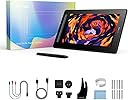
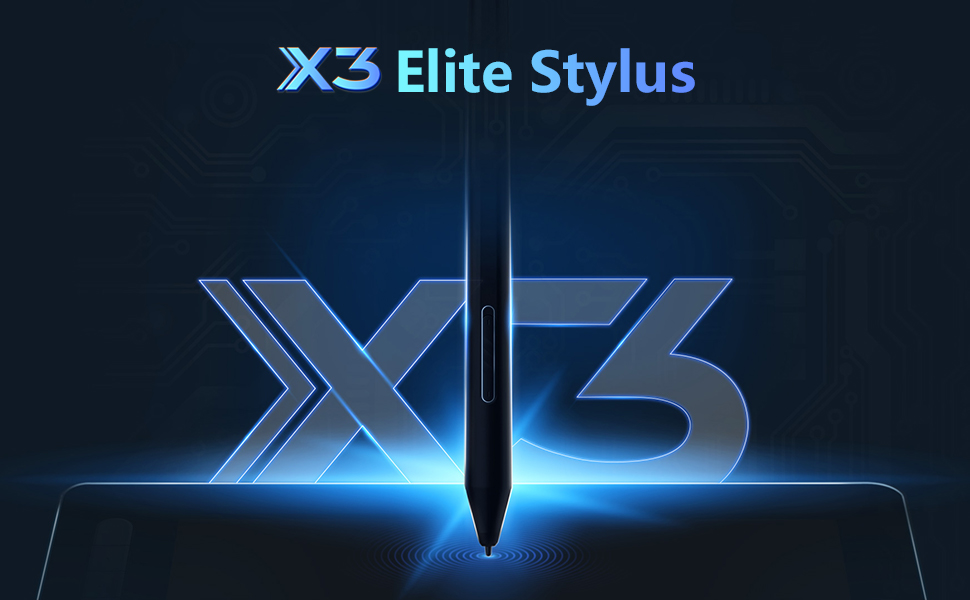
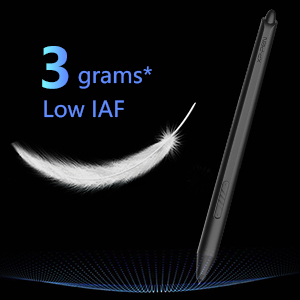
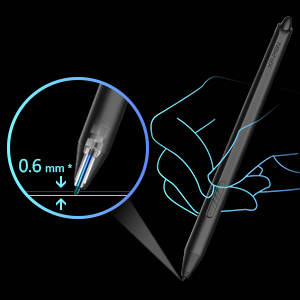
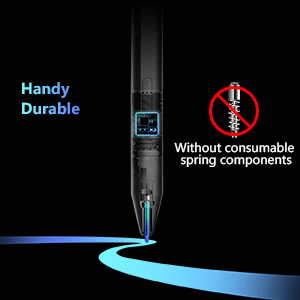
The XP-Pen Artist 16 2nd Gen is a 15.4-inch drawing display tablet featuring a high-definition 1920x1080 full-laminated screen with wide 178° viewing angles. Equipped with the advanced X3 Elite stylus offering 8192 pressure sensitivity levels and 60° tilt support, it ensures precise and natural input. The tablet boasts vibrant color accuracy with 127% sRGB and 94% Adobe RGB coverage, plus 10 customizable shortcut keys for enhanced productivity. Compatible across major operating systems, it’s designed for professional creatives seeking a versatile, immersive digital canvas.


| ASIN | B09VC794NF |
| Batteries Included | No |
| Batteries Required | No |
| Best Sellers Rank | #634,890 in Electronics ( See Top 100 in Electronics ) #650 in Graphic Tablets |
| Brand | XP-Pen |
| Compatible Devices | Tablet |
| Connector Type | USB |
| Country of Origin | China |
| Customer Reviews | 4.4 4.4 out of 5 stars (1,926) |
| Date First Available | 1 July 2022 |
| Display Type | LCD |
| Item Dimensions LxWxH | 43.4 x 25.5 x 0.1 Centimeters |
| Item Weight | 2 kg 240 g |
| Item model number | CD160FH_BK |
| Manufacturer | XP-PEN |
| Model | CD160FH_BK |
| Model Name | CD160FH |
| Mounting Hardware | 1 x Digital Pen |
| Net Quantity | 1.00 Count |
| Operating System | Windows 7, Windows XP |
| Product Dimensions | 43.4 x 25.5 x 0.1 cm; 2.24 kg |
| Screen Resolution | 1920x1080 |
| Special Features | Stylus |
| Standing screen display size | 15.4 Inches |
F**D
Pretty good.
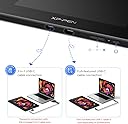
After several months of usage. 3-in-1 cable does the job as long as you don't mind the baggage. Full featured USB-C isn't available but you can just get any Type-C 3.1 Gen 1 and above (I haven't tried it, but get 10Gbps and above just to be on the safer side). Though finding devices with compatible ports is another essay. The display looks great with 90% NTSC & 94% Adobe RGB but also has 127% sRGB which I don't think is actually a good thing... I dropped my stylus nib first on a wooden floor. It survived and works normal. Note taking or drawing for hours or using tablet mode on Windows or as a second monitor is a breeze. The app gives customisation over the shortcut buttons, the two buttons on the stylus, orientation, hardness, work space, etc. The back panel gets warm after a while. Great for beginner artists. Calibration in the app gives a seamless experience no matter what posture you're drawing in so parallax is not an issue. About the pen; the actuation is on point but lines are wobbly when drawing a line slowly and latency is low enough for writing moderately fast. Considering the flexibility of the tablet and how it performs, I'd say it's definitely worth the buy.
S**A
Doesn't have everything
There is space for plugs as given in instructions but it's not present here. Quality 4.5/5 Connectivity 5/5 Easy to use 4/5 Value for money 4/5 Portability 2/5 Color: black Total score 8/10 (works really nice but is very expensive)
A**Z
Super tablette. Le meilleur rapport qualité/prix. A connecté à un ordinateur !
G**Y
I owned and returned an xp pen tablet 7 years ago. I bought a cintiq after that bad experience. I only bought this XP pen 10 out of curiosity to see how far brands have come other than wacom at this price point, at 10 inch (an ideal size for me) with physical buttons (no longer on cintiq) and one cable use to power on even a phone running android (would be convenient)... Well, I can gladly say, this product surpassed all expectations. These things have come so far it's pretty amazing. Very excited for digital artist But by warned. The buttons do no work on android. The only way to navigate with Dex, is to turn your phone screen into a track pad, pan and zoom in and out and around your work. It's the best work around without touch.. But having touch is another $800. This is definitely doable for a beginner. Bravo XP Pen
P**E
Ich habe schon länger nach einem XP-Pem Grafiktablet mit Bildschirm gesucht um mein 8 Jahre altes Bildschrimloses Wacom Tablet zu ersetzen. Alle anderen Tablets in der Größe waren ein Stück teurer und sahen auch einfach nich so gut aus wie das hier, also entschied ich mich für dieses Grafiktablett trotz relativ wenigen Reviews hier auf Amazon. Ich habe mich richtig entschieden, das Tablet sieht mit meinem Setup super aus! Das Material wirkt qualitativ hochwertig und es hat etwas an Gewicht, was schön zu sehen ist. Die Farben des Displays sind super genau so wie die Auflösung. Der Handschuh ist etwas lose an den Fingern aber das stört mich persönlich absolut nicht. Die Knöpfe sind angenehm, und ich fand mich sehr schnell zurecht mit der linken hand. Nach zwei Stunden konnte ich die Shortcuts schon relativ normal benutzen. Andere Reviews sagten die Knöpfe seien laut, was nicht der Fall ist. Die Knöpfe sind nicht lauter als eine durchschnittliche Tastatur. An der Seite gibt es neben dem Power-Button auch zwei zur Einstellung der Helligkeit des Bildschirms, was super praktisch ist. Der Stift gleitet super auf dem Bildschirm. das Gefühl beim Zeichnen ist auch sehr angenehm. Es gibt so gut wie keinen Cursor Delay und die Pen Pressure funktioniert auch einwandfrei. Die Installation war extrem leicht, einstecken, Driver herunterladen, fertig. Funktioniert auch mit dem alten Wacom Driver immernoch installiert. Sich vom großen PC Bildschirm an den kleineren des Grafiltabletts zu gewöhnen braucht ein bisschen, deswegen bin ich foh eine größere Größe gekauft habe. Es wäre schön auch ein DisplayPort Kabel zu haben, aber ich kaufe mir dafür einfach einen Adapter. Das Mikrofasertuch ist ein schöner Bonus der mit im Paket kommt. Eine weitere Sache die ich dazu kaufe ist ein Laptopständer, da mit diesem kein Ständer mitgeliefert wird und ich keine 50€ für einen originalen XP-Pen Ständer ausgeben möchte. Für den Preis ein super Grafiktablett, dass meine Erwartungen echt übertroffen hat! Für Anfänger und Fortgeschrittene sehr gut. Update nach ca. 6 Monaten regelmäßigem benutzen (~5 Tage die Woche): Alles was ich in der Review gesagt habe ist immernoch wahr und das Grafiktablett funktionert weiterhin einwandfrei. Ich habe mir leider einen kleinen Kratzer im Bildschirm geholt, aber das Tablett funktioniert trotzdem einwandfrei, die Linien beim malen sind immernoch komplett gerade, selbst wenn ich über den Kratzer gehe was sehr beeindrucken ist. Kleine Kratzer machen dem Ding nichts aus ind ich bemerke den schon gar nicht mehr. Das Grafiktablett wird nach längerem Benutzen relativ warm auf der rechten Seite, aber ich finde nicht dass es ein Problem ist, da meine Hand auf der Seite sowieso im Handschuh ist. Ich bemerke es mittlerweile kaum mehr. Ich kann das Grafiktablett wirklich nur empfehlen, für den Preis und die Qualität!
S**M
Ive been looking to upgrade from my wacom intuos photo, as ive had it since 2018. I was very sceptical to try a different brand outside of wacom, due to them being the leading company in drawing tablets. Currently, I cannot afford a new wacom tablet, especially one that comes with a screen. I've always wanted to get a tablet with a screen if I was going to upgrade, and after looking at SEVERAL different tablets and companies, I tried this one. Needless to say, I am MORE than impressed with this tablet. It has everything I wanted the tablet and software to have (pen settings, pressure sensitivity, custom keys, easy to install drivers and easy to use.) I included photos of the software *see photos* So far I've had 0 complaints about this tablet. The pen tip to cursor has basically 0 lag / difference, and it feels just like drawing on paper. Drawing feels so much easier now that im drawing on an actual screen vs just a pad. The size of the tablet is perfect for my needs, and isnt much larger compared to the intuos. I also included a photo of the size difference of the two. The pen itself feels much less cheap compaired to the intuos pen (ironic I know), and it has a nice heft to it like a wooden pencil would. Yes its still light in compairson to other tablet pens, but to me its perfect. It also comes with a drawing glove!!! It feels great and slides across the tablet easily. *see above for photos In all, I never thought id find a tablet that could match wacom! Yes wacom is still the number one for a reason, but xp pen is the next best option in my opinion. Their performance is outstanding, and at an aforable price!!! Highly reccomend this tablet ❤
P**E
Bought as a gift for my daughter for Christmas. She loved it.
Trustpilot
2 days ago
1 week ago