We remain fully operational. Our teams are working around the clock to ensure your deliveries continue safely.

DOWNLOAD THE APP


Customer Services
Copyright © 2025 Desertcart Holdings Limited
DOWNLOAD THE APP
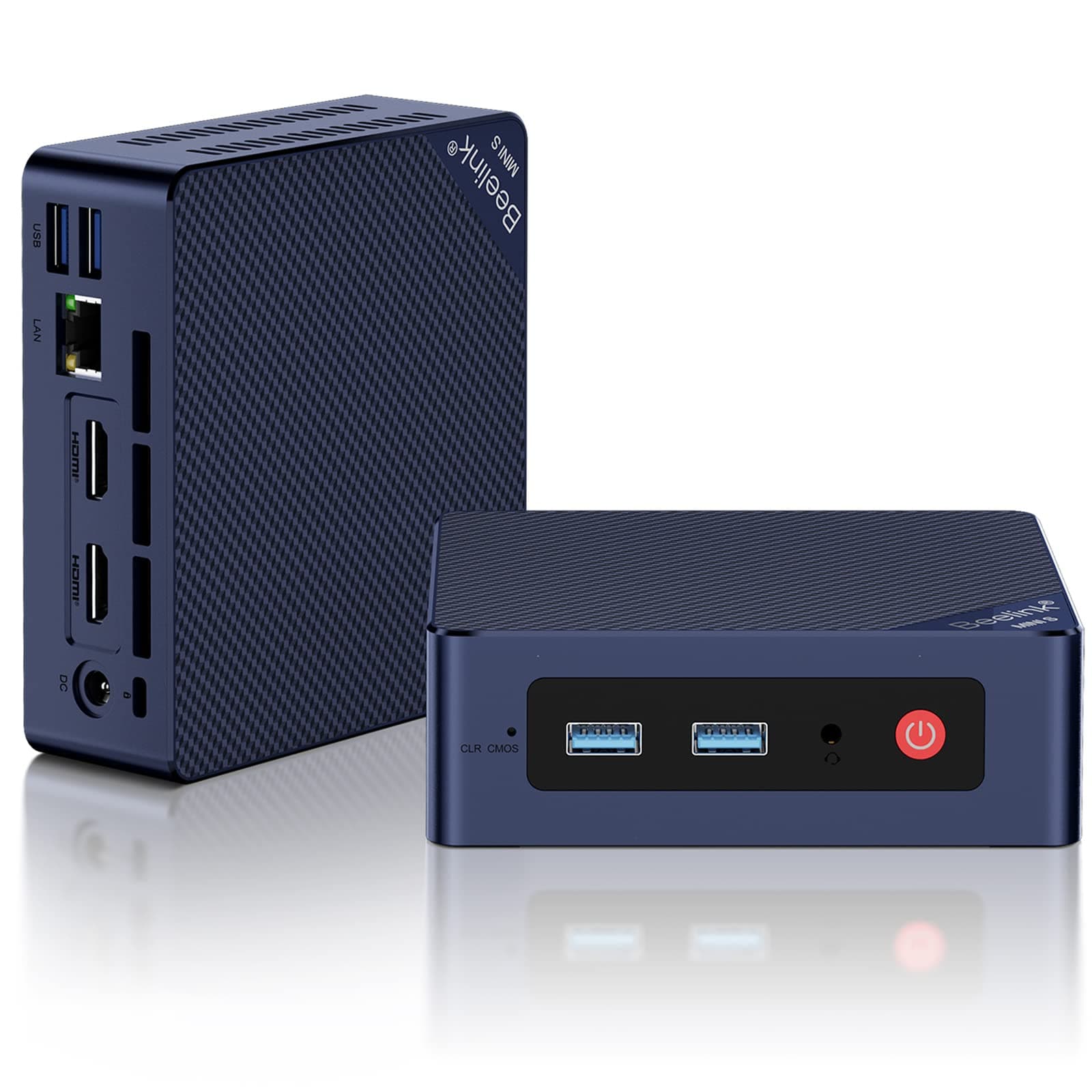





desertcart.com: Beelink Mini S12 Mini PC, 12th Intel Alder Lake- N95 (4C/4T, up to 3.4GHz), 8GB DDR4 256GB M.2 SSD, Mini Desktop Computer Support 4K@60Hz Dual Display/WiFi 6/BT5.2/USB 3.2/2.5GB LAN for Home/Office : Electronics Review: Good mini-PC. Some NVME sticks may get too hot in a dual-stick configuration - The small format and capabilities of this S13 Mini PC make it a fairly versatile option for a wide range of small server applications. It shipped with 1 500MB NVME & 16GB of RAM. It can support up to 2 NVME sticks - and I later needed that. I skipped the included Window 11 Pro, and installed what I needed for the project: Ubuntu Server. No issues for the install & Ubuntu Server runs fine on the S13. Boots Linux amazingly fast. For a project, I needed two 1TB NVME drives. So, I upgraded the storage to two 1TB WD Black SN7100s. Yikes! When just idling, the NVME temps climbed beyond 70C. So the issue is the bottom compartment of the S13 case is where the DRAM & NVMEs are installed. Air ventilation there is inadequate for dual SN7100s - in my opinion. So I scrapped the standard S13 base and created a replacement base and printed it on a 3D printer. The design includes a small 5V Noctua fan (60mm x 15mm) that plugs into one of the USB ports. The fan adds a bit of noise but I doesn't seem too loud to me. The fan blows directly on the NVME sticks. I also attached thin heatsinks to the NVMEs. I found heatsinks 6mm thick (or less) will fit. Anything thicker surely won't. But keep in mind: this is with my custom baseplate. Also, getting the heatsinks to fit best did require some fiddling with the NVME mounting hardware. The S13 has some jumpers in the bottom compartment that control when the USB ports are powered. Either always on (even powered down) or only on when powered up. I chose the latter. Anyway, this keeps the NVME sticks around 38-42C. Much better. But please consider: the standard 1 stick setup ran fine as the single NVME stick stayed well below 60C at idle. All-in-all I love these things as mini servers. I believe the graphics are probably good enough for a HTPC or a simple desktop PC. Review: Great little Win 11 Pro computer for small spaces! Perfect for light use/web browsing. - Great little computer for the price! Starts pretty quickly and Win 11 Pro runs well for basic web tasks. Mounted to the back of a 27" monitor. Being used for a small office mostly for drivers to be able to look up and print their work tickets/route info/etc. I like the dual hdmi but am only using one. Tested the wifi (worked well in my relatively close range test with an ax router) for fallback but am using wired network. This setup has a nice small footprint and pretty low power usage. I've used a couple of a previous model (with N100) for a couple clients- a home user with light web usage and a business front desk mostly used for web lookups, parts ordering, etc. Both happy. Just ordered another to replace a 10 year old office computer, hoping for happy results for that user but plan to post a separate review.








| ASIN | B0BVFVRDXN |
| Additional Features | Mini pc |
| Aspect Ratio | 16:9 |
| Best Sellers Rank | #4,509 in Computers & Accessories ( See Top 100 in Computers & Accessories ) #158 in Mini Computers |
| Brand | Beelink |
| Built-In Media | 1 x Intel 12th N95 Mini PC, 1 x Power Adapter, 1 x User Manual, 1 x Vesa Mount with Screws, 2 x HDMI Cable (100CM & 20CM) |
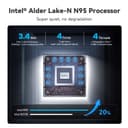
| CPU Model Number | Intel Alder Lake-N N95 |
| CPU Model Speed Maximum | 3.4 GHz |
| Cache Memory Installed Size | 6 |
| Color | Navy Blue |
| Compatible Devices | Headphone, Keyboard, Projector, Television |
| Connectivity Technology | HDMI |
| Cooling Method | Fan |
| Customer Reviews | 4.4 4.4 out of 5 stars (745) |
| Display Resolution Maximum | 3840 x 2160 pixels |
| Display Type | LCD or LED |
| Graphics Card Interface | Integrated |
| Graphics Card Ram | 1199.99 MB |
| Graphics Coprocessor | Intel UHD Graphics |
| Graphics Description | Integrated |
| Graphics Ram Type | Shared |
| Hard Disk Description | SSD |
| Hard Disk Interface | Serial ATA |
| Hardware Interface | 3.5mm Audio, Bluetooth, HDMI, Headphone, PCI Express 3.0 |
| Human-Interface Input | Keyboard |
| Item Dimensions | 4.88 x 4.45 x 1.65 inches |
| Item Weight | 0.66 Kilograms |
| Keyboard Description | Standard USB Keyboard |
| Keyboard Layout | QWERTY |
| Manufacturer | Shenzhen AZW Technology Co., Ltd. |
| Memory Slots Available | 2 |
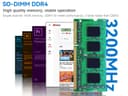
| Memory Speed | 3200 MHz |
| Memory Storage Capacity | 256 GB |
| Model Name | Mini S12 |
| Model Number | MINIS |
| Model Year | 2024 |
| Native Resolution | 3840 x 2160 |
| Number of Component Outputs | 2 |
| Operating System | Windows 11 Home |
| Optical Storage Device | 256 Gb |
| Personal Computer Design Type | Mini PC |
| Power Consumption | 15 Watts |
| Power Plug Type | Type A - 2 pin (North American) |
| Processor Brand | Intel |
| Processor Count | 4 |
| Processor Series | Intel N95 |
| Processor Socket | BGA 413 |
| Processor Speed | 1.7 GHz |
| RAM Memory Installed | 8 GB |
| RAM Memory Technology | DDR4 |
| RAM Type | SODIMM |
| Ram Memory Maximum Size | 16 GB |
| Resolution | 3840 x 2160 |
| Specific Uses For Product | Everyday Use |
| Style Name | Minimalist |
| Total Expansion Slots Quantity | 2 |
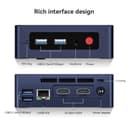
| Total Number of HDMI Ports | 2 |
| Total Thunderbolt Ports | 2 |
| Total Usb Ports | 4 |
| UPC | 810056048549 810056049829 |
| Video Output | HDMI |
| Video Output Interface | HDMI |
| Video Processor | Intel |
| Warranty Description | 1 year |
| Wireless Compability | 802.11ax, Bluetooth |
| Wireless Network Technology | Wi-Fi |
| Wireless Technology | Bluetooth, Wi-Fi |
E**K
Good mini-PC. Some NVME sticks may get too hot in a dual-stick configuration
The small format and capabilities of this S13 Mini PC make it a fairly versatile option for a wide range of small server applications. It shipped with 1 500MB NVME & 16GB of RAM. It can support up to 2 NVME sticks - and I later needed that. I skipped the included Window 11 Pro, and installed what I needed for the project: Ubuntu Server. No issues for the install & Ubuntu Server runs fine on the S13. Boots Linux amazingly fast. For a project, I needed two 1TB NVME drives. So, I upgraded the storage to two 1TB WD Black SN7100s. Yikes! When just idling, the NVME temps climbed beyond 70C. So the issue is the bottom compartment of the S13 case is where the DRAM & NVMEs are installed. Air ventilation there is inadequate for dual SN7100s - in my opinion. So I scrapped the standard S13 base and created a replacement base and printed it on a 3D printer. The design includes a small 5V Noctua fan (60mm x 15mm) that plugs into one of the USB ports. The fan adds a bit of noise but I doesn't seem too loud to me. The fan blows directly on the NVME sticks. I also attached thin heatsinks to the NVMEs. I found heatsinks 6mm thick (or less) will fit. Anything thicker surely won't. But keep in mind: this is with my custom baseplate. Also, getting the heatsinks to fit best did require some fiddling with the NVME mounting hardware. The S13 has some jumpers in the bottom compartment that control when the USB ports are powered. Either always on (even powered down) or only on when powered up. I chose the latter. Anyway, this keeps the NVME sticks around 38-42C. Much better. But please consider: the standard 1 stick setup ran fine as the single NVME stick stayed well below 60C at idle. All-in-all I love these things as mini servers. I believe the graphics are probably good enough for a HTPC or a simple desktop PC.
A**.
Great little Win 11 Pro computer for small spaces! Perfect for light use/web browsing.
Great little computer for the price! Starts pretty quickly and Win 11 Pro runs well for basic web tasks. Mounted to the back of a 27" monitor. Being used for a small office mostly for drivers to be able to look up and print their work tickets/route info/etc. I like the dual hdmi but am only using one. Tested the wifi (worked well in my relatively close range test with an ax router) for fallback but am using wired network. This setup has a nice small footprint and pretty low power usage. I've used a couple of a previous model (with N100) for a couple clients- a home user with light web usage and a business front desk mostly used for web lookups, parts ordering, etc. Both happy. Just ordered another to replace a 10 year old office computer, hoping for happy results for that user but plan to post a separate review.
M**T
Fantastic value, highly recommend! Power numbers in review.
This thing is awesome! The value is fantastic, with such good performance for the price. I opened it up, and the construction is top notch. I'm using this a a dedicated computer for running Home Assistant. It couldn't have been easier to install Home Assistant on it, and it works like a charm! It does have a fan that runs all the time (I was hoping the fan would turn off when the CPU isn't under load), but maybe the CPU needs active cooling even when not under load. I didn't have the ability to load test, but the most power I saw during boot was 12W. When idling with Home Assistant running, it only consumes 8-9W. These numbers are AC input into AC adapter. I don't know the efficiency of the adapter so wanted to also measure the DC input with a benchtop supply, but I couldn't find a suitable DC jack. It has an unusually large center pin on the power input, so pay attention to that if you power from another source. While the AC adapter input is 8-9W, it's 17VA so power factor is only about 0.51. Not very good! So best if you have a very high PF 12V supply in your system to hook this into. One nice thing about the low power consumption is that it can be powered by a PoE adapter that splits out Ethernet / DC power. I was leaning towards a Raspberry Pi 5 for this application to keep power consumption low, but so glad I went this route since it's also very low power consumption, but much better value when you figure in the more powerful processor, memory, and SSD. Note that it does not have a USB-C port, but luckily I don't need one for my application so would hate for the cost to be driven up to add one.
J**N
Value for money, system mid range. Highly recommended.
D**U
Ev kullanımı için çok ideal.Düşük güç tüketimi sessiz
M**A
Podem pesquisar. Melhor alternativa custo-benefício que existe para NAS. Eu já tinha um ugreen mas esse se tornou o principal. Está funcionando perfeitamente com TrueNAS
M**L
Works great, I recommend
H**D
The size of the mini PC is so perfect that I can hide it behind my monitor which makes my monitor a "all in one PC". This is enough powerful for my needs. Recommended.
Trustpilot
1 month ago
1 month ago