Buy anything from 5,000+ international stores. One checkout price. No surprise fees. Join 2M+ shoppers on Desertcart.
Desertcart purchases this item on your behalf and handles shipping, customs, and support to Thailand.
🚀 Power your productivity anywhere with fail-safe 4G LTE broadband!
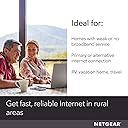
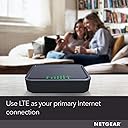
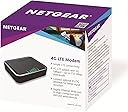
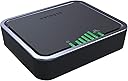
The NETGEAR 4G LTE Broadband Modem (LB1120) is a compact, unlocked cellular modem designed to provide fast, reliable internet connectivity up to 150 Mbps download speeds. Ideal for rural or low-broadband areas, it supports multiple US carrier bands and connects via Ethernet to your router or devices. Featuring easy setup, manual APN control, and smart data usage alerts, it ensures uninterrupted internet access by automatically switching to LTE backup when your primary connection fails.


| ASIN | B01N5ASNTE |
| Best Sellers Rank | #45,192 in Computers & Accessories ( See Top 100 in Computers & Accessories ) #162 in Computer Networking Modems |
| Brand | NETGEAR |
| Built-In Media | 4G LTE Modem (LB1120), Ethernet cable, Power adapter, Quick start guide |
| Color | Black |
| Compatible Devices | iphone 6 , iphone 6 plus, iphone 5, iphone 5s, iphone5 c |
| Connectivity Technology | Ethernet |
| Customer Reviews | 4.1 4.1 out of 5 stars (2,917) |
| Data Transfer Rate | 150 Megabits Per Second |
| Global Trade Identification Number | 00606449116687 |
| Internet Service Provider | at&t_wireless;t_mobile ;; |
| Item Dimensions L x W x H | 4.7"L x 3.9"W x 1.2"H |
| Item Type Name | NETGEAR 4G LTE Modem (LB1120-100NAS) |
| Item Weight | 0.4 Pounds |
| Manufacturer | Netgear |
| Maximum Downstream Data Transfer Rate | 24 Megabits Per Second |
| Maximum Upstream Data Transfer Rate | 50 Megabits Per Second |
| Mfr Part Number | LB1120-100NAS |
| Model Number | LB1120-100NAS |
| Modem Type | Cellular modem |
| Number of Ethernet Ports | 1 |
| Number of Ports | 6 |
| UPC | 606449116687 |
| Unit Count | 1.0 Count |
| Warranty Description | limited warranty |
C**O
How to make it work using Total Wireless (Verizon Subsidiary)
First, It works. Great feedback from other customers helped along the way, however, if you are using Total Wireless, reseller of Verizon service, the directions are a bit different. But, it works. Double check your LTE channels. My local area uses Channel 5, so, I'm good. Be sure to check your area first. 1. If you have a phone that is compatible with Total Wireless (Check IMEI for compatibility) and is not currently active on the network then all you need to do is buy the CDMA kit that just comes with a SIM card. Note: You may need a SIM NANO to MICRO converter depending on your phone. This hotspot takes sim card MICRO size, most phones are NANO. Total Wireless will not activate a new SIM card using a device that is currently active on their network. 2. If you don't have a phone already, go purchase the cheapest phone Total Wireless has ($35) from most retailers and it comes with it's own SIM CARD. Note: You will need a Nano to Micro converter to use with this device. TOTAL WIRELESS WILL NOT ACTIVATE A SIM CARD WITHOUT AN IMEI PERIOD. NOT MATTER WHAT, NO MATTER WHEN. THEY REQUIRE ABSOLUTELY AN IMEI NUMBER COMPATIBLE WITH THEIR SYSTEMS. At this point, both options will be same, you will have a phone and a SIM card ready to activate. 3. Contact Total Wireless and up your plan by 1 device. I had a 2 device plan, and upgraded to 3 device. Treat the hotspot as a phone. Don't mention hotspot, don't mention Netgear, don't mention anything except just activating your new phone. You will get a new number, it's not needed really, but, don't worry, it's a don't care later on. 4. Go to Total Wireless, log into your account, and select "Add new device". Follow the instructions (either Activate your phone or a Total Wireless phone depending which path you are on). When the instructions tell you, Insert your SIM into your PHONE (Total Wireless phones come with sim card pre-installed) and follow the instructions to activate your phone on the network, verify it works, call your main number. It should now be added as the 3rd device on your plan. 5. Turn off the phone and transfer the SIM card from the phone into the hotspot. You will probably need the NANO to MICRO converter at this point. This was confusing at first. On the hotspot, open the door and there's the SIM cover, slide it to the left until you hear the click, it only slides like 1/8 of an inch, it makes a clicking sound. Lift up on cover and one side should lift up, revealing the sim card slot underneath. Put in the sim card, push the cover back down, slide the cover to the right until it clicks. Again, very short distance. 6. Connect the hotspot to a computer via the network cable. Change the IP address on your computer to 192.168.5.10, the hotspot runs on 192.168.5.1. Power on the hotspot. Wait for it to boot. It WILL NOT connect to the LTE network yet, we are going to change this. 7. Connect to the web interface by typing in 192.168.5.1 in a browser, password is printed on label on bottom of hotspot. I changed this right away. 8. Go to APN settings, switch from automatic to manual. Select Verizon. Go to your normal phone and check the APN name, mine was TRACFONE.VZWENTP . In the hotspot, click on the EDIT button for the APN and change the APN to the correct one, for me, it was TRACFONE.VZWENTP. Save and reboot the hotspot. 9. Upon reboot, it will connect right up. It's not a wireless hotspot, so, you either need to connect a LAN cable to the device you want to have internet access or connect it to an external router which has WIFI. This device is not a wireless router. Why do this, well, several reasons: -Verizon wants $70 per line, so 3 lines is $210 off the bat each month. Ouch. - You can add a tablet for $10, however this requires a current Verizon account. If you have two phones your total is $150/month. Ouch -You can add a hotspot service but Verizon and Total Wireless limits it to 5 GB of data for $50/month and $10 for each Gig you use over 5gig. Yeah, not an option. Serious Ouch. -Total wireless allows you to add a device for $20 more a month and get shared 60GB of data. So, for $85/month you get 3 lines of service, 4G hotspot access, cheapest solution out there all running on a very reliable and fast 4G network. -In my area, all other providers stink, I tried them all, Verizon network by far is the best. Total Wireless reduces speeds after 60GB of 4G data is uses, downgrades to 3G. For me, I needed a backup for work when my current provider goes down, which is a daily occurrence, and I needed to find a quick solution but didn't want to pay out the nose for one.
V**V
Nice and unlocked
You can ignore the meaningless “AT&T Network-Ready” statement. This is an unlocked device and will work with other UMTS and LTE networks in the supported frequency bands. I inserted a T-Mobile SIM card and got connected without any help. The modem has a simple and elegant web interface; I think it’s nicer than what you typically get in NETGEAR routers. (HTTPS is not supported, unfortunately.) Setup is very easy and takes only a few minutes, assuming you understand what you’re trying to do. The device can operate in two modes: router (default) and bridge. The router functionality is very basic. It can act as a DHCP server (with no address reservations) and provide NAT. It also can support a DMZ host, static port forwarding, and port filtering (blacklist or whitelist). There is no mention of UPnP in the manual or the web interface, so I assume it’s not supported, but I didn’t test it. The bridge mode allows you to connect the modem to a real router, just like you would connect a cable modem. I suppose this is what most people will do, myself included. You won’t find any IPv6 settings, but it is supported in both the router and bridge modes. You may need to enable it in the APN profile though. In my case, only IPv4 was enabled by default. Speaking of APN profiles, one should be configured automatically when you insert a SIM card, and you can edit them. The modem can send and receive (but not forward) SMS messages. You compose and read them via the web interface. You can have text alerts sent to up to three numbers when it approaches and/or exceeds a usage threshold for the current billing cycle, as well as when a firmware update is available. The bottom line is: considering its functionality and ease of use, this device exceeded my expectations.
T**N
DO NOT BUY!
I don't recommend this product if you're in an area with a busy network. I have this set up in my truck right now. I've tried bigger antenna etc.. This thing consistently gets way worse speeds than my Samsung Galaxy note 9. When in an area with a busy network and less than ideal reception, it's basically unusable, less than half a meg down and inconsistent latency spiking into 500ms and even 1000+ whereas the internet on my note 9 is at least enough to watch SD Netflix with stable latency. Sometimes if I've got a bad connection I'm able to switch switch from LTE, 4g, 3g, 2g etc. Sometimes I get a better connection on 3g versus LTE. There's no such option in this modem. You're basically stuck with whatever connection it decides to automatically use. I attached a couple screenshots, if you look at the icons on the right it shows weather I'm using WiFi or mobile data. The WiFi is this Netgear modem, the LTE is the Galaxy Note 9. If you look at the time and dates you can see where I tested both around the same time. These results were taken all across the Western United States. You would expect the modem would get better results since it has ONE JOB TO DO and bigger antenna mounted to the top of my truck. But nope, the phone in my hand gets way better speeds. I've ordered a MoFi modem which I've heard works better, and allows you to manually choose which frequency is used, so if you're getting slow speeds on the default, you can try for a different frequency which maybe has a weaker signal but isn't as busy.
W**N
This is an excellent example of a type of product that is surprisingly hard to find online. Unlike many cellular/mobile hotspots, this unit is designed to turn your mobile phone company's data plan into a *wired* internet connection. Really handy to use to provide backup internet access to a wired home network or small office network. To be clear, the Ethernet port on this thing is a *LAN port*. Your WAN comes from the built-in cellular modem using your own SIM card from your mobile company. Setup is fairly simple via the GUI. Putting it into "bridge mode", something that this sort of device will often be used for, is very simple to do.Reception without added antennae is better than my cell phone (using the same Rogers mobile internet) but it also has spots for external cellular antennae if the location you are installing it does not have good reception. The cord length on the power adapter is longer than some, which is handy. The lights are nice and bright. It has an actual physical on-off button, which is a nice feature that many devices don't provide anymore. Also has an easily accessible reset button. Actual size is nice and small, will fit on a shelf or if wall mounting will easily be held up by a couple of small screws without any need for hollow wall anchors, etc. Caution for those who are not tech-savvy: This will *not* provide WiFi. It turns wireless cellular data into a wired-only connection. If you want a cellular-to-WiFi type hotspot there's tons out there, but this isn't one. It also will not turn WiFi into a wired connection. It only has cellular radios, not WiFi ones.
H**Z
Funciona perfectamente con poca configuración, nada mas tener en cuenta que no es un router Wi-Fi (de hecho esa fue la razón para comprarlo) por lo que si no se va a utilizar solo el ethernet tiene que ser conectado a un punto de acceso inalámbrico. Puede funcionar en modo router o en modo bridge. Utiliza micro SIM de cualquier proveedor, sin embargo es recomendable revisar la documentación para ver si la banda LTE de su proveedor está soportada por el equipo. Funciona en México sin el mayor problema.
J**Z
Aunque el módem por sí solo funciona de maravilla y auténticamente es muy bueno recibiendo señal.. Un detalle importante para mencionar es que solo se conecta por cable, para poder "compartir" el internet, es necesario adaptarle un router inalámbrico, si no, únicamente funciona con Ethernet. No estaría mal, que incluyeran en el módem la posibilidad del router inalámbrico. (Sugerencia que creo, vale la pena)
J**A
I agree with what Wilson wrote in his review. I think the settings page needs a bit of an overhaul as it was a bit difficult to set it up for my needs. Once I got it set up, it works flawlessly. We use this on the back of a mobile rack box to provide internet access when we're on-site at a venue that doesn't have internet access. I'm using a SIM card from Telus, can get faster speeds over my iPhone using personal hotspot.
N**.
Like the headline , after 8 months in use the modem is not working properly, and even is still in warranty, good lock to people who want a product be repaired or replaced by Netgear. There is NO Customer Service, only Technical support and their main duty is to sell you Service Contract. I have never heard that a well known company, like Netgear , can do this with its products in warranty. Stay away .
Trustpilot
3 weeks ago
5 days ago