

Buy anything from 5,000+ international stores. One checkout price. No surprise fees. Join 2M+ shoppers on Desertcart.
Desertcart purchases this item on your behalf and handles shipping, customs, and support to Thailand.
📺 Effortless TV control, no setup drama—just pure convenience!
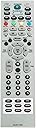
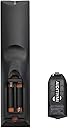
The AIDITIYMI MKJ39170828 is a direct replacement infrared remote control compatible with LG LCD and LED TVs, specifically models DU-27FB32C and DU27FB32C. It requires no programming, operates on 2 AAA alkaline batteries, and features 61 buttons for comprehensive TV management with a reliable 10-meter range.
| ASIN | B07GRXWZBW |
| Battery Types | Alkaline |
| Best Sellers Rank | #1,522,759 in Electronics ( See Top 100 in Electronics ) #41,728 in Audio & Video Remote Controls |
| Brand | AIDITIYMI |
| Brand Name | AIDITIYMI |
| Button Quantity | 61 |
| Compatible Devices | Television |
| Connectivity Technology | Infrared |
| Controller Type | Button Control |
| Country of Origin | USA |
| Customer Reviews | 4.6 out of 5 stars 233 Reviews |
| Item Type Name | remote control |
| Item Weight Unit of Measure | 3 Ounces |
| Manufacturer | svc |
| Manufacturer Part Number | AIDITIYMI-MKJ39170828-ADT01 |
| Max Number of Supported Devices | 18 |
| Maximum Number of Supported Devices | 18 |
| Maximum Range | 10 metres |
| Model Number | AIDITIYMI-MKJ39170828-ADT01 |
| Network Connectivity Technology | Infrared |
| Number of Batteries | 2 AAA batteries required. |
| Number of Buttons | 61 |
| Product Features | Infrared |
| Special Feature | Infrared |
| UPC | 736364167911 736364167348 |
M**A
Muy buen producto me funcionó muy bien
La entrega muy rápido el control lo utilizó como herramienta de mi taller me funciona muy bien
N**O
Not for Monitor, maybe for TV
Don't buy if settings required for Monitor. Doesn't work for LG Monitor 48 inch OLED
B**.
Works great with the LG OLED C4
Just bought a 42 inch OLED LG C4 TV to use as a monitor for my Mac Mini Pro M2. I wanted to disable the auto dimming feature. This remote allows me to access the service menu. The settings needed to disable the dimming feature are hidden on the C4 by default, but the options can be enabled using the latest version of ColorApp for windows , found on Github. There are many tutorials online that will help enable the hidden menu. However, there is a button combination on the remote that will also enable the hidden menu on the C4. But it may result in resetting your TV settings to defaults. Small price to pay in my opinion. Auto Dimming is now completely disabled. Search for this video "Dimming Disabled! LG G3/C3 Secret Menu STILL WORKS! (ASBL/TPC/GSR)" The steps in this video work with this remote and the C4, just watch the video to the end before the configuration.
J**M
LG C1 service menu
Works for service menu of LG C1! Don’t mess with things you don’t know what they are or you could ruin your tv !
J**A
Did the job
Very simple to use and easy to tweak the tv 📺! Worked flawlessly
Trustpilot
1 month ago
2 weeks ago