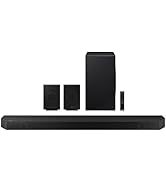
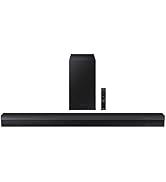
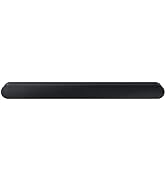
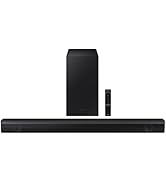
🎬 Transform your space into a cinematic soundscape with Samsung’s wireless surround magic!
The Samsung SWA-8500S is a wireless 2.0 rear speaker system designed exclusively for select Samsung soundbars. Featuring easy wireless connectivity, wall-mountable compact speakers, and remote control integration, it delivers immersive surround sound that enhances movies, music, and gaming experiences without the clutter of traditional wiring.



| ASIN | B06XP324D7 |
| Additional Features | Bass Boost, Radio, Stereo Pairing |
| Age Range Description | All ages |
| Antenna Location | Movies |
| Audio Driver Type | Dynamic Driver |
| Audio Output Mode | Surround |
| Best Sellers Rank | #204,187 in Electronics ( See Top 100 in Electronics ) #395 in Ceiling & In-Wall Speakers #687 in Home Audio Sound Bars |
| Bluetooth Range | 10 meters |
| Brand | Samsung |
| Built-In Media | Rear Amplifier, Speaker (2) |
| Color | Black |
| Compatible Devices | Samsung Soundbars: HW-Q70R, HW-Q60R, HW-R650, HW-R550, HW-R450, HW-N400, HW-N450, HW-N550, HW-N650 HW-M360, HW-M450, HW-M4500, HW-M550, HW-Q60T, HW-T650, HW-S60T, HW-T550, HW-T450, T60M |
| Connectivity Protocol | Wi-Fi |
| Connectivity Technology | Bluetooth |
| Control Method | Touch |
| Controller Type | Button |
| Customer Reviews | 4.3 out of 5 stars 5,931 Reviews |
| Enclosure Material | Metal, Plastic |
| Frequency Response | 20 KHz |
| Global Trade Identification Number | 00887276209890 |
| Is Waterproof | FALSE |
| Item Dimensions D x W x H | 3"D x 3"W x 5.7"H |
| Item Type Name | Samsung SWA-8500S 2.0 Speaker System Wireless Speaker(s) Wall Mountable Black Model (SWA-8500S/ZA) |
| Item Weight | 5 pounds |
| Manufacturer | Samsung Electronics |
| Model Name | Samsung |
| Model Number | SWA-8500S/ZA |
| Mounting Type | Bar Mount,Plug Mount,Wall Mount |
| Number of Audio Channels | 2 |
| Number of Batteries | 3 AAA batteries required. |
| Number of Items | 1 |
| Power Source | AC |
| Series Number | 8500 |
| Speaker Maximum Output Power | 1 watts |
| Speaker Size | 3 inches |
| Speaker Type | Surround |
| Specific Uses For Product | Home Theater Systems, Home Audio Enhancement |
| Subwoofer Connectivity Technology | Wireless |
| UPC | 887276209890 |
| Unit Count | 1 Count |
| Warranty Description | ... |
| Warranty Type | Limited |
| Water Resistance Level | Not Water Resistant |
| Wireless Technology | Bluetooth |
D**A
Very Happy I purchased the SWA-8500S Wireless Rear Speakers Kit.
The kit complements the HW-MM55/ZA soundbar I also own. I knew that the kit was not completely wireless. The receiver module is wireless but you have to attach the two surround speakers using speaker wire that is provided. The speaker wires and receiver inputs are clearly marked. The receiver module is paired to the soundbar. The paring process is as follows: The receiver module is plugged in, and the LINK LED indicator will blink. The soundbar should be turned off. Then, the instructions say to press the VOL button on the remote control to the sound bar for about 5 or 6 seconds until the "ID SET" message appears on the soundbar. This does not work. The button that should be pressed is the Mute button. Once the right button is pushed, the LINK LED button becomes a solid blue. At this point, the receive module is paired with the soundbar. At first, I thought the speakers were not functioning. The issue is connecting the speaker wire to the speaker. If you push the wire in too far, it doesn't make the necessary contact. Pairing the speakers to the sound bar was difficult because the instructions given in the user manual are not correct. Once paired, the rear speakers are controlled using the remote control for the sound bar. The soundbar must be set to Surround Sound using the SOUND MODE button. The Sound Control button adjusts the TREBLE, BASS, AUTO SYNC, REAR SPEAKERS ON, and REAR LEVEL. Changes are made using the UP and DOWN buttons. I turned the REAR LEVEL to max. The sound quality is awesome! Takes the sounds of Movies, Music & Games to whole other level with quality surround sound.
P**N
Awesome if You Are Planning to Use With Compatible Components
I paired these with a compatible Samsung sound bar very easily. I guess you could use the speakers with any type of home audio system, but if you don't have a sound bar (Samsung or not), this is not the surround speaker set you should be considering. If you do have a compatible Samsung sound bar, and that sound bar is connected to a compatible Samsung 4K flat screen TV, you'll probably be very happy with this set up. I need to say something to the entire home audio industry first, though. It's about damned time I didn't need to take 6 hours out of my day to run and obfuscate all the speaker wires needed for each speaker. The next innovation needs to be quicker. So, I had my Samsung sound bar and it's included wireless sub already hooked up to my Samsung TV. Consequently I spent some time being confused by the instructions included with these speakers. I highly recommend that instead of repeating my mistake, go directly to the sound bar's manual for pairing instructions. If it's compatible with these speakers, it will have a section on it. Apparently for a quick little giggle, Samsung made a funny and made the pairing process just a little different and unique for every different sound bar you can use. Thanks Samsung. Nevermind reading the listing to determine the dimensions of something you want, these are WAYYYY smaller than the picture makes then look. Imagine a rectangle version of the older Bose cubes from the 90's. This wasn't a buzzkill for me, just unexpected, like when an 85 year old farts and wasn't expecting it. Like I said, setup was a breeze, I spent the most time looking for two screws to use (each takes 1). I am OCD about things I attach to the wall from the standpoint of choosing not to hang something if a stud is not a available to anchor the screw into. That said, these are so light, you'd hand no problem hanging out of a wood screw which is just screwed into drywall. They sound pretty good, but these are satellite surround sound speakers, so when they emit a sound, it's usually very obscure, and if you don't the time and configure your audio like Jesus would, it would blend seamlessly into the what's playing on the front speakers. I'm a Samsung loyalist, but only to a certain point. Their products will usually recieve deference from me, but sometimes Allende brand has something they don't.
J**D
Good sound for sound bar speakers
Physical set-up very easy, pairing was easy, keep in mind that rear surround speakers are for accents, sound movement, and vary in volume depending on the show. The speakers are small, 3" X 5", I failed to look at the size before purchasing and was surprised at how small they were. The speaker wire is very thin attesting to the low voltage. All appropriate and typical for a sound bar system. We have our set-up in our basement living room and it's totally adequate for the space. The speaker quality and sound is good for what they're intended for. It's important to remember this type of set-up is not a high-powered, high-end system. We choose not to try and boost the volume as others have done, because they're not meant to act like the front speakers and are pre-set and balanced. Overall we're happy with the purchase but if you want powerful sound, don't even start with a sound bar, get a receiver and buy substantial front, center and rear speakers, plus the woofer. You'll pay about $1500+. So for the money, a sound bar, woofer, and these rear speakers are MUCH better than the TV speaker, and do better in a smaller space like a bedroom or small living room. If your expectations are appropriate for a sound bar system, you'll love them. If you're expecting a booming system that blows you away, you'll be very disappointed, because that's not what these speakers are intended for. UPDATE: "HOW TO": SWA8500s(ZA) "ZA" means made in America, same system, ignore it unless you live outside the US. "ZC" stands for made in Canada. Despite people saying the Samsung R60C (Costco) sound bar/woofer is not compatible with the SWA8500s, IT IS! We discovered "rear speaker" settings on our Samsung R60C (Costco) display box by repeatedly pressing the settings button (cogwheel), which is not made clear in the manual. Maxed out the rear speakers (+6), maxed out the bass (+6), maxed out the woofer (+6) and turned up the treble. Again, "changing" the settings from factory pre-sets (0) are done by pressing the top and bottom of the wheel for bass, treble and rear speakers, but adjusting the sound bar volume is done by toggling the volume switch up and down, and adjusting the woofer with the woofer toggle. So you use 3 different buttons for these adjustments. Very poor information from Samsung, and is probably the reason so many of these units are returned and the ratings are fairly poor. It's not obvious how to adjust these speakers, or the sound bar in general. Huge difference with new adjustments, much happier with the sound. Changed out the HDMI with the Optical cable which some said was an improvement, but it's' not. Went back to the HDMI because it carries more sound formats (especially with a 4K TV/DVD player) and is preferred over the optic cable if you have HDMI capabilities. Hang in there with the adjustments before you send it back, it will be worth it!
L**B
Very impressed
There is no convenient way to run rear speaker cables in my living room so finding that my (Samsung R60C) soundbar supported wireless surround speakers was a major influence in my soundbar purchasing decision. Hooking up the speakers was incredibly easy: Place the speakers. Place the receiver module (the tall box in the center of the picture). Hook the speakers to the receiver. Provide AC power to the receiver. Turn it on. Pair. Enjoy the sound. The system paired the first time I tried it with no difficulty and has worked flawlessly since even coming back after power failures with no issues. Separate volume adjustment for the rear speakers is a function of my soundbar and doesn't show up on the menu until the rear speakers are attached. This caused some confusion in the planning stages since I bought the soundbar weeks ahead of the speakers and didn't see any reference to being able to adjust "Rear Volume." But, once the SWA8500 was in place and working, "Rear Volume" was available in the "Settings" section of the soundbar (accessed through the soundbar remote) and works great. The speakers have a crisp sound that works great for surround. (I'm using a 5.1 system. The subwoofer came with the soundbar.) The frequency response is more than adequate for this purpose and projection is good. Overall I am very pleased with this setup.
D**N
When hooking up the speakers do not insert the shielding only insert the bare wire.
I have the Samsung sound bar HW-N650 I purchased the Samsung SWA-8500S speaker system as an add on. Wow was I surprised. The hook up was so easy. The system paired up without any problems. I gave 4 stars only because the sound out of the speakers could be a we bit louder as they only max out at 6. Other than that this system is a must and will complete your setup. Over all watching a movie they do a very good job. When it comes to listening to music they will blow your mind. For the price you can't go wrong. I know there a lot of reviews on this but if you do your home work and take your time when hooking this system up I think you might be pleased. ( Just remember when inserting the wires into the speakers pay attention the positive and negative. Positive is marked in red, negative is marked in black. Only insert the bare wire not the shielding. If you insert the wire to deep in the speaker socket it catches the shielding and if this happens then you are not making contact and there will be no sound coming out of the speaker) Great product, Great price, Worth the purchase.
X**Y
Good Surround on budget
I am extremely pleased with these speakers. They are not completely wireless, still, need to be connected to wireless module. I paired these with Samsung HW-M55C (Costco version) soundbar. Overall my large family room fills with surround sound. I looked at Youtube on how to increase the volume. I set it to +6 (max). At this level some times rear sound dominates the soundbar depending on the movie recording. But it's Ok. Set up is very simple, just plug it and hit the sound volume button on remote and it pairs. ONE VERY IMPORTANT THING TO NOTE IS THE METAL EXPOSED PORTION OF THE WIRE ONLY SHOULD GO INTO SPEAKER PORTS OTHERWISE NO SOUND COMES. AVOID PLASTIC CONTACT. I purchased a PSSS3 speaker stands from perlesmith. One thing I hate is Amazon doesn't adjust the price. I paid $128 and while my speakers are in transit Amazon dropped the price to $97 but they denied adjusting my price. Instead they offered to return these and place another order which doesn't make sense. Overall this is not a replacement to 5.1 surrounds connected to an AV receiver but it just works on budget. One good movie to test is the Bahubali movie to listen to great sound composition.
W**R
Excellent Sound Terrible Design
Using this with a Samsung HR-T650 soundbar. Despite it's design shortcomings the rear speakers are absoutely essential to make up to some extent for the audio shortcomings of the T650 soundbar. See my review of that item for details. Despite the size, the sound from these speakers is surprisingly good. Saw many reviews that complained about the output level being too low. While their contribution to the total sound is often quite subtle, they are capable of producing quite loud output when required. That's the way it's supposed to be, and if you get the speaker placement just right, the impact on the overall sound of the soundbar plus the rear speakers is quite dramatic when drama is called for. But the issue really is speaker placement. There appears to be no way to control the volume of the rear speakers independently of the soundbar. If the rear speakers are too close to the listening position they will be too obtrusive, and if too far away they can become inaudible when they ought to be subtle. As most people are not going to be able to place the speakers in the precise location where they need to be and because the volume at the listening position increases or decreases rapidly as the speakers are moved closer or further away an independent volume control is absolutely essential in almost every situation. Another issue (which also impacts placement) is that the speakers are not actually wireless. While the connection to the receiver/amplifier is indeed wireless, the connection from this device to the speakers is hardwired, which limits where the speakers can be placed which as I indicated earlier is critical. Also, the design of the receiver is awkward. As it is designed to sit on its narrow base, it is very vulnerable to being knocked over by an inadvertant swipe of a hand, or tug on a wire. It's not clear if it is OK from a heat dissipation standpoint to lay it on its side, but I suspect that would be inadvisable. In short, while the sound produced by this product is outstanding for its size and price, it's design is seriously flawed when it comes to flexibility in locating the speakers. That being said, connecting to the soundbar wirelessly is trivial. Sounds great given an ideal installation environment, but will prove to be aesthetically horrendous in most homes. It's a shame, because the fixes would have been really easy had the designers given real life homes any thought at all. I am modifying this review because at least with the T650 soundbar, I have found that there is a way to adjust the volume of the rear speakers. It's in the online version of the manual in a sentence that doesn't really describe how it is done. Using the Sound Control Button, select Rear Speaker, but before the words Rear Speaker are fully displayed, press the Sound Control button again and it will display Rear Speaker Level, and then you can adjust the volume from -6 to +6. It's really tricky as the timing of when you press the Sound Control button to get to levels is critical. If you wait too long pressing the button will turn the rear speakers on or off. If you press it too quickly, nothing will happen. I'm able to get it right about 1/4 of the time. I can't say for sure if this method or any other method will work with other soundbars, but it does work with the T650 if you time it just right. Samsung's instructions were clearly written by someone whose native language is not English. Having even this limited control adds a huge amount of flexibility to the placement of the rear speakers.
R**K
Samsung SWA-8500S - great addition for a Samsung Soundbar model HW-Q6CR
The Samsung SWA-8500S is a great addition for a Samsung Soundbar model HW-Q6CR (Model Code HW-Q6CR/ZC). It’s plenty fine for a home theater with a 120” screen but it must be set-up (sorry but it’s not exactly plug & play although you will hear some sound out of it). While I’ve seen some reviews that were very helpful, I felt there was something I wasn’t getting. Here it is: on the remote for the bar, the sound control button (the cog-looking one) opens a menu (Treble, Bass, etc). The fifth option in adjusts the rear speaker level. HOWEVER, the volume control for the rear-speakers is NOT THE “VOL” control. You can only control the rear speakers’ volume with the “Up/Down/Left/Right” control ring that surrounds the Play/Pause option. The rear speakers, can be raised to a +6 but this is too much at times as the surround experience is meant to be subtle. I keep the volume at either +3 (or +4 depending what I’m listening to). As the manual has stated, it appears to turn your soundbar into a 7.1 experience and the 5.1 also comes across amazing. Great for stereo albums too as the mix goes surround. Also, as I wanted to keep the unit next to the soundbar, I had to extend the speaker wire which really just took a couple of minutes. Overall if you’re looking to put these in a bedroom/small living room, you can’t go wrong with the SWA-8500S.
C**Z
Excelente adición
Se instaló como complemento de una barra HW-Q60T y funciona perfecto. Son bocinas surround por lo que no va a duplicar el volumen, pero si hacen su función de incluir sonido surround al conjunto. Se instaló sin problema y el emparejamiento con la barra de sonido duró un par de minutos a lo mucho, muy fácil La mayor mejora la noté en películas desde el AppleTV, donde los efectos y el volumen resalta mucho más que en canales HD de IZZI. En ambos casos tanto el TV como el reproductor está configurado para decodificar Dolby Digital y no PCM
J**O
High quality
Sound very good .easy to connect my Sound bar
M**D
Small but good
Small speakers hooked up with the Samsung hw-q70r soundbar and now I have 3.1.4
V**V
Really amazing .
Best sound quality when paired with HW Q60R sound bar amazing surround sound with clear voice and music . proud to be a Samsung buyer.
H**R
Excelente bocinas
La verdad se escuchan súper bien les puedes subir el volumen a las bocinas por medio de la configuración de la Barra de sonido como si fuera el subwoofer. Fueron muy fáciles de configurar a mi barra de sonido modelo Q70T y el ambiente del sonido es mucho más nítido, se nota la diferencia en audio
Trustpilot
1 month ago
3 days ago