Buy anything from 5,000+ international stores. One checkout price. No surprise fees. Join 2M+ shoppers on Desertcart.
Desertcart purchases this item on your behalf and handles shipping, customs, and support to Thailand.
🚀 Elevate your home network to warp speed—because buffering is so last decade!
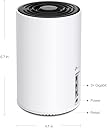
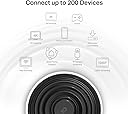
The TP-Link Deco XE75 (3-pack) is a cutting-edge WiFi 6E mesh system designed to deliver tri-band speeds up to 5400 Mbps across 7,200 sq ft. Featuring a powerful 1.7 GHz quad-core CPU, 3 gigabit Ethernet ports per unit, and AI-driven mesh technology, it supports seamless connectivity for up to 200 devices. With the latest 6 GHz band and robust security via TP-Link HomeShield, it ensures fast, reliable, and secure internet throughout your home.


| ASIN | B0B12WYSLD |
| Antenna Location | Home |
| Antenna Type | Fixed |
| Best Sellers Rank | 12,711 in Computers & Accessories ( See Top 100 in Computers & Accessories ) 46 in Whole Home & Mesh Wi-Fi Systems |
| Box Contents | 1 Quick Installation Guide, 1 RJ45 Ethernet cable, 3 Power adapters, Deco XE75(3-pack) |
| Brand | TP-Link |
| Brand Name | TP-Link |
| Colour | White |
| Compatible Devices | Laptop, Personal Computer, Smart Television, Tablet |
| Compatible devices | Laptop, Personal Computer, Smart Television, Tablet |
| Connectivity Protocol | Wi-Fi |
| Connectivity Range | 7200 Square Feet |
| Connectivity Technology | Wi-Fi |
| Control Method | App |
| Controller Type | Switch |
| Country of Origin | China |
| Coverage | 200 m² |
| Customer Reviews | 4.6 out of 5 stars 14,528 Reviews |
| Data Transfer Rate | 5400 Megabits Per Second |
| Frequency | 6 GHz |
| Frequency Band Class | Tri-Band |
| Frequency band class | Tri-Band |
| Has Internet Connectivity | Yes |
| Is Modem Compatible | Yes |
| Item Dimensions L x W x H | 10.4L x 10.4W x 17H centimetres |
| LAN Port Bandwidth | 1000 Mbps |
| Manufacturer | TP-Link |
| Manufacturer Part Number | Deco XE75(3-pack) |
| Maximum Upstream Data Transfer Rate | 574 Megabits Per Second |
| Model Name | Deco XE75 (paquete de 3) |
| Model Number | Deco XE75(3-pack) |
| Model name | Deco XE75 (paquete de 3) |
| Number of Antennas | 3 |
| Number of Ports | 3 |
| Operating System | Linux |
| Other Special Features of the Product | Access Point Mode |
| Product Warranty | 3 Years |
| RAM Memory Installed | 128 MB |
| Router Network Type | wireless |
| Security Protocol | WPA3 |
| Smart Home Compatibility | Smart Home Compatible |
| Special feature | Access Point Mode |
| Unit Count | 3.0 count |
| Wi-Fi Generation | Wi-Fi 6 |
| Wireless Compability | 2.4 GHz Radio Frequency |
| Wireless communication standard | 2.4 GHz Radio Frequency |
J**H
Amazing system
Bought this for my parents stone built bungalow. The wifi signal would not reach all rooms and this meant they couldn't use their smart tv in the bedrooms and conservatory. Also they Invested in a security system and only one camera worked intermittantly. We tried the TP Link booster and this made no improvement HOWEVER after looking into this further we came across the Deco system. WOW they now have wifi in all rooms, no buffering from smart tv it works perfect. Security cameras all work with no issues, parents very happy. The system is very easy to set up and connectivity is no issue now. Signal strength is great throughout the house. Would highly recommend this system and even looking at getting one for my house.
J**S
Good flexible Wifi Solution
I recently had Fibre broadband installed. Openreach would only terminate the ONT downstairs in the kitchen. I have a 3 storey house and have previously had a Wifi router connected to FTTC terminating on the middle floor where my study is located. I had to completely rethink my topology! The Deco system has been setup with wireless back-haul. I am using PPPoE on the main Deco unit to connect to my ISP via the ONT. I have one unit on each floor. The Wifi speed I get when connected to 5Ghz network is generally very close to the ISP speed and the 2.4Ghz network is more than adequate but obviously limited on speed. I also have a Mac connected on the first floor via one of the Gige ports and it runs at the full ISP connection speed and that includes a wireless back-haul hop from the Deco it's connected to and the main Deco connected to the ONT. All in all I'm very impressed with how easy it was to setup and the performance I'm getting. My ISP speed is 150Mpbs and most of the time this is available to me with devices that are capable both wired and wireless. I suspect if a much higher speed broadband connection is used the wireless back-haul would start to become a bottleneck and in this situation wired Ethernet via the GigE ports is available. There are 2 on each unit. This may be limiting if you use back-haul on one port and connect the other to the ONT then you're left with no ports on that unit to connect to your wired LAN. Since I originally wrote this review, I have managed to set up backhaul over a LAN using a TP-Link TL-SG108 switch which also has various wired objects plugged in (Smart heating bridge, printer and a MAC). In this case everything is working well and I am getting the full 150Mbps through the MAC. I suspect backhaul is possible over most LANs but I know there are complications with VLANs if you are using the Guest Network feature. In this case you may have problems with some switches depending on how they deal with loops caused by VLANs. I don't use the Guest Network so I haven't had a problem. It doesn't boast many features but as a basic router/mesh Wifi it seems like a very cost effective and stable solution.
B**A
Say Goodbye to Wi-Fi Dead Zones! An Essential Upgrade for Any Home.
I purchased the TP-Link Deco M4 Whole Home Mesh Wi-Fi System in July 2025 for £125. While the price has since dropped to £99, even at what I paid, this system has proven to be an excellent investment and I highly recommend it! The packaging was straightforward and easy to open, and the product units looked good right out of the box. The main feature that attracted me was its promise to eliminate Wi-Fi blind spots and extend coverage throughout my home. And it delivered! Setting up the system was incredibly easy: you just plug one unit into your main router, place the other two strategically around your house, and follow the simple, intuitive steps in the Deco app. Previously, I had frustrating dead zones in about half of my house, but now I have a strong, fast connection even out in the garden! The Deco M4 also offers some fantastic secondary features. The app allows you to create multiple Wi-Fi networks (e.g., for personal use, guests, or a general "everybody else" network). In our home, we've set up three: 'this one' for my partner and me, 'the other one' for family and friends, and 'that one' for everyone else. This is incredibly convenient for managing access. Another useful feature is the age restriction capability for specific networks, which is great for households with children. You can also monitor the internet usage of each connected device through the app, which provides good insights into bandwidth consumption (though it doesn't track specific websites visited). The setup process was a breeze, taking less than 5 minutes to get internet flowing throughout the entire house thanks to the app's step-by-step guide. For multi-story buildings, a bit of strategic placement of the units is key. The first unit needs to be close to your main router, though you can use a longer Ethernet cable if needed for placement flexibility. It's important to note that you will end up with at least two Wi-Fi networks in your home – your original provider's network and the new, superior network created by the TP-Link Deco system. The units themselves feel robust and well-made, crafted from strong plastic, indicating good build quality that should last. For the price, the value for money is excellent. My entire house now enjoys very fast and stable internet, which was previously only true when I was standing right next to the main router. Pros: Super Easy Setup: Quick and intuitive setup process via the app. Very Stable and Fast Internet: Eliminates dead zones and provides reliable high-speed Wi-Fi throughout the entire home. Multiple Network Creation: Ability to set up separate Wi-Fi networks for different users (e.g., family, guests). Useful App Features: Parental controls (age restrictions) and device internet usage monitoring are very handy. Cons: You will end up with at least two separate Wi-Fi networks in your house (your original and the Deco network). I wholeheartedly recommend the TP-Link Deco M4 Whole Home Mesh Wi-Fi System. It's a game-changer for home connectivity, resolving Wi-Fi issues effectively and providing robust, fast internet everywhere. Definitely a 5-star product!
B**K
Great system overall
Overall, this item is very good. I set it up with Community Fibre using a Linksys router and chose to configure it in Access Point mode instead of mesh. The first unit is connected directly via Ethernet to the Linksys router on the ground floor and acts as the main hub. The second unit is set up wirelessly on the second floor, directly above, and the third unit is wired via Ethernet on the third floor. We have a 1Gbps connection, and while that full speed is only achieved on the ground floor where the Linksys router is located, the overall performance has been excellent. The second floor (wireless) gets around 180Mbps, and the third floor (wired) reaches about 580Mbps. While you won’t get the full 1Gbps throughout, the speeds are more than sufficient, especially since most of our usage happens on the ground floor. One of the best parts of using Access Point mode is that I was able to keep the same WiFi name and password as our Community Fibre Linksys setup, so the transition between floors is seamless. Setup was straightforward and hassle-free, which was a refreshing change from my previous experience with Mercusys—never again!
A**Y
Simple to set up and good WiFi speeds
I purchased the Deco S4 three-pack to improve the WiFi over our small, modern 3 bedroom house. Our router/modem just didn't have the performance to serve the needs of our family. I paid £100 which seemed reasonable compared to others on the market. The Deco S4 units are tastefully designed if a little larger than some competitors' similar devices. They are however unfussy with just two network sockets on the rear and a power input hidden underneath. There is only one multi-colour LED on the top and I particularly like the fact that this can be turned off or set to go off and on at the user's requirements. This is handy as two of our units are placed in bedrooms and the white 'functioning' LED is too bright overnight if left on. Set up was very easy and the mobile app takes you through the process in simple, intuitive steps. Just install the app, create an account, plug the power lead in and connect it to your router/modem with the network cable supplied. The Deco system does the rest. I followed another reviewer's suggestion to first disable the existing WiFi in my router/modem's settings and then I named my new Deco system the same as my old WiFi (SSID) and gave it the same password. This kept things very simple as all my WiFi enabled devices automatically connected to the new system without having to search for a new network and put in a new password on every one. Brilliant! Adding additional Decos was even easier. The app again guides you through this and it only takes a couple of minutes. I set up the whole network in under 20 minutes total and had no issues at all in getting it set up and functioning. I now have a good, strong WiFi signal in every room and this extends out into the garden. I'm getting WiFi transfer speeds of around 170+ Mbps in the furthest corners of the house and it appears stable, although it's early days so time will tell. I was able to install a firmware update in all the units very simply using the mobile app too. My criticisms/suggestions are only 1) that I'd like to be able to turn off the WiFi when I want to and as there's no physical switch on the Deco units I can only turn them off by unplugging the power supply; and 2) the power leads are a little short so I can't place the Deco units on top of a tall bookcase and still reach the power socket. Neither criticism is particularly problematic though and so the Deco S4 gets a 5 star rating from me. Very pleased.
S**N
Fulfilling internet potential
Since jumping onto fibre optic, my connection has been crippled by a particularly well-known awful modem. The signal would only stretch the living room before diminishing to abysmal levels in the kitchen and upstairs. The most unfair point being your provider knowing how terrible the router they send you is and expecting you to dish out for your own one. I had enough and fortunately like with devices I have purchased from, TP-Link offer yet another relatively inexpensive, super-value solution. This mesh system works by using nodes to carry signal around the house for amazing high-speed, full-house coverage. Connecting just two from the set of three defeated all wifi dead spots in my brick-walled house that my Virgin HomeHub 3 could never imagine doing. Design: I purchased the three-set TP-Link S4 Mesh system which meets 100mb+ fibre-optic speeds and up to 4,000 ft coverage/3-5 bedrooms/three-floors. The threes nodes are packaged neatly inside the box, arriving with one ethernet cable to connect your modem and three power cables for each node. TP-Link has done a tremendous job designing the look of this mesh system, discreet and supremely minimalistic. Each node has two ethernet cables that prove essential for your first node if you need to connect other ethernet powered devices like Eufy's Homebase as one port will already be occupied by connection to your Virgin/Internet router. A small TP-link logo light exists above that surprisingly proves enough symbolism for setting up this whole unit. Setup: Setup with your internet router or Virgin HomeHub is made simple and easy for any user through TP-Link's Deco app but can still be fiddly at first. The first step is to download the Deco App and the subsequent steps are all provided if you follow through on your device. Next, place your internet router/Virgin HomeHub on modem mode. Do not worry, this is fortunately made simple by Virgin, enter 192.168.01 in your browser while connected and login into your router to find the modem setting. If you did not know, the login can be found at the bottom of your HomeHub router. Now click and enable modem mode. Be warned, this now means you can only connect to the hub with an ethernet! (This is all reversible if you're worried) With modem mode enabled, use the ethernet cable to connect your first TP-Link Deco node to your HomeHub's first Ethernet port. If you continue through on the app you should be all connected! If your node gets no internet connection from the HomeHub, I have the solution! I discovered, as the app briefly mentions, you need to turn off and turn on the TP-Link Node and HomeHub router at the same time. This is because when the Homehub is turning on it searches for a router connection and shortly turns off after when not found. Once the first node is set up, enjoy setting up the other two in different ends or levels of the house, using the app again to pair them together. Connection: The connection finally reaches full fibre-optic potential around my house. Not only do the three nodes together get signal around every downstairs, from living room, kitchen, garage and garden but also upstairs across multiple bedrooms to maximum speed. I pay for Virgin's 100Mb connection and easily reach 80Mb to 100Mb+ in all rooms with these nodes. The ping stays below 20ms, the connection being stable all day long. I long dreamed of connection reaching everywhere, I am so pleased TP Link's relatively cheap Mesh system resolutely makes this a reality.
A**E
Reliable extender for 2 storey house
Great wifi router - has solved the wifi issues we had in our 2 storey house with garden where the wifi wouldn’t reach to the back part of the house and one of the upstairs bedrooms. Now all rooms receive the same fast connectivity and are connected to just one wifi name. Pretty well priced for what you get
W**H
Well it's magic
Mesh networking, I was late to the party having struggled with multiple routers, bandwidth controls, multiple WiFi networks was a revelation. I'm more than capable with networking, flashing custom router roms, setting up parential controls, QoS, VLANs..... but sometimes you just want a network that works and not have to touch it, I've better things to be spending my time on. Enter TP-Link Deco, it just works. The setup process is via smartphone app, it detects its way to the internet all by itself and you are pretty much done. Parental controls are pretty good, allowing on/off (bedtimes) per person and some lightweight website filtering. Essentially you can name all your devices that connect to the network and assign each of them an 'owner', these 'owners' are then parentally controlled, i.e. all devices for that owner will have the same behaviours. QoS is very simple, but enough. This is 'per device'. Essentially you set the devices you want to have 'high-priority', this might be the living room TV, or (as in my case) my work PCs. If you are a technical user wanting control of every aspect of your WiFi, this kit is not for you. You cannot set channels, channel bandwidths, transmit power or barely any 'advanced' settings. It's not perfect, here's a few flaws: 1) Devices are registered and assigned by MAC address. Both iOS and Android devices in their latest guises have 'randomised' MACs, which can play havoc. It shouldn't as these MACs are supposed to stay constant per WiFi network, I do however have 1 rogue Android device that picks a new MAC everytime. Your kids may also know how to 'spoof' MAC address to circumvent parental controls. It would be nice if new MACs (aka new devices) were blocked by default on the network. 2) There is no dedicated backhaul (this involves a WiFi channel dedicated for node to node conversation). My internet speeds are less than 70Mbps, the lack of a dedicated backhaul makes little or no difference to me as the WiFi speeds far outstrip my internet speed. If your requirements are less internet connectivity, but more local network communication, this might be more important to you. 3) Existing DSL Modem/Routers present some difficulty. No real fault of the Deco, but if you have an existing DSL modem/router setup isn't really done without some fiddling. You essentally need to 'dumb down' you existing modem/router a) It's WiFi really shouldn't be on b) It musn't be a DHCP server. Some modem/routers offer a 'bridge mode', which essentially turns them into a modem only - this is ideal, then you input your ISP login into your Deco. You 'can' put the Deco into access point mode, downside here is you loose parental controls and other features that you only get when the deco is in router mode. If your existing router is still acting as a router, everthing will still work, it's just you get a double-hop out of your network - for the non-techical this might be a 5 MILLISECOND delay (not that you would notice). The potentally bigger issue with this double-hop is for gamers, especially if inbound traffic cannot get back, here you can put your Deco in the DMZ of your exisiting router. None of this should put you off the Deco, technically it is brilliant, I've been montoring its WiFi behaviour over some time, and its incredibly sophisticated under the covers, optimising the node configuration for maximum performance and stability. For most people it will just work out of the box, 1) One single WiFi network identity throughout your home 2) Seamless roaming as mobile devices move around the house 3) Simple 'app' based control and monitoring It's the best investment I've made in WiFi hardware for years.
P**X
Geniales System!
Vorweg: Manche Rezensionen hier sind schon merkwürdig. Beispielsweise wenn Unwahrheiten / Halbwissen verbreitet werden oder man sich im Jahr 2021 beschwert, dass man zur Einrichtung ein Smartphone braucht. Solche Rezensionen sind leider wenig hilfreich. Auf der Suche nach einem leistungsstarken Mesh-System, bin ich bei diesem System von TP-Link gelandet, welches zwei Freunde schon länger nutzen und sehr zufrieden sind. Verpackung: Die drei "Decos" wurden, wie üblich, schnell und sicher verpackt geliefert. Jeder Deco ist nochmal einzeln eingepackt und liegt stabil im Karton. Einrichtung: Tipp vorweg > Die Einrichtung aller Decos erfolgt an einem Ort. Erst NACH der Einrichtung werden die Decos in die Zimmer / Stockwerke verteilt. Benötigt werden lediglich ein Netzwerkkabel (liegt bei), einer der Decos, natürlich euer Router und ein Smartphone mit der "Deco-App" aus dem App-Store. Einfach den ersten Deco einstecken (Strom), mittels Netzwerkkabel mit dem Router verbinden und der sehr guten Anleitung auf der App folgen. Innerhalb weniger Minuten waren dann alle drei Decos konfiguriert und schon einsatzbereit! Klasse. Zur Verbindung: Der erste Deco ist dann der "Haupt-Deco" und sozusagen die Zentrale des Systems. Von ihm aus wird das WLAN dann zu den anderen Decos geschickt. Diese WLAN-Verbindung zwischen den Decos ist auch zwingend notwendig, um das Signal im ganzen Haus zu verteilen. Man kann das System auch per LAN betreiben, wenn man zB sehr dicke Zwischenwände oder Decken hat. Da müssen aber ein paar grundlegende Dinge beachtet werden, ansonsten funktioniert das System nicht! Mehr dazu ganz unten! Sendeleistung: Sowohl die Geschwindigkeit, als auch der Empfang sind überragend. Ich habe nun in allen drei Stockwerken einen Deco stehen und damit in jeder Ecke des Hauses perfekten Empfang. Es würde theoretisch (bei dünnen Wänden) ausreichen, wenn man nur einen einzigen Deco im EG aufstellt, da die Sendeleistung deutlich besser ist als die Sendeleistung des normalen Routers. Um die volle Geschwindigkeit zu haben, empfehle ich trotzdem, in jedes Stockwerk einen Deco zu stellen. Selbst in der Garage, am Pool und im Gemüsegarten (50m entfernt) habe ich bei geschlossenen Türen/Fenstern immer noch WLAN! Bei billigen WLAN-Systemen erstellt jeder einzelne Sender ein eigenes WLAN-Netz. Man müsste also jedes Mal mit dem Handy/Laptop manuell das WLAN-Netz wechseln. Super nervig! Beim TP-Link Mesh System wird stattdessen EIN großes Netz erzeugt, welches das ganze Haus versorgt. Optik: Das optisch schlichte System lässt sich problemlos mitten in der Wohnung platzieren und stört überhaupt nicht. Auf der Oberseite befindet sich eine kleine weiße LED zur Statusanzeige. Die kann man deaktivieren, aber wir benutzen sie sozusagen als Nachtlicht und schlagen damit zwei Fliegen mit einer Klappe :-) Zuverlässigkeit: Ich nutze das System mittlerweile seit 8 Monaten (Dez. 2020) und hatte noch keinen einzigen Ausfall. Einmal eingerichtet und es läuft bis heute tadellos. Smartphone-App: Wie o. g. ist die Einrichtung per App wirklich einfach. Das bekommt man auch als Laie hin. Über die App werden z. B. auch Softwareupdates installiert, die Netzwerkgeräte und Netzwerkeinstellungen angezeigt, eine Kindersicherung einrichten, Geräte gesperrt usw. Also wie bei einem normalen Router auch. Scheinbar ist das System auch Alexa-kompatibel, habe ich aber noch nicht getestet. Zusammenfassung: Ich bin wirklich begeistert. Das Mesh System von TP-Link ist schnell & einfach eingerichtet, ist super schnell, absolut zuverlässig/stabil, lässt sich innovativ mittels App (und Alexa) bedienen und hat eine sehr gute Sendeleistung. Auch die besagten zwei Freunde, die das System besitzen, sind damit sehr zufrieden. Daher gibt es klare 5* und eine Weiterempfehlung und hoffe, dass Dir diese Bewertung weitergeholfen hat. Hinweis zum Betrieb per LAN: Aufgrund unserer massiven Kellerdecke reicht das WLAN leider nicht in den Keller, weshalb ich im Keller einen weiteren Deco per LAN anschließen musste. Das funktioniert aber ausschließlich (!!!!), wenn folgende Reihenfolge der Geräte eingehalten wird: DSL/Kabel/Glasfaser-Hausanschluss > Router > Deco (Eingang in Port 1, Ausgang aus Port 2) > zum Schluss der Switch/Netzwerkverteiler. Der Haupt-Deco MUSS also unbedingt zwischengeschaltet sein, damit die anderen Decos im Netzwerk erkannt werden. Es reicht nicht, den Haupt-Deco irgendwo im Haus anzuschließen. Ohne diese Reihenfolge klappt der Betrieb per LAN sonst nicht.
M**N
A must have for any home
This is a great wifi extender
L**.
Resolve o problema.
Moro em uma casa onde o ponto principal fica bem longe do escritório, ja havia tentando passar cabos, repetidores padrão, mas nada funcionou. Esse aqui resolve. É caro, mas resolve. - O app de gestão é excelente pra quem tem família: tem relatorio de sites mais acessados, função de bloqueio de acesso, voce pode priorizar algum device (ex: eu priorizo os computadores de trabalho) - Da pra programar um horario para os LEDs apagarem (um dos roteadores fica no meu quarto) - À medida que voce vai andando pela casa, ele automaticamente te roteia para o melhor sinal - Não vi nenhum problema de latência até o momento. - Instalação muito fácil. Enfim. Recomendo.
J**G
Value for money
Easy to set up and easy on the pocket. Wifi 6e is worth it ...
G**.
Prise anglaise
Le produit fonctionne bien. Toutefois j’ai reçu le produit avec une prise anglaise alors que je suis en France
Trustpilot
1 month ago
2 months ago