Buy anything from 5,000+ international stores. One checkout price. No surprise fees. Join 2M+ shoppers on Desertcart.
Desertcart purchases this item on your behalf and handles shipping, customs, and support to Thailand.
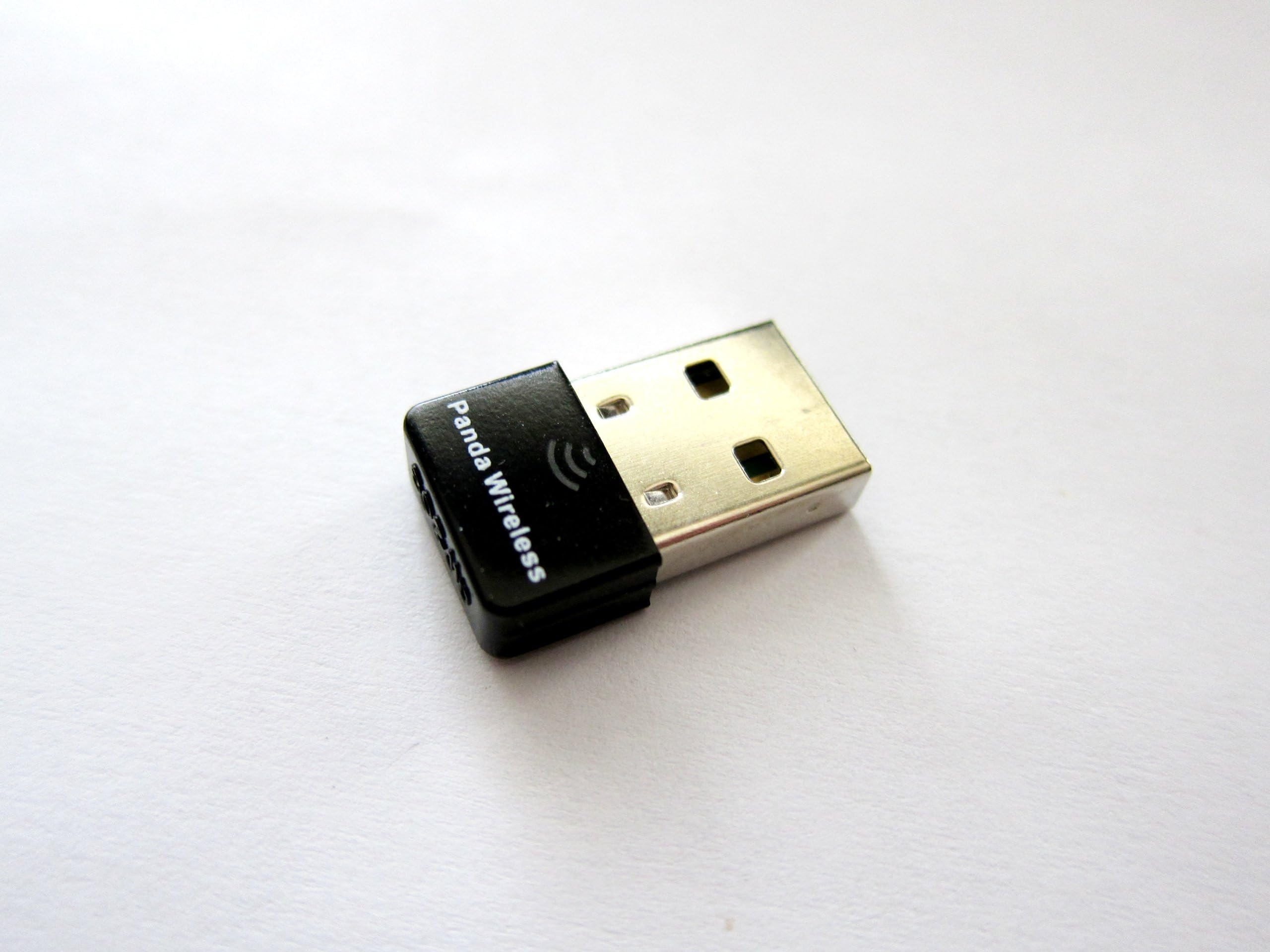
🚀 Upgrade your legacy devices with lightning-fast WiFi freedom!
The Panda Wireless Ultra WiFi USB Adapter delivers up to 150Mbps on 2.4GHz networks, supporting a wide range of operating systems including Windows 7-11 and popular Linux distros. Its robust security protocols (WEP, WPA, WPA2) ensure safe connections, while its compact design and easy plug-and-play setup make it the perfect upgrade for older laptops and desktops craving modern wireless performance.


| ASIN | B00762YNMG |
| Best Sellers Rank | #116 in USB Computer Network Adapters |
| Brand | Panda Wireless |
| Color | black |
| Compatible Devices | Laptop |
| Compatible Operating System Family | ChromeOS, Linux, MacOS, Windows |
| Customer Reviews | 4.5 4.5 out of 5 stars (1,783) |
| Data Link Protocol | USB |
| Data Transfer Rate | 150 Megabits Per Second |
| Hardware Interface | USB |
| Item Dimensions L x W x H | 5.6"L x 3.8"W x 0.4"H |
| Item Weight | 18.14 g |
| Manufacturer | Panda |
| Mfr Part Number | PAU03 |
| Model Number | PAU03 |
K**Y
Works well on my old XP laptop!
I have an 11 year old Windows XP laptop which I connect to the internet via a 10 year old NetGear WG511v2 card. When I recently moved and Verizon Fios upgraded my wireless router to their latest and greatest router, all of a sudden my old laptop would not connect to my wireless network. After some frustration, tech calls, and intense Google-ing, I discovered the reason was that my old WG511v2 card did not support WPA2 network encryption, and only supported the older, less secure, WEP encryption protocol's. I was left with two options... upgrade to a wireless card that can handle WPA2, or manually switch my new router to the older WEP protocol. Sooo I tossed my old card in the trash and ordered this one which stated it works with WPA and WPA2 encryption. When it came in the mail, I installed the drivers as per the instructions on the CD it came with. I plugged in this little guy, and BOOM! I was back online within minutes. I even got a friendly email the manufacturer (through amazon) saying to contact them if I have any questions. Since set up was so easy I didnt need to call, but it was nice they did that. The only negative I have noticed thus far is signal strength. My Verizon Fios plan gives me 50Mbps/25Mbps-Upload/Download speeds. So I should be able to acheive 25Mbps since this states it can handle up to 150Mbps.. however even when I am right next to my router I get 10-15 max. This is still by far enough to browse the web, download MP3's, stream youtube, etc. However if I try to stream and browse at the same time, or while downloading MP3's, things slow down a bit. And if I am a couple rooms over or outside the signal gets even worse. I dont mind the slightly weaker signal, especially since it is a small unit and it so cheap. Plus I only use this old laptop for web-browsing and updating my iPod. All of my gaming and streaming is done on consoles or my iPad anyways. So I just needed something to connect my old dinosaur of a laptop and this did the trick. If the signal strength was better I would have given 5 stars, but all in all as long as it doesnt break, Im happy. If you want an easy, inexpensive, way to connect to networks with the latest protocols, this little adapter should do the trick. EDIT: I fixed my weak signal problem by enabling "Windows Zero Configuration" in XP. This solved my weak signal issue and now this little bad boy is giving me 70+ Mbps, which is more than enough. It also maintains good strength in adjacent rooms from where my router is. So I upped this from 4 stars to 5. Now I can keep rocking my 10+ year old XP Laptop!
D**D
Hands Down Best Cross-Platform USB Wifi Adapter - Painless, Easy
I was a bit skeptical, but after reading the reviews here on Amazon and checking my favorite LInux, Android, and OSX forums, I decided to bite. Amazon Prime next day only added $3.98 to the already low price, so I did that too. It arrived the next day. Since I do some developing, I frequently flip between different Linux distros, OSX, and, (ugh), Windows 7. I was especially happy to see Linux compatible alongside Windows XP, Vista, 7, 8, and OSX compatible on the packaging. Made me smile. I plugged it into my desktop system running ubuntu. Ubuntu auto-configured and asked which wifi network I wanted to connect to, was able to connect to my Airport Extreme and to my Android Wifi hotspot, no problems. Switched to Windows 7 Ultimate, and Windows 7 saw the new device asking for disc and to configure. Popped in the miniCD, then it asked which Wifi network I wanted to connect to. Was able to connect again to my Airport Extreme and my Android wifi hotspot. I was even able to share the internet connection from my Android wifi hotspot to my Xbox360 Kinect via ethernet cable directly to the Xbox. My Xbox was already set to Automatic Network Configuration, fired up online with no problems. It handled whatever I threw at it without missing a beat. Love the blue LED traffic indicator, letting me know its working. Tried a few other distros and a few bridge setups and it never missed a beat. This is definitely, hands down, the single best cross-platform USB Wifi Adapter I've ever come across. Makes my life as a dev a great deal easier. I like it so much I ordered another one for my in-law's old machine. Extremely happy with this.
P**L
... in my 2 year old HP Notebook Computer went bad. Suddenly I was faced with the discouraging prospect ...
I lost Internet access when the wireless internet adapter in my 2 year old HP Notebook Computer went bad. Suddenly I was faced with the discouraging prospect of needing to spend several hundred dollars for a new notebook computer. Fortunately the Panda Wireless Adapter came to the rescue. It simply plugged into my Notebook UBS port. I had some problems installing the software due to software conflicts. I contacted Panda Technical Support for help. The Tech Support person (John) was terrific. John was very professional, knowledgeable and patient. He knew exactly what I needed to do to make it work. His instructions were very clear, detailed and exact. John made it clear to me that he would work with me, to do whatever it took to get it up and running. He got it done. Because of this terrific little device and great Tech Support my Notebook Computer is running as good as new, with full internet access that seems faster then when new. A new Notebook would have cost me around $800. Instead, I spent around $10 for this little plug in wireless internet adapter. Now my Notebook runs like it was new. Of course I'm thrilled!!!! Also, the adapter is tiny. When plugged in to the UBS port it sticks out less then half and inch. The tiny Panda Wireless Internet Adapter and Panda customer service far exceeded my expectations. For anyone who has a Notebook Computer that lost internet access due to an internet adapter problem, I highly recommend buying the Panda Wireless Adapter. It works great.
N**1
Great product, very useful 👍
T**P
funziona perfettamente e non da problemi, con i sistemi operativi linux. l'attacchi e funziona senza installazioni ed altre cose del genere. ottima
V**N
Expensive but it is good in use with Tails and Mac .
J**S
Todo bien gracias
J**G
Funciona perfectamente para sistemas linux
Trustpilot
5 days ago
1 week ago