Buy anything from 5,000+ international stores. One checkout price. No surprise fees. Join 2M+ shoppers on Desertcart.
Desertcart purchases this item on your behalf and handles shipping, customs, and support to Thailand.
๐ Elevate Your Connectivity Game!
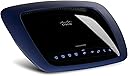
The Cisco-Linksys E3000 Wireless-N Router offers simultaneous dual-band connectivity, delivering lightning-fast speeds of up to 300 Mbps. With 4 Gigabit Ethernet ports and robust security features, itโs designed for seamless streaming and versatile device compatibility, making it the perfect choice for modern homes and offices.
| ASIN | B003B48UQ8 |
| Antenna Type | Internal |
| Best Sellers Rank | #358,022 in Electronics ( See Top 100 in Electronics ) #430 in Routers #2,146 in Computer Routers |
| Brand | Linksys |
| Built-In Media | router |
| Color | Black |
| Compatible Devices | Gaming Console, Laptop, Printer |
| Connectivity Protocol | Ethernet, Wi-Fi |
| Connectivity Technology | Wireless^Wired |
| Control Method | App |
| Controller Type | Switch |
| Coverage | Large Household |
| Customer Reviews | 4.1 out of 5 stars 718 Reviews |
| Data Transfer Rate | 300 Megabits Per Second |
| Frequency | 5 GHz |
| Frequency Band Class | Dual-Band |
| Global Trade Identification Number | 00745883589432 |
| Has Internet Connectivity | Yes |
| Has Security Updates | No |
| Is Modem Compatible | Yes |
| Item Weight | 1 Pounds |
| LAN Port Bandwidth | 1000 Mbps |
| Manufacturer | Linksys |
| Maximum Upstream Data Transfer Rate | 2000 Megabits Per Second |
| Mfr Part Number | E3000 |
| Model Name | E3000 |
| Model Number | E3000 |
| Number of Antennas | 6 |
| Number of Ports | 7 |
| Operating System | Cisco IOS |
| Other Special Features of the Product | Parental Control, QoS, Remote Access |
| Router Firewall Security Level | Basic |
| Router Network Type | Wireless |
| Security Protocol | WPA, WPA2 |
| Special Feature | Parental Control, QoS , Remote Access |
| UPC | 741725325671 745883589432 |
| Voltage | 240 Volts (AC) |
| Wireless Communication Standard | 802.11a/b/g/n |
| Wireless Compability | 802.11a/b/g/n |
W**Y
EASY Set-Up, Connected 12 PC's and Macs in 7 Minutes, PURRRFECT Dual-Band Router!
The ease of setup of the Cisco-Linksys E3000 router astonished me! I had a studio and household FILLED with multiple PC's and Macs, both desktop and notebook computers, and a PC server plus Mac G5 server for my AppleTV Library, iTunes Library, and this router self-configured itself with each and every computer/device/system that I own, some 12 machines in total, in less than 7 minutes for the full cycle of the auto-connect feature to take place. That FLOORED me totally, and I'm an advanced networking expert, who was prepared for a completely tough, manual install of this router but figured I'd give it a go with the Auto-Connect Feature of this router, by simply inserting the Cisco-Linksys CD ROM into my PC server's optical drive, and followed the prompts to the letter (to a point), let the router Auto-Configure each and every PC and Mac in my mixed-stable of computers here in my studio and throughout the house, 8 computers here in my studio near the router's plug-in to my Time-Warner RoadRunner HS Turbo Modem, and 4 other computers elsewhere in the house, and I'll be danged if the new E3000 didn't pull off the complete connection routing in less than 7 minutes actual time! CRAZY GOOD! I immediately fired up the router's web interface and went into the Advanced settings, and renamed the System from default to my regular/normal System's name, set up the web interface for my network Hard Drive and plugged in a 1TB USB external HD for network sharing and backup services, reconfigured the password to my rather complex 26-digit and symbol password for ultimate security purposes, set the "renew DHCP Lease" to my own specific schedule apart from default, adjusted Media and FTP Server setting to active, and a lot of other "host services" to manual settings vs the default settings, and in less than 30 minutes total time I disconnected my former "N-Spec" router, and turned the duties over to the new E3000. Suffice to say it's been literally plug and play since then, with only a minor glitch to report, and that was perhaps my own fault but it involved updating the firmware to the latest and greatest, and my update went awry somewhat...I ended up having to re-apply the new patch TWICE before it took and set up correctly, and BAM!! All was well again, settings were intact, and when I restarted the System it fired right up, everything popped up green, blue, and yellow LED's like it's supposed to do, and voila! Firmware update a success, all was well, and the system @ 100%. The Dual-Band aspect of this router gives it a special character, with the ability to transmit and receive signals and data simultaneously, at the same time literally, and maintain its incredible bandwidth in both the 2.4Ghz and 5.8Ghz channels without fault of any sort, and that's an amazing feature! My AppleTV system works significantly better than it did with the old MaxPower N-Spec Routerat full speed ahead, it being a single-band router and some 5 years old at the time I replaced it with the E3000. I find the web interface to be simple, and simplistic too, a nice interaction to work with when you want to customize any features, or change any settings manually vs the router's automatic setups. I have yet to have to restart or "recycle" this router after some 5 months of use thus far, which I consider to be very, very unusual given the nature of routers in general, but the Cisco-Linksys E3000 seems to be in a class by itself with respect to sustainability. It is also a router that you can place ANYWHERE with respect to its antennas being all internal (6 of them!), as I have placed it UNDER MY WORK STATION now, and there's no difference in the signal being all-pervasive and strong throughout my studio, and home to boot! I also use the router to handle the Administration of my twin RAID system's web interface, and that uses one of the Gigabit Ethernet Ports of the E3000 and plugs directly into the Areca 1680IX-8 Hardware RAID Controller, and that feature of the router has also worked without fail thus far, no issues at all! I have searched and tried to figure out S*O*M*E* weakness that this new E3000 router has, but alas there is nothing left to write or say with respect to things that are wrong with it, because the dang thing just works 100% for the good! Every day that I use my system here in the studio and throughout my home I marvel at its consistency, it steadfastness, and its power, just incredible in all those aspects of use with my heavy, heavy needs placed upon it, and it's just fantastic. It would be hard to say "it could be better", because I just don't know HOW or WHAT we could do so as to make it better than it is right now. I am transmitting millions and millions of bytes of critical information up to Standford University in the Folding@Home program, with 5 active computers in the program here in my home and studio, and it's IMPORTANT that each and every byte gets transmitted up there for the benefit of mankind, and the critical research that the researchers are doing, and this great Cisco-Linksys E3000 keeps the candles "lit" in my contributions to the Folding@Home program hour by hour, day by day, and week by arduous week...it just doesn't fail me, and that is all I could ask of it! I never thought I'd say something like this about a router, but this thing is SO FAR AHEAD of everything else out there that you can buy for your home or office use for a high-speed data network, be it from a HD Cable Modem system like what I have with me here, a DSL system, whatever way you can critically look at such a thing as a router which literally is the lifeline between you and the internet, and all it can represent, but I'll say this for the record: I don't think that there's anything better being made today, AT ANY PRICE, ANY CONFIGURATION, ANY SETUP WHATSOEVER THAN THE CICSO-LINKSYS E3000 Router! This thing is King of the Hill! I have actually purchased 4 of them since they were released in early June, 2010. The router that I bought this time went down to Australia to my business partner's home office to use there, because he cannot buy one in Australia at any price: they just aren't offered there yet, so I took it upon myself to score one for him and the network in his home office, and he is just like I am by now: a believer in this E3000 system 100% without qualification, without doubts, and without any negative thoughts whatsoever! It's not every day that we have products this good come into our lives and uses, and this ladies and gentlemen is the best router that the good, old All-American $$$ can buy, bar none, no doubt as to that statement! The Cisco-Linksys E3000 Dual Band Router gets the Wavey Davey 100% Solid Gold and 5-Star Award for Quality, Value, and Performance, bar none! There isn't anything quite like it no matter what other brands you look at, or even other Cisco-Linksys models for that matter, it stands alone as the No.1 router of any type today, in November 2010. Wavey Davey - November 14, 2010
K**K
Used it for 7 months and it is awesome
E3000 is definitely the best wireless router for home networking needs and connect multiple devices to internet and create a wireless home. In last 7 minths I have tested several aspects of this router and no wonder it is still at almost same price and a top-seller. Here is my review: Setup & install: Super smooth, simple, and easy, no hiccups at all. Guest Access: You can create a guest network separate with a simple password (optional) when you have visitors. You need not to share the password of your own network. You can turn on or off the guest network whenever you wish. Connecting to the network: CISCO Connect is a great tool to manage your network. It makes a USB drive which once inserted in to any computer can set it up on your network. Dual Band Networking: E3000 provides you two separate networks. One on 2.4GHZ and one on 5GHZ. 5GHZ band is less crowded and hence is better for streaming online content. Keep in mind that not all devices are equipped with a 5GHZ receiver/wireless adapters. Most notebooks have only 2.4GHZ adapters. However, media streaming devices like Blu Ray players ( Sony BDP-S570 3D Blu-ray Disc Player , network connected TVs, and iPad have 5GHZ adapters. For your notebook you can get a Cisco-Linksys AE1000 High-Performance Wireless-N Adapter if you feel the need to do so. Otherwise the 2.4G on 802.11N will be very fast. Connection strength: Very good. I get good signal in my apartment, upstairs, and outside as well. Design: It looks very stylish and sleek. The blue colored thing on the outside is its antenna. That's why it doesn't have those two vertical antennae which look too bad. Number of Devices: It has 4 LAN outputs, which I have connected to a TV, BD Player, and Western Digital WDTV Full HD Media Player - Recertified . I prefer LAN to these devices since streaming is better than on 5GHz network even. Other than that I have usually 3 laptops and 2 iphones online. Router Management: Very easy through 192.168.1.1 as the browser address. Once in the router, you can do the advanced settings for security, can name the 2.4G & 5G networks as separate, connect a network hard drive etc. This is for advanced users. Otherwise, CISCO Connect is the easiest and simplest way to manage the network name & password, guest access, and parental controls. USB Port: There is a USB port at the back of this router, which you can use to connect and share an external hard drive. I use it to keep all my media and can see it directly on TV through WDTV or BD Player. Also, I ca copy-paste files in that drive wirelessly. CISCO support: I contacted CISCO twice through phone and once through their website to chat. First time the tech support guy took some time to resolve my issue with the network connectivity. Second time, the girl was very responsive & quick in helping me to setup my hard drive as network connected storage. Third time the chat support was also good as the guy gave me instructions to reset and reconnect my router to a different computer (no issue with hardware, it was my desire to do so). I liked their chat support on WebEX since all chat transcript was sent through email immediately. That helped me to do the resetting later. Overall, I am highly pleased with this product and highly recommend for hi-speed home networking.
N**S
Incredibly Easy to Use and Set Up, Support Unacceptable
My review will focus mainly on the user experience, rather than detailed technical specs. The router is fast (particularly if you are using systems capable of operating on Wireless-N), dual bandwidth is great, etc., but these benefits are all fairly and adequately set out in the product description. Pros of the user experience: This is, by far, the easiest network setup I've ever done. Just to demonstrate, I'll compare the setup of this router to the setup of a competitor, the D-Link DGL-4500 Xtreme N Selectable Dual Band Draft 802.11n Gaming Router (which is more expensive and does not permit simultaneous use of the 2.4 GHz and 5 GHz bands). D-Link DGL-4500: Power off modem. Shut down computer. Plug Ethernet cable from modem into router. Plug router into computer. Turn on modem. Wait 30 seconds. Plug power adapter into router. Wait 30 seconds. Turn on computer. Follow the several steps of the "Internet Connection Wizard" to specify type of Internet connection. You may need to know the MAC address of the computer last connected directly to your modem. They're serious - I had this router before, and if you reorder any of these steps, your setup may fail. If, like me, you have a big cable modem that doubles as your landline connection with backup power that is not easily powered off, your setup can become even more frustrating. Cisco-Linksys E3000: Put in install CD. Plug Ethernet cable into router and power on (order does not matter). Click "Next" on install screen. Watch as the setup program does everything and you're online in about 2 minutes. That's it. I didn't have to specify anything, remember any MAC addresses, or worry about the order in which I was connecting all the various cables to set up my wireless router. Start to finish, I was online in about 3-5 minutes, including the time it took to open the Amazon box. Cons of user experience: Linksys technical support is frustratingly awful. My issue was that the router prompted me to update the firmware, and when I attempted to do so, it failed and rendered the router useless. All my attempts to reset the router and undo whatever had happened were in vain. The Linksys support page does not have any phone numbers or email addresses, just a guide, FAQs, and Live Chat, which is ridiculous when you consider that many router problems will push you offline and render "Live Chat" a useless option. The "Guide" has two options when you try to find help on firmware: Information about Cisco Connect and "how to upgrade firmware," neither of which helps. When you tell it that, the guide gives a link stating, "Click here to contact Linksys." Hallelujah, you may think! But the link is dead and leads to a "Page Not Found" error. I now have a replacement E3000, and am opting to simply never update the firmware. Overall, the product is 5 stars on performance, 1 star on support. I edged it up to 4 stars overall as most people won't have to deal with the 1-star side of things.
R**Y
Awesome Router
The reason I bought the router was mainly that I wanted to upgrade from my Netgear Wireless-G router because it just wasn't built for gaming. So I purchased this router and I must say that it is impressive, but the router isn't as small as I had hoped, but it doesn't look clunky or out of place either. This router can go anywhere in your home because it doesn't take up that much space at all. This is basically one of the best looking routers I have seen despite it being a tad bigger than my old router. The setup was simple, but not without any hiccups. Before I began to setup the router itself, I turned off my modem and my desktop. After I had everything plugged in I turned on my modem and let it establish its connection and then I fired up the router and also let it establish a connection with my modem. First, I tried running the setup disc that the router comes with from my MacBook Pro (running OS X Lion version 10.7.2). Unfortunately, I was receiving a message saying that I was not running the current Mac operating system even though I am running the latest one. I read the box and it seems that the setup disc is compatible with OS X Leopard, Tiger, Snow Leopard but OS X Lion wasn't listed. So I just ran the setup through my desktop running Windows XP and it worked without a problem. From the setup disc you can change the SSID as well as the password to your network. Also, you can change the parental controls, guest account settings, attach new devices, etc from this setup disc. The guest network feature is very useful since guests won't be able to fool around with your router settings via HTTP interface. Something to note, the only way to change the guest account password is to do it from the setup disc that the router comes with. After I had everything setup, I wanted to test the new router especially for gaming over Xbox Live. Unsurprisingly, my old router (Netgear WGR614 Wireless-G Router) wasn't able to handle a direct connection with my PC and Xbox 360 simultaneously and usually the PC would stop connecting to the internet. My download speed with my old router was about 15 mbps and after connecting the Cisco-Linksys E3000 my download speed went to 20-25 mbps over wifi and close to 40 mbps when connected directly to the router (ISP: Comcast). This router can handle a direct connection from both my PC and Xbox 360 simultaneously without a problem. Like I said, I have my Xbox 360 and PC connected directly to the router and my wireless devices include 3 laptops, 3 mobile devices, a Wii, and another Xbox 360 connecting wirelessly. I am glad that I did not have to go through customer service with Linksys or Comcast for my setup as I saw some other reviewers do, but I will see if any problems arise in the coming months. I have also heard of overheating problems that reviewers have commented on. I must admit that the router does get warm, but not it doesn't overheat where it causes a router shuts down or interferes with the wireless connection (Note: I have my router running 24 hours a day). Everything seems to be running smoothly so far, but this has only been the first few days of owning this router. Since this is the case, I will update this review in a few months to report any problems that arise if any. Hopefully this router still goes strong after several months and lasts me longer then my Netgear router.
S**N
USED TO BE EXCELLENT
My review below still holds true if you're only using this for web surfing. After a while though, XBOX 360 has severe problems with the NAT and can't be fixed permanently. I tried Port Trigger, Port Forward, Factory Resets, etc. Everything you can think of has been tried and it never solved the issue. I was able to OPEN THE NAT for a day with a simple reboot but it always closed again. Due to this, I purchased an ASUS ASUS RT-AC66U Dual-Band Wireless-AC1750 Gigabit Router and it's the best router I've ever owned. Faster than any Linksys (Cisco) router to date, reliable, excellent for gaming, etc. I went out and bought one for my sister too and she notices a difference in her home. ------------------------------------------------------------------------------------------------------------ The text below the above line is my original review. Let me begin by saying that there is a reason the Linksys E3000 High Speed Router is one of the more expensive routers on the market. This router is the high end router from Linksys that supports wireless gaming, high definition wireless video, high speed wired ports, dual bands (2.5 MHz & 5 MHz), etc. The main concern I had before purchasing this product is the quality of Linksys products. I purchased a WRT310N before this and had nothing but problems. My internet speeds on Wi-Fi were only 5 MBPS when I should of gotten over 20 MBPS over Wi-Fi. Plus, a lot of dropped signal's which resulted in me being forced to hard reset my router. I'm glad that I can say the E3000 suffers from no such technical difficulties. It was easy to set up and my network is running at optimal performance on Wi-Fi (25-30 MBPS Download, 4-5 Upload). There has been no random drops so far which is one of the most important things. According to the back of the box, the reason 5 MHz was included is so your router doesn't interfere with other wireless devices. I've never used a pair of Turtle Beach x41's, but these run on 2.4 GHz. However, if anything that's near the wireless receiver supports 5 MHz, you could POSSIBLY get rid of the interference due to this. Again, that's the way Linksys advertises it. I'm considering a pair of these headphones now so I'll be sure to update this if I decide to purchase a pair. Edit: I haven't had any issues with this router since I got it. Still the best router I've used and the speeds are excellent. I highly recommend this product if you're in the market for a router. Don't waste your time with the lower end ones. Overall, if you're willing to spend the extra money - do it. This router is the best router I've ever set up and used. Consider this before the others. Why spend a little bit less when you can get the best?
S**H
Good wireless router, easy set up.
Setting up the router is about as easy as it gets. I could explain it here, but it's really not much more than plugging it in and running the setup program on the included CD. You get a random network name, and have both secured and unsecured wireless capabilities that it separates out into different VLANs. One note about the random network name, if you reset the router, you will get a new network name. I found that out the hard way, when I had to reset it when troubleshooting a wireless network issue (which may not have had anything to do with the router, itself). I gave it a 5 star rating for range, but in truth, I'm not sure what the total range is. I do know that I lose a bar (in my Dell laptop, using the built-in wireless... as well as my wife's iTouch) when I go upstairs (router is set up in the basement). I get a good signal throughout the house, and on the back patio. For me, the range is plenty good, and the speed is plenty fast for browsing the Internet and sending e-mail. I haven't tried networking games via the wireless yet, nor have I tried streaming high-def content to my blu-ray player or Xbox 360. Still need adapters to get those up and running on the network. The gigabit backplane is nice, as well, since I plan on purchasing a NAS for my home office that I'll be backing up to. 100mb speed is just too slow for backups of large amounts of data. Advanced settings are easy to get to and set. To play with these, you'll want to at least have a clue about basic networking before diving in. I've looked at it, but haven't yet had a need to customize any settings. I'm sure that will change, but the basic installation through the gui will do the trick for most users. All in all, I'm pleased with the router. I really like the dual band capability and what that brings to the table. I love having a guest network. Note that this network is password protected, and you need to select it then open a browser on your laptop which redirects to a page that allows you to put in the password to your guest network... only then are you able to use this network. This was a gotcha for me early on, probably because I didn't read the manual. ;) The guest network is separated from your secured network. The wireless seems pretty dependable, overall. I have experienced few drop-outs, though some drop-outs seem to be the rule, rather than the exception when it comes to wireless connectivity, and to be honest, I'm not certain that the drop-out is on the router side, either. This will become more obvious one way or the other as I "plug in" more wireless devices into the network. You can get a less expensive router, but most don't have dual bands that run concurrently. Many don't have a guest network built into it. And many aren't nearly as easy to set up. While more and more newer models include a gigabit backplane, if you go for a cheaper model, you're not likely going to get this, either. I guess it all depends on your budget and needs. For my future wireless plans, this was a good purchase, and worth the extra money.
D**D
Worth the money over budget routers
The most important attributes - speed, range, reliability, security - are all excellent on this router. It has flexibility and provides a ton of advanced features you may or may not need. I'll make special note of the range - this is by far the best router I've had in terms of throughput at distance. I've had routers that worked on a longer range, but never one that provided such a good connection at respectable distance. Streaming HD video is seamless through this router. The USB port is nice to network a hard drive, but take caution, it's a bit slow. It would be better to opt for a cheap NAS device and plug it into the switch. I've been really upset with the set up strategies many of these routers have gone to. Rather than providing clear instructions, they attempt to make it foolproof by giving the user a cd with a program that is supposed to make the setup easier. The main issue I've found is that these programs don't work a high enough percentage of the time and they also obfuscate so many of the details that it leaves the user wondering if they've missed something. It's also really frustrating when the 'dummy-proof' setup fails. If you've ever set up a router before, skip the easy setup and navigate to the router's 'advanced' setup page - you will get through it just as fast and with a higher success rate. The only thing I noticed that was a little odd with this router is that certain configuration changes would require the modem also to be reset (keep this in mind if you make a seemingly innocuous change and can't figure out why you lost connection). Also, don't forget to set up both bands, as some of your devices may not work on one. The router looks nice and, although I couldn't find an option to turn off the LED's, they are not as bright or annoying as some others. I wish the top panel was something other than gloss black - it's a dust magnet and would look much better in something like matte grey. It also runs a little bit hot, so be cautious that you don't place it on any sensitive surfaces. I got away from Linksys for a while, but they have restored my confidence with this product - by far the best wireless router I have owned. Don't waste your time with cheaper products.
N**D
Excellent for the Price
Had the router now for about a month. Set up was quite easy with the enclosed CD. If you want a manual just go to the Cisco website [...] and download it. The wired ports are Gigabit, it has a USB port (haven't tried it out) and it's dual band. I was leery because at under $100 it is a great deal, and some reviewers had problems always having to reset it. Which was why I replaced the old Linksys router I had for almost 10 years. All I can say it has been on for a month and worked flawlessly. The wireless range was fine streamed Netflix and Amazon movies to a bedroom upstairs with no problems.Security set up was also very easy and even offers a guest password so you don't have to give out your main and much easier to type in for temporary connectors. I have been very happy with my Linksys stuff in the past and so far this router has not been a disappointment. Bottom line: Price - Under $100 excellent. (Make sure you compare this router to others with the same features (Dual Band Wireless, Gigabit wired, and USB port) Quality - Very Good - Works and does what it should with no manual intervention constantly. Only had it a month so I can't comment on longevity. Ease of Set up - Excellent - Very easy to set up - Just make sure you insert CD and follow directions before Plugging it in. Features - Excellent Cons - None that I am aware of. I would rate this a Five Star except I have only had it a month and I believe you can't rate 5 without seeing how long a product lasts, especially electronics.
S**N
Good so far.
After getting my new router I went about the job of setting it up. Initially the software provided would not see the modem. I did a hard reset and downloaded it from the site directly. It still wouldn't detect the modem. I then tried to go to the modems menu via 192.etc and setup there, well that just failed miserably, setup would not work no matter what I did. I did notice the firmware was out of date so I updated it and tried the cisco software again, success!! The cisco software detected it,all I had to do was enter my ssid and network key and that was it the software did everything else. Modem went online straight away from there. The device its self is very nice looking, its actually left out because it no where near as ugly as my only zyxel p660HW. Wireless strength seems good, although I dont have a laptop with wireless at the moment. Based with an IPhone its strong. Setting static IP's was very simple as was addressing any NAT issues. I have also have a unique SSID for the 5GHZ and the 2.4Ghz bands, which was simple. Im summay: for the god use the ciso software or you'll be there all day, I work for vodafone doing DSL support and I couldn't do it. I will update when I have tested it more. **UPDATE** 13/03/2011 The cisco modem was been on 24/ 7 since purchase and no issues have arisen. The modem has played nice with the xbox with regards to having an open NAT. Wireless strength is great, im in the opposite side on the house to the modem which previous got no signal from the old modem (which was on the b spectrum) I currently have full signal now(operating on the N spectrum, which does have better strength anyway). I am all round very happy with this modem.
W**1
Linksys E3000
Please check before purchase i ordered one and it was for cable isp`s like virgin will not work on adsl isp`s
D**H
V Reliable
I had a pre-N Belkin router which worked fine but after 2 years kept having to be switched off (to cool down?) and back on again for Wireless capability to be available again. This router will have remained switched on for 2 years in a couple of months time, except for a couple of instances for room re-decorating, consistently providing fast & reliable wireless access. Would recommend highly!
B**H
Stuffed with functionality
This is a great router if you really need the functionality it provides. It has lot of options to set up a network, sometimes confusingly many. With the provided software it can be set up easily for the average scenarios. If you want more you should download DD-WRT firmware and then you can use it as: gateway, router, wireless repeater, network storage(HDD not included ;)), media server etc.
O**Y
Very excellent!
This is a great product, much better than Belkin Play Max. I would just like to point out that the belkin play usb adaptor running on 5ghz band is faster than the Linksys own make. I can get full speed 300mbps with belkin adaptor and the E3000 but only 270mbps with Linksys usb adaptors. Unusual.
Trustpilot
3 weeks ago
1 month ago