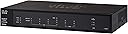
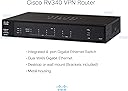
🚀 Power Your Professional Network with Cisco RV340 — Security, Speed & Stability in One!
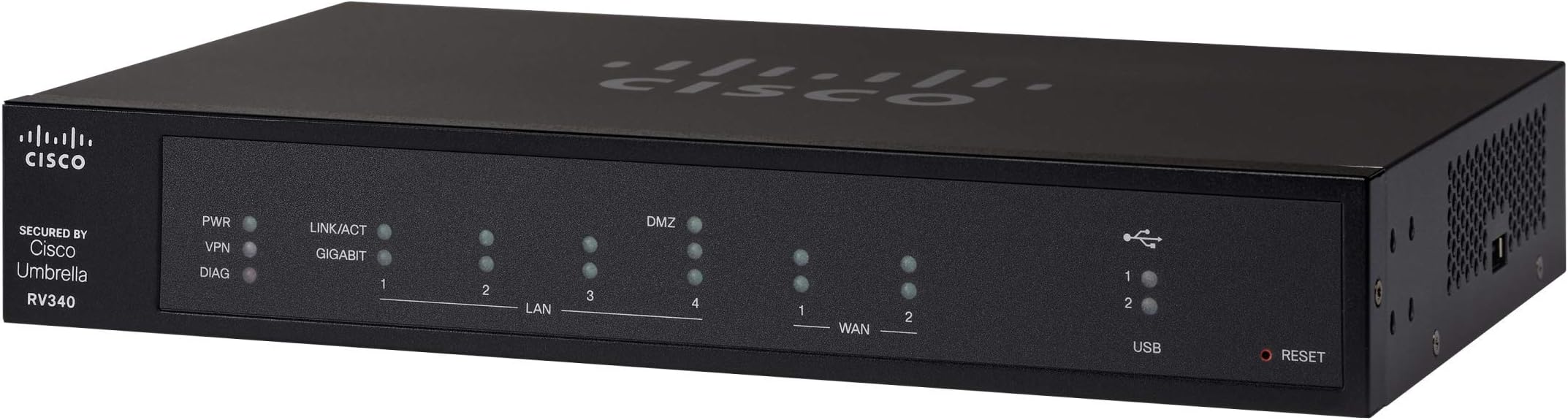
The Cisco RV340 VPN Router is a high-performance, business-class networking solution featuring 4 Gigabit Ethernet ports and Dual WAN for reliable internet connectivity. It supports advanced VPN protocols and VLAN guest networks, ensuring secure remote access and segmented wireless environments. With limited lifetime warranty and Cisco’s trusted enterprise-grade software, it’s designed for small offices and SOHO setups demanding scalable, secure, and fast wired networking.


| ASIN | B06Y1FFX53 |
| Antenna Location | Security |
| Best Sellers Rank | #60,716 in Computers & Accessories ( See Top 100 in Computers & Accessories ) #1,480 in Computer Routers |
| Brand | Cisco |
| Built-In Media | RV340 |
| Color | Black |
| Compatible Devices | Printer |
| Connectivity Technology | WIRED |
| Control Method | Touch |
| Controller Type | Switch |
| Coverage | Manufacturing defects for 1 year |
| Customer Reviews | 4.1 out of 5 stars 211 Reviews |
| Data Transfer Rate | 900 Megabits Per Second |
| Frequency | 1 GHz |
| Frequency Band Class | Single-Band |
| Global Trade Identification Number | 00882658864797 |
| Is Modem Compatible | No |
| Item Type Name | Dual WAN Gigabit VPN Router |
| Item Weight | 2.6 Pounds |
| LAN Port Bandwidth | 1000 Mbps |
| Manufacturer | CISCO SYSTEMS - ENTERPRISE |
| Maximum Upstream Data Transfer Rate | 45 Megabits Per Second |
| Model Name | RV340 |
| Model Number | RV340 |
| Number of Ports | 4 |
| Operating System | Cisco IOS |
| Other Special Features of the Product | WPS |
| RAM Memory Installed | 1024 MB |
| Security Protocol | WPA, WPA2 |
| Special Feature | WPS |
| UPC | 882658864797 |
| Voltage | 12 Volts (DC) |
| Warranty Description | Cisco Limited Lifetime Warranty |
| Wireless Communication Standard | 802.11ac |
| Wireless Compability | 802.11ac |
C**C
Fast and versatile router - now working with latest firmware
I've updated this review - updates are chronological with latest at the end. As received, my RV340 required a firmware update to bring it to Cisco's current release level. I then proceeded with the setup process. My use case is a SOHO internet gateway and firewall with full support for IPv6 (delegated prefix from the ISP). My main points of experience worth pointing out so far are as follows: (1) Upon reboot (or power cycle) the RV340 reliably fails to update the WAN port MAC address with the customized value (i.e. MAC address powers up as the factory default). Both WAN1 and WAN2 are affected. At first, this looked like a serious problem since I thought my ISP requires a specific MAC address on my end to work. However, by power cycling my cable modem, the default MAC address of the RV340's WAN port was accepted and is now working. (2) The WAN port must be connected to the ISP (cable modem in my case) in order to complete the IPv6 configuration. There is a place in the WAN configuration to assign a name to the IPv6 delegated prefix supplied by the ISP, but the LAN port configuration (for stateless autoconfiguration of the client IPv6 addresses) does not have any place to enter this name. Instead, you must identify the active WAN port (with a valid IPv6 prefix). That of course requires the ISP connection to be hooked up and running. (3) Unlike routers I've used the past few years, the RV340 does NOT provide an NTP service to the local LAN clients. This required me to modify NTP server addresses in a number of connected devices from the local gateway IP address to an actual NTP server out on the internet. (4) I discovered on the Licenses page that the router is running in Evaluation Mode. In addition, the two 90-day (evaluation period) security feature licenses are not activated by default. To get out of evaluation mode, you must log in to your Cisco Smart Account. With considerable effort I eventually got this sorted out so it's no longer an issue. In summary, the RV340 is currently working well supporting a busy network with a lot of devices. (24-Dec-2017) Alas, I've taken the RV340 out of service and re-installed my previous gateway/router. It took about a month but I finally associated several application-level performance issues with the RV340. The specific problems are: (1) very slow access to gmail inbox both with POP3 and IMAP; (2) long delay from clicking a selection to actual start of playback for iTunes Music; and (3) long delay and frequently a timeout while opening the Solitaire, News, and other Microsoft apps under Windows 10. How could the router (with no extra security modules enabled) have such specific impacts while other applications are just fine? I have no idea. But these issues all disappeared when I reinstalled my previous gateway/router. (20-Apr-2018) - I noticed the new firmware release v1.0.01.18 (issued March 2018) and updated my RV340. I ran through a couple of the application performance issues noted above and the unexplained delays no longer appeared. Updated my star rating although I haven't put the RV340 back into service yet. (10-Nov-2018) - Noticed new firmware release v1.0.01.20 and decided it was time to give the RV340 another try. Updated the firmware, plugged in the WAN and completed the IPv4 and IPv6 configuration with no issues. The application-specific performance issues noted above are also gone. I am leaving the RV340 in service. The speedtest downlink measurement is now the expected 194Mbps (with a change to the server at the other end) so I have finally updated my star rating to five stars. (20-Nov-2019) The RV340 continues to work great - I am quite pleased with it now. A cautionary note: browsing the router configuration pages I noticed the router was back in "Evaluation" mode. It appears that Cisco Smart Licensing had "expired" the router license token originally generated about a year ago. However, my Cisco Smart Licensing account was still in order so it was easy to generate a new license token for the router (no cost, thanks Cisco!). I believe the token will expire again and necessitate another trip back to Smart Licensing. (3-Jan-2019) I noticed that a new firmware update, to version 1.0.02.16, was available and I went ahead and updated the Cisco RV340. I'm not sure if any functional issues were fixed with the update (I hadn't noticed any), but the update also revamped the entire GUI. It changed from the classic Cisco blue-background no-nonsense design to a modern split-tone look (white text on dark background to the left, black text on light background in the main edit window). At first I didn't like the change but now I'm used to it and it seems "normal". (12-Feb-2019) - I noticed that IPv6 was no longer working -- it may have been my fault due to some errant settings update. However, I wasn't sure and as part of the troubleshooting I downgraded back to the previous working firmware (v1.0.01.20). There I did clear up the problem (it was my own misunderstanding of the proper settings for my ISP). However, when I tried to re-upgrade back to v1.0.02.16 by changing the Active Image under the Reboot menu, the router initially came up NOT upgraded but with a non-responsive web GUI. When I nervously used the paperclip method to RESET the router to factory configuration (holding the button for more than 10 seconds), I found the RESET button must be pressed and held BEFORE powering up the router. When the router came up this time, the newer firmware (v1.0.02.16) was then active and the router configuration settings had been converted for the new firmware's format (although I had expected the factory default configuration). Best of all, the web GUI was fully operational and IPv6 was working once again. If there's any conclusion from all this, I'd hazard a guess that it's best to always upload a firmware upgrade to the router (rather than relying on changing the Active Image under the Reboot menu) so that the router gets fair warning that the configuration settings are to be converted to the new firmware's format. (Note that downgrading from v1.0.02.16 to v1.0.01.20 always gives you a factory default configuration since there is no built-in "reverse" settings format conversion utility.)
C**N
RV340 is easy to setup, fast, web security, VPN, VLAN at the best price in the market.
Over the last 4 weeks, I have been and testing routers and wifi access point from many top vendors, (Unifi Alien, Orbi RB743, Linksys AX4200, Unifi Dream Machine router, Netgear AX1800 Access Point, Cisco RV260P, Cisco RV340, and Cisco 9117AXI) I have decided to go with the following setup for my site-to-site and client-to-site setup: 1. Cisco RV340 VPN security router (main gateway to the internet service provider, ISP) 2. TD-Link TL-GS1008P 8-port unmanaged GE/PoE switch 3. Cisco Business 240AC Wi-Fi Access Point 4X4 CBW240AC-B (2 pack) 4. Cisco Business 143ACM Wi-Fi Mesh Extender (1 pack) The Cisco RV340 VPN took me about 5 minutes to set up with internet ready, it comes with all the VLAN, VPN, and web security features anyone would want for a home office or small business network and protection. Why this RV340 router? a. It is cost-effective, at only $200, It gives me all the features of the professional IT setup such as VLAN, Web Filter/Security, VPN site-to-site, and client-to-site that I need but can't get from consumer home router like Netgear Orbi RB753, Amplifi Alien or even the Unifi Dream machine router at over $400, but they come with software that looks, feel and function like they are still in under development. b. All the features are well designed and work flawlessly after configured c. It allows much flexibility when dealing with any part of the network, for example, if I need to upgrade the WiFi access point for WiFi 6 in the future, I don't have to throw out the entire network to upgrade, basically the Ethernet wired network can stay up and running, replacing just the WiFi access point is much less expensive compare to replacing the whole home mesh router set. Why the TD-Link TL-GS1008P 8-port unmanaged GE/PoE switch? a. Cost-effective, at only $59 I can get 4 GE ports for my wired printer, NAS file storage, some desktop computers, and 4 GE/PoE ports for the WiFi Access points. b. The RV340 VPN router comes with all lay 2, and 3 switching/routing features so you don't need to buy the lay 2 or 3 switches. Why the Cisco Business 240AC Wi-Fi Access Point 4X4 CBW240AC-B (2 pack) and the Cisco Business 143ACM Wi-Fi Mesh Extender (1 pack) a. These three access points allow me to cover up to 9000 sqft WiFi signal at over 800Mbps - 1770Mbps, up to 600 wireless devices connected at the same time, all the IoT and laptop connectivities. b. After testing some Wifi 6 Access point from Netgear, Unifi and Cisco, I found that cisco Wifi Access Point is absolutely feature-rich, well design software UI, hardware built with quality and easy to set up, also networking features from layer 2 up are well intergraded and work well together, so for ease of management I think it best to go with all cisco products. In the process of testing Netgear Wifi 6 AP, I found that the operating temperature was so hot that I am worried that they could cause a fire in my office. Unifi products on the other hand are also good, but their software networking concept is confusing and rush to market. It seems that if you don't mind waiting for features to get into future software releases then Unifi AP or router is ok. Overall, I feel that Cisco's products are normally built with super quality, advanced features, and stability. They are well known in the networking industry and building products for the business environment so their product reliability and scaleability is something I can always trust and it is hard to get the same features and quality from other brands.
P**Z
Oh Cisco, how I love thee! Why would you ever leave me?
This little small business router has been wonderful! I love the interface and all the advanced features. However, when I went to purchase additional routers for my clients, I found out from Cisco that they “end of lifed“ this device and the entire RV series of routers. This means they will no longer support these if you had a “lifetime warranty” the “life” is over. Tech support is nonexistent for these but if you were good enough that you don’t need to call anyone, it’s a wonderful unit, well it was a wonderful unit except that if it develops any kind of vulnerability whatsoever it will need to be replaced. It’s a tough pill to swallow to tell a client that the $500 router they just bought needs to be replaced because the manufacturer chose to drop the entire line. Thank you Cisco and goodbye
D**7
Great Router
I upgraded my RV320 to this RV340, and I could not be happier, I am not using VPN and I know a lot of people are upset with the VPN features and fees. I however use it for my primary router in my SOHO, I am a very heavy Internet user as I do online game streaming. This router is rock solid, my NAT is OPEN on all of my XBOX's. (I have 3) I use OTT TV and it works flawlessly, everything is fast. I have not had to reboot this router since I installed it, as it is performing just as good today as it did on day one! If you have a SOHO, or are an extremely heavy internet user and you want a fast and secure router this is a great choice.
R**L
I Router you avoid this Lemon with limited functionality
Let's jump right in this review: This router is defective out of the box, point-blank. Thanks for reading the review. All right let me break it down. The firmware comes with a 2012-2017 build. Once you update it the internet connection will keep dropping several times a day without fail. That is due to the DHCP server issues. One of the reasons for buying this router was for security features. Well, think again my friend. The licensed security features are trails and what is worse since this product is older, the trials are already out of date. If you restore the device, as you should if buying used or "like new" you are asked to register a smart account to activate the "nonexistent license." I would recommend working with a Cisco partner or distributor to get the services you need for your workplace if for some reason you buy this product. I repeat, Your licenses are all out of compliance. So where it says "Limited Lifetime Protection" in the description is very very deceptive. It should say limited trails that might be out of date. Correction, 100% out of date. If you are a prosumer, just don't even think about getting this. I can not stress this enough. PROS: The cost is wonderful 4 Gigabit Ethernet Ports Dual WAN is a bonus Perfect for a home with no switch. Terrible Management UI at the start (Update firmware make it better) CONS: Many DHCP server issues Limited Lifetime Protection (NOT TRUE) Not Perfect for the small business home office, teleworker, retail, office, restaurant, or small branch deployment Built-in security, including Cisco Umbrella (NOT TRUE) Terrible Management UI Licensing Support is just a dream
F**D
Reliable internet service
If your life/work revolves around internet access , AND you can have/afford 2 different ISP service providers, THEN this is a must have.. Granted that the configuration will require some networking knowledge but once configured IT WORKS very well. I currently have ATT Fiber and Spectrum for internet providers and regardless of whichever one is out of service, I am still surfing. It automatically and seamlessly switches to the "working" internet provider-instanteneous switch of about 2-25 milliseconds of delay--(hardly noticeable). On the technical side, it offers VPN configuration, and very decent firewall security. Several youtube videos are available for configuration help. If you work from home, or your business requires 24hr online access, then this is a winner. This Cisco dual-WAN VPN Router, will not fail you.
T**E
Highly Recommended
Cisco delivers with another great router. I don't know why anybody would give it a negative review. It's plug n play simple for home users, but can also be advanced for business users. Some people are upset about the licensing, but the license is only for content filtering and firewalling by application. If you decide to let the 90 day trial expire, the router is still fully functional with everything except web filtering and application control. These features are extremely rare for home users so if you're an advanced networker looking for a business grade router for home, this is the one to get. You won't be disappointed. VPNs, Firewall, class A/B/C subnets all the stuff you can't get with Netgear, ASUS and Buffalo are available with no extra licenses. Speeds are great too. I have a gigabit connection and this thing pulls every bit of 900Mbps with the firewall on.
M**T
I've read mixed reviews, but it works well.
Update 8/2/18: The router itself since I commissioned it around December of 2017 has had 100% uptime, no issues with it dropping out and dumping our internet connection or VPN services, gets full speed upload/download provided by our dedicated fiber internet connection for our processing plant, very good reliability. However, I dropped a star because of the following: 1. I'm very irritated with the last firmware update it took (i'm not sitting in front of the router so don't remember exact version number) that came out around May or June. Since the router firmware update, I can only access the configuration GUI if I am connected via VPN and can no longer from the local LAN. Pretty big deal if something happens to it and I can't VPN in anymore. No changes were made to it aside from applying the firmware update, so pretty safe to say it is the update that caused it. Cisco support suggested a factory reset to fix it as the only suggestion, no thanks, I can live with this for now, but Cisco really needs to fix this with another patch. I haven't seen another firmware update since this one, so, yeah. I'm not going to risk resetting it and get stuck with a non functioning router and a downed internet connection for our plant because I can't access the GUI. Not cool. 2. I'm using Cisco AnyConnect as the primary for the VPN connected clients. Works great, and configuring it was very easy. However, I found that getting the AnyConnect licenses to work on this are a nightmare and required assistance from support a couple of times and from a couple of different departments, even after creating the Smart Account. The licenses I purchased were specified for this router, but were a major hassle to install, support told me the license was for ASA devices, um, not according to your own documentation that came with the router of which I made sure to purchase ones that matched the numbers specified. This should have been a very simple process, well, it was not. I purchased this to use to provide an industrial network with internet access. I had almost no issues setting it up and was able to commission it relatively quickly, have seen no reliability issues so far, and the throughput speeds are perfect. I was able to also easily setup VPN access through the router, of which we ended up opting for AnyConnect, and this is important to note, as the router does come with a SERVER license that allows for two simultaneous users, you must purchase a Cisco AnyConnect CLIENT license to actually use it after the evaluation expires. There are different options at different costs for the AnyConnect licenses, some of the security features (like web filtering and a couple of others) also require an additional license. Cisco has a list of what licenses are specified for this router on their website. I did find this irritating, but sadly wasn't really surprised. Here is why I said "almost" no issues commissioning earlier in the review. The VLAN configuration, I found to be a bit...off. It states in the help file that under the port configuration that "tagged" = access to that VLAN and "untagged" = "untagged" from that VLAN and "exclude" = excluded from that VLAN. Makes perfect sense right? Well, I found that it seems this is backwards, as I was not able to get access to our VLANs until I set those opposite to what the help file states (VLAN1 = Tagged and VLANxxx = untagged), the port it is connected to on the industrial network is VLANxxx, not VLAN1, and not trunk. This isn't very intuitive and I think should be changed, I'm used to CLi, and not a fan of this nomenclature for the VLAN configuration. There apparently is no CLi option for configuration, and it is all done through the web GUI, of which overall really I found to be just fine even though a CLi option would be nice, and aside from dealing with the VLAN setup.
Trustpilot
1 month ago
3 weeks ago